
Informazzjoni Importanti dwar is-Sigurtà
Please read all instructions carefully before using this product. Failure to follow these instructions may result in electric shock, fire, or other hazards.
- Tesponix l-apparat għal likwidi, umdità, jew temperaturi estremi.
- Żarmax, isewwi, jew timmodifikax il-prodott.
- Żomm fejn ma jintlaħaqx mit-tfal.
- Use only the provided 45W USB-C GaN Adapter and USB-C Charging Cable.
- Żgura ventilazzjoni xierqa waqt l-użu.
Kontenut tal-Pakkett
Ivverifika li l-oġġetti kollha huma preżenti fil-pakkett tiegħek:
- X40 Turbo 3-in-1 Charging Station ×1
- 45W USB-C GaN Adapter ×1
- Cable tal-Iċċarġjar USB-C ×1
- Borża tal-ħażna ×1
- Manwal għall-Utent ×1
Prodott Overview
The KU XIU X40 Turbo is a versatile 3-in-1 magnetic wireless charging station designed for Apple devices. It features Qi2.2 fast charging for compatible iPhones, along with dedicated charging spots for Apple Watch and AirPods. Its foldable design enhances portability and allows for various viewangoli.
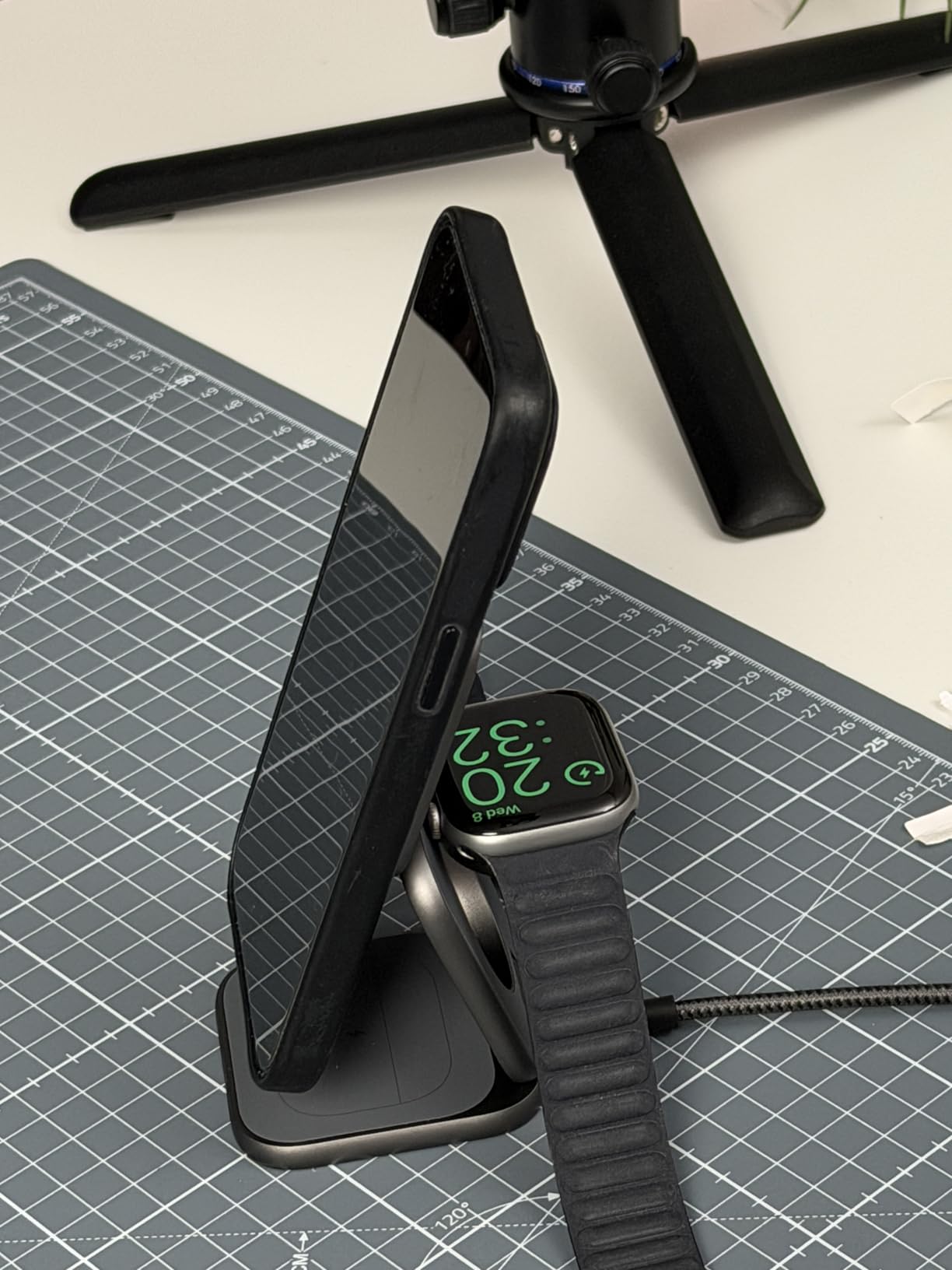
Image: The X40 Turbo charging station shown in both its compact, folded state and its expanded, upright charging configuration, highlighting its portability and versatility.
Setup Istruzzjonijiet
- Qabbad l-Adapter tal-Enerġija: Insert the USB-C end of the provided charging cable into the USB-C port on the X40 Turbo charging station. Plug the other end of the cable into the provided 45W USB-C GaN Adapter, then plug the adapter into a wall outlet.
- Iftaħ il-Ċarġer: Gently unfold the charging station to your desired configuration. It can be used in a flat mode or an upright stand mode for optimal viewing.
- Pjazzament: Place the charging station on a stable, flat surface.
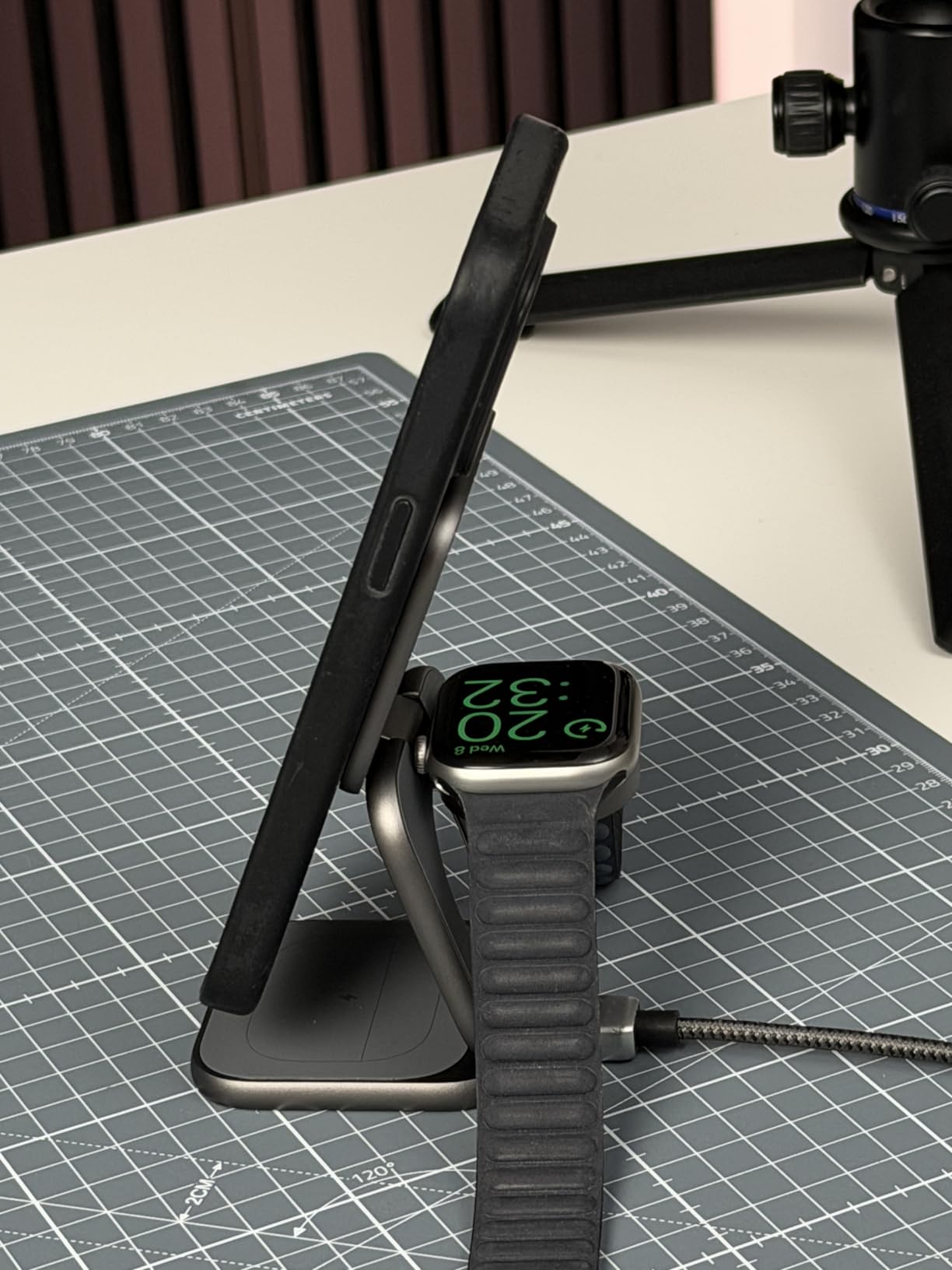
Image: The X40 Turbo charging station with the USB-C cable connected to the power adapter, illustrating the initial setup step.
Istruzzjonijiet Operattivi
Iċċarġjar tat-Tagħmir Tiegħek
- For iPhone (Magnetic Charging Pad): Align your compatible iPhone (iPhone 12-17 series) with the magnetic charging pad. The strong N52 magnets will ensure precise alignment. Charging will begin automatically.
- For Apple Watch (Watch Charging Module): Place your Apple Watch on the dedicated watch charging module. Ensure the watch is properly seated for charging to initiate.
- For AirPods (Base Charging Pad): Place your AirPods (with wireless charging case) on the base charging pad.
The charging station allows simultaneous charging of all three devices. An LED indicator (if present, refer to product for specific location) typically illuminates to confirm charging status.
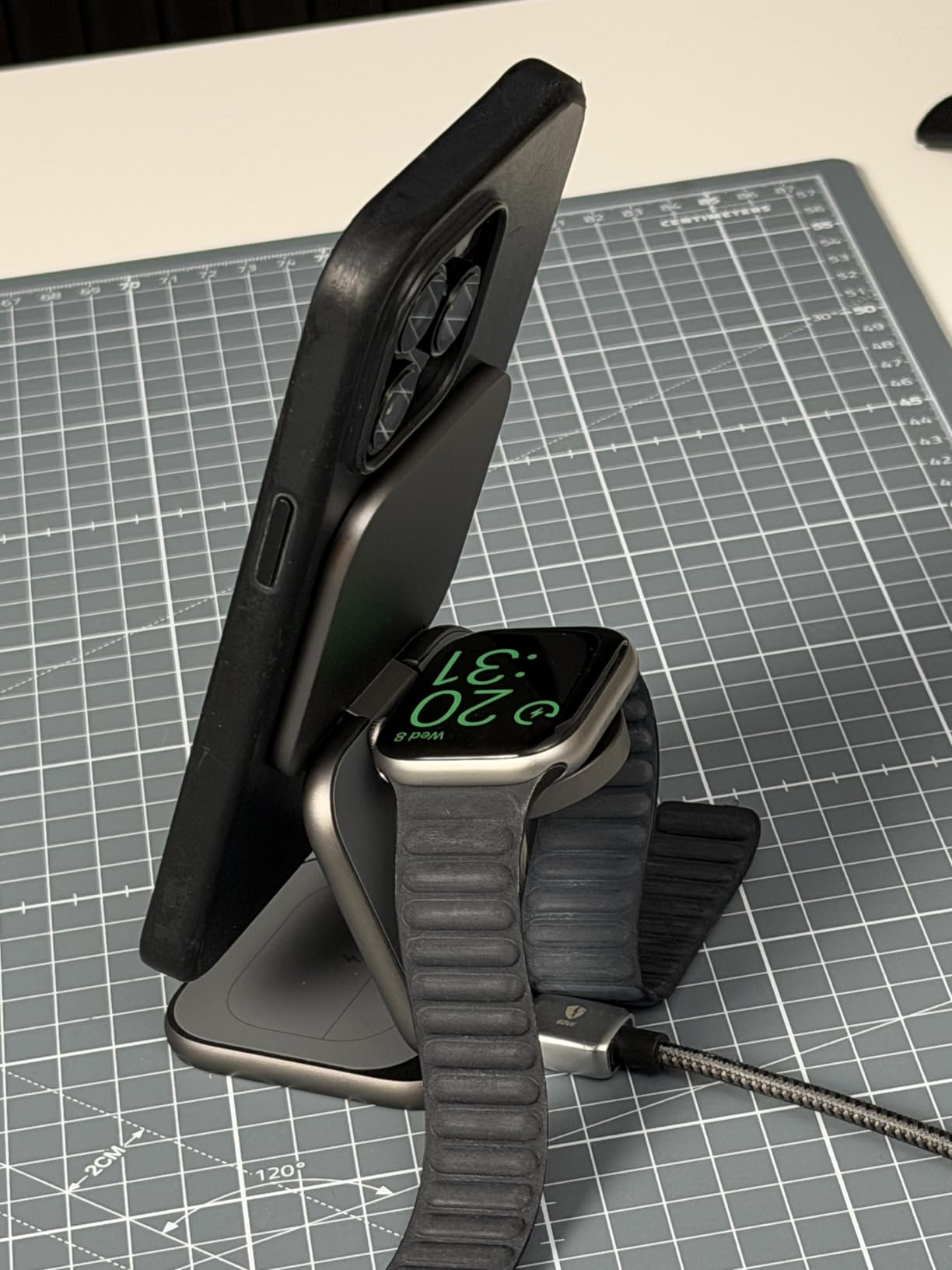
Image: The X40 Turbo charging station actively charging an iPhone, Apple Watch, and AirPods simultaneously, demonstrating its 3-in-1 functionality.
Disinn aġġustabbli
The X40 Turbo features an adjustable hinge, allowing it to be used in various orientations:
- Modalità Ċatta: For compact storage or when a low profile huwa preferut.
- Modalità Stand: For upright viewing of your iPhone in portrait or landscape orientation while charging.
Kompatibilità
The KU XIU X40 Turbo is compatible with a wide range of devices:
- iPhone:
- Qi2.2 25W: iPhone 17/16 Series, Pixel 10 Pro XL
- Qi2.2 20W: iPhone Air (2025)
- Qi2 15W: iPhone 12-15 Series (including mini, Pro, Pro Max models), Pixel 10/10 Pro/10 Pro Fold
- Apple Watch (Max 5W): Ultra 3/2/1, SE 1-3, Series 4-11
- AirPods (Max 5W): 2/3/4/Pro/Pro 2 (with Wireless Charging Case/ANC)
Manutenzjoni
- Tindif: Disconnect the charger from the power source before cleaning. Use a soft, dry, lint-free cloth to wipe the surface. Do not use abrasive cleaners, solvents, or chemical sprays.
- Ħażna: When not in use, store the charging station in a cool, dry place, preferably in its original storage pouch to protect it from dust and scratches.
- Immaniġġjar: Avoid dropping or subjecting the device to strong impacts. The aluminum construction is durable but can be damaged by excessive force.
Issolvi l-problemi
| Problema | Soluzzjoni Possibbli |
|---|---|
| Apparat mhux jiċċarġja. |
|
| Iċċarġjar bil-mod. |
|
| Indikatur LED ma jaħdimx. |
|
| Device gets warm during charging. |
|
Speċifikazzjonijiet
| Numru tal-Mudell | X40 Turbo (YSEU-X40T-HEI) |
| Brand | KU XIU |
| Wireless Charging Standard | Qi2.2 |
| Max iPhone Output | 25W (Qi2.2) |
| Max Apple Watch Output | 5W |
| Max AirPods Output | 5W |
| Adapter Inkluż | 45W USB-C GaN Adapter |
| Tip ta' Konnettur | USB Tip Ċ |
| Materjal | Aluminju, silikonju |
| Piż tal-oġġett | 210 Gramm |
| Karatteristika Speċjali | Magsafe Compatible, Foldable |
Garanzija u Appoġġ
The KU XIU X40 Turbo 3-in-1 Charging Station comes with a 24-il xahar garanzija from the date of purchase. This warranty covers manufacturing defects and ensures reliable performance under normal use.
For technical support, warranty claims, or any questions regarding your product, please contact KU XIU customer service through the retailer where you purchased the product or visit the official KU XIU websit għal informazzjoni ta' kuntatt.
Jekk jogħġbok żomm il-prova tax-xiri tiegħek għas-servizz tal-garanzija.