
1. Introduzzjoni
Welcome to the COLORROOM Kids Tablet A30L1 EVA user manual. This guide provides essential information to help you set up, operate, and maintain your new tablet. Designed for children aged 3-12, this tablet offers a safe and engaging digital environment for learning and entertainment, featuring robust parental controls and a durable design.
2. Informazzjoni dwar is-Sigurtà
- Superviżjoni: Always supervise children during tablet use.
- Iċċarġjar: Use only the provided charger and cable. Do not use the tablet while charging.
- Espożizzjoni għall-Ilma: Keep the tablet away from water and moisture.
- Temperatura: Evita temperaturi estremi.
- Tindif: Clean the tablet with a soft, dry cloth. Do not use liquid cleaners.
- Ħin tal-Iskrin: Utilize parental controls to manage screen time and prevent excessive use.
3. Kontenut tal-Pakkett
Ivverifika li l-oġġetti kollha huma preżenti fil-pakkett tiegħek:
- COLORROOM Kids Tablet A30L1 EVA (with EVA Protective Case)
- USB-C Cable
- Adapter tal-Enerġija
- Gwida għall-Utent (dan id-dokument)
Deskrizzjoni tal-Vidjo: This video demonstrates the unboxing process of the COLORROOM Kids Tablet, showcasing the tablet, its protective EVA case, and included accessories like the charging cable and adapter.
4. Setup
4.1 Qawwa Inizjali
- Press and hold the power button (located on the side) until the screen lights up.
- Segwi l-istruzzjonijiet fuq l-iskrin biex tagħżel il-lingwa u r-reġjun tiegħek.
4.2 Konnessjoni mal-Wi-Fi
- Mill-iskrin tad-dar, tektek l-ikona 'Settings'.
- Agħżel 'Netwerk u internet' imbagħad 'Wi-Fi'.
- Agħżel in-netwerk Wi-Fi tiegħek mil-lista u daħħal il-password.
- Tap 'Connect'.
4.3 Setting up Google Kids Space and Parental Controls
The tablet comes with Google Kids Space pre-installed, offering a curated selection of apps, books, and videos for children. Parental controls are managed through Google Family Link.
- Open the 'Google Kids Space' app.
- Follow the instructions to set up a child profile and link it to your Google Family Link account on your smartphone.
- On your smartphone, download and install the Google Family Link app.
- Use the Family Link app to manage your child's device, including app usage, screen time limits, and content restrictions.

Deskrizzjoni tal-Immaġni: A close-up of the COLORROOM Kids Tablet screen displaying the Google Kids Space interface with various child-friendly app icons for playing, reading, watching, and creating.
Deskrizzjoni tal-Vidjo: This video demonstrates how to use Google Family Link on a parent's smartphone to manage app restrictions and usage time for the child's tablet, ensuring a safe digital experience.
5. Tħaddim tat-Tablet
5.1 Navigazzjoni Bażika
- Touch Screen: Tektek biex tagħżel, skrolla biex tiskrollja, aqbad biex tagħmel zoom.
- Skrin tad-dar: Access all installed apps and widgets.
- Notifiki: Swipe 'l isfel minn fuq tal-iskrin għal view notifiki u settings veloċi.
5.2 Using Educational Apps and Content
The tablet provides access to thousands of high-quality educational content, including picture books, educational comics, children's books, early learning apps for alphabet and numbers, programming tools, and interactive games.

Deskrizzjoni tal-Immaġni: The COLORROOM Kids Tablet in its purple EVA case, displaying a vibrant home screen with various educational and entertainment app icons, including STEM, ABC, and drawing applications.
Deskrizzjoni tal-Vidjo: This video highlights the diverse range of educational apps available on the tablet, covering subjects like English, Kanji, and arithmetic, along with learning manga, children's books, games, and videos.
5.3 Accessing YouTube Kids
YouTube Kids is designed for children, offering a safe and easy way to enjoy videos. Filters can be flexibly adjusted according to your child's growth.
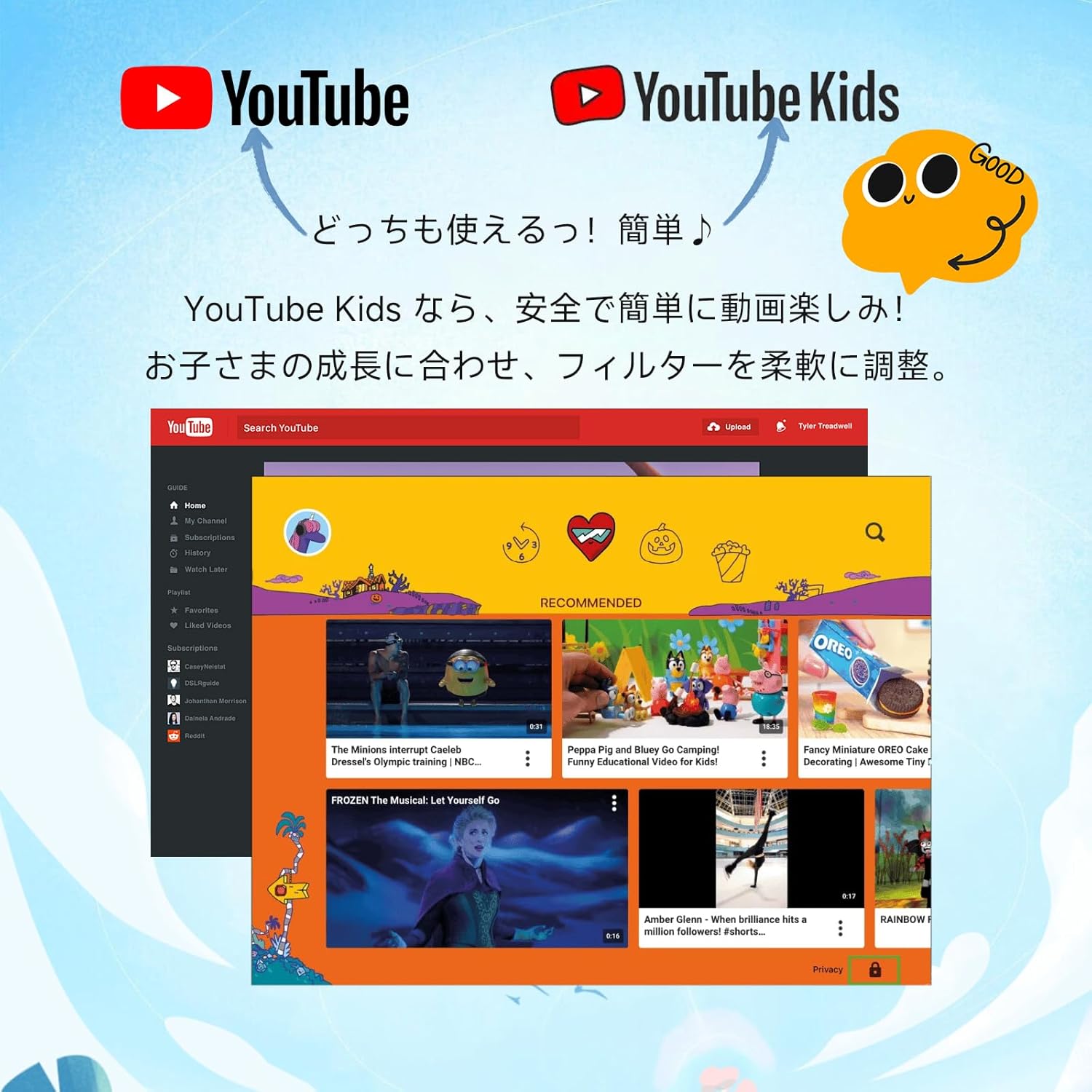
Deskrizzjoni tal-Immaġni: An image comparing the interfaces of standard YouTube and YouTube Kids, emphasizing the child-friendly design and content filtering of YouTube Kids.
5.4 L-Użu tal-Kamera
The tablet features a 5MP front camera and an 8MP rear camera for capturing photos and videos.

Deskrizzjoni tal-Immaġni: An illustration highlighting the 5MP front camera and 8MP rear camera of the COLORROOM Kids Tablet, with example photos of children.
5.5 AR Zoo Application
Explore augmented reality with the pre-installed AR Zoo app. Scan animal pictures to bring them to life on your tablet screen.
Deskrizzjoni tal-Vidjo: This video demonstrates the AR Zoo game, where users can scan animal cards with the tablet's camera to see 3D augmented reality animals appear on the screen.
6. Kontrolli tal-Ġenituri
The tablet is equipped with comprehensive parental controls to ensure a safe and educational experience for your child. These features are primarily managed through the Google Family Link app on your smartphone.
- Custom Child Profiles: Oħloq pro individwalifiles għal kull tifel u tifla.
- Limiti ta' żmien: Set precise daily usage limits in 15-minute increments to prevent overuse.
- App Approval: Individually approve safe apps and websiti.
- Monitoraġġ tal-Kontenut: Easily check your child's device usage and content viewed.
- Għanijiet ta' Tagħlim: Set learning objectives, and restrict entertainment content until goals are met.
- Funzjonalità tal-GPS: Monitor the tablet's location through the Family Link app.

Deskrizzjoni tal-Immaġni: A visual representation of the parental control dashboard, showing options for setting shutdown times, app restrictions, and educational goals for child profiles.
7. Karatteristiċi Overview
7.1 Wiri
- Daqs: 10.1 pulzieri
- Riżoluzzjoni: 1280x800 HD IPS
- Appoġġ Widevine L1: Ensures high-quality streaming for services like Netflix and YouTube.

Deskrizzjoni tal-Immaġni: The tablet screen showing a comparison between L1 (1080P) and L3 (720P) Widevine levels, indicating support for high-definition content streaming.
Deskrizzjoni tal-Vidjo: This video showcases the 10.1-inch large screen of the tablet, highlighting its visual quality for children's content.
7.2 Prestazzjoni
- Sistema Operattiva: Android 16 (personalized, secure, user-friendly)
- CPU: 2.0GHz Octa-Core
- RAM: 24GB (4GB fiżika + 20GB espansjoni virtwali)
- Ħażna Interna: 64GB ROM
- Ħażna espansibbli: Supports microSD cards up to 1TB

Deskrizzjoni tal-Immaġni: The tablet screen displaying the Android 16 operating system, emphasizing enhanced privacy, improved operability, and AI features for a smart daily experience.
7.3 Batterija
- Kapaċità: 6000mAh
- Ħajja tal-batterija: Sa 8 sigħat ta 'użu kontinwu
- Supports fast charging and features low power consumption.

Deskrizzjoni tal-Immaġni: The tablet screen showing a charging battery icon, alongside images of children using the tablet for studying, playing games, and watching videos, illustrating its long battery life.
7.4 Protezzjoni
- EVA Protective Case: Lightweight and shock-absorbing, providing excellent protection against drops.
- 360-degree Rotating Handle/Stand: Allows for vertical or horizontal viewing and easy portability.
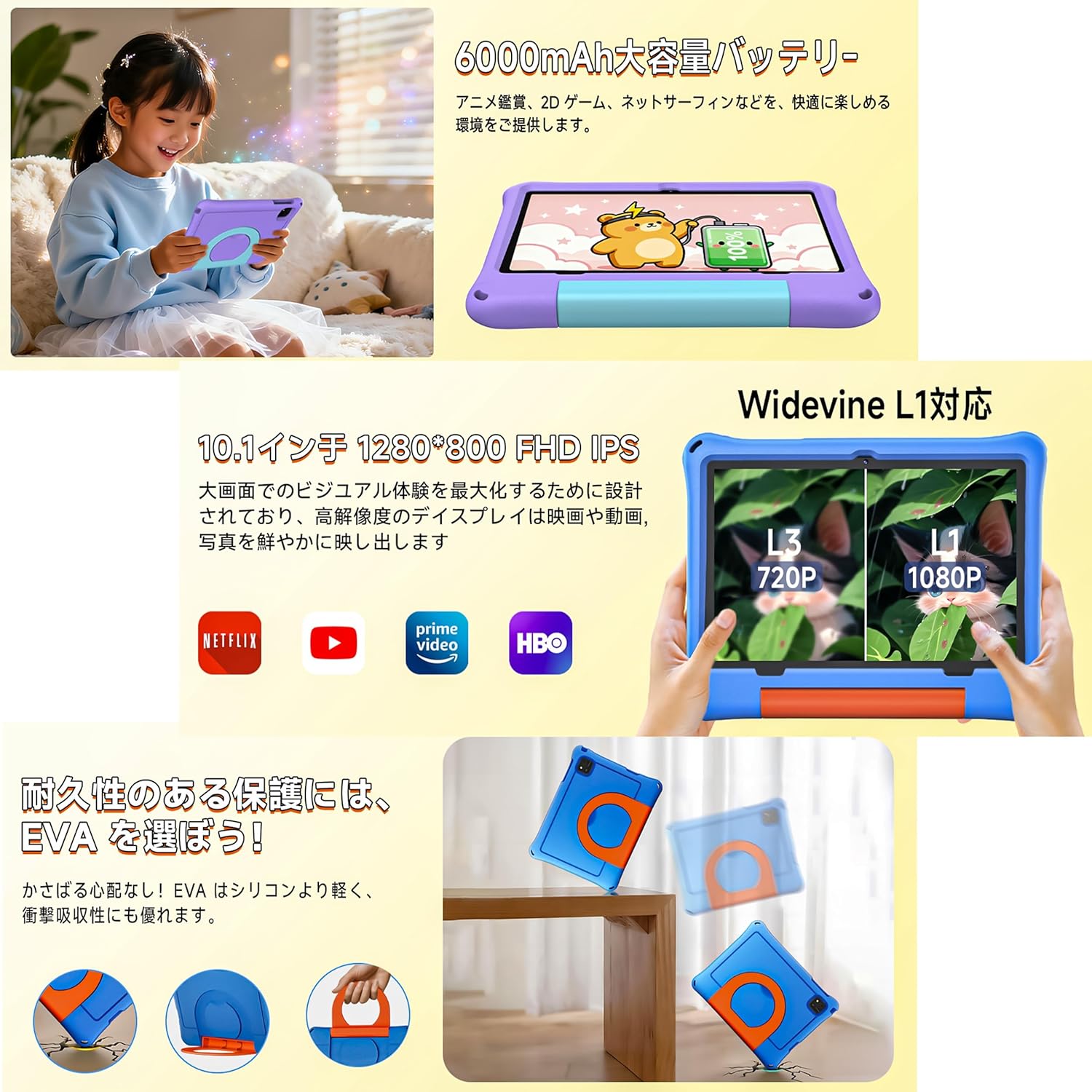
Deskrizzjoni tal-Immaġni: The tablet in its EVA case, highlighting its shock-absorbing properties with illustrations of drops and the versatile 360-degree rotating handle that doubles as a stand.
Deskrizzjoni tal-Vidjo: This video demonstrates the 360-degree rotating handle/stand and the durable, shock-resistant case of a 7-inch kids tablet. Note: This product is a 10.1-inch tablet, but features similar case design.
8. Manutenzjoni
8.1 Tindif tat-Tablet
Biex tnaddaf l-iskrin u l-qafas tat-tablet, uża drapp artab u mingħajr suf. Għal tbajja' persistenti, neħħi ftitampLaħlaħ id-drapp bl-ilma. Evita li tuża kimiċi ħarxa jew materjali li joborxu.
8.2 Kura tal-Batterija
- Evita li tiċċarġja l-batterija kompletament ta' spiss.
- Do not leave the tablet connected to the charger for extended periods after it's fully charged.
- Aħżen il-pillola f'post frisk u niexef meta ma tkunx qed tużaha għal perjodi twal.
8.3 Aġġornamenti tas-Software
Periodically check for system updates to ensure optimal performance and security. Go to 'Settings' > 'System' > 'System update' to check for and install available updates.
9 Issolvi l-problemi
- It-tablet mhux qed jixgħel: Kun żgur li l-batterija hija ċċarġjata. Qabbad il-ċarġer u erġa' pprova.
- Skrin iffriżat: Agħfas u żomm il-buttuna tal-qawwa għal madwar 10 sekondi biex terġa' tibda.
- Kwistjonijiet ta' konnessjoni Wi-Fi: Check if your Wi-Fi router is working correctly. Restart the tablet and try reconnecting.
- L-apps jiġġarraf: Clear the app's cache in 'Settings' > 'Apps' > [App Name] > 'Storage' > 'Clear cache'. If the issue persists, reinstall the app.
- Prestazzjoni bil-mod: Agħlaq l-apps fl-isfond li mhumiex meħtieġa. Neħħi l-cache u l-applikazzjonijiet temporanji files. Consider a factory reset if problems continue (back up data first).
10. Speċifikazzjonijiet
| Karatteristika | Speċifikazzjoni |
|---|---|
| Brand | COLORROOM |
| Isem tal-Mudell | A30L1 EVA |
| Sistema Operattiva | Android 16 |
| CPU | 2.0 GHz Octa-Core (Unisoc) |
| RAM | 24 GB (4GB + 20GB virtwali) |
| Ħażna | 64 GB (espandibbli sa 1TB permezz ta' microSD) |
| Daqs tal-Iskrin | 10.1 pulzieri |
| Riżoluzzjoni tal-Wiri | 1280x800 pixels HD IPS |
| Kamera ta' Quddiem | 5 MP |
| Kamera ta' wara | 8 MP |
| Kapaċità tal-batterija | 6000 mAh |
| Ħajja tal-batterija | Sa 8-il Siegħa |
| Konnettività | Wi-Fi (802.11ac), Bluetooth |
| Dimensjonijiet | 32 x 22.4 x 3.6 ċm |
| Piż | 500 g |
11. Garanzija u Appoġġ
The COLORROOM Kids Tablet A30L1 EVA comes with a Servizz ta' assigurazzjoni tal-kwalità ta' 1 snin. If you encounter any issues with the product, please contact our specialized after-sales service team promptly. We are committed to providing efficient support to resolve your concerns and exceed your expectations.
For support, please refer to the contact information provided with your purchase or visit the COLORROOM brand store on Amazon.