
Bigme B6
Bigme B6 6-inch Color E-Paper E-Reader User Manual
Mudell: B6
Introduzzjoni
This manual provides essential information for setting up, operating, and maintaining your Bigme B6 6-inch Color E-Paper E-Reader. The Bigme B6 is designed to offer a comfortable and versatile reading experience with its advanced E-Ink display and Android 14 operating system.

Image: Bigme B6 Color E-Reader with a nature scene on screen and a navy cover next to it, illustrating the device's color display capabilities.
Setup
1. Kontenut tal-Pakkett
Kun żgur li l-oġġetti kollha huma preżenti fil-pakkett:
- Bigme B6 E-Reader
- USB-C Cable
- Manwal għall-Utent
2. L-Ewwel Tixgħil
To power on your device for the first time, press and hold the power button located on the side of the device until the screen activates. The power button is a small, recessed button.
Immaġni: Close-up view of the Bigme B6 E-Reader's side, highlighting the USB-C port for charging and data transfer, the built-in microphone, the microSD card slot for expandable storage, and the power button.
3. Konfigurazzjoni Bażika
Follow the on-screen prompts to select your preferred language, connect to a Wi-Fi network, and complete the initial setup process. A stable Wi-Fi connection is recommended for software updates and content downloads.
Operating Your E-Reader
Karatteristiċi tal-Wiri
The Bigme B6 features a 6.3-inch E-Ink display designed for eye comfort. It includes virtual buttons to maximize screen space, allowing for seamless navigation by touching, swiping, or pressing invisible areas.
- Dawl ta' Quddiem Aġġustabbli: Enjoy 36 levels of manually adjustable cold and warm light to suit any reading environment, reducing eye strain.
- Ghosting Elimination: The device incorporates Bigme's automatic ghosting elimination algorithm, which reduces power consumption during updates while enhancing the viewing experience for comics, web browsing, and video streaming.
- Eye-Friendly Reading: The display is flicker-free and reduces blue light, certified by TÜV Rheinland for fatigue-free reading.
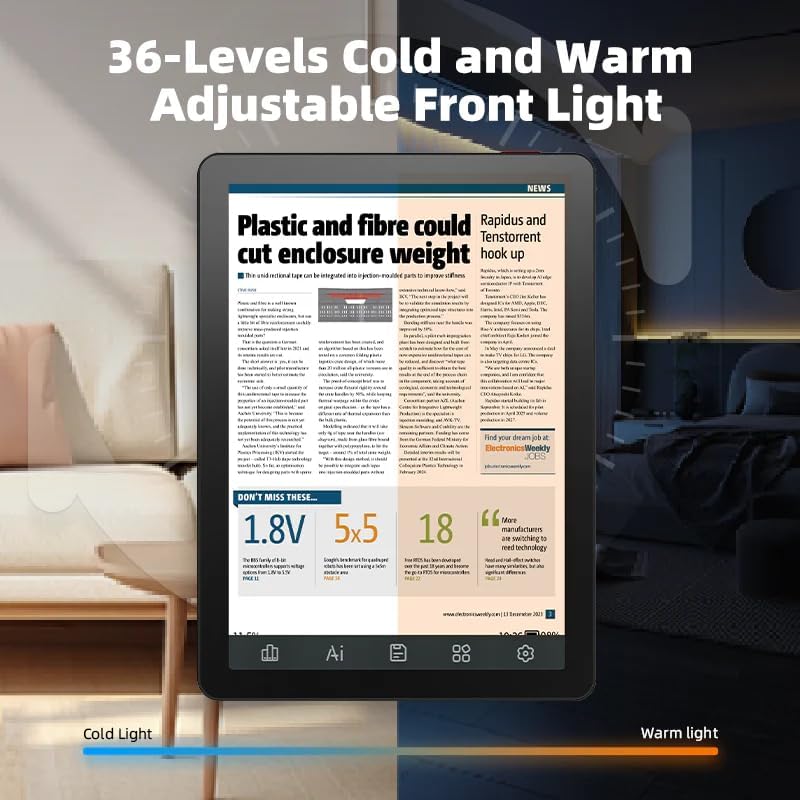
Image: The Bigme B6 E-Reader demonstrating its 36-level adjustable front light, with one side showing a cool light setting and the other a warm light setting for optimal reading comfort.

Image: A user holding the Bigme B6 E-Reader, emphasizing its eye-friendly features such as zero blue light, flicker-free display, and TÜV Rheinland certification for comfortable reading.
Navigation and Interaction
The device offers intuitive navigation through its touch screen and customizable touch buttons. The open Android 14 OS supports various third-party applications and features like OCR (Optical Character Recognition) to enhance usability.
- Customizable Touch Buttons: Virtual buttons provide more display area and less distraction, allowing you to customize their functions for quick access.
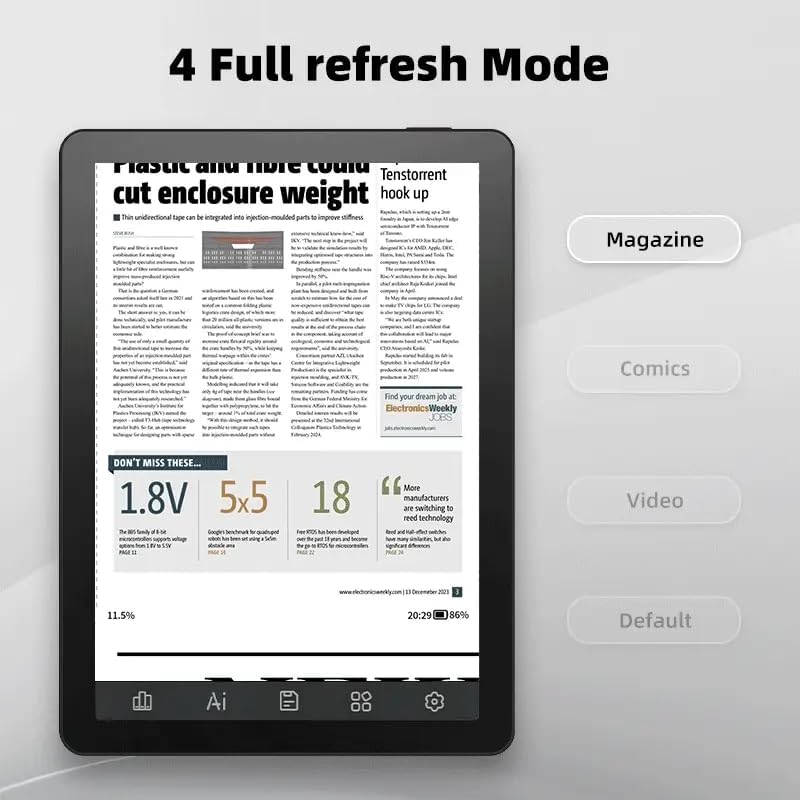
- Refresh Modes: Multiple refresh modes are available to optimize the display for different content types, including magazines, comics, and videos.
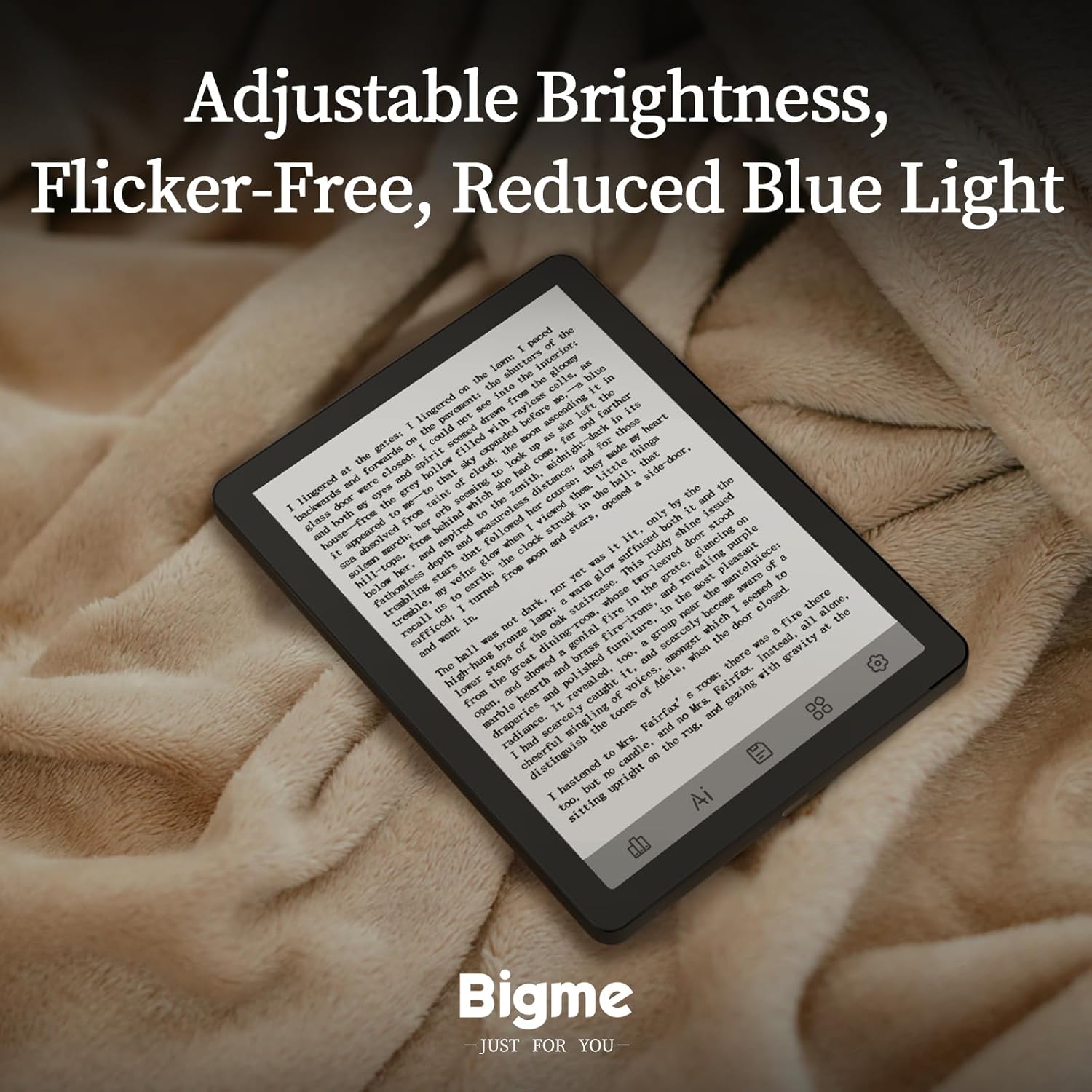
Image: The Bigme B6 E-Reader displaying its file management screen, illustrating the customizable virtual touch buttons at the bottom for enhanced user interaction and a less cluttered display.

Image: The Bigme B6 E-Reader displaying a news article, with a sidebar showing options for different refresh modes (Magazine, Comics, Video, Default) to optimize content viewing.
Reading and Media
The Bigme B6 supports a wide range of e-book formats, allowing you to expand your library without file conversion. It also offers features to enhance your reading and listening experience.
- Formati appoġġjati: PDF, TXT, EPUB, EPUB3, HTML, HTM, AZW3, FB2, OEB, CBR, RPC, RTF, DJVU, ZIP.
- L-enfasi: Easily highlight and color-code book passages with a simple tap.
- Kotba awdjo: Connect via Bluetooth wireless technology to listen to audiobooks, freeing your hands for other activities.

Image: A user interacting with the Bigme B6 E-Reader, tapping the screen to highlight and color-code text passages within a book.

Image: The Bigme B6 E-Reader showing an audiobook playback interface, positioned next to white wireless earbuds, demonstrating its support for audiobooks via Bluetooth.
Manutenzjoni
Iċċarġjar tal-Apparat
To charge your Bigme B6, connect the provided USB-C cable to the device's USB-C port and plug the other end into a compatible power adapter or computer. The device features a Lithium-ion battery.
Tindif tal-Iskrin
Use a soft, lint-free cloth to gently wipe the screen. Avoid using harsh chemicals or abrasive materials, as these can damage the E-Ink display.
Reżistenza għall-Ilma
The Bigme B6 is designed to be dust-resistant and water-resistant. While it can withstand splashes, avoid submerging the device in water for extended periods.
Issolvi l-problemi
Apparat Mhux Jirrispondi
If the device is unresponsive, try performing a soft reset by pressing and holding the power button for approximately 10-15 seconds until the device restarts.
Screen Ghosting
While the Bigme B6 has an advanced ghosting elimination algorithm, minor ghosting may occasionally occur. This is normal for E-Ink displays. A full screen refresh (often triggered automatically or manually through settings) will typically resolve this.
Kwistjonijiet ta' Konnettività
If you experience issues with Wi-Fi or Bluetooth connectivity, ensure the device is within range of the network/device and that the respective functions are enabled in the settings. Restarting the device or the router/Bluetooth accessory may also help.
Speċifikazzjonijiet
| Karatteristika | Dettall |
|---|---|
| Brand | Bigme |
| Isem tal-Mudell | B6 |
| Teknoloġija tal-Wiri | Linka Elettronika |
| Daqs tal-Iskrin | 6 inches (6.3" virtual display area) |
| Riżoluzzjoni tal-Wiri | 1024x768 |
| Kapaċità tal-Ħżin | 64 GB |
| RAM | 4 GB |
| Sistema Operattiva | Android 14 OS |
| Teknoloġija tal-Konnettività | USB |
| Karatteristiċi Speċjali | Dust Resistant, Adjustable Front Light (36 levels cold/warm), OCR Function |
| Tip ta 'batterija | Lithium-ion |
| Dimensjonijiet tal-oġġett (L x W x H) | 15 x 0.7 x 11 ċm |
| Piż tal-oġġett | 176 Gramm |
| Appoġġjati File Formati | EPUB, MOBI, PDF, TXT, DOC/DOCX, HTML/HTM, AZW3, FB2, OEB, CBR, RPC, RTF, DJVU, ZIP |
Garanzija u Appoġġ
Informazzjoni dwar Garanzija
The Bigme B6 E-Reader comes with a garanzija ta 'sena mid-data tax-xiri. Din il-garanzija tkopri difetti fil-manifattura u malfunzjonamenti taħt użu normali. Jekk jogħġbok żomm il-prova tax-xiri tiegħek għal talbiet ta' garanzija.
Appoġġ għall-Klijent
For technical assistance, troubleshooting, or warranty inquiries, please refer to the contact information provided in your product packaging or visit the official Bigme websit għal riżorsi ta' appoġġ.
Ask a question about this manual
Ask about setup, troubleshooting, compatibility, parts, safety, or missing instructions. Manuals+ will review the question and use this page’s manual context to help answer it.