
1. Introduzzjoni
The ASUS ROG RYUO IV SLC 360 ARGB is an advanced all-in-one CPU liquid cooler designed for optimal thermal performance and aesthetic customization. It features a curved 6.67-inch AMOLED display, pre-mounted daisy-chained ARGB fans, and a powerful pump to ensure efficient cooling for high-performance systems.
This manual provides essential information for the proper installation, operation, and maintenance of your ROG RYUO IV SLC 360 ARGB liquid cooler.
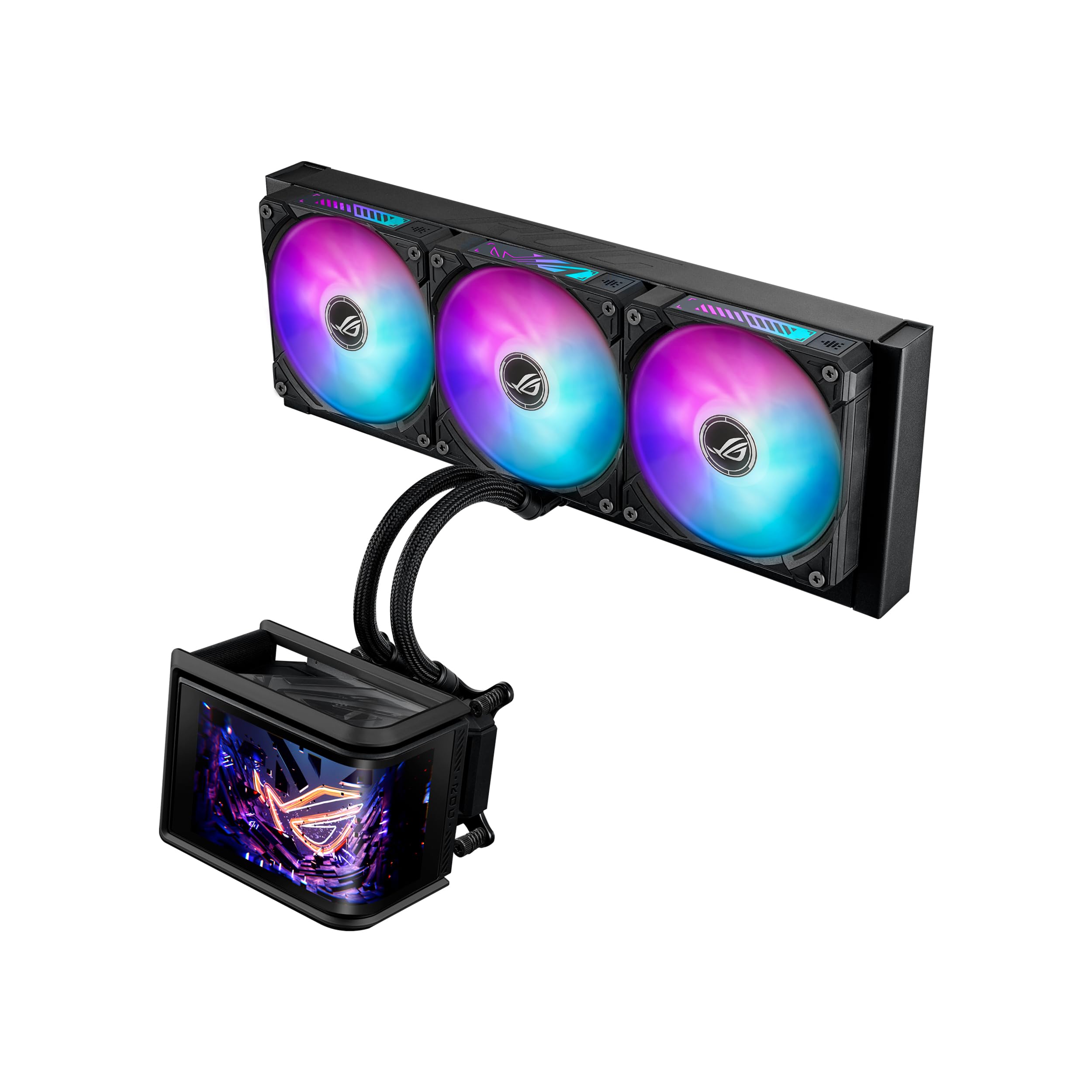
Figure 1: ASUS ROG RYUO IV SLC 360 ARGB Liquid Cooler
2. Setup u Installazzjoni
2.1 Kontenut tal-Pakkett
Qabel tibda l-installazzjoni, ivverifika li l-komponenti kollha huma preżenti fil-pakkett:
- ROG Ryuo IV SLC 360 ARGB AIO Cooler (Radiator, Pump, Fans)
- Pakkett Aċċessorju ta' Viti u Brakketti (għal sokits Intel u AMD)
- Gwida Quick Start
- ROG Cable Organizer
- Stiker ROG
- ROG VIP Card

Figura 2: X'hemm fil-Kaxxa
2.2 Kompatibilità
The ROG RYUO IV SLC 360 ARGB supports a wide range of CPU sockets:
- Intel: LGA 1851, 1700
- AMD: AM5, AM4
Ensure your motherboard and PC case are compatible with a 360mm radiator. The shortened tubing design (200mm) is optimized for a clean aesthetic and improved compatibility within most mid to large tower cases.

Figure 3: Extensive Compatibility
2.3 Passi ta' Installazzjoni (Ġenerali Fuqview)
- Ipprepara Motherboard: Install the appropriate mounting brackets for your CPU socket (Intel or AMD) onto the motherboard.
- Radjatur tal-Immuntar: Secure the 360mm radiator to an available mounting location in your PC case, typically at the top or front. The pre-mounted daisy-chained ARGB fans simplify cable management.
- Installa l-Pompa/Pjanċa Kiesħa: Apply thermal paste (if not pre-applied) to the CPU. Mount the pump/cold plate assembly onto the CPU, ensuring even pressure.
- Qabbad Kejbils: Connect the pump and fan cables to the appropriate headers on your motherboard. Connect the display cable for the AMOLED screen.
- Installazzjoni tas-Softwer: Install the ASUS Armoury Crate software to customize the AMOLED display, ARGB lighting, and fan profiles.
For detailed, step-by-step instructions, please refer to the included Quick Start Guide or the official ASUS support websit.

Figure 4: Pre-Installed, Daisy-Chained Fans
3. Istruzzjonijiet Operattivi
3.1 Curved AMOLED Display
The 6.67-inch curved AMOLED display on the pump head supports 3D-effect videos or customized system information. Use the ASUS Armoury Crate software to:
- Monitor real-time CPU temperature, fan speed, and other system metrics.
- Display custom images, GIFs, or videos.
- Adjust display orientation and content.

Figure 5: Curved AMOLED Display
3.2 Kontroll tad-Dawl ARGB
The pre-mounted daisy-chained ARGB fans feature front and side lighting. The lighting can be synchronized with other ASUS Aura Sync compatible components through the Armoury Crate software. Customize lighting effects, colors, and patterns to match your system's aesthetic.
3.3 Prestazzjoni tat-tkessiħ
The powerful pump and high-airflow fans deliver robust cooling performance, higher flow, and lower impedance. The system is designed to maintain optimal operating temperatures for your CPU even under heavy workloads, preventing thermal throttling and performance degradation.
Vidjo 1: Fuqview of the ASUS ROG RYUO IV SLC 360 ARGB Liquid Cooler's features and aesthetics.
4. Manutenzjoni
Regular maintenance ensures the longevity and optimal performance of your liquid cooler:
- Tneħħija tat-Trab: Periodically clean the radiator fins and fan blades using compressed air to prevent dust buildup, which can impede airflow and cooling efficiency.
- Iċċekkja t-Tubi u l-Konnessjonijiet: Inspect the tubing for any signs of kinks, leaks, or damage. Ensure all connections to the pump, radiator, and motherboard are secure.
- Aġġornamenti tas-Software: Keep your ASUS Armoury Crate software updated to the latest version to ensure compatibility and access to new features or performance optimizations.
- Storbju tal-Pompa: If you notice unusual pump noises, ensure the pump is running at an appropriate speed and that there are no air bubbles trapped in the loop. Gently tilting the PC case can sometimes help dislodge air bubbles.
5 Issolvi l-problemi
5.1 Temperaturi Għolja tas-CPU
- Verify that the pump is functioning correctly and that its cables are securely connected.
- Ensure fans are spinning and configured for optimal airflow (intake/exhaust).
- Check for dust buildup on the radiator and clean if necessary.
- Confirm that the cold plate is making proper contact with the CPU and that thermal paste was applied correctly.
5.2 Storbju tal-Fann
- Adjust fan curves in ASUS Armoury Crate to find a balance between cooling performance and noise levels.
- Ensure fans are securely mounted and not vibrating against the case.
- At maximum RPM, fans may produce audible noise, which is normal for high-performance cooling.
5.3 AMOLED Display Issues
- Kun żgur li l-kejbil tad-displej huwa konness sew mal-motherboard.
- Update ASUS Armoury Crate software and display drivers.
- If the display prevents your OLED monitor from entering sleep mode, check for updated software or firmware from ASUS that addresses this specific issue.
5.4 ARGB Lighting Malfunctions
- Verify all ARGB cables are correctly connected to the motherboard's ARGB headers.
- Ensure ASUS Armoury Crate is installed and updated, and that lighting effects are properly configured.
6. Speċifikazzjonijiet
| Karatteristika | Speċifikazzjoni |
|---|---|
| Dimensjonijiet tal-Prodott | 4.72"T x 0.98"W x 4.72"Għ |
| Brand | ASUS |
| Tip ta 'Konnettur tal-Enerġija | 4-pin PWM, 3-pin 5V ARGB |
| Voltage | 0.55 Volts |
| Wattage | 120 watt |
| Metodu tat-tkessiħ | Fann, Ilma |
| Apparati Kompatibbli | AMD: AM5, AM4, Intel: LGA 1851, 1700 |
| Livell ta' Storbju | 39.6 Deċibel |
| Materjal | Aluminju, Ram |
| Veloċità ta' Rotazzjoni Massima | 1500 RPM |
7. Garanzija u Appoġġ
7.1 Informazzjoni dwar Garanzija
The ASUS ROG RYUO IV SLC 360 ARGB Liquid Cooler comes with the following warranty:
- Wiri: 2 Snin Garanzija
- AIO Cooler: 6 Snin Garanzija
Please retain your proof of purchase for warranty claims. Warranty terms and conditions may vary by region.
7.2 Appoġġ Tekniku
For further assistance, technical support, or to download the latest drivers and software, please visit the official ASUS support websit:
Tista 'wkoll iżżur il- Ħanut tal-ASUS fuq Amazon għal aktar informazzjoni dwar il-prodott.


