
1. Istruzzjonijiet tas-Sigurtà
- This water dispenser is designed for indoor use only.
- Evita li tpoġġi l-apparat fid-dawl tax-xemx dirett jew ħdejn sorsi tas-sħana.
- It-tfal għandhom jużaw dan il-prodott taħt is-superviżjoni tal-adulti.
- Never immerse the main unit in water or other liquids. Wipe it with a damp drapp minflok.
- Ensure the device is powered off before cleaning or maintenance.
- Do not move the dispenser while filled with water. Always empty the water tank before relocating the unit.
2. Kontenut tal-Pakkett
Iċċekkja li l-oġġetti kollha huma inklużi fil-pakkett tiegħek:
- 1 x Wireless Cat Water Fountain (Main Unit, Fresh Water Tank, Waste Water Tank, Water Bowl)
- 1 x Pinzell tat-Tindif
- 1 x Power Cord (Type-C USB)
- 1 x USB Wall Adapter
- 1 x Manwal għall-Utent

Image: All components included in the Invengo MeowFlow E100 package.
3. Prodott Aktarview
The Invengo MeowFlow E100 features a dual-tank system for fresh and wastewater separation, ensuring your pet always has access to clean water. It operates wirelessly with a long-lasting battery and includes smart alerts for convenience.

Image: The Invengo MeowFlow E100 Wireless Pet Water Fountain.
Komponenti Ewlenin:
- Unità Prinċipali: Houses the control panel, pump mechanism, and battery.
- Tank tal-Ilma Ħelu: Holds 3.5 liters of clean water.
- Waste Water Tank: Collects used water, preventing recirculation.
- Skutella tal-Ilma: Stainless steel bowl for pets to drink from.
- Panel tal-Kontroll: Digital display for time, feed plan, and alerts.
- Power Button & Charging Port: Located on the side for easy access.

Immaġni: Dettaljata view of the control panel, robotic arm, and power/charging port.
4. Gwida ta' Setup
Follow these steps to assemble your Invengo MeowFlow E100:
- Neħħi l-komponenti kollha mill-imballaġġ.
- Poġġi l-unità prinċipali fuq wiċċ stabbli u ċatt.
- Insert the fresh water tank into the designated slot on the main unit.
- Insert the waste water tank into its designated slot on the main unit.
- Place the stainless steel water bowl into the white holder, then attach the holder to the main unit until it clicks securely.
- Fill the fresh water tank with clean water. Do not overfill.
- Connect the power cord to the charging port if needed, or ensure the internal battery is charged.
- Slide the power button to the 'ON' position.

Image: Visual guide for assembling the water fountain components.
Setup Video Tutorial:
Video: A step-by-step tutorial on how to get started and assemble your MeowFlow E100 water fountain.
5. Istruzzjonijiet Operattivi
Power On/Off:
- To power on, slide the switch on the side of the main unit to 'ON'. The display will light up.
- To power off, slide the switch to 'OFF'.
Setting Water Dispensing Schedule:
The control panel allows you to customize the water dispensing schedule and volume.
- Nisfruttaw: Touch and hold the 'OK' button for 5 seconds to unlock the control panel.
- Issettja l-Ħin Kurrenti: Tap 'TIME SET', then use the arrow keys to adjust hours and minutes. Press 'OK' to confirm.
- Set Feed Plan: Tap 'FEED PLAN', then use the arrow keys to select up to 6 meal times. For each meal, set the desired time and water output level (1-3, indicating 90ml, 120ml, or 150ml). Press 'OK' to save.
- The system will automatically dispense fresh water according to your set schedule.

Image: The digital control panel for setting time and dispensing schedules.
Twissijiet Intelliġenti:
- Batterija Baxxa: The smart panel will display a low battery indicator when the battery level is at 30%. Recharge the device using the provided Type-C USB cable and adapter.
- Full Wastewater Tank: An alert will notify you when the wastewater tank is full and needs to be emptied.
- Low Clean Water: Operation pauses if the clean water tank runs too low, preventing the pump from running dry.
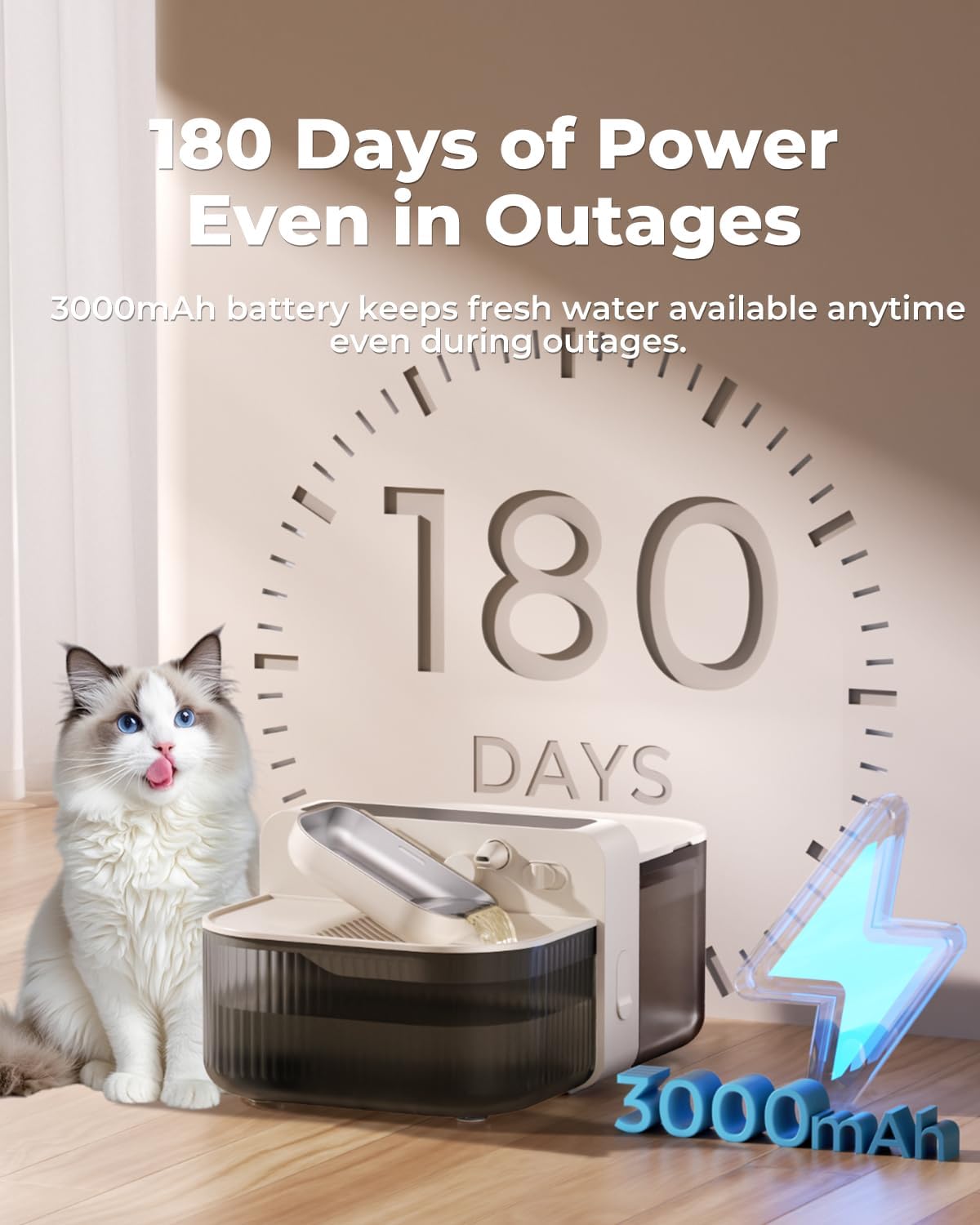
Image: The water fountain highlighting its 180-day battery life on a single charge.
Operazzjoni bla fili:
The built-in 3000mAh lithium battery provides up to 180 days of cordless operation, allowing flexible placement without needing a constant power outlet.
Video: An official Invengo video demonstrating the wireless operation and benefits of the water fountain.
6. Manutenzjoni u Tindif
The Invengo MeowFlow E100 is designed for easy maintenance with no filters required. Regular cleaning ensures optimal hygiene for your pet.
Passi tat-Tindif:
- Kun żgur li l-apparat ikun mitfi.
- Remove the water bowl by pushing the release switch and lifting it.
- Carefully remove the fresh water tank and waste water tank from the main unit.
- Empty both tanks and the water bowl.
- Wash the fresh water tank, waste water tank, and stainless steel water bowl with mild soap and water. Use the provided cleaning brush for hard-to-reach areas.
- Importanti: Do not rinse or immerse the main unit in water. Wipe it with a damp drapp minflok.
- Ħalli l-komponenti kollha jinxfu kompletament bl-arja qabel ma terġa' tiġborhom.
- Reassemble the device by reversing the setup steps.

Image: Visual instructions for disassembling and cleaning the water fountain.
Wastewater Separation:
The innovative wastewater separation system ensures that fresh water is never recycled. This eliminates the need for filters, reducing ongoing costs and maintenance.

Image: Illustration of the wastewater separation technology, ensuring only fresh water is provided.
7 Issolvi l-problemi
| Problema | Kawża Possibbli | Soluzzjoni |
|---|---|---|
| L-apparat ma jixgħelx | Batterija baxxa jew ebda enerġija. | Charge the device using the provided power cord and adapter. Ensure the power switch is in the 'ON' position. |
| Ilma ma jqassamx | Clean water tank is empty; wastewater tank is full; dispensing schedule not set. | Refill the fresh water tank; empty the wastewater tank; check and set the dispensing schedule on the control panel. |
| Alert indicator flashing | Low battery (30%); wastewater tank full. | Recharge the device; empty the wastewater tank. |
| Storbju mhux tas-soltu waqt it-tħaddim | Components not properly assembled; foreign object in pump. | Disassemble and reassemble all components securely; clean the pump area for any obstructions. |
8. Speċifikazzjonijiet
| Karatteristika | Dettall |
|---|---|
| Mudell | MeowFlow E100 (PTM-673) |
| Dimensjonijiet (LxWxH) | 10.08 x 7.64 x 9.41 pulzieri |
| Piż | 3.45 libbra (1.57 Kilogrammi) |
| Kapaċità | 3.5 Litri (118 oz) |
| Materjali | ABS + 304 Stainless Steel |
| Batterija | 3000mAh rechargeable lithium battery (up to 180 days operation) |
| Input | 5V=1A |
| Adapter | USB tat-tip C |
| Livell ta' Storbju | 0dB (standby), <30dB (refill) |
9. Garanzija u Appoġġ
Informazzjoni dwar il-garanzija:
The Invengo MeowFlow E100 comes with a 1-Sena Garanzija from the date of original purchase. This warranty covers manufacturing defects and malfunctions under normal use. Please retain your proof of purchase for warranty claims.
Appoġġ għall-Klijent:
For any questions, troubleshooting assistance, or warranty claims, please contact Invengo customer support:
- Email: service@invengo.com
- Online: Visit the official Invengo websit għal FAQs u riżorsi ta' appoġġ addizzjonali.