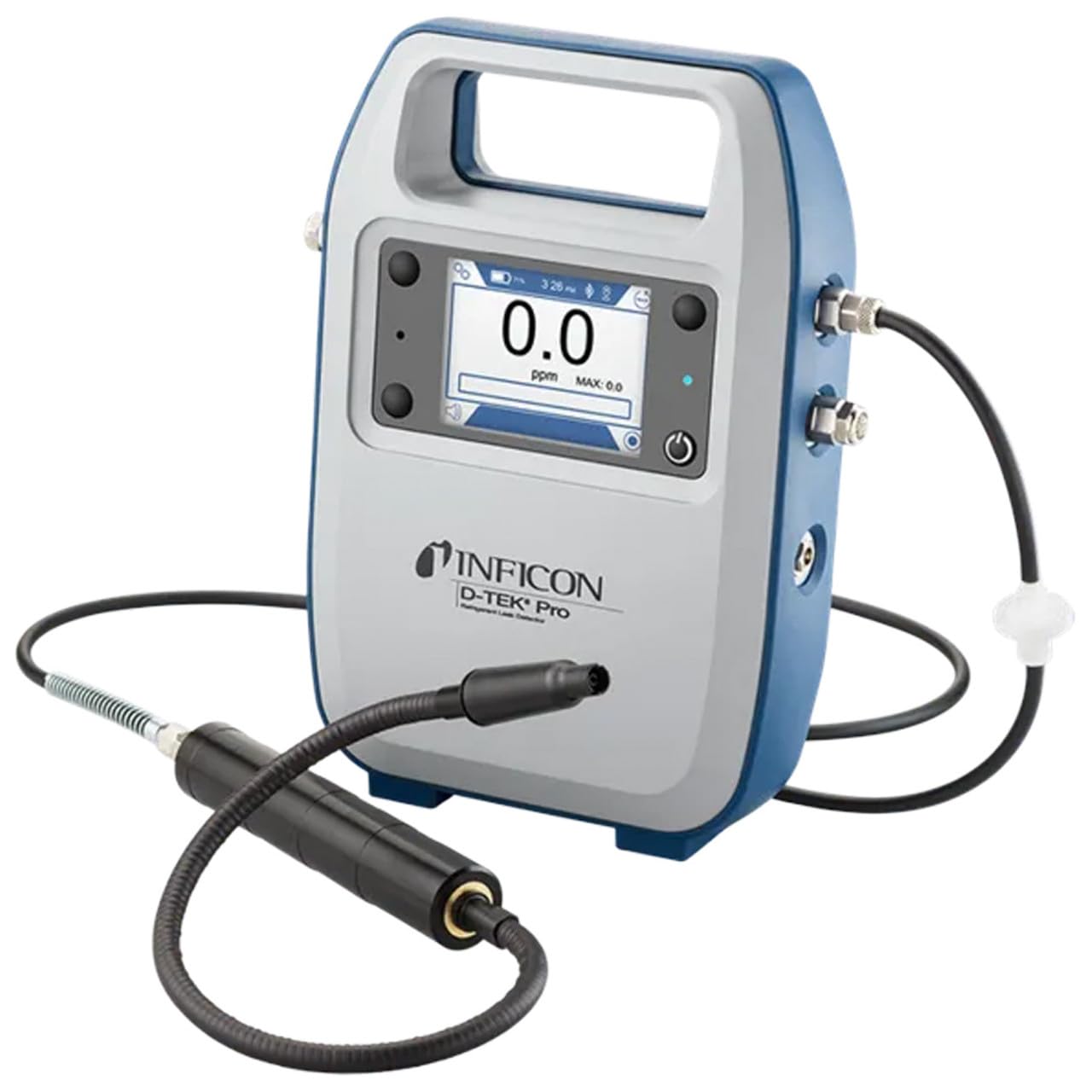
Inficon D-TEK Pro Refrigerant Leak Detector User Manual
Model: 508-202-G1
1. Introduzzjoni
The Inficon D-TEK Pro Refrigerant Leak Detector is designed for precise and rapid detection of refrigerant leaks. This device offers high sensitivity and an all-in-one Pro Mode for efficient leak identification. This manual provides essential information for the proper setup, operation, and maintenance of your D-TEK Pro.
2. Informazzjoni dwar is-Sigurtà
Dejjem osserva l-prekawzjonijiet ta' sigurtà li ġejjin biex tevita korrimenti u ħsara lill-apparat:
Aqra l-istruzzjonijiet kollha qabel tħaddem l-apparat.
Uża l-apparat biss kif deskritt f'dan il-manwal.
Tesponix l-apparat għal temperaturi jew umdità estremi.
Aċċerta ruħek li jkun hemm ventilazzjoni xierqa meta taħdem bir-refriġeranti.
Ilbes tagħmir protettiv personali (PPE) xieraq bħal ingwanti u protezzjoni għall-għajnejn.
Do not attempt to service the device beyond what is described in the maintenance section. Refer all other servicing to qualified personnel.
3. X'hemm fil-Kaxxa
Iċċekkja li l-oġġetti kollha huma preżenti meta tiftaħ il-pakkett:
(1) D-TEK Pro Refrigerant Leak Detector
(1) Soft case with shoulder strap
(1) Spare filters
(1) Phone holder
(1) Kejbil tal-iċċarġjar
4. Setup
4.1 Iċċarġjar tal-Apparat
The D-TEK Pro is powered by a rechargeable battery. Before first use, fully charge the device.
Connect the provided charging cable to the charging port on the D-TEK Pro.
Ipplaggja t-tarf l-ieħor tal-kejbil tal-iċċarġjar ma' sors ta' enerġija adattat.
L-indikatur tal-iċċarġjar fuq l-apparat se jixgħel. Ħalli biżżejjed ħin għal iċċarġjar sħiħ.
4.2 Twaħħil tad-Detentur tat-Telefon
The included phone holder allows for convenient mobile device integration.
Locate the attachment point for the phone holder on the D-TEK Pro.
Securely attach the phone holder according to its design.
Place your mobile device into the holder, ensuring it is stable.
5. Istruzzjonijiet Operattivi
5.1 Tixgħel/Jitfi
Biex tixgħel, agħfas u żomm il-buttuna tal-qawwa sakemm id-displej jixgħel.
Biex titfi, agħfas u żomm il-buttuna tal-qawwa sakemm l-apparat jintefa.
5.2 Using Pro Mode for Leak Detection
The D-TEK Pro features an all-in-one Pro Mode that combines cloud hunting and pinpointing capabilities, allowing for efficient leak location.
Ensure the device is powered on and in Pro Mode (refer to the display for mode indication).
Move the sensor probe slowly around suspected leak areas. The device's superior airflow allows for detection from a greater distance.
The D-TEK Pro will indicate the presence of refrigerants with high sensitivity, detecting down to 0.1 ppm.
Follow the increasing readings to pinpoint the exact leak source.
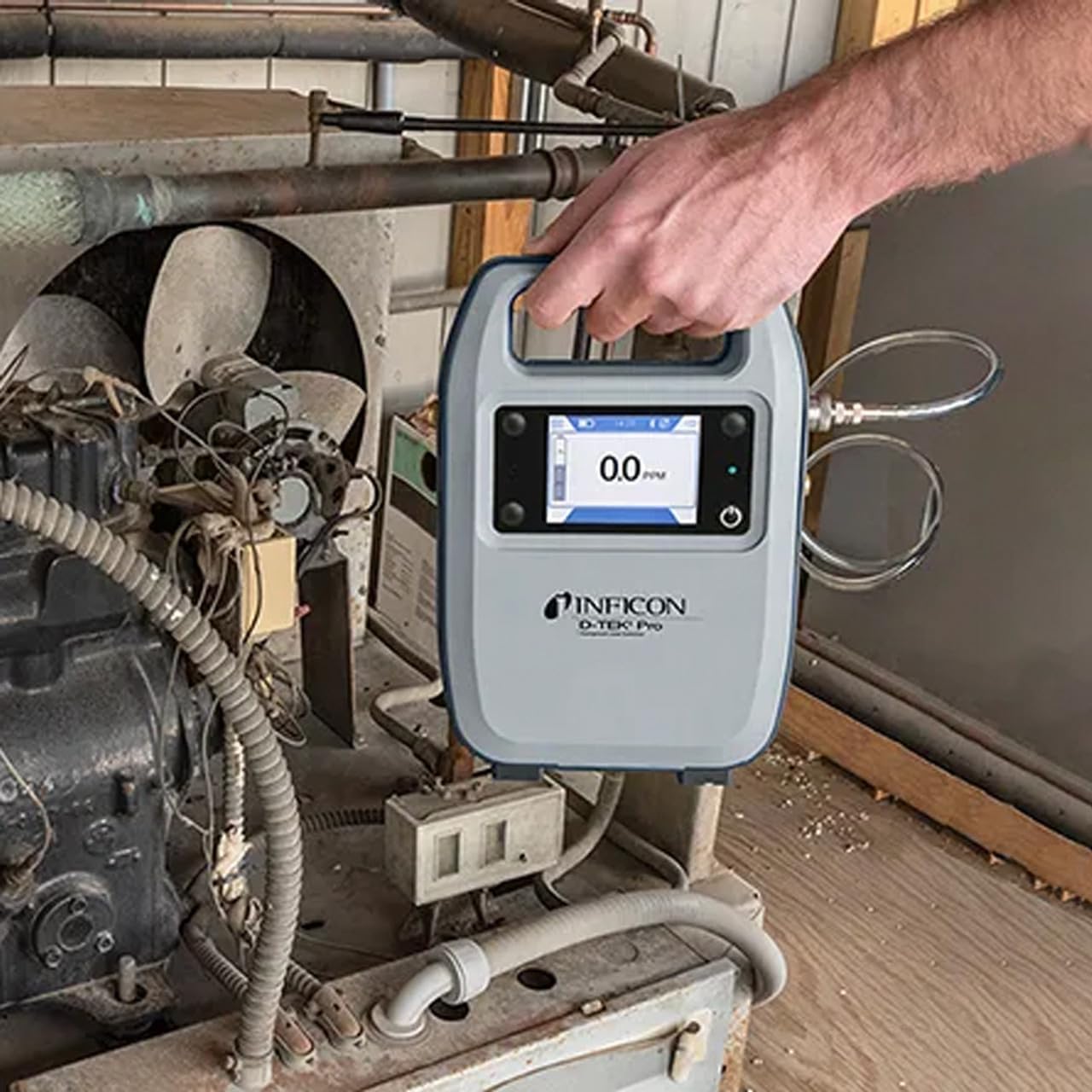
Figure 1: The Inficon D-TEK Pro being used to inspect a refrigeration unit. The display shows a 0.0 ppm reading, indicating no refrigerant detected at the current location. The device is held by a user's hand, demonstrating its portability and ease of use in an industrial setting.
5.3 Kompatibilità tar-Refriġerant
The D-TEK Pro is designed to detect a wide range of refrigerants, including:
CFCs (Chlorofluorocarbons)
HCFCs (Hydrochlorofluorocarbons)
HFCs (Hydrofluorocarbons)
HFOs (Hydrofluoroolefins)
Blends including A2Ls
5.4 Mobile App Integration
Download the D-TEK Pro mobile app to enhance your leak detection workflow.
Customer Reports: Generate detailed reports with photos and ppm tracking.
Traċċar GPS: Confirm job location with integrated GPS functionality.
Figure 2: The Inficon D-TEK Pro connected to a smartphone, showcasing the mobile application's interface. This setup allows users to view real-time leak detection data, generate reports, and utilize GPS tracking for job site verification.
6. Manutenzjoni
6.1 Kura u Tindif Ġenerali
To ensure optimal performance and longevity of your D-TEK Pro:
Imsaħ l-apparat b'artab, damp drapp. Tużax tindif jew solventi li joborxu.
Keep the sensor probe clean and free from debris.
Store the device in its soft case when not in use to protect it from dust and physical damage.
6.2 Sostituzzjoni tal-Filtru
The D-TEK Pro is designed for low maintenance, requiring no purging and no charcoal filters. However, spare filters are provided for specific applications or if the existing filter becomes visibly soiled or damaged.
Locate the filter housing on the device.
Neħħi l-filtru l-qadim bir-reqqa.
Insert a new spare filter, ensuring it is seated correctly.
7 Issolvi l-problemi
This section addresses common issues you might encounter with your D-TEK Pro.
Problema
Kawża Possibbli
Soluzzjoni
L-apparat ma jixgħelx.
Batterija baxxa jew eżawrita.
Iċċarġja l-apparat billi tuża l-kejbil tal-iċċarġjar ipprovdut.
Qari mhux preċiż jew inkonsistenti.
Sensor probe is dirty or damaged; environmental interference.
Clean the sensor probe. Ensure proper environmental conditions. If issue persists, contact support.
L-app mobbli mhux qed tikkonnettja.
Bluetooth issue; app not updated.
Ensure Bluetooth is enabled on both devices. Update the D-TEK Pro app to the latest version.
8. Speċifikazzjonijiet
Karatteristika
Dettall
Numru tal-Mudell
508-202-G1
Piż tal-oġġett
3 liri
Dimensjonijiet tal-Pakkett
15 x 12 x 4 pulzieri
Tip ta 'Wiri
LCD, LED
Sors tal-Enerġija
Batterija Rikarikabbli
Sensittività
Riżoluzzjoni 0.1 ppm
Detected Refrigerants
CFCs, HCFCs, HFCs, HFOs, and blends including A2Ls
9. Informazzjoni dwar Garanzija
The Inficon D-TEK Pro Refrigerant Leak Detector comes with a garanzija ta 'sena from the date of purchase. This warranty covers defects in materials and workmanship under normal use. For warranty claims or detailed terms and conditions, please refer to the official Inficon websit jew ikkuntattja l-appoġġ tal-klijent.
10. Appoġġ għall-Klijent
For technical assistance, troubleshooting not covered in this manual, or general inquiries, please contact Inficon customer support.
Riżorsi onlajn: Żur l-uffiċjal Inficon Store on Amazon għal informazzjoni u aġġornamenti dwar il-prodott.
Informazzjoni ta' Kuntatt: Refer to the Inficon official website for direct contact details (phone, email).
Ask a question about this manual
Ask about setup, troubleshooting, compatibility, parts, safety, or missing instructions. Manuals+ will review the question and use this page’s manual context to help answer it.