
1. Introduzzjoni
The MOONDROP Dawn PRO 2 is a high-performance portable Digital-to-Analog Converter (DAC) and Headphone Amplifier (AMP) designed to enhance your audio experience. It features advanced decoding capabilities and versatile connectivity for various devices.
Kontenut tal-Pakkett
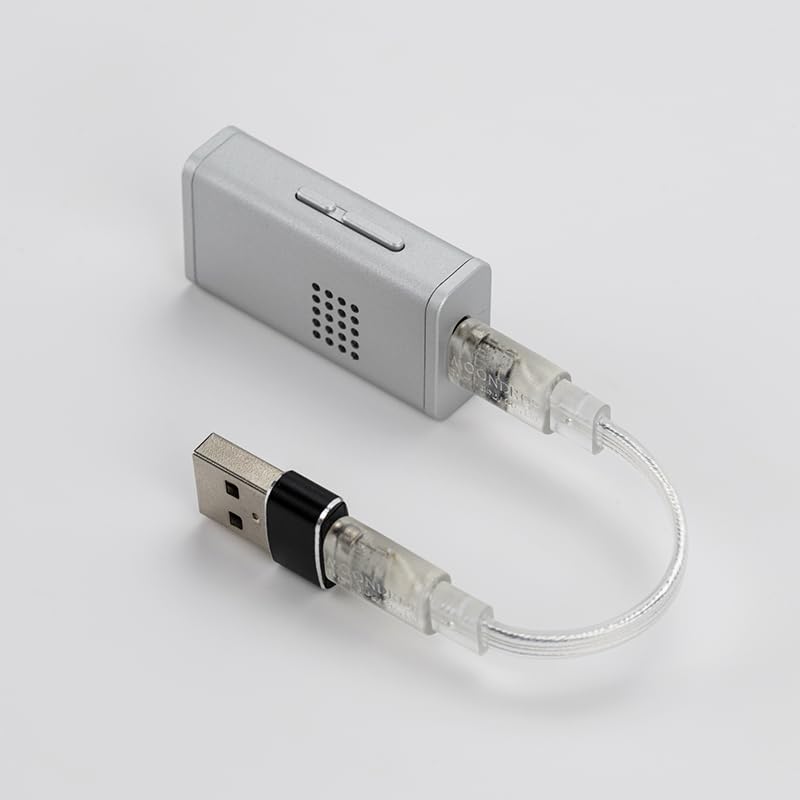
- MOONDROP Dawn PRO 2 Unit x 1
- Kejbil USB-C għal USB-C x 1
- Adapter USB-A għal USB-C x 1
- Manwal għall-Utent x 1
- Brand Card x 1
2. Setup
Follow these steps to set up your Dawn PRO 2 for optimal performance.
Konnessjoni ma' Apparat
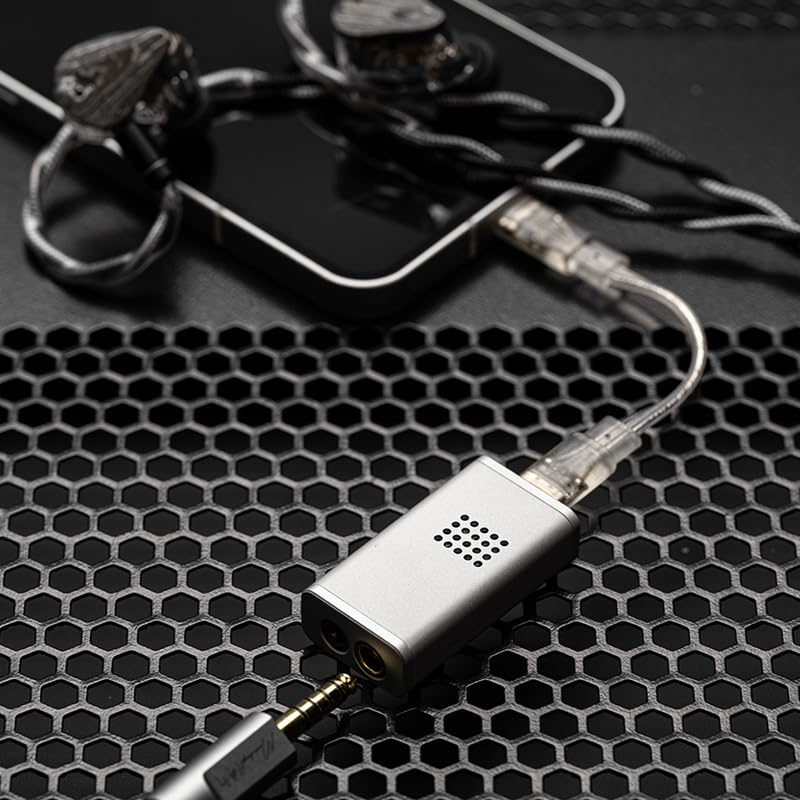
- Identify Host Device Port: Determine if your computer, smartphone, or laptop has a USB-C or USB-A port.
- Select Cable/Adapter:
- For USB-C ports, use the provided USB-C to USB-C cable.
- For USB-A ports, connect the USB-C to USB-C cable to the Dawn PRO 2, then attach the USB-A to USB-C adapter to the other end of the cable.
- Connect Dawn PRO 2: Plug the appropriate cable/adapter into your host device.
- Qabbad il-headphones: Plug your headphones into either the 3.5mm single-ended or 4.4mm balanced jack on the Dawn PRO 2.

3. Istruzzjonijiet Operattivi
Kontroll tal-Volum
The Dawn PRO 2 features a 100-level smooth volume control. This allows for precise adjustment of the output volume independently from your smartphone or host device, minimizing signal compression and providing a consistent listening experience.
Online Interactive DSP (Digital Signal Processing)
The Dawn PRO 2 incorporates a 2nd generation online interactive DSP, allowing users to customize and troubleshoot audio parameters. This functionality is accessible via the updated MOONDROP app or a web- interface ibbażat.
Web Tuning Interface
For a more professional and precise tuning experience, the web-based tuning interface offers advanced adjustments for parameters such as filter type, frequency point, gain, and Q value. A compact headphone frequency response database is available for reference.
- Ensure you are using Microsoft Edge (version 135.0 or later) or Google Chrome (version 131.0 or later) to access the tune tool.

Enabling/Disabling Tuning Configuration
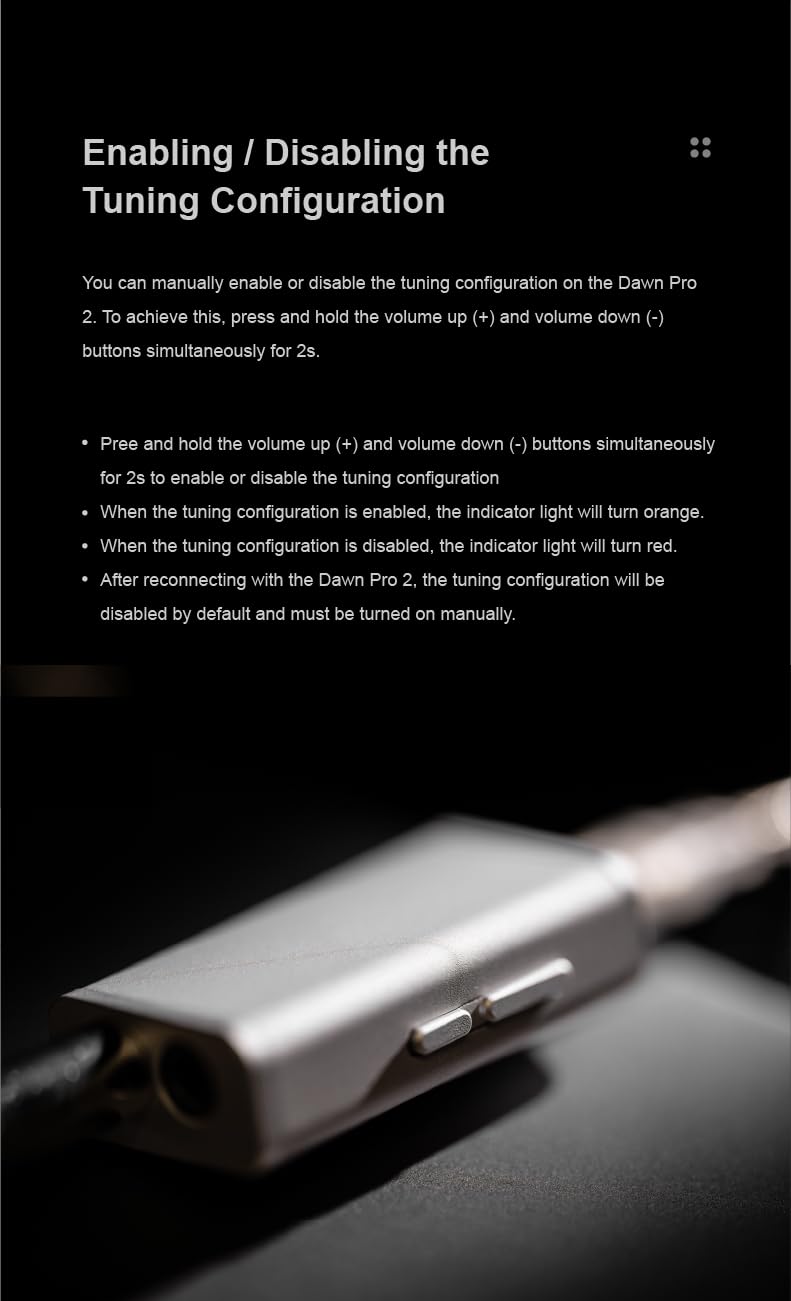
You can manually enable or disable the tuning configuration directly on the Dawn PRO 2 unit.
- To enable or disable, press and hold the volume up (+) and volume down (-) buttons simultaneously for 2 seconds.
- When the tuning configuration is enabled, the indicator light will turn orange.
- When the tuning configuration is disabled, the indicator light will turn red.
- After reconnecting the Dawn PRO 2, the tuning configuration will be disabled by default and must be turned on manually.
4. Manutenzjoni
Proper maintenance ensures the longevity and performance of your Dawn PRO 2.
- Tindif: Use a soft, dry cloth to wipe the aluminum alloy housing. Avoid using abrasive cleaners or solvents.
- Ħażna: Aħżen l-apparat f'post frisk u niexef 'il bogħod mix-xemx diretta u minn temperaturi estremi.
- Kura tal-Cable: Handle the USB-C cables and adapter gently to prevent damage to connectors.
- Dissipazzjoni tas-Sħana: The aluminum alloy housing is designed for efficient heat dissipation. Ensure the device is not covered during operation to allow proper airflow.
5 Issolvi l-problemi
If you encounter issues with your Dawn PRO 2, refer to the following common solutions.
- Ebda Ħsejjes tal-Ħsejjes:
- Ensure the Dawn PRO 2 is securely connected to your host device.
- Verify that your headphones are fully plugged into the correct jack (3.5mm or 4.4mm).
- Check the volume levels on both the Dawn PRO 2 and your host device.
- Confirm that the correct audio output device (Dawn PRO 2) is selected in your operating system's sound settings.
- Awdjo Mgħawġ:
- Reduce the volume on both the Dawn PRO 2 and your host device.
- Test with different headphones or audio files biex tiżola l-kwistjoni.
- Ensure the cables are not damaged or loose.
- Tuning Configuration Not Active:
- Remember that the tuning configuration resets to disabled upon reconnection. Manually enable it by holding volume (+) and (-) for 2 seconds.
- Check the indicator light (orange for enabled, red for disabled).
- Apparat Mhux Rikonoxxut:
- Try connecting the Dawn PRO 2 to a different USB port or a different host device.
- Erġa' ibda t-tagħmir ospitanti tiegħek.
- Kun żgur li s-sewwieqa tas-sistema operattiva tiegħek huma aġġornati.
6. Speċifikazzjonijiet
Detailed technical specifications for the MOONDROP Dawn PRO 2.
| Karatteristika | Speċifikazzjoni |
|---|---|
| Isem tal-Prodott | DAWN PRO 2 Portable DAC/AMP |
| Ġakkijiet tal-headphones | 3.5mm Single-Ended / 4.4mm Balanced |
| Ċipep tad-DAC | Dual Cirrus Logic CS43198 |
| Dynamic Range (Awt) | 132dB@1kHz |
| THD+N | 0.00014%@1kHz |
| Output Magnitude | 4.1Vrms@0dBFS |
| Qawwa tal-Ħruġ | 124 + 124 mW@16Ω (THD+N<1%) |
| Volum Massimu tal-Provvistatage | 4.1V |
| Volum Minimu tal-Provvistatage | 4V (DC) |
| Numru ta 'Kanali | 2 |
| Tip ta 'Immuntar | Freestanding |
| Konformità | FCC |
| Numru tal-Mudell | DAWN PRO 2 |

7. Garanzija u Appoġġ
For warranty information and technical support, please refer to the official MOONDROP webis-sit jew ikkuntattja lin-negozjant awtorizzat tiegħek. Żomm il-prova tax-xiri tiegħek għal talbiet ta' garanzija.