
HGLRC FC F405 8S V1
HGLRC F405 8S V1 Flight Controller User Manual
Your guide to setting up and operating the HGLRC F405 8S V1 Flight Controller.
1. Introduzzjoni
The HGLRC F405 8S V1 Flight Controller is a high-performance component designed for FPV racing and freestyle drones. It features an ICM42688P gyroscope for enhanced stability and a modular, direct-connect design for simplified installation. This manual provides essential information for proper setup, operation, and maintenance.
Karatteristiċi ewlenin:
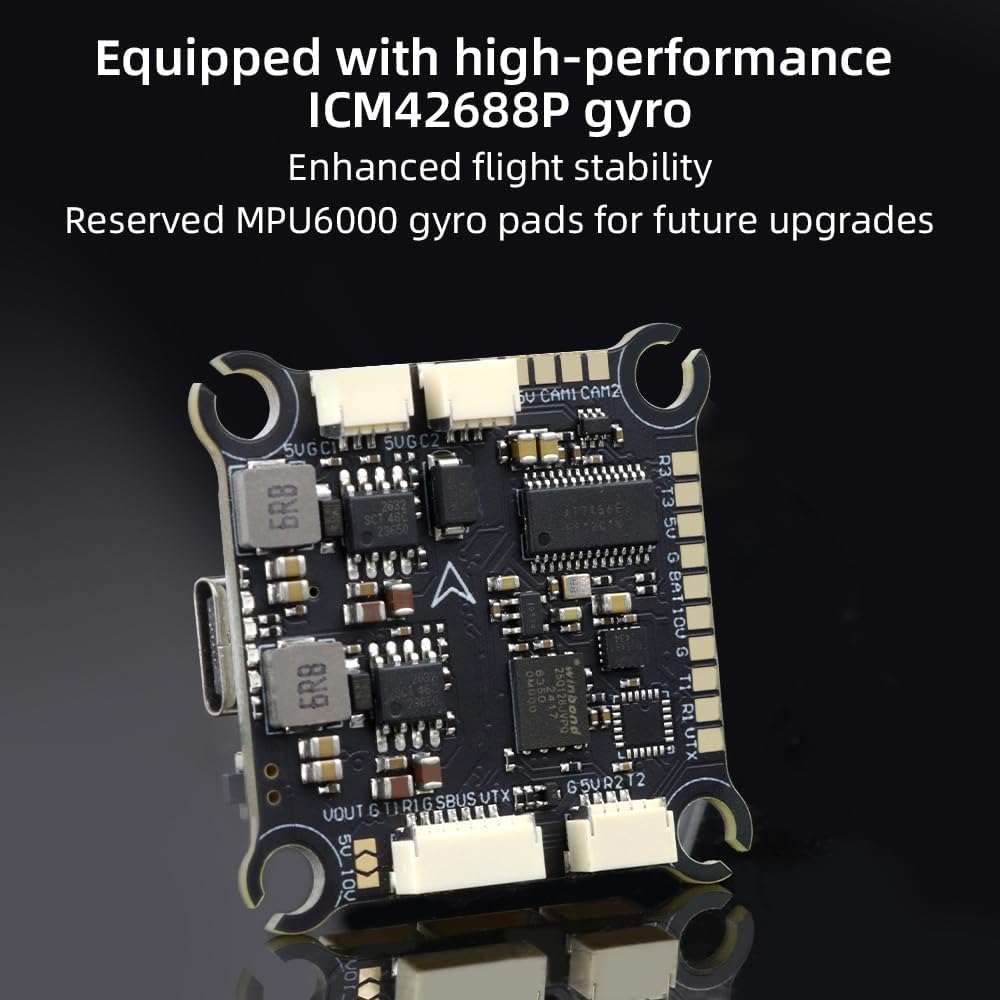
- High-Performance Gyroscope: Equipped with ICM42688P for superior flight stability, with reserved MPU6000 gyro pads for future upgrades.
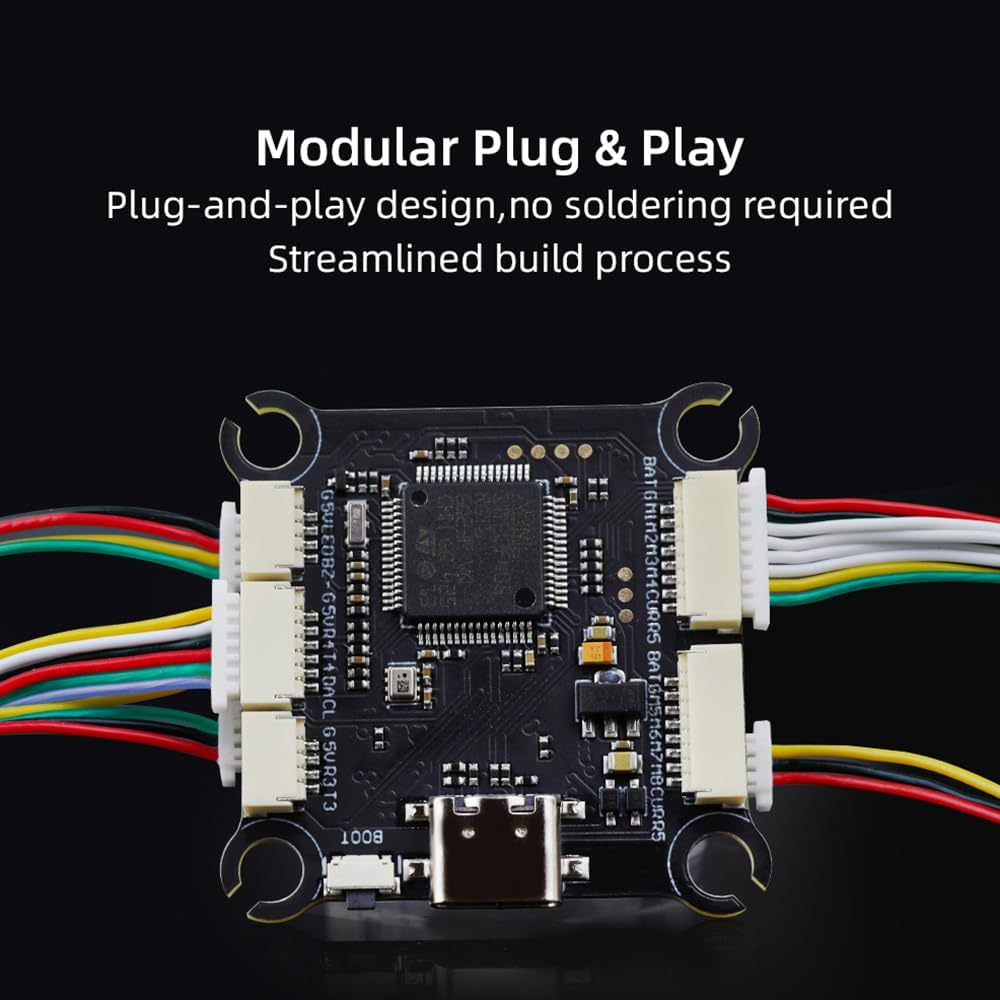
- Disinn Modulari: Direct-connect, plug-and-play functionality eliminates the need for solder pads, streamlining the build process.
- Large Black Box: Includes a 16MB black box for extensive flight data recording.
- 8S High-Voltage Appoġġ: Provides rapid output for extremely fast response and stable control during aggressive flight maneuvers.
2. X'hemm fil-Kaxxa
Ivverifika li l-oġġetti kollha huma preżenti fil-pakkett tiegħek:
- 1x HGLRC F405 8S V1 Flight Controller
- 1x 30AWG 25mm Dual-End SH1.0-8P Flex Cable
- 1x 30AWG, 70mm Dual-End SH1.0-4P Flex Cable
- 1x 30AWG, 60mm Single-End SH1.0-3P/Single-End SH1.25-3P Cable
- 1x 30AWG 70mm, Single-Ended GH1.25-6P/Single-Ended SH1.0-7P Cable
- 1x 30AWG, Total Length 140mm, Double-Ended SH1.0-6P Cable
- 4x 3*8 Shock-Absorbing Columns
- 1x HGLRC Sticker
- 1x QR Code Card

3. Speċifikazzjonijiet
| VoltagInput | 7.4V-33.6V (2-8S LiPo) |
| MCU | STM32F405 |
| Ġiroskopju | ICM42688P (MPU6000 pads reserved) |
| OSD | AT7456E |
| Barometru | SPL06-001 |
| Kaxxa Iswed | 16MB |
| Portijiet UART | 5 |
| Flight Controller Firmware | HGLRCF405V2 (Supports Betaflight, Ardupilot, INAV) |
| Dimensjonijiet | 36.3mm x 36.3mm x 1.78mm (1.42"T x 1.42"W x 0.07"Għ) |
| Toqob tal-Immuntar | 30.5mm x 30.5mm, M3 |
| Piż | 9.5g (0.335 uqija) |
| Konnettività | USB Tip-Ċ |
4. Setup u Installazzjoni
4.1 Komponent Aktarview
The HGLRC F405 8S V1 Flight Controller is designed for easy integration into your FPV drone build. Its modular nature simplifies connections.
4.2 Dijagramma tal-Wiring
Refer to the following diagram for proper connection of your flight controller to other drone components such as the ESC, receiver, video transmitter, and GPS module.

4.3 Video Guide: Flight Controller F405 Details
5. Istruzzjonijiet Operattivi
5.1 Firmware Compatibility
The HGLRC F405 8S V1 Flight Controller is compatible with popular flight control firmware. You can flash the board with:
- Betaflight: A widely used open-source firmware for FPV drones, offering extensive customization and flight modes.
- Ardupilot: A comprehensive and powerful open-source autopilot software suite, suitable for various UAV applications.
- INAV: Firmware designed for GPS-enabled drones, offering navigation features like RTH (Return To Home) and waypoint missions.
Ensure you download the correct firmware target (HGLRCF405V2) from the respective firmware configurator or websit.
5.2 Konfigurazzjoni Inizjali
After physically connecting all components and flashing the desired firmware, connect the flight controller to your computer via the USB Type-C port. Use the corresponding configurator software (e.g., Betaflight Configurator) to perform initial setup, calibrate sensors, configure motor outputs, and set up your radio receiver.
6. Manutenzjoni
To ensure the longevity and optimal performance of your HGLRC F405 8S V1 Flight Controller, follow these maintenance guidelines:
- Żomm Nadif: Regularly inspect the board for dust, debris, or moisture. Use a soft brush or compressed air to gently clean the surface. Avoid using liquids directly on the board.
- Spezzjona Konnessjonijiet: Periodically check all cable connections for looseness or damage. Ensure connectors are securely seated.
- Ħsara Fiżika: After any crash or hard landing, inspect the board for cracks, bent pins, or damaged components.
- Ħażna: When not in use, store the flight controller in a dry, anti-static environment, away from extreme temperatures.
7 Issolvi l-problemi
If you encounter issues with your HGLRC F405 8S V1 Flight Controller, consider the following common troubleshooting steps:
- Ebda Qawwa: Verify battery connection and voltage. Check for shorts or incorrect wiring. Ensure the power distribution board (PDB) or ESC is functioning correctly.
- L-ebda Konnessjoni USB: Try a different USB cable or port. Ensure the correct drivers are installed on your computer. If the boot button is stuck, it might prevent normal connection.
- Muturi Mhux Iduru: Check motor connections to the ESC. Verify ESC calibration and firmware settings. Ensure your radio receiver is properly bound and configured in the flight controller software.
- Titjira Instabbli: Recalibrate the accelerometer and gyroscope. Check for vibrations affecting the flight controller. Ensure PID settings are appropriate for your drone frame and motors.
- L-OSD Mhux Jidher: Verify OSD settings in the flight controller software. Check video signal connections from the camera to the flight controller and from the flight controller to the video transmitter.
- Kwistjonijiet tal-GPS: Kun żgur li l-modulu tal-GPS għandu viżibilità ċara view of the sky. Check GPS wiring and baud rate settings in the flight controller software.
For more detailed troubleshooting, consult the official HGLRC support resources or relevant community forums for your chosen firmware (Betaflight, Ardupilot, INAV).
8. Garanzija u Appoġġ
8.1 Informazzjoni dwar Garanzija
HGLRC products are typically covered by a limited warranty against manufacturing defects. The specific terms and duration of the warranty may vary. Please retain your proof of purchase for any warranty claims. Damage resulting from improper installation, misuse, modification, or accidents is generally not covered under warranty.
8.2 Appoġġ Tekniku
For technical assistance, firmware updates, or further inquiries, please visit the official HGLRC website or contact their customer support. Online resources, including FAQs and community forums, can also provide valuable information and solutions.
HGLRC Official Websit: Visit the HGLRC Store on Amazon
Ask a question about this manual
Ask about setup, troubleshooting, compatibility, parts, safety, or missing instructions. Manuals+ will review the question and use this page’s manual context to help answer it.