
AZIJYV B3
AZIJYV B3 OBD2 Gauge Display User Manual
Mudell: B3
1. Introduzzjoni
The AZIJYV B3 OBD2 Gauge Display is a sophisticated head-up display designed to provide essential vehicle data directly on its screen, enhancing driving safety and convenience. This device connects to your car's On-Board Diagnostics (OBD2) system to display real-time information such as speed, engine RPM, water temperature, voltage, and more. Its compact design and automatic light sensitivity ensure clear visibility in various driving conditions.
2. Informazzjoni dwar is-Sigurtà
Your safety is paramount. The B3 OBD2 Gauge Display includes several features designed to assist in safe driving:
- Allarm ta' veloċità żejda: Alerts you when your vehicle exceeds a preset speed limit.
- Tifkira dwar is-Sewqan minħabba l-Għeja: Prompts you to take a break after extended driving periods (e.g., over 4 hours).
- Allarm tat-Temperatura tal-Ilma: Warns of high engine water temperature.
- Voltage Allarm: Notifies you of abnormal vehicle voltage livelli.
Nota Importanti dwar il-Kompatibilità:
This product is primarily suitable for most vehicle models manufactured after 2009 that are equipped with an OBD2 system. However, it is mhux kompatibbli with the OBD2 systems of certain brands, including: Suzuki, Chevrolet, Subaru, Renault, Peugeot, Citroen, Fiat, DS, Lamborghini, Jeep, SIMCA, Maserati, Dodge, Jazz, CRV, and Hummer. If you are unsure about your car's compatibility, please consult with the seller before purchase.
3. Prodott Aktarview
The B3 OBD2 Gauge Display features a 5.5-inch screen with a gradient color structure, providing clear and technical readouts. Its design incorporates a graceful curved exterior with exquisite polishing and a 30mm deep brim to prevent light leakage. A single dial button allows for easy operation.

Figura 3.1: Quddiem view of the AZIJYV B3 OBD2 Gauge Display.

Figure 3.2: Diagram illustrating the B3's display functions, including RPM, water temperature, speed, and fuel consumption.
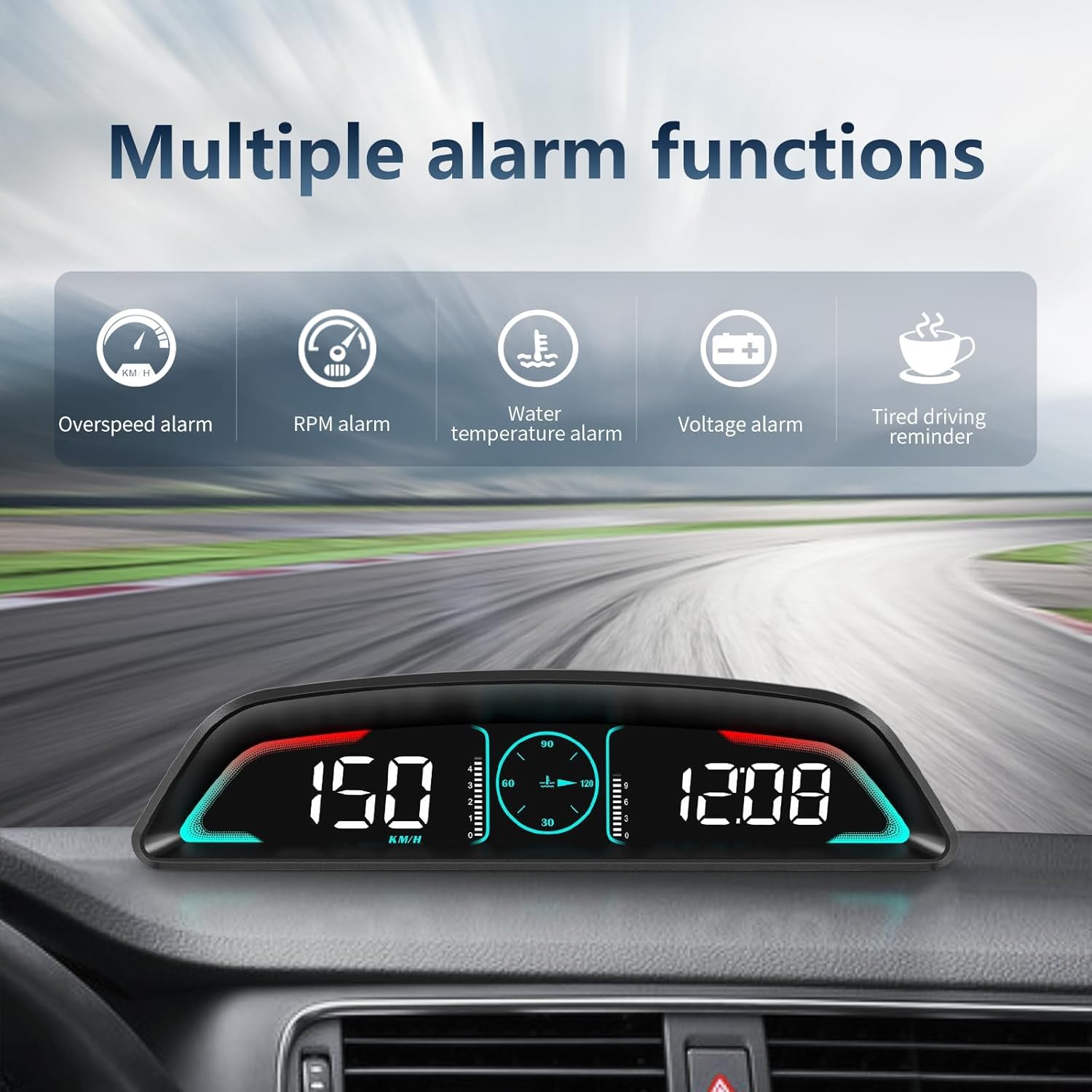
Figura 3.3: Aktarview of the multiple alarm functions available on the B3 display.

Figura 3.4: Eżamples of various display interfaces and data combinations available on the B3.
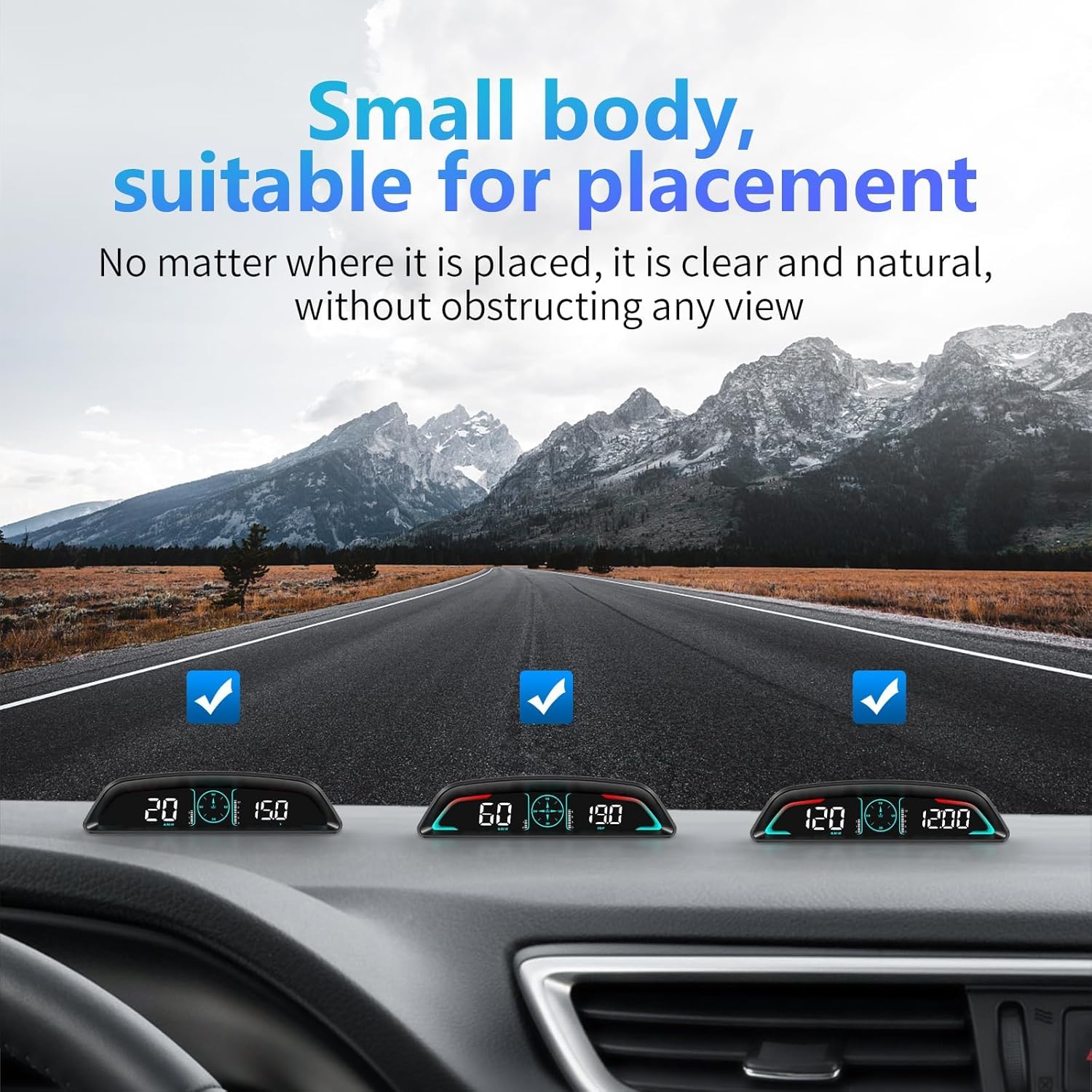
Figure 3.5: The compact size of the B3 allows for unobtrusive placement on the dashboard.

Figure 3.6: Detailed dimensions and design features of the B3 unit.
4. Setup
The B3 OBD2 Gauge Display offers non-destructive, plug-and-play installation. It automatically turns on and off with your car's ignition.
4.1. Kontenut tal-Pakkett
Qabel l-installazzjoni, kun żgur li l-komponenti kollha huma preżenti:

Figure 4.1: Included accessories: B3-HUD unit, OBD cable, non-slip mat, and instructions.
- B3 OBD2 Gauge Display Unit
- Kejbil OBD
- Tapit li ma jiżloqx
- Manwal ta' Istruzzjoni
4.2. Passi ta 'installazzjoni
- Locate OBD Socket: Identifika l-port dijanjostiku tal-OBD2 tal-vettura tiegħek, li tipikament jinsab taħt id-dashboard fuq in-naħa tas-sewwieq.
- Qabbad il-Kejbil tal-OBD: Insert one end of the provided OBD cable into the vehicle's OBD socket.
- Kejbil tar-Rotta: Carefully route the OBD cable along the A-pillar sealing strip or other discreet paths to the desired placement area for the HUD unit.
- Qabbad mal-HUD: Connect the other end of the OBD cable to the HUD unit.
- Pożizzjoni HUD: Place the HUD unit on your dashboard using the non-slip mat to secure it in a position that allows for convenient viewmingħajr ma tostakola s-sewqan tiegħek view.

Figure 4.2: The OBD cable connects the display to your vehicle's OBD2 port.
5. Istruzzjonijiet Operattivi
The B3 display is designed for ease of use with a single dial button for navigation and settings.
5.1. Funzjonijiet Bażiċi
The display provides a wide range of real-time vehicle data:
- Vehicle Speed (MPH/KM/H)
- Engine RPM (Revolutions Per Minute)
- Temperatura tal-Ilma
- Konsum tal-Fjuwil
- Single Travel Time
- Single Travel Distance
- Voltage
- Arloġġ
5.2. Operazzjoni tal-buttuna
The dial button on the unit controls various functions:
- Long Press Vertically (2 seconds): Jidħol fil-menù tas-settings.
- Short Press Vertically: Jaqleb bejn modi ta' wiri differenti.
- Ikklikkja Xellug: Switches between speed and water temperature display.
- Ikklikkja bil-lemin: Cycles through time, speed, voltage, driving distance, and driving time displays.
- Turn Left (2 seconds, hear beep): Turns off the buzzer (alarm sound).
- Turn Left Again (2 seconds, hear beep): Turns on the buzzer.
5.3. Automatic Light Sensitivity
The B3 features a built-in photosensitive element that automatically adjusts screen brightness based on ambient light conditions. This ensures optimal visibility during both daytime and nighttime driving. If desired, you can manually adjust the brightness to your preference.

Figure 5.1: The display automatically adjusts brightness for clear visibility in both bright and dark environments.
6. Manutenzjoni
To ensure the longevity and optimal performance of your AZIJYV B3 OBD2 Gauge Display, follow these simple maintenance guidelines:
- Tindif: Use a soft, dry cloth to wipe the display screen and exterior. Avoid abrasive cleaners or solvents that could damage the surface.
- Pjazzament: Ensure the unit is securely placed on the non-slip mat to prevent movement during driving, which could lead to damage.
- Kura tal-Cable: Do not bend or crimp the OBD cable excessively. Store it neatly to prevent tangles or damage.
- Kundizzjonijiet Ambjentali: Avoid exposing the unit to extreme temperatures, direct sunlight for prolonged periods when parked, or excessive moisture.
7 Issolvi l-problemi
If you encounter issues with your B3 OBD2 Gauge Display, refer to the following common problems and solutions:
7.1. Display Mhux Tixgħel
- Iċċekkja l-Konnessjoni: Ensure the OBD cable is securely connected to both the vehicle's OBD2 port and the B3 unit.
- Kompatibbiltà tal-Vettura: Verify that your vehicle is compatible with the OBD2 system and not one of the listed incompatible brands (Suzuki, Chevrolet, Subaru, Renault, Peugeot, Citroen, Fiat, DS, Lamborghini, Jeep, SIMCA, Maserati, Dodge, Jazz, CRV, Hummer).
- Tqabbid tal-Vettura: The unit turns on with the car's ignition. Ensure the car is running or in accessory mode.
7.2. Inaccurate Readings or No Data
- OBD2 Protocol: While designed for post-2009 models, some older OBD2 systems (e.g., pre-2008) or specific vehicle models might have communication issues.
- Irrisettja l-Unità: Disconnect and reconnect the OBD cable to reset the unit.
- Ikkonsulta l-Manwal: Refer to the detailed instruction manual for specific calibration or setting adjustments if available.
7.3. Electrical Issues in Vehicle (e.g., flickering lights, cruise control issues)
Azzjoni Immedjata:
- If you experience any unexpected electrical issues in your vehicle (e.g., signal lights acting funny, cruise control cutting off, dash lights flickering) immediately unplug the B3 OBD2 Gauge Display from the OBD port.
- If the vehicle returns to normal operation after unplugging the device, it indicates a potential incompatibility or issue with the device's interaction with your specific vehicle's electrical system. In such cases, discontinue use and contact customer support.
8. Speċifikazzjonijiet
| Karatteristika | Dettall |
|---|---|
| Dimensjonijiet tal-Prodott | 6.62 x 1.63 x 1.7 pulzieri |
| Numru tal-Mudell tal-Oġġett | B3 |
| Piż tal-oġġett | 1.41 uqija (40 Grammi) |
| Manifattur | AZIJYV |
| Materjal | Acrylonitrile Butadiene Styrene (ABS) |
| Daqs tal-Iskrin | 5.5 Pulzier |
9. X'hemm fil-Kaxxa
Il-pakkett tal-prodott jinkludi l-oġġetti li ġejjin:
- B3-HUD Unit
- OBD Line
- Tapit li ma jiżloqx
- Istruzzjonijiet
10. Garanzija u Appoġġ
For any questions, technical assistance, or support regarding your AZIJYV B3 OBD2 Gauge Display, please utilize the 24-hour online service provided by the manufacturer. Refer to the contact information included in your product packaging or on the official AZIJYV website for details on how to reach support.
Ask a question about this manual
Ask about setup, troubleshooting, compatibility, parts, safety, or missing instructions. Manuals+ will review the question and use this page’s manual context to help answer it.