
1. Introduzzjoni
Grazzi tax-xiriasing the Inwa USB Computer Monitor Speaker (Model MZ-631). This instruction manual provides detailed information on how to set up, operate, and maintain your new speaker. Please read this manual thoroughly before use to ensure optimal performance and longevity of your device.
2. Kontenut tal-Pakkett
Jekk jogħġbok iċċekkja l-pakkett għall-oġġetti li ġejjin:
- 1 x Inwa Clip-on Computer Speaker (Model MZ-631)
- 1 x USB-C to USB Adapter
- 1 x Manwal tal-Utent (dan id-dokument)
3. Karatteristiċi tal-prodott
- Stereo Sound & Enhanced Bass: Equipped with dual 10W high-sensitive drivers and a passive radiator for rich, powerful audio output.
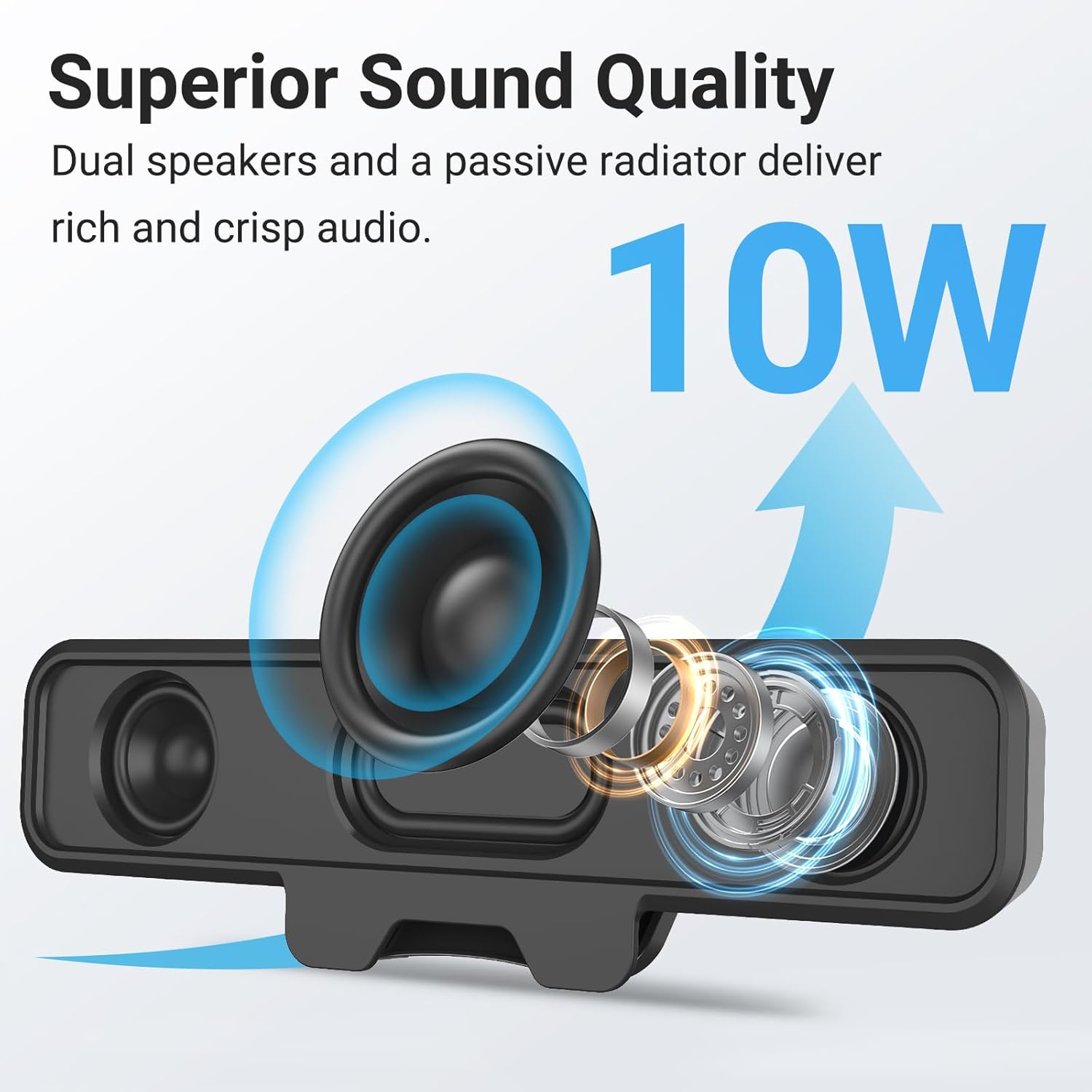
Image: Internal components of the speaker, illustrating the dual 10W drivers and passive radiator responsible for superior sound quality.
- Upgraded Monitor Clip: Features a robust spring clip designed for secure attachment to the top, sides, or bottom of monitors up to 1 inch thick. This design saves desk space and maintains a tidy workspace. The speaker can also be placed independently on a desktop. Silicone pads on the clip provide protection for your monitor.

Image: Detail of the upgraded monitor clip, demonstrating its secure grip and compatibility with monitors up to 1 inch in thickness.
- Konnettività Plug and Play: A single USB cable provides both audio and power, eliminating the need for 3.5mm AUX cables, additional software, or batteries. This simplifies setup and reduces cable clutter. A USB-C to USB adapter is included for broad compatibility.
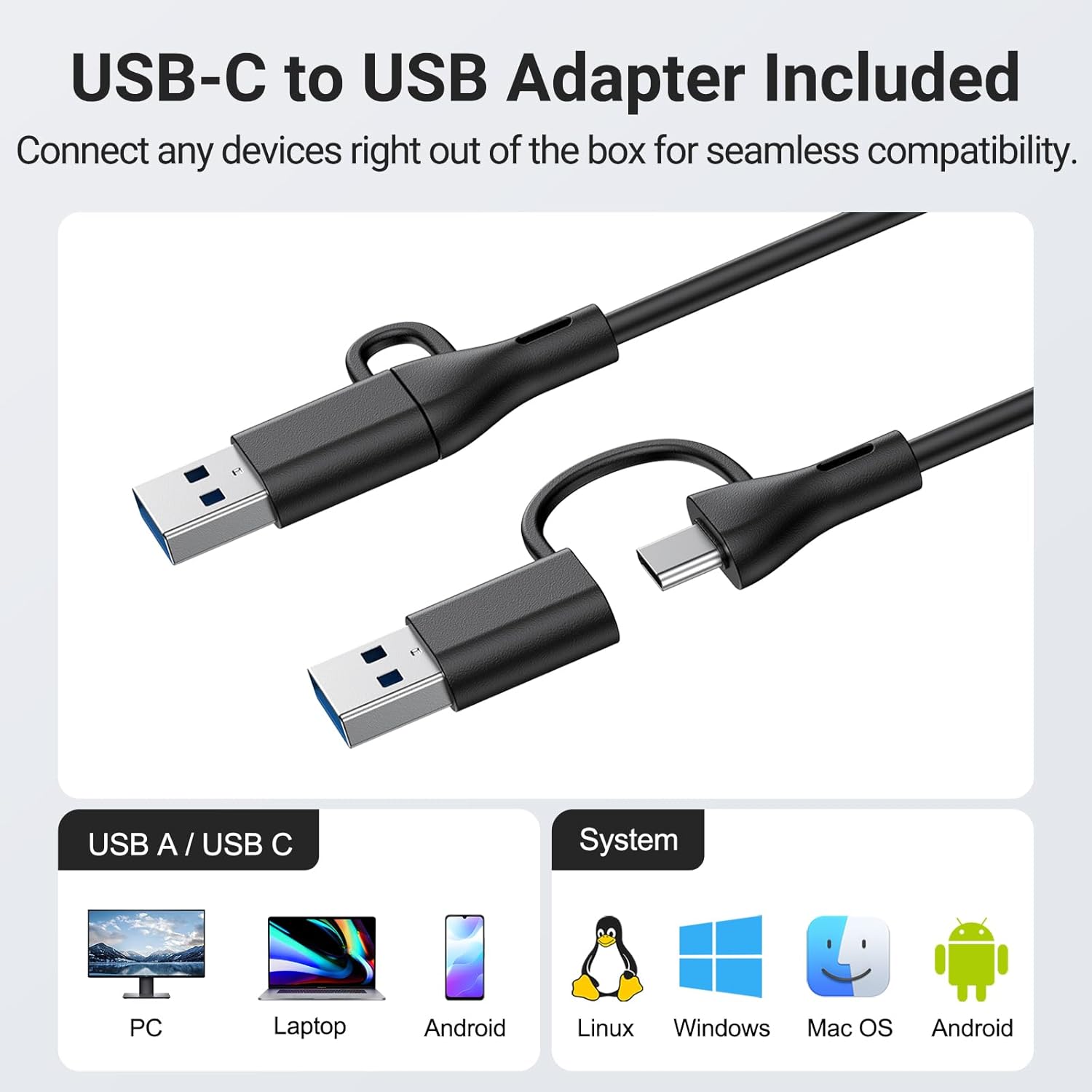
Image: The USB-C to USB adapter, ensuring compatibility with a wide range of devices including PCs, laptops, and mobile devices running Linux, Windows, or Mac OS.
- Kontrolli konvenjenti: Easily adjust volume and mute audio using the three intuitive buttons located on the top of the speaker.
4. Gwida ta' Setup
- Agħżel il-Pjazzament: Iddeċiedi jekk twaħħalx l-ispiker mal-monitor tiegħek jew tpoġġih fuq id-desktop tiegħek.
- Immuntar tal-Monitor: Gently open the spring clip and attach the speaker to the top, side, or bottom edge of your monitor. Ensure the monitor thickness is no more than 1 inch for a secure fit. The silicone pads will protect your screen.
- Poġġiment fuq id-Desktop: Place the speaker on a flat, stable surface on your desk.
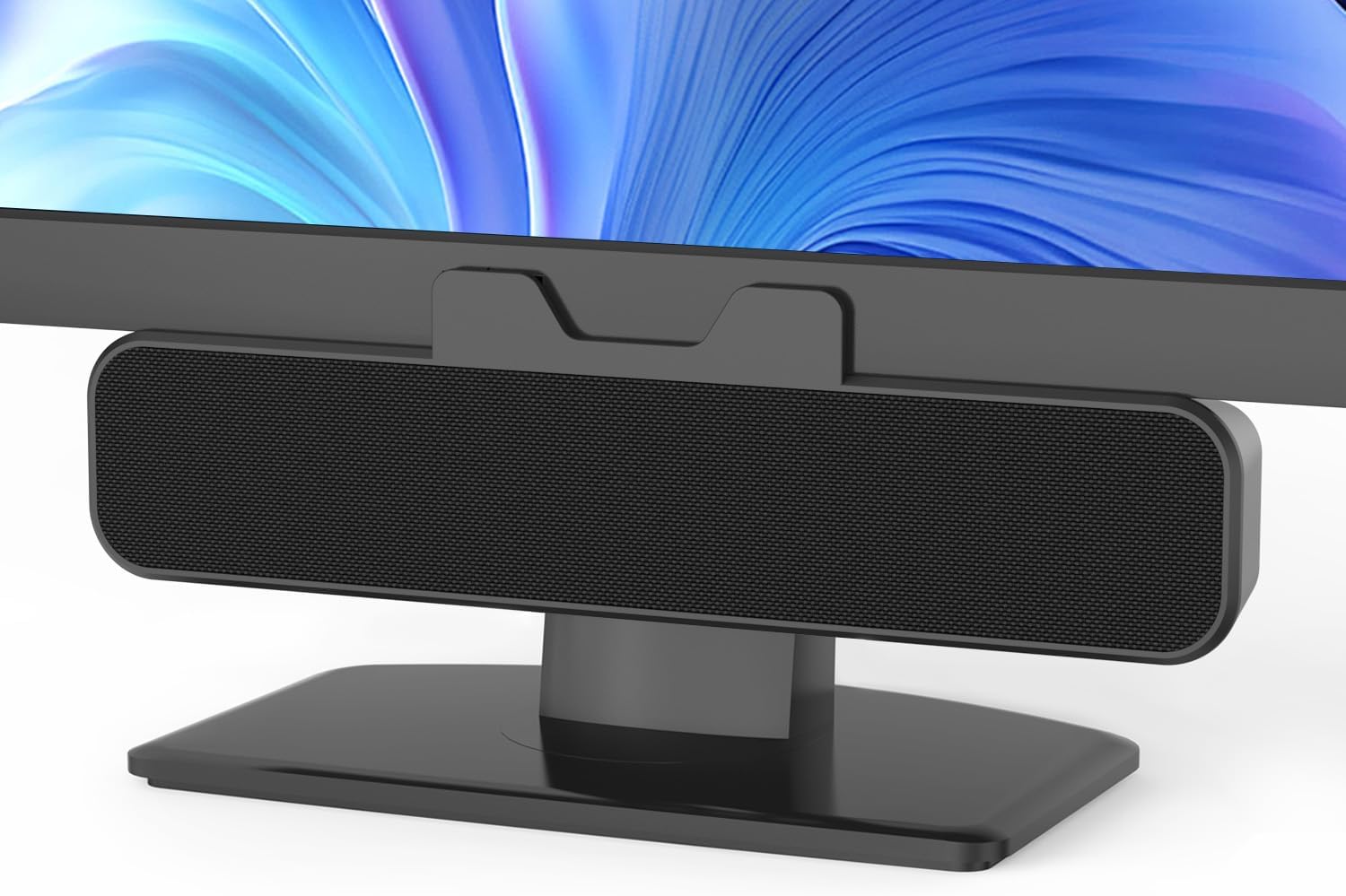
Image: The Inwa speaker mounted on top of a monitor, demonstrating its space-saving design.
- Qabbad mal-Enerġija u l-Awdjo:
- Locate the integrated USB cable extending from the speaker.
- If your computer has a standard USB-A port, plug the USB cable directly into it.
- If your computer has a USB-C port, use the included USB-C to USB adapter. Connect the speaker's USB-A end to the adapter, then plug the adapter into your computer's USB-C port.
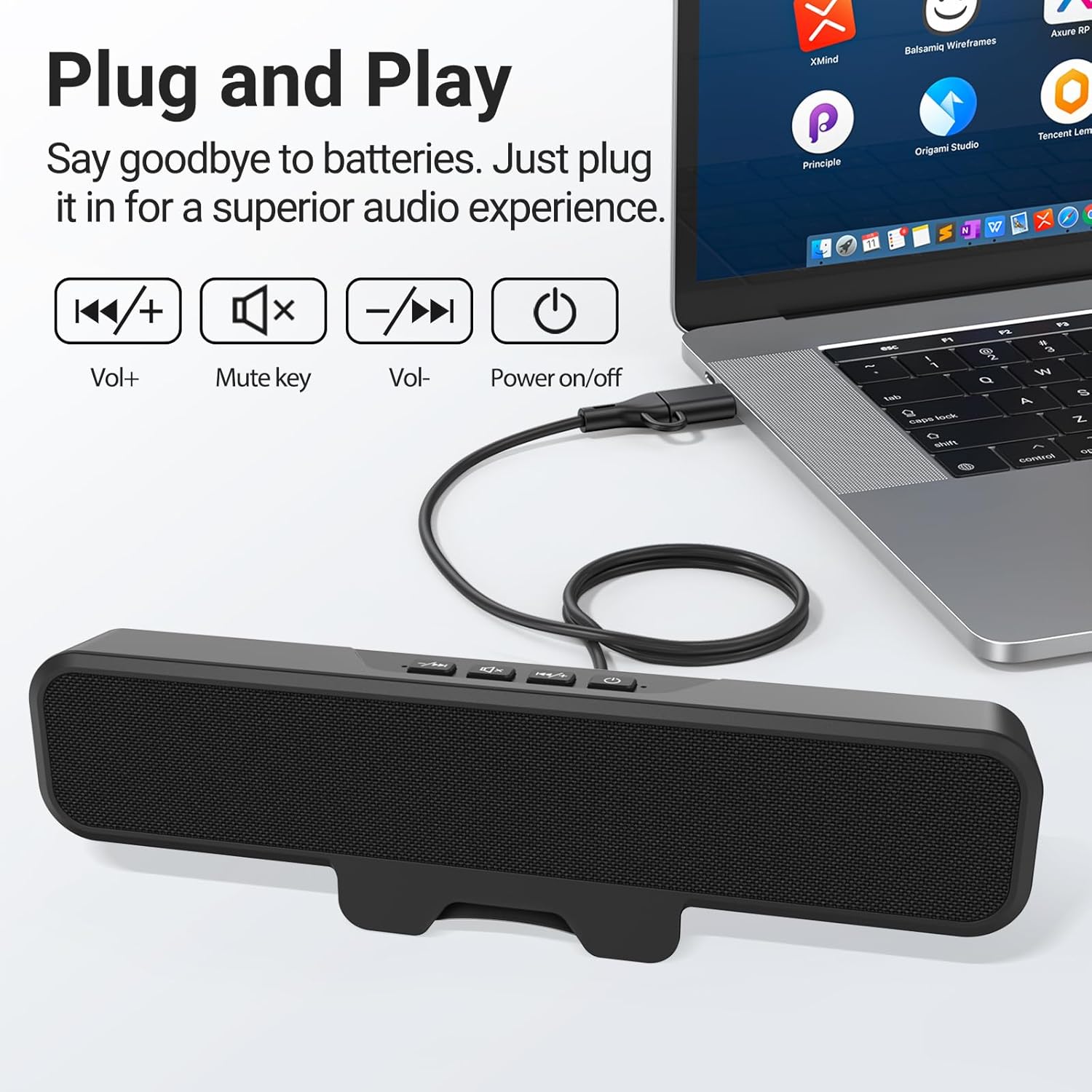
Image: The speaker connected to a laptop, illustrating the simple plug-and-play USB connection.
- Qawwa Mixgħul: Press the power button located on the top of the speaker. A green indicator light will illuminate, confirming the speaker is active.
- Rikonoxximent tas-Sistema: Your computer should automatically recognize the speaker as an audio output device. If not, navigate to your operating system's sound settings and select the Inwa speaker as the default output device.
5. Istruzzjonijiet Operattivi
The Inwa speaker features intuitive controls on its top panel:
- Buttuna tal-Qawwa (⏻): Agħfas biex tixgħel jew titfi l-kelliem.
- Buttuna tal-Volum 'il Fuq (+): Agħfas biex iżżid il-volum tal-awdjo.
- Buttuna 'l isfel tal-volum (-): Agħfas biex tnaqqas il-volum tal-awdjo.
- Buttuna Mute (🔇): Agħfas biex ittemm jew tarmi l-awdjo.
When adjusting volume or muting, an on-screen panel may appear on your computer monitor, providing visual feedback of the changes.
6. Manutenzjoni
- Tindif: Use a soft, dry cloth to wipe the speaker's surface. Avoid using liquid cleaners or abrasive materials.
- Ħażna: Meta ma tkunx qed tużah għal perjodi twal, aħżen l-ispiker f'post frisk u niexef 'il bogħod mix-xemx diretta u minn temperaturi estremi.
- Immaniġġjar: Immaniġġja l-ispiker b'attenzjoni. Evita li twaqqgħu jew li tissottomettih għal impatti qawwija.
7 Issolvi l-problemi
| Problema | Kawża Possibbli | Soluzzjoni |
|---|---|---|
| L-ebda ħoss mill-ispiker. | Speaker is off or muted. L-output awdjo magħżul fuq il-kompjuter ma kienx korrett. Konnessjoni USB maħlula. | Ensure speaker is powered on and not muted. Check computer's sound settings and select "Inwa Speaker" as the output device. Erġa' qabbad il-kejbil USB b'mod sikur. |
| Volum baxx. | Il-volum tal-ispiker huwa baxx. Computer volume is low. | Increase volume using the speaker's volume up button. Increase volume on your computer's operating system. |
| L-ispiker mhux rikonoxxut mill-kompjuter. | Port USB difettuż. Driver issue (rare for plug-and-play). | Ipprova port USB differenti fuq il-kompjuter tiegħek. Restart your computer. If issues persist, contact customer support. |
8. Speċifikazzjonijiet
| Isem tal-Mudell | MZ-631 |
| Brand | Inwa |
| Tip ta' Kelliem | Monitor Speaker |
| Teknoloġija tal-Konnettività | USB (USB-A, USB-C compatible with adapter) |
| Modalità tal-Ħruġ tal-Awdjo | Stereo (Kanal 2.0) |
| Qawwa tal-Ħruġ Massimu tal-Ispeaker | 10 Watts |
| Metodu ta' Kontroll | Imbotta Buttuna |
| Tip ta 'Immuntar | Clip-on / Desktop |
| Dimensjonijiet tal-Prodott | 8"D x 2"W x 3"H |
| Piż tal-oġġett | 12.6 uqija |
| Kulur | Iswed |
| Komponenti Inklużi | 1 * Clip-on Computer Speaker, Manual, USB-C to USB Adapter |
| Karatteristiċi Speċjali | Bass Boost, Clip-on, Hi Res Audio, Portable |
| Apparati Kompatibbli | Computer, PC, Desktop, Laptop, Smartphone, Tablet |
| Użu fuq ġewwa/barra | Ġewwa |
9. Garanzija u Appoġġ
Inwa provides appoġġ tekniku tul il-ħajja for this product. If you encounter any issues or have questions, please contact our Customer Service team. We are committed to resolving your concerns within 24 hours.
For warranty claims or technical assistance, please refer to the contact information provided on the product packaging or visit the official Inwa websit.