
1. Introduzzjoni
This manual provides essential information for setting up, operating, and maintaining your Tecno Pova Slim 5G smartphone. Please read this guide carefully to ensure proper use and to maximize the device's performance and longevity.
The Tecno Pova Slim 5G is a 5G-enabled smartphone featuring a slim design, a 3D curved display, and a large battery capacity. It incorporates advanced features such as a Dynamic Mood Light and Ella AI with regional language support.

Immaġni 1.1: Minn quddiem u minn wara view of the Tecno Pova Slim 5G smartphone.
2. X'hemm fil-Kaxxa
Upon unboxing your Tecno Pova Slim 5G, verify that all the following items are included:
- Tecno Pova Slim 5G Smartphone
- Adapter tal-Enerġija
- Cable USB
- Kawża tat-Telefon
- Protettur tal-Iskrin (imwaħħal minn qabel jew fil-kaxxa)
- SIM Trej Ejector
- Gwida Quick Start (dan il-manwal)
3. Device Overview
Familiarize yourself with the physical components of your Tecno Pova Slim 5G smartphone.
3.1. Tqassim Fiżiku
- Quddiem: Curved AMOLED display, front camera, earpiece.
- Dahar: Dual rear cameras, LED flash, Dynamic Mood Light, Tecno branding.
- In-naħa tal-lemin: Power button, Volume up/down buttons.
- In-naħa tax-xellug: trej tal-karta SIM.
- Qiegħed: USB Type-C port, microphone, speaker grille.
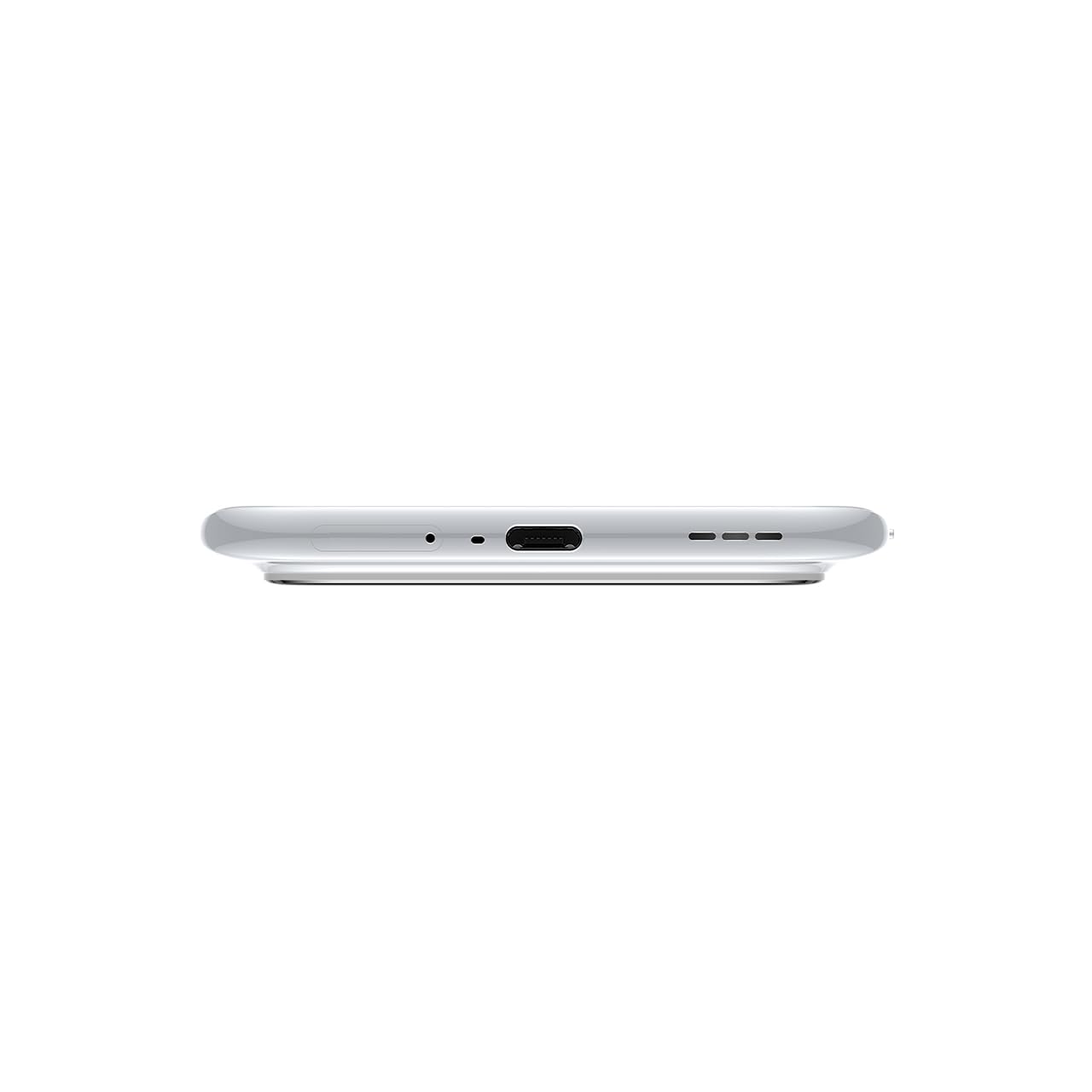
Immaġni 3.1: Il-qiegħ view of the device, highlighting the USB-C port and speaker.
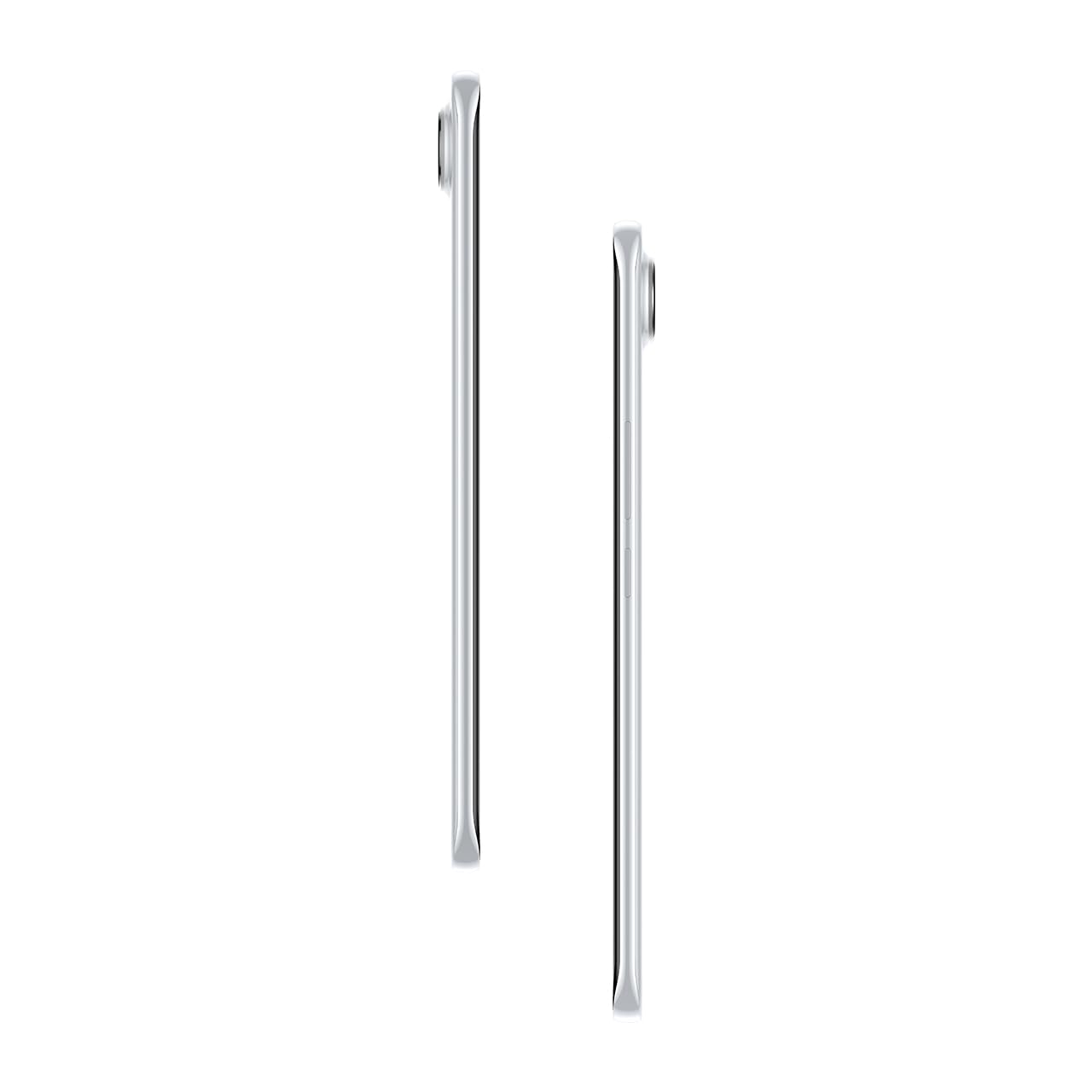
Immaġni 3.2: Ġenb view li turi l-pro slimfile tal-smartphone.
4. Setup
4.1. Daħħal is-SIM Card
- Sib it-trej tal-kard SIM fuq in-naħa tax-xellug tal-apparat.
- Daħħal l-għodda tal-ejecter tat-trej tas-SIM fit-toqba ż-żgħira ħdejn it-trej u agħfas bil-mod sakemm it-trej joħroġ 'il barra.
- Poġġi l-kard(s) Nano-SIM tiegħek fl-islottijiet apposta fuq it-trej. Kun żgur li l-kuntatti tad-deheb iħarsu 'l isfel.
- Imbotta t-trej lura fit-telefon bir-reqqa sakemm tikklikkja f'postu.
4.2. Tixgħil / Mitfi
- Biex Tixgħel: Press and hold the Power button on the right side of the phone until the Tecno logo appears.
- Biex Tifi: Agħfas u żomm il-buttuna tal-Power, imbagħad agħżel 'Power off' mill-għażliet fuq l-iskrin.
- Biex terġa' tibda: Agħfas u żomm il-buttuna tal-Power, imbagħad agħżel 'Restart' mill-għażliet.
4.3. Konfigurazzjoni Inizjali
Upon first power-on, follow the on-screen instructions to set up your device. This includes selecting your language, connecting to Wi-Fi, setting up your Google account, and configuring security features like fingerprint or face unlock.
5. Tħaddim tat-Tagħmir Tiegħek
5.1. Karatteristiċi tal-Wiri
The Tecno Pova Slim 5G features a 1.5K Curved AMOLED display with a 144Hz refresh rate, providing smooth visuals. It offers up to 4500 nits peak brightness for clear visibility in various lighting conditions and is protected by Corning Gorilla Glass 7i.
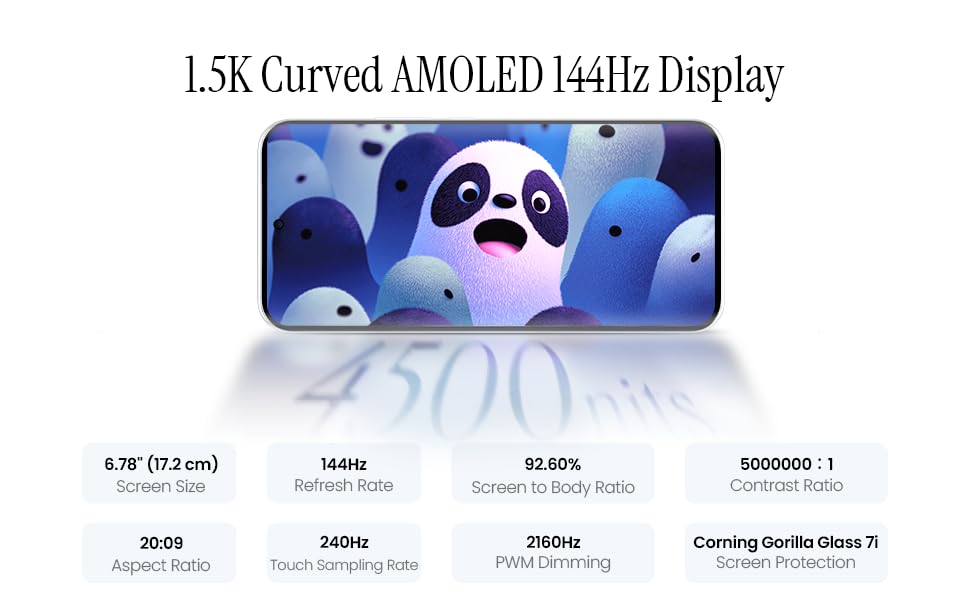
Image 5.1: Display specifications including screen size, refresh rate, and brightness.
5.2. Użu tal-kamera
The device is equipped with a 50MP AI camera system. To take photos or record videos, open the Camera application. You can switch between different modes (Photo, Video, Portrait, Night, etc.) and adjust settings like zoom, flash, and filters.
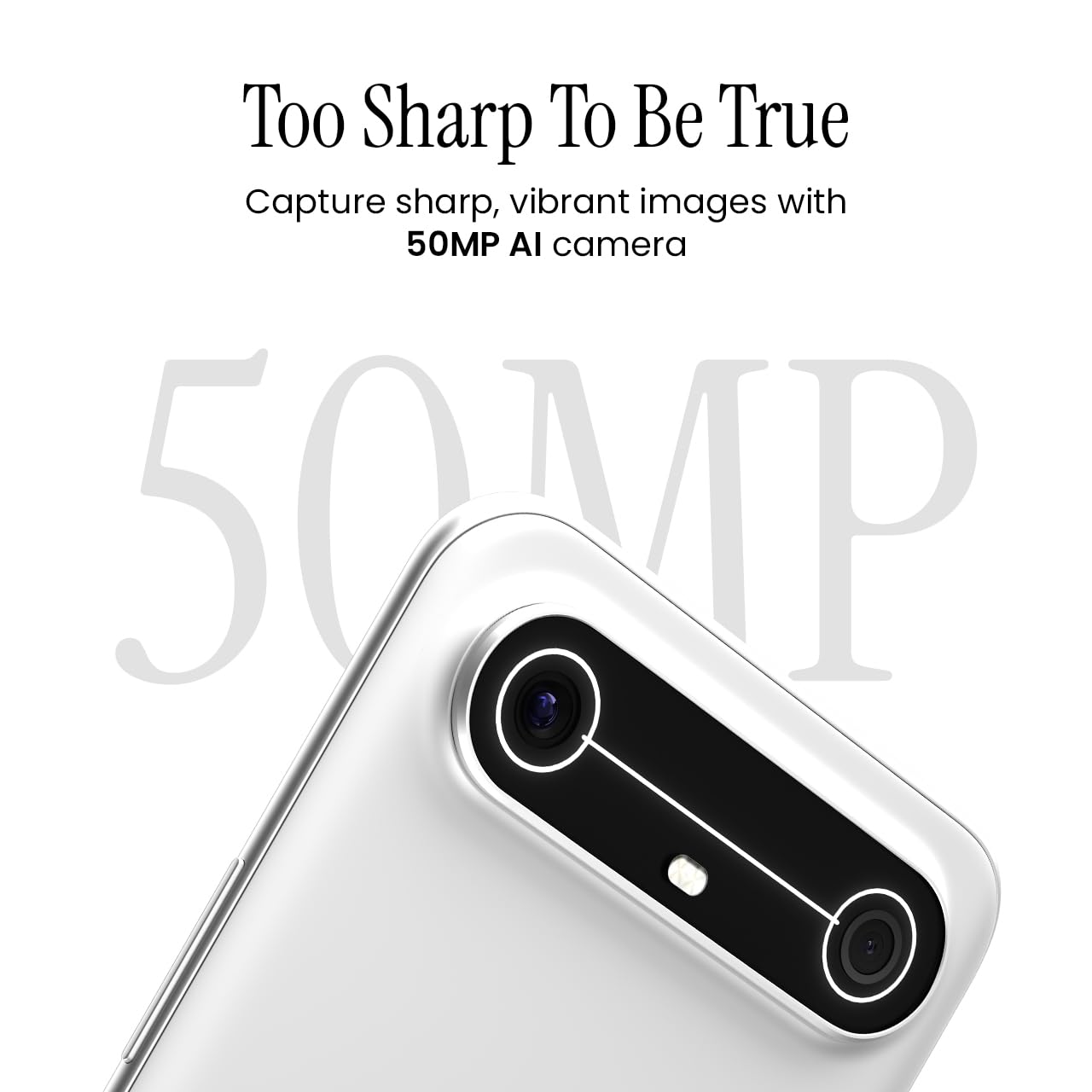
Image 5.2: Detail of the 50MP AI camera module.
5.3. Dynamic Mood Light
The Dynamic Mood Light is an integrated lighting feature on the back of the device that responds to various notifications, calls, and system events, providing visual cues.

Image 5.3: The Dynamic Mood Light design on the device's rear.
5.4. Ella AI Features
Ella AI provides intelligent assistance, including support for Indian regional languages. Key features include:
- AI Writing Assistant: Helps in drafting messages and content.
- Ċirku biex Tfittex: Allows users to search for information by circling objects on the screen.
- Fehim tal-Lingwa: Processes and responds to voice commands in various Indian languages.
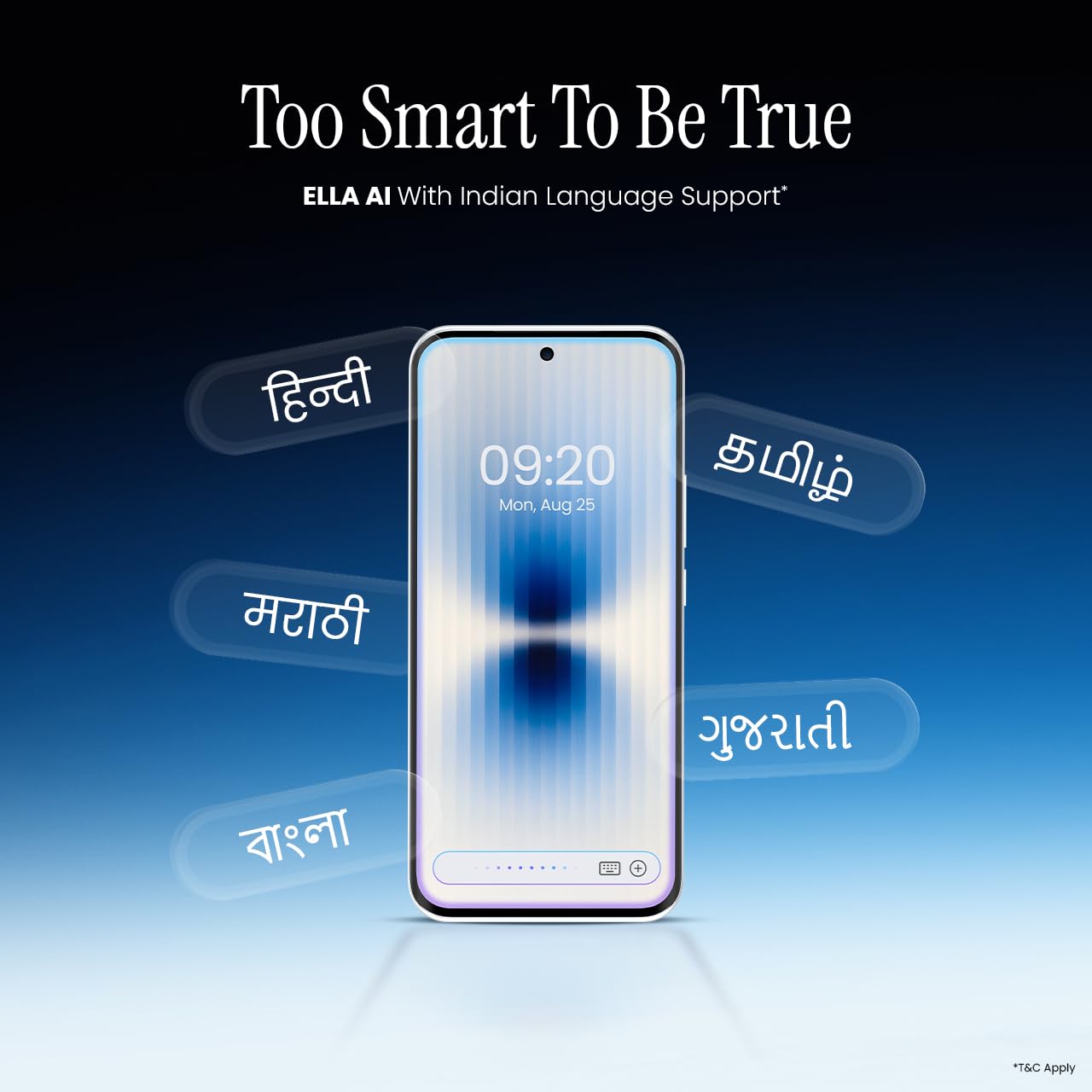
Image 5.4: Ella AI demonstrating Indian language support.
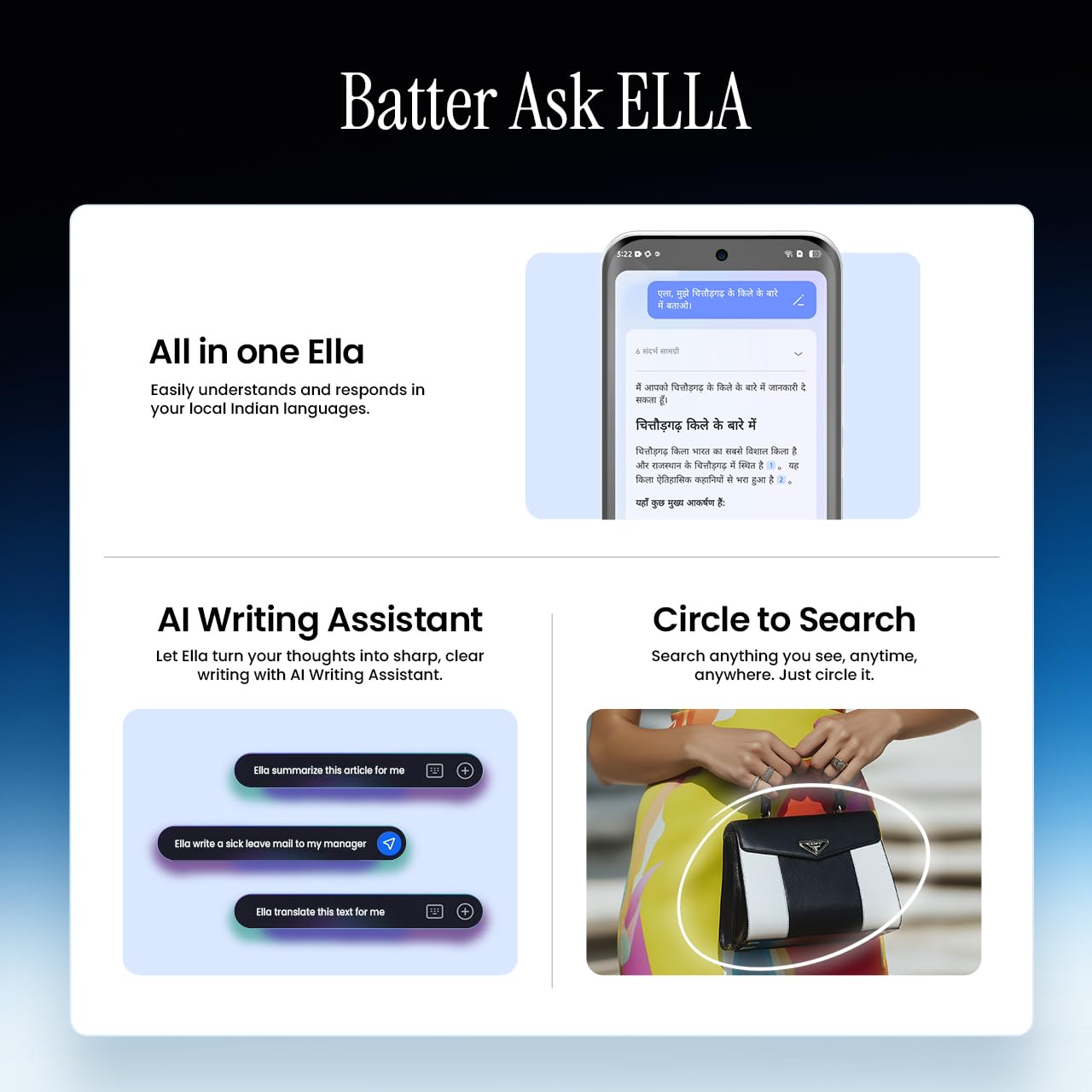
Image 5.5: Visual representation of Ella AI's writing assistant and circle to search functions.
5.5. Konnettività
The Pova Slim 5G supports 5G networks for high-speed data, Wi-Fi for local network access, and Bluetooth for connecting to accessories. It features an Intelligent Signal Hub System with 4x4 MIMO & N28 Band for enhanced network performance.
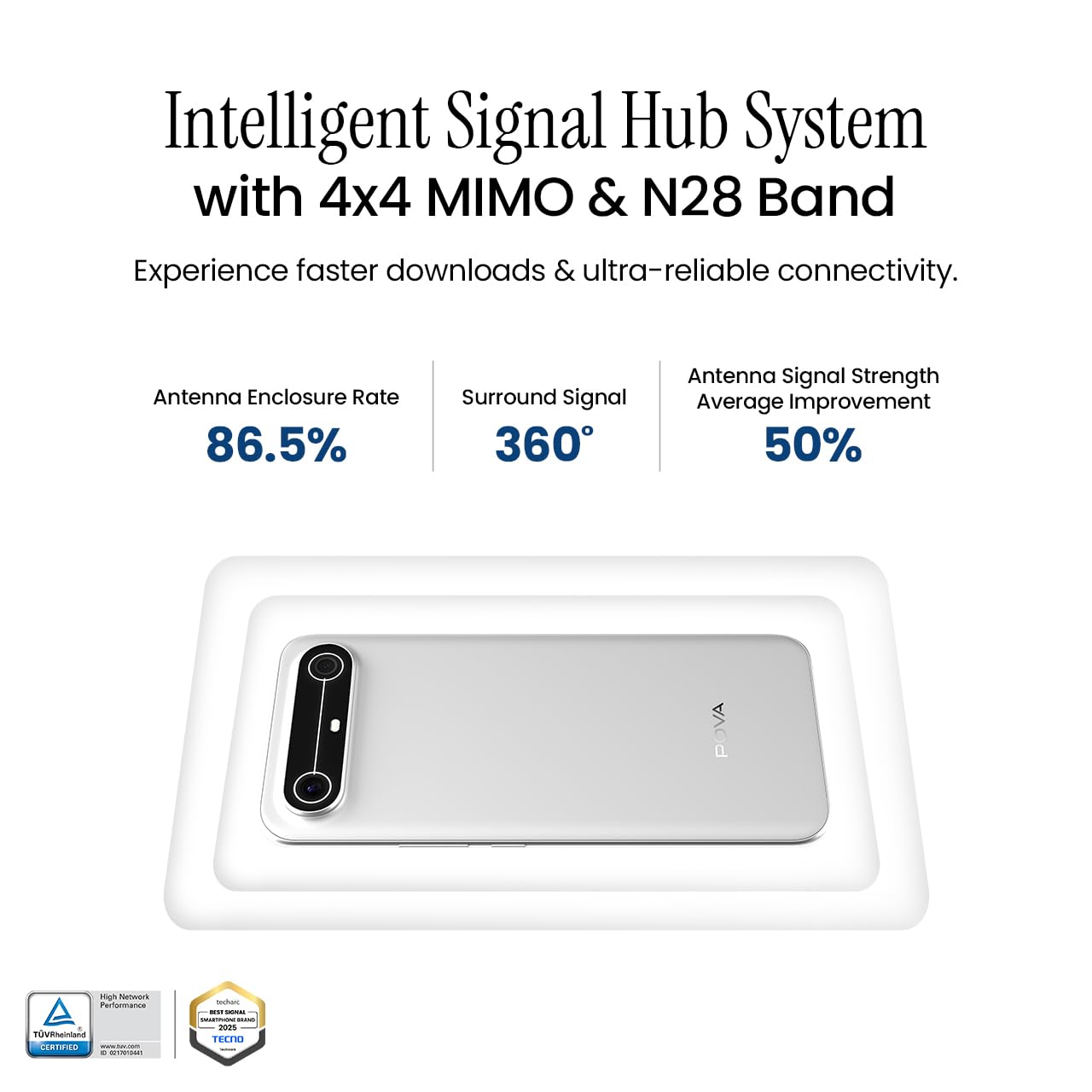
Image 5.6: Diagram illustrating the Intelligent Signal Hub System.
5.6. Batterija u Iċċarġjar
The device is powered by a 5160mAh battery and supports 45W fast charging. Use the provided power adapter and USB cable for optimal charging performance. Avoid using uncertified chargers or cables.

Image 5.7: Representation of the 5160mAh battery and 45W charging capability.
6. Manutenzjoni
6.1. Kura tal-batterija
- Evita temperaturi estremi, għax jistgħu jnaqqsu l-ħajja tal-batterija.
- Do not fully discharge the battery regularly; charge it before it drops too low.
- Unplug the charger once the battery is full to prevent overcharging.
6.2. Tindif tal-Apparat Tiegħek
Use a soft, lint-free cloth to clean the screen and body of your phone. Avoid using harsh chemicals or abrasive materials. For stubborn smudges, slightly dampLaħlaħ id-drapp bl-ilma jew b'prodott tat-tindif tal-iskrin iddisinjat speċifikament għall-elettronika.
6.3. Aġġornamenti tas-Software
Regularly check for and install software updates. Updates often include security patches, performance improvements, and new features. To check for updates, go to Settings > Sistema > Aġġornament tas-Sistema.
6.4. Karatteristiċi ta' Durabilità
The Pova Slim 5G is built with durability in mind, featuring MIL-STD-810H military-grade toughness, IP64 dust and splash resistance, and Corning Gorilla Glass 7i for screen protection.

Image 6.1: Indication of MIL-STD-810H military-grade protection.
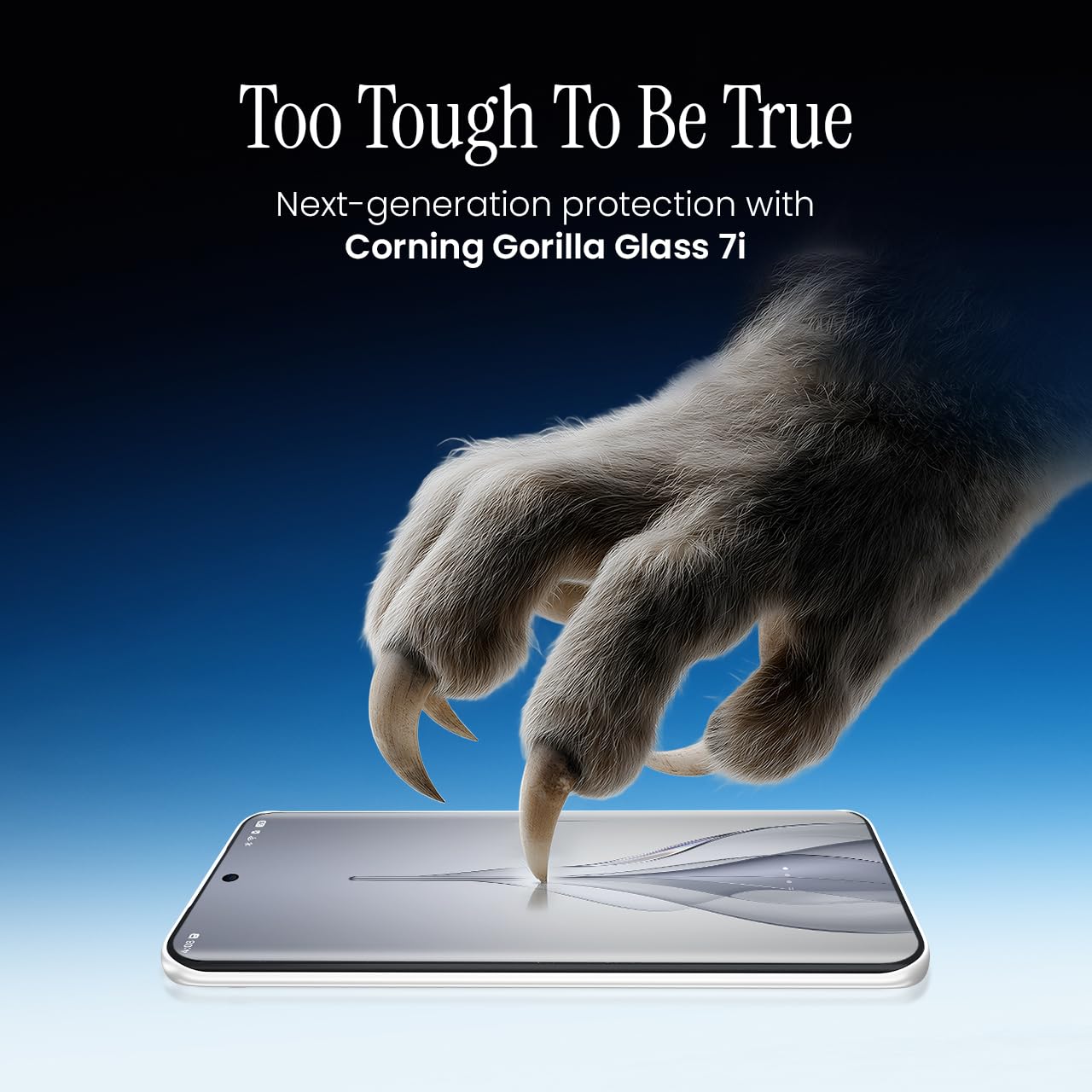
Image 6.2: Visual representation of Corning Gorilla Glass 7i protection.

Image 6.3: Device shown with IP64 dust and splash resistance.
7 Issolvi l-problemi
Jekk tiltaqa' ma' problemi bit-tagħmir tiegħek, ipprova s-soluzzjonijiet li ġejjin:
- L-Apparat Mhux Jixgħel: Kun żgur li l-batterija hija ċċarġjata. Qabbad il-ċarġer u stenna ftit minuti qabel ma tipprova tixgħelha mill-ġdid.
- Kwistjonijiet ta' Konnettività tan-Netwerk: Check if your SIM card is properly inserted. Try restarting the device. Verify that mobile data or Wi-Fi is enabled in settings.
- Prestazzjoni bil-mod: Close unnecessary background applications. Clear cache from apps. Consider restarting the device. Ensure sufficient storage space is available.
- Batterija Tbattal malajr: Reduce screen brightness. Disable unused features like Bluetooth or GPS. Limit background app activity.
- L-Applikazzjonijiet Jikkraxxjaw: Clear the app's cache and data (Settings > Apps > [App Name] > Storage > Clear Cache/Clear Data). If the issue persists, reinstall the app.
For persistent issues, contact customer support or visit an authorized service center.
8. Speċifikazzjonijiet
| Karatteristika | Speċifikazzjoni |
|---|---|
| Numru tal-Mudell | KM9 |
| Sistema Operattiva | Android 15 |
| Daqs tal-Memorja RAM Installata | 8 GB |
| Ħażna (ROM) | 128 GB |
| Veloċità tas-CPU | 2, 2.5 GHz |
| Dimensjonijiet tal-Prodott | 16.4 x 7.6 x 0.6 ċm |
| Piż tal-oġġett | 156 g |
| Klassifikazzjoni tal-Qawwa tal-Batterija | 5160 mAh |
| Riżoluzzjoni | 1224 x 2720 pixel |
| Teknoloġiji tal-Konnettività | Bluetooth, Infrared, USB, Wi-Fi |
| Kulur | Slim White |
| Pajjiż ta' Oriġini | Indja |
9. Garanzija u Appoġġ
Your Tecno Pova Slim 5G smartphone comes with a limited manufacturer's warranty. Please refer to the warranty card included in your product packaging for specific terms and conditions, including coverage period and limitations.
For technical support, service inquiries, or to find authorized service centers, please visit the official Tecno website or contact their customer service helpline. Keep your purchase receipt and device's serial number handy when seeking support.
Appoġġ onlajn: Tecno India Support