
1. Introduzzjoni
The Akko Mineral 02 is a high-performance QMK/VIA compatible aluminum mechanical keyboard designed for versatility and customization. Featuring tri-mode connectivity (wired, 2.4GHz wireless, and Bluetooth), hot-swappable switches, and customizable RGB lighting, this keyboard offers a premium typing and gaming experience. This manual provides essential information for setting up, operating, maintaining, and troubleshooting your Akko Mineral 02 keyboard.
2. Kontenut tal-Pakkett
Jekk jogħġbok iċċekkja l-pakkett għall-oġġetti li ġejjin:
- Akko Mineral 02 QMK/VIA Aluminum Mechanical Keyboard
- USB-C Cable
- Assembly/Disassembly Tools (Switch Puller, Keycap Puller)
- Riċevitur Wireless 2.4GHz
- Manwal għall-Utent (dan id-dokument)
3. Prodott Aktarview
The Akko Mineral 02 keyboard combines robust aluminum construction with advanced features for a customizable user experience.
Karatteristiċi ewlenin:
- Konnettività Tri-Modalità: Seamlessly switch between Wired (USB-C), 2.4GHz Wireless, and Bluetooth connections.
- QMK/VIA Support: Full programmability for key remapping, macros, and lighting customization.
- Hot-swappable Switches: Easily change mechanical switches without soldering.
- Dawl RGB personalizzabbli: Per-key RGB and unique corner lighting effects.
- Aluminum Case: Durable and premium build quality.
- Gasket-Mounted Design: Provides a flexible and comfortable typing feel with improved acoustics.
- Batterija 8000mAh: Extended wireless usage.
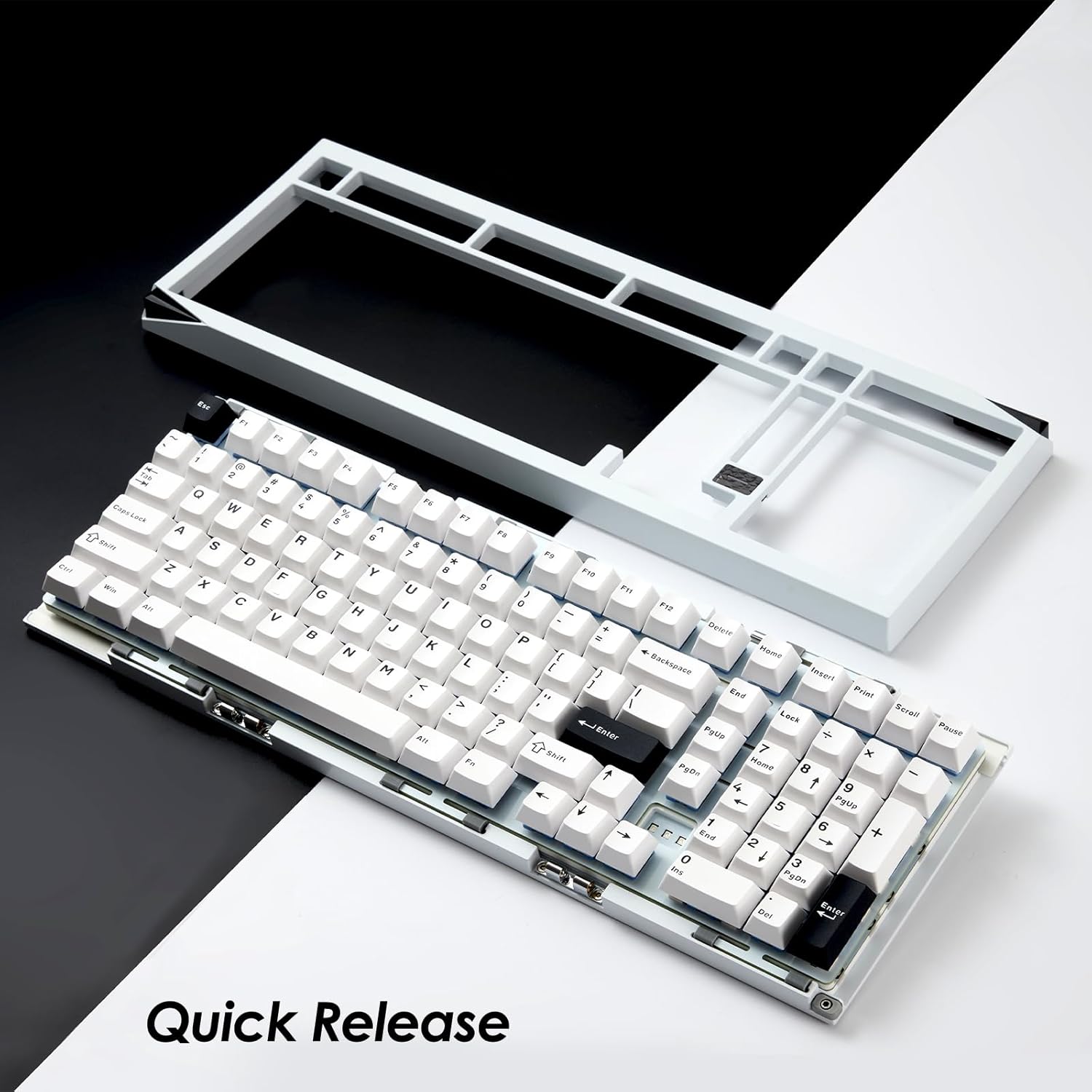
Image: Akko Mineral 02 keyboard with its top case detached, illustrating the quick release design for easy customization and maintenance.

Image: Detail of the hot-swappable sockets on the Akko Mineral 02 keyboard, allowing for easy switch replacement without soldering. RGB lighting is visible through the sockets.

Image: Visual representation highlighting the 8000mAh battery capacity of the Akko Mineral 02 keyboard, indicating long wireless usage.
4. Setup
4.1 Iċċarġjar inizjali
Before first use, connect the keyboard to a USB power source using the provided USB-C cable to ensure it is fully charged. The charging indicator (usually an LED near the USB port or a specific key) will show charging status and turn off or change color when fully charged.
4.2 Konnessjoni permezz tal-Modalità bil-Fili
- Ensure the keyboard's mode switch (usually located on the back or side) is set to 'Wired' or 'USB'.
- Connect the USB-C cable to the keyboard's USB-C port and the other end to an available USB port on your computer.
- It-tastiera tiġi rikonoxxuta awtomatikament mis-sistema operattiva tiegħek.

Image: The USB-C port located on the Akko Mineral 02 keyboard for wired connection and charging.
4.3 Konnessjoni permezz tal-Modalità Wireless ta' 2.4GHz
- Locate the 2.4GHz wireless receiver in your package.
- Plug the 2.4GHz receiver into an available USB port on your computer.
- Set the keyboard's mode switch to '2.4G'.
- It-tastiera għandha tikkonnettja awtomatikament. Jekk le, agħfas fn+4 (or the designated key for 2.4G pairing) to initiate pairing.
4.4 Konnessjoni permezz tal-Modalità Bluetooth
- Set the keyboard's mode switch to 'BT' (Bluetooth).
- Fuq il-kompjuter jew l-apparat tiegħek, attiva l-Bluetooth u fittex apparati ġodda.
- On the keyboard, press and hold fn+1, fn+2, jew fn+3 għal 3-5 sekondi biex tidħol fil-modalità ta' tqabbil għall-apparat Bluetooth 1, 2, jew 3 rispettivament. Id-dawl indikatur se jteptep malajr.
- Select 'Akko Mineral 02' from the list of available Bluetooth devices on your computer/device.
- Once paired, the indicator light will stop flashing. You can pair up to three Bluetooth devices.

Image: The Akko Mineral 02 keyboard demonstrating its tri-mode connectivity options: Type-C wired, 2.4GHz wireless, and Bluetooth, connecting to various devices.
5. Istruzzjonijiet Operattivi
5.1 Funzjonijiet Bażiċi tat-Tastiera
The Akko Mineral 02 features a standard 1800 compact layout. Refer to the keycap legends for primary functions. Secondary functions are typically accessed using the Fn key in combination with other keys (e.g., Fn + F1-F12 for media controls).
5.2 Kontroll tad-Dawl RGB
The keyboard features customizable RGB lighting. Basic lighting effects can be cycled through using specific Fn key combinations (refer to your keyboard's specific key legends or a quick start guide). For advanced customization, including per-key lighting and dynamic effects, use the VIA software.
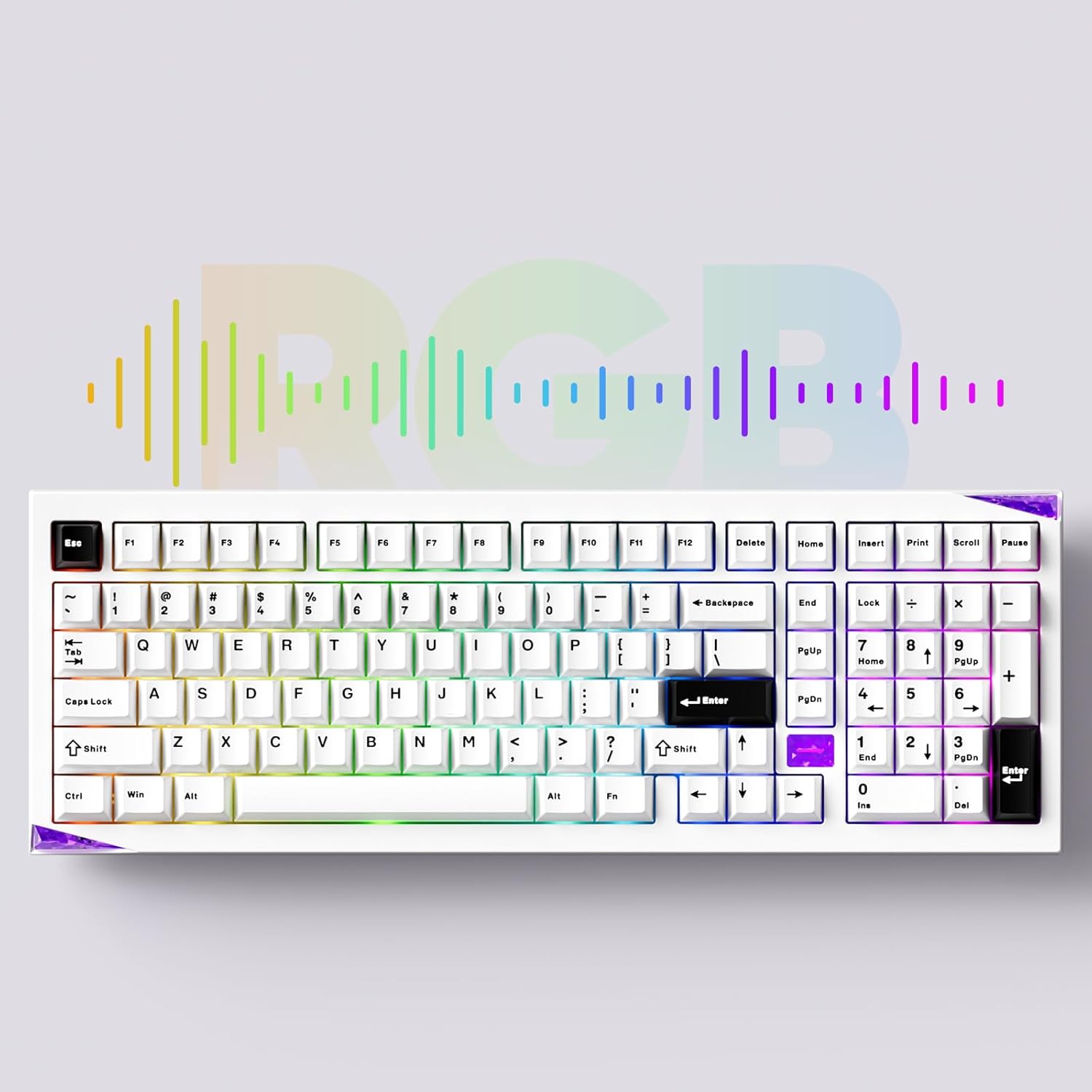
Image: The Akko Mineral 02 keyboard illuminated with various RGB lighting patterns, showcasing its customizable backlighting.
5.3 QMK/VIA Software Usage
The Akko Mineral 02 supports QMK firmware and VIA software for advanced customization. VIA allows you to remap keys, create macros, and adjust RGB lighting in real-time without flashing firmware. To use VIA:
- Download the VIA software from the official Akko websit jew il-VIA websit.
- Connect your keyboard in wired mode.
- Launch the VIA software. It should automatically detect your keyboard.
- Use the intuitive interface to customize key assignments, layers, and lighting effects.

Image: A visual representation of the VIA software interface, demonstrating its capabilities for key remapping and customization.
5.4 Switching Operating System Modes (Windows/Mac)
To switch between Windows and Mac operating system layouts, locate the dedicated switch or key combination. Some Akko keyboards use Fn + Caps Lock to toggle between modes. Refer to your keyboard's specific documentation for the exact method.
6. Manutenzjoni
6.1 Tindif tat-Tastiera
- Skonnettja t-tastiera mill-kompjuter tiegħek.
- Uża puller tal-keycaps biex tneħħi l-keycaps għal tindif bir-reqqa.
- Uża arja kkompressata biex tneħħi t-trab u l-fdalijiet minn bejn is-swiċċijiet.
- Wipe keycaps with a damp cloth and mild soap solution, then dry thoroughly.
- Clean the keyboard case with a soft, dry cloth. Avoid harsh chemicals.
6.2 Hot-swapping Switches
The Akko Mineral 02 features hot-swappable sockets, allowing you to change switches without soldering.
- Skonnettja t-tastiera.
- Uża l-puller tal-keycap provdut biex tneħħi l-keycap mixtieq.
- Use the provided switch puller to gently grip the switch from the top and bottom, then pull it straight up to remove.
- Allinja l-labar tas-swiċċ il-ġdid mat-toqob fuq il-PCB. Kun żgur li l-labar huma dritti.
- Gently push the new switch into the socket until it clicks into place. Do not force it.
- Ibdel il-għatu taċ-ċwievet.

Immaġni: Dettaljata view of an Akko Mirror Switch, illustrating the component that can be hot-swapped in the keyboard.
7 Issolvi l-problemi
7.1 It-Tastiera Ma Tirrispondix
- Modalità bil-Wajer: Kun żgur li l-kejbil USB-C huwa konness sew kemm mat-tastiera kif ukoll mal-kompjuter. Ipprova port jew kejbil USB differenti.
- 2.4GHz Wireless: Ensure the 2.4GHz receiver is plugged in and the keyboard is in 2.4G mode. Re-pair by pressing fn+4Iċċekkja l-livell tal-batterija.
- Modalità Bluetooth: Ensure Bluetooth is enabled on your device and the keyboard is in BT mode. Re-pair by holding Fn + 1/2/3Iċċekkja l-livell tal-batterija.
- Batterija: Iċċarġja t-tastiera kompletament.
7.2 Kwistjonijiet tad-Dawl RGB
- Kun żgur li t-tastiera tkun mixgħula.
- Check if RGB lighting is disabled via Fn key combinations.
- Use the VIA software to verify and adjust lighting settings.
7.3 Iċ-Ċwievet Mhux qed Jirreġistraw
- Neħħi l-għatu taċ-ċavetta u s-swiċċ għaċ-ċavetta affettwata.
- Inspect the switch pins for bends or damage. Straighten gently if bent.
- Reinsert the switch firmly into the socket.
- Test with a different switch if the issue persists.
8. Speċifikazzjonijiet
| Karatteristika | Dettall |
|---|---|
| Brand | Akko |
| Mudell | Minerali 02 |
| Teknoloġija tal-Konnettività | Bluetooth, Wireless 2.4GHz, USB-C bil-wajer |
| Apparati Kompatibbli | PC, Pillola, Smartphone |
| Deskrizzjoni tat-Tastiera | Ergonomiku, Mekkaniku |
| Karatteristiċi Speċjali | Tri-Mode, Hot-swappable, RGB Lighting, QMK/VIA Support, Gasket Mount |
| Materjal | Aluminju (Kaxxa) |
| Komponenti Inklużi | USB-C Cable, Assembly/Disassembly Tools |
| Sors tal-Enerġija | Bla fili u bil-fili |
| Numru ta' Ċwievet | 104 (1800 Compact Layout) |
| Tip ta' Swiċċ | Mekkaniċi |
| Mechanical Keyboard Switch Model | Mirror Switch (Pre-lubed) |
| Kapaċità tal-batterija | 8000mAh |
9. Garanzija u Appoġġ
Akko products come with a standard manufacturer's warranty. For specific warranty terms, duration, and support inquiries, please refer to the warranty card included with your product or visit the official Akko websit. Żomm il-prova tax-xiri tiegħek għal talbiet ta' garanzija.
For technical support, troubleshooting assistance, or further information, please contact Akko customer service through their official channels.