1. Introduzzjoni
This manual provides detailed instructions for the Generic S-M6Pro Ergonomic Wired Gaming Mouse. Please read this guide thoroughly to ensure proper setup, operation, and maintenance of your device. This mouse is designed for high-precision gaming and general computer use, featuring adjustable DPI, programmable buttons, and RGB lighting.
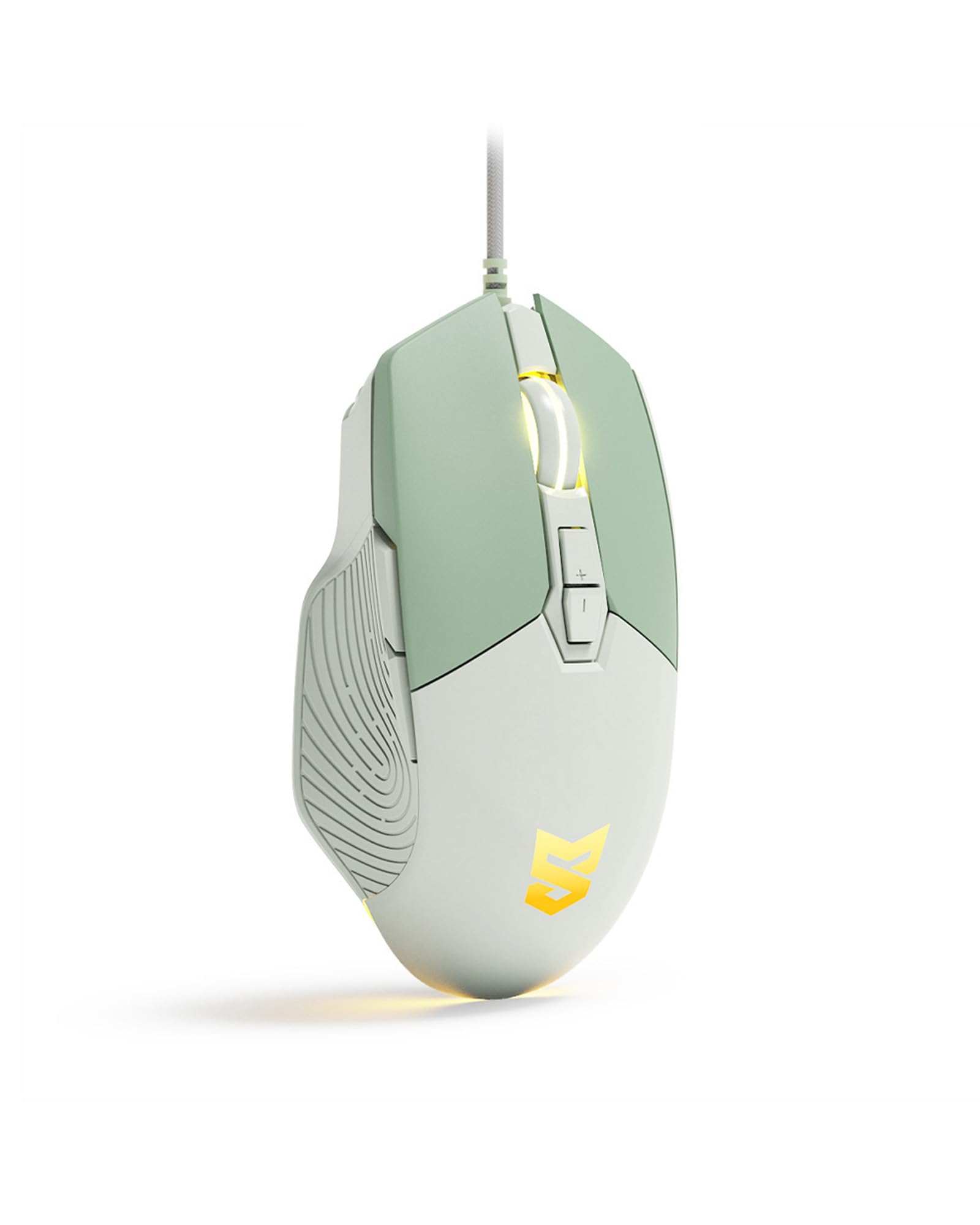
Figure 1: Generic S-M6Pro Ergonomic Wired Gaming Mouse (Mint Green variant).
2. Karatteristiċi ewlenin
- High-Efficiency Optical Sensor: Features a maximum 7200 DPI for precise and accurate tracking.
- Reliable Wired Connection: Equipped with a 162mm braided rope USB-C cable for low-latency performance.
- Disinn Ergonomiku: Shaped for excellent grip and comfort during extended use.
- Buttuni programmabbli: 7 programmable buttons for custom functions, macros, and ripple control via dedicated driver software.
- Dawl ta' wara LED RGB: Dynamic RGB lighting with breathing effects.
- Swiċċijiet Durabbli: Engineered for a 10-million-click button lifespan.
- ICE Mouse Feet: Designed for ultra-smooth gliding and minimal friction, enhancing tracking precision.

Figure 2: High-precision optical sensor and RGB lighting.

Figure 3: High precision sensors for accurate tracking.
3. Gwida ta' Setup
- Oħroġ il-Maws mill-pakkett: Carefully remove the gaming mouse from its packaging.
- Qabbad mal-Kompjuter: Plug the USB-C connector of the mouse cable into an available USB port on your computer (PC, Mac, or Linux).
- Installazzjoni tas-Sewwieq (Mhux obbligatorja): The mouse is plug-and-play for basic functionality. For advanced customization, including programmable buttons, macros, and RGB effects, download and install the dedicated driver software from the manufacturer's website. Refer to the product packaging or manufacturer's website for the software download link.
- Pjazzament: Poġġi l-maws fuq wiċċ nadif u ċatt jew fuq mouse pad għal prestazzjoni ottimali tat-traċċar.

Figure 4: Ergonomic design for comfortable grip during use.
4. Istruzzjonijiet Operattivi
4.1 Funzjonijiet tal-buttuni
The S-M6Pro mouse features 7 programmable buttons. Default functions are listed below:
- Buttuna tax-Xellug: Funzjoni tal-ikklikkja primarja.
- Buttuna tal-lemin: Secondary click function (context menu).
- Roller Button (Scroll Wheel): Skrollja 'l fuq/'l isfel, ikklikkja bil-buttuna tan-nofs.
- DPI+ Button: Increases DPI sensitivity.
- DPI- Button: Decreases DPI sensitivity.
- Buttuna 'l quddiem: Jinnaviga 'l quddiem ġewwa web browsers jew file esploraturi.
- Buttuna Lura: Jinnaviga lura ġewwa web browsers jew file esploraturi.

Figure 5: Labeled buttons on the S-M6Pro gaming mouse.
4.2 Aġġustament DPI
The mouse supports four adjustable DPI levels, allowing you to switch sensitivity on the fly to match your task or game. Use the DPI+ and DPI- buttons to cycle through the available settings:
- 1200 DPI
- 2400 DPI
- 4800 DPI
- 7200 DPI (Massimu)

Figure 6: Visual representation of adjustable DPI settings.
4.3 RGB LED Backlighting
The mouse features dynamic RGB LED backlighting with a breathing effect. The lighting can be customized using the dedicated driver software. This software allows for adjustment of colors, effects, and brightness.

Figure 7: RGB LED backlighting in action.
4.4 Personalizzazzjoni tas-Softwer
Utilize the dedicated driver software to unlock the full potential of your S-M6Pro mouse. The software allows you to:
- Program the 7 buttons with custom functions or macros.
- Adjust DPI settings beyond the default levels.
- Modify polling rate.
- Set Lift-Off Distance (LOD).
- Control RGB lighting effects and colors.
- Ħlief profiles għall-memorja integrata tal-maws.
The software ensures a personalized gaming and computing experience.
5. Manutenzjoni
- Tindif: Uża drapp artab u niexef biex timsaħ il-wiċċ tal-maws. Għal ħmieġ iebes, nixxef ftit.ampLaħlaħ id-drapp bl-ilma. Evita li tuża kimiċi ħarxa jew materjali li joborxu.
- Kura tas-Sensor: Żomm is-senser ottiku fuq in-naħa ta’ taħt tal-maws nadif u ħieles mit-trab jew mill-fdalijiet biex tiżgura traċċar preċiż. Uża swab tal-qoton jew arja kkompressata jekk meħtieġ.
- Ġestjoni tal-Kejbil: Avoid sharp bends or excessive pulling on the braided USB-C cable to prevent damage.
- Saqajn tal-ġurdien: The ICE mouse feet are designed for durability. If they become worn over time, replacement feet may be available from the manufacturer or authorized retailers to maintain optimal glide performance.

Figure 8: Underside of the mouse with optical sensor and ICE feet.
6 Issolvi l-problemi
| Problema | Kawża Possibbli | Soluzzjoni |
|---|---|---|
| Il-ġurdien ma jirrispondix | Konnessjoni USB maħlula, port USB difettuż, problema bis-sewwieq. |
|
| Inaccurate or jerky tracking | Dirty optical sensor, unsuitable surface, incorrect DPI setting. |
|
| Il-buttuni mhux qed jaħdmu kif mistenni | Software configuration, driver issue. |
|
| Dawl RGB mhux qed jaħdem | Software setting, power issue. |
|
7. Speċifikazzjonijiet
| Karatteristika | Dettall |
|---|---|
| Brand | Ġeneriċi |
| Numru tal-Mudell | S-M6Pro |
| Kulur | Aħdar Zekka |
| Teknoloġija tal-Konnettività | USB-C bil-fili |
| Teknoloġija ta 'Sejbien tal-Moviment | Ottiċi |
| Mouse Maximum Sensitivity | 7200 DPI (Adjustable) |
| Kwantità tal-Buttuni | 7 Buttuni Programmabbli |
| Orjentazzjoni tal-Idejn | Dritt |
| Apparati Kompatibbli | Kompjuter Personali |
| Pjattaforma tal-Ħardwer | Linux, Mac, PC |
| Piż tal-oġġett | 139 Gramm |
| Dimensjonijiet tal-oġġett (L x W) | 5"T x 2.7"W |
| Materjal tal-għeluq | Plastik |
| Batteriji Meħtieġa | Nru |
8. Informazzjoni dwar Garanzija
Specific warranty details for the Generic S-M6Pro Ergonomic Wired Gaming Mouse are typically provided with the product packaging or available on the manufacturer's official websit. Jekk jogħġbok irreferi għal dawn ir-riżorsi għal termini u kundizzjonijiet komprensivi tal-garanzija.
9. Appoġġ għall-Klijent
For technical assistance, troubleshooting beyond this manual, or inquiries regarding your Generic S-M6Pro Ergonomic Wired Gaming Mouse, please contact the manufacturer's customer support. Contact information can usually be found on the product packaging, the manufacturer's official website (Linkerfoo), or through your retailer.
10. Dimostrazzjoni tal-Vidjo tal-Prodott
Video 1: A short demonstration of the Wired Gaming Mouse, showcasing its design and RGB lighting effects. This video is 20 seconds long and provides a visual overview of the product's aesthetics and basic functionality.


