
1. Introduzzjoni
This manual provides essential information for setting up, operating, and maintaining your ASUS Zenbook 14 OLED Laptop. This device is designed for business, multimedia, gaming, and student use, offering a powerful computing experience with its Intel 16-core Ultra 7 255H processor, vibrant 14-inch WUXGA Lumina OLED Touch display, 16GB DDR5 memory, and 512GB SSD storage. Please read this manual thoroughly to ensure proper use and longevity of your laptop.
2. X'hemm fil-Kaxxa
Carefully unpack your ASUS Zenbook 14 OLED Laptop and ensure all items are present:
- Laptop OLED ASUS Zenbook 14
- Adapter tal-Enerġija
- Auth 3-in-1 USB Cable

Image: Packaging for the included Auth 3-in-1 USB Cable.
3. Prodott Aktarview
The ASUS Zenbook 14 OLED Laptop combines performance with a sleek design. Key features include:
- Proċessur: Intel 16-core Ultra 7 255H with up to 5.1 GHz clock speed.
- Grafika: Integrated Intel Arc 140T GPU.
- Wiri: 14-inch WUXGA (1920x1200) Lumina OLED Touch display with 500 nits HDR brightness and 100% DCI-P3 color gamut.
- Memorja: 16GB DDR5 SDRAM.
- Ħażna: Sewqan ta' Stat Solidu (SSD) ta' 512GB.
- Sistema Operattiva: Windows 11 Pro.
- Konnettività: Wi-Fi 7, Bluetooth, 2x Thunderbolt 4, 1x USB-A 3.2, 1x HDMI 2.1 TMDS.
- Awdjo: Harman Kardon speakers with Dolby Atmos support.
- Sigurtà: Fingerprint reader and FHD IR Privacy Camera.
- Tastiera: Backlit keyboard.

Immaġni: Fuqview of key features including Intel Ultra 7 255H, Intel Arc 140T GPU, 14" WUXGA OLED Touch, up to 16GB RAM, up to 2TB SSD, Windows 11 Pro, Wi-Fi 7, Dolby Atmos, Harman Kardon, FHD IR Privacy Camera, and Bluetooth 5.4.

Immaġni: Dettaljata view of the Intel Core Ultra 7 255H processor, highlighting its 16-core, 16-thread architecture with up to 5.1 GHz speed.

Image: The 14-inch OLED Touch display with a 16:10 aspect ratio and 1920 x 1200 resolution.

Immaġni: Minn fuq għal isfel view of the laptop's backlit keyboard and large touchpad.
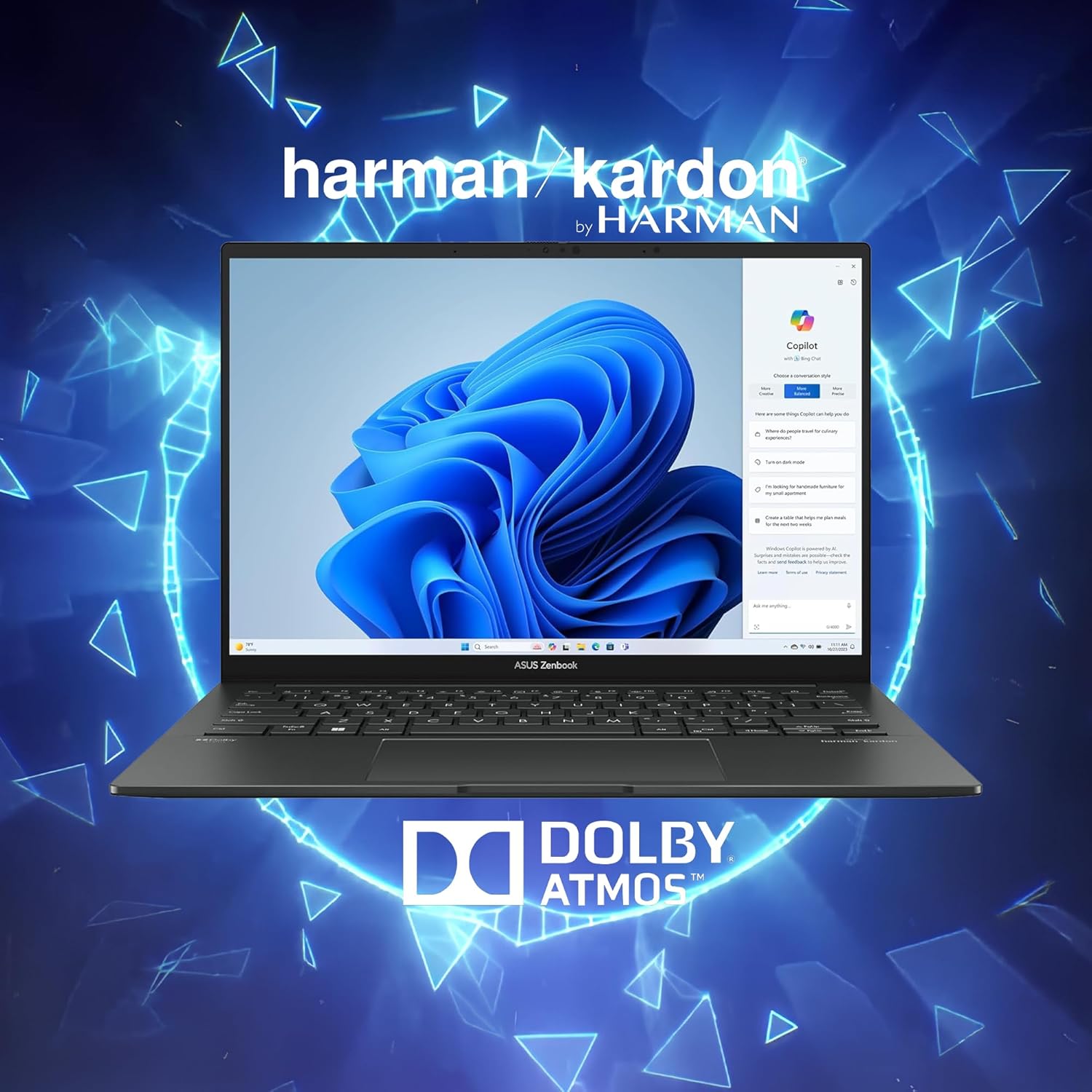
Image: Laptop display showing Windows 11 with Copilot, emphasizing Dolby Atmos and Harman Kardon audio features.
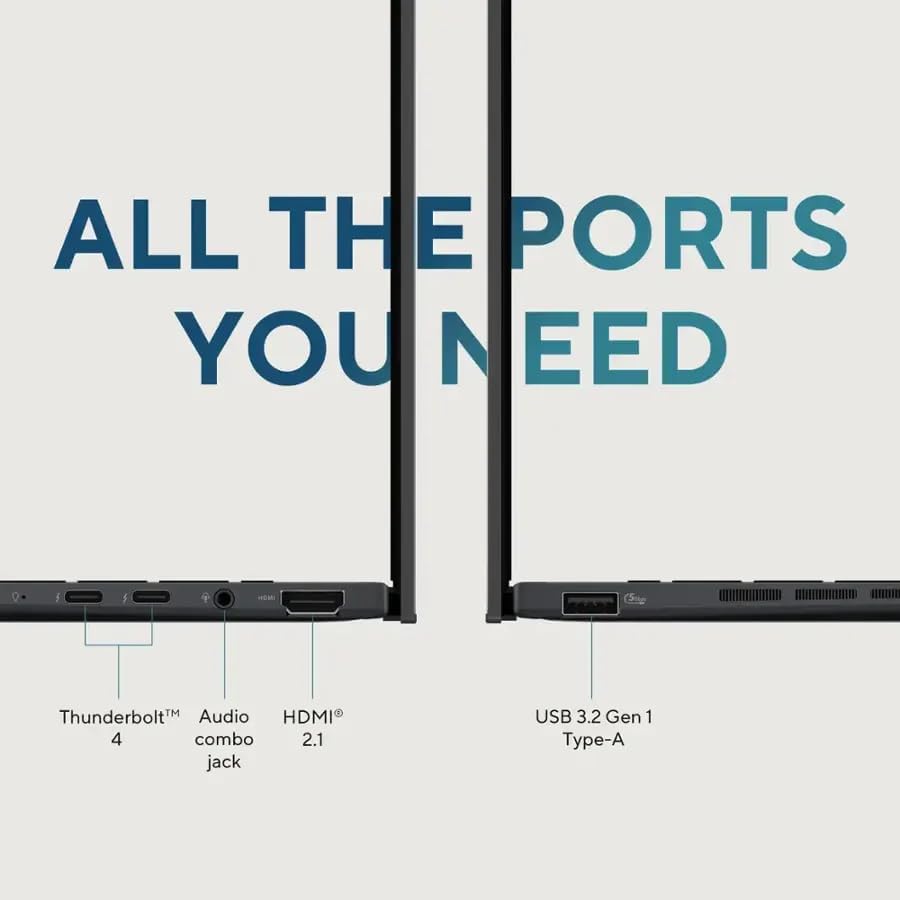
Image: Close-up of the laptop's ports, including Thunderbolt 4, Audio combo jack, HDMI 2.1, and USB 3.2 Gen 1 Type-A.

Immaġni: Wirja tal-laptopasing Wi-Fi 7 capabilities for fast connectivity and an FHD IR privacy webcam for clear video conferencing.
4. Setup
- Iċċarġja l-Laptop: Connect the power adapter to the laptop's charging port and a power outlet. Allow the battery to charge fully before first use.
- Qawwa Mixgħul: Iftaħ l-għatu tal-laptop u agħfas il-buttuna tal-qawwa, li tipikament tinsab fin-naħa ta’ fuq tal-lemin tat-tastiera jew fil-ġenb.
- Setup Inizjali: Segwi l-istruzzjonijiet fuq l-iskrin biex tlesti s-setup tal-Windows 11 Pro, inkluż l-għażla tal-lingwa, il-konnessjoni tan-netwerk, u l-ħolqien tal-kont tal-utent.
- Ikkonnettja l-Periferali: Qabbad kwalunkwe apparat estern bħal maws, display estern, jew USB drives mal-portijiet disponibbli.
5. Istruzzjonijiet Operattivi
5.1 Power On/Off
- Biex Tixgħel: Agħfas il-buttuna tal-qawwa.
- Biex tagħlaq: Ikklikkja l-buttuna Start, imbagħad Power > Shut down.
- Biex terġa' tibda: Ikklikkja l-buttuna Start, imbagħad Power > Restart.
- Biex torqod: Agħlaq l-għatu jew ikklikkja l-buttuna Start, imbagħad Power > Sleep.
5.2 Tastiera u Touchpad
The laptop features a full-sized backlit keyboard and a responsive touchpad for navigation.
- Tastiera backlit: Adjust keyboard backlight brightness using the dedicated function keys (Fn + F7, typically).
- Ġesti tat-touchpad: Supports multi-touch gestures for scrolling, zooming, and switching applications. Refer to Windows settings for customization.
5.3 Wiri
The 14-inch WUXGA OLED Touch display offers vivid colors and deep blacks. It supports touch input for intuitive interaction with Windows 11 Pro.
- Funzjonalità Touch: Use your fingers to navigate, select, and interact with applications directly on the screen.
- Issettjar tal-wiri: Adjust resolution, brightness, and color profiles via Windows Display Settings.
5.4 Konnettività
Your Zenbook 14 OLED provides various ports and wireless options for connecting to other devices and networks.
- Wi-Fi 7: Connect to high-speed wireless networks. Configure Wi-Fi settings in Windows.
- Bluetooth: Pair with Bluetooth-enabled devices like headphones or mice.
- Thunderbolt 4: Use these versatile ports for high-speed data transfer, video output, and power delivery.
- USB-A 3.2: Qabbad apparati USB standard.
- HDMI 2.1: Qabbad ma' monitors jew televiżjonijiet esterni għal wiri estiż.
6. Manutenzjoni
- Tindif: Uża drapp artab u mingħajr suf biex tnaddaf l-iskrin u x-chassis. Evita kimiċi ħarxa.
- Aġġornamenti tas-Software: Regularly update Windows and ASUS drivers to ensure optimal performance and security.
- Kura tal-batterija: Biex ittawwal il-ħajja tal-batterija, evita temperaturi estremi u ħoll il-batterija kompletament ta' spiss.
- Ħażna: Keep the laptop in a cool, dry place when not in use.
7 Issolvi l-problemi
- Il-Laptop Mhux Jixgħel: Kun żgur li l-adapter tal-enerġija huwa konness sew u li l-batterija għandha biżżejjed ċarġ. Ipprova sokit tal-enerġija differenti.
- Kwistjonijiet tal-Wiri: If the screen is blank, try connecting an external monitor to check if the issue is with the laptop's display. Adjust brightness settings.
- Problemi ta' Konnettività: For Wi-Fi issues, restart your router and the laptop. For Bluetooth, ensure the device is discoverable and within range.
- Prestazzjoni bil-mod: Agħlaq l-applikazzjonijiet mhux meħtieġa, iċċekkja għal malware, u żgura li hemm biżżejjed spazju għall-ħażna ħieles.
- It-Tastiera/Touchpad Ma Jirrispondix: Restart the laptop. If the issue persists, check for driver updates.
8. Speċifikazzjonijiet
| Karatteristika | Dettall |
|---|---|
| Brand | ASUS |
| Isem tal-Mudell | ASUS Zenbook 14 OLED |
| Daqs tal-Iskrin | 14 Pulzier |
| Kulur | Jasper Gray |
| Daqs tal-Hard Disk | 512 GB SSD |
| Mudell tas-CPU | Intel Ultra 7 255H (16-core, 2 GHz) |
| Daqs tal-Memorja RAM Installata | 16 GB DDR5 |
| Sistema Operattiva | Windows 11 Pro |
| Karatteristika Speċjali | Tastiera b'dawl minn wara, Qarrej tal-marki tas-swaba' |
| Koproċessur tal-Grafika | Intel Arc 140T GPU |
| Piż tal-oġġett | 2.7 Liri |
| Dimensions (L x W x Thickness) | 8.67" x 12.3" x 0.59" |
| Output tal-vidjo | HDMI, Thunderbolt |
| Riżoluzzjoni tal-Wiri Massimu | 1920x1200 |
| Tip ta 'Wiri | OLED, Touchscreen (capacitive) |
| Portijiet USB totali | 3 (2x Thunderbolt 4, 1x USB-A 3.2) |
| Numru Totali ta' Portijiet HDMI | 1 |
| Teknoloġija tal-Konnettività | Thunderbolt 4, USB-A 3.2, HDMI 2.1 TMDS, Wi-Fi 7, Bluetooth |
| Webcam Capability | FHD IR Privacy Camera |
9. Garanzija u Appoġġ
For warranty information and technical support, please refer to the documentation included with your product or visit the official ASUS support websit. Żomm l-irċevuta tax-xiri tiegħek għal pretensjonijiet ta' garanzija.