
1. Introduzzjoni
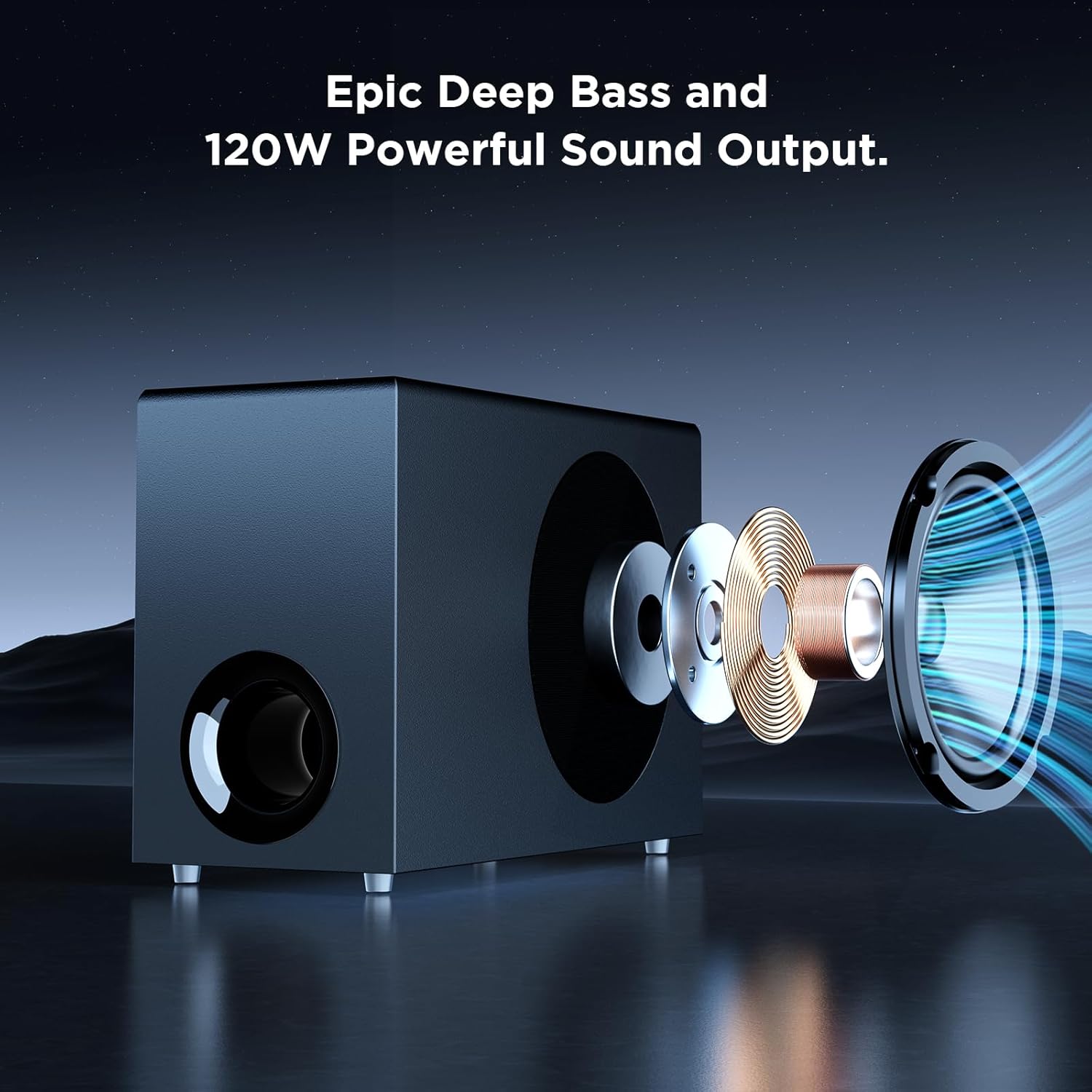
Grazzi tax-xiriasing the MZEIBO Sound Bar with Subwoofer. This system is designed to enhance your audio experience for smart TVs, home theater systems, gaming, and music. With 120W audio output, Bluetooth 5.3 connectivity, and multiple input options including ARC, AUX, and Optical, it delivers clear, dynamic sound. This manual provides detailed instructions for proper setup, operation, and maintenance to ensure optimal performance and longevity of your device.
2. Informazzjoni Importanti dwar is-Sigurtà
Jekk jogħġbok aqra l-istruzzjonijiet kollha tas-sigurtà bir-reqqa qabel ma tuża dan il-prodott. Żomm dan il-manwal għal referenza futura.
- Tesponix l-apparat għal xita, umdità, taqtir, jew titjir.
- Tpoġġix oġġetti mimlija bil-likwidi, bħal vażuni, fuq l-apparat.
- Aċċerta ruħek li jkun hemm ventilazzjoni xierqa. Timblokkax xi fetħiet tal-ventilazzjoni.
- Poġġi l-apparat fuq wiċċ stabbli u ċatt.
- Uża biss aċċessorji/aċċessorji speċifikati mill-manifattur.
- Spluggja l-apparat waqt maltempati tas-sajjetti jew meta ma jintużax għal perjodi twal.
- Irreferi l-manutenzjoni kollha lil persunal tas-servizz kwalifikat.
3. Kontenut tal-Pakkett
Ivverifika li l-oġġetti kollha huma preżenti u f'kundizzjoni tajba:
- MZEIBO Sound Bar (Model: tv soundbar)
- Subwoofer bil-fili
- Kontroll mill-bogħod
- Kejbil tal-Enerġija
- Gwida Quick Start
- ARC/Optical/3.5mm Audio Cables

An fuqview of the MZEIBO Sound Bar system, including the main soundbar unit, the wired subwoofer, and the remote control.
4. Prodott Aktarview
4.1 Sound Bar Components
The MZEIBO Sound Bar consists of a main soundbar unit and a wired subwoofer. The soundbar can be used as a single horizontal unit or separated into two vertical tower speakers.

The MZEIBO Sound Bar can be separated into two vertical tower speakers, shown here flanking a subwoofer, offering flexible placement options.
4.2 Buttuni tal-Kontroll u Portijiet
The soundbar features integrated control buttons and various input/output ports for connectivity.

A close-up of the soundbar's side panel, illustrating the integrated power and volume control buttons for direct operation.
This image displays the rear panel of the soundbar, highlighting the various input ports including HDMI ARC, AUX, and Optical for connecting different audio sources.
5. Setup
5.1 Żpakkjar u Spezzjoni Inizjali
Carefully remove all components from the packaging. Inspect for any signs of damage. Retain packaging for future transport or service needs.
5.2 Sound Bar Assembly (Optional)
The soundbar can be used as a single horizontal unit or split into two vertical tower speakers. To split, gently pull the two halves apart. To reassemble, align the connectors and push the halves together until they click securely.
5.3 Għażliet ta' Tqegħid
Consider the following placement options for optimal sound and aesthetics:
- Poġġiment fuq id-Desktop: Place the soundbar (either as a single unit or two separated towers) on a flat surface, such as a TV stand, directly below your television. Ensure the subwoofer is placed on the floor for best bass response.
- Muntaġġ tal-ħajt: The soundbar can be mounted on a wall below your TV. Use appropriate mounting hardware (screws included) and ensure the wall can support the weight of the soundbar.

The soundbar and subwoofer are positioned on a media console beneath a television, demonstrating a typical desktop placement for home theater use.

The soundbar is shown mounted on the wall directly beneath a television, showcasing a space-saving installation option.
5.4 Konnessjoni mal-Enerġija
Connect the provided power cable to the DC IN port on the soundbar and then plug it into a wall outlet.
5.5 Konnessjonijiet tal-Awdjo
Agħżel wieħed mill-metodi li ġejjin biex tqabbad is-sors tal-awdjo tiegħek:
- HDMI (ARC): For the best audio quality and TV remote control integration, connect an HDMI cable from the soundbar's HDMI (ARC) port to your TV's HDMI ARC port.
- Ottiċi: Connect an Optical cable from the soundbar's OPT port to your TV's Optical Digital Audio Out port.
- AUX: Connect a 3.5mm audio cable from the soundbar's AUX port to the audio output of your device (e.g., TV headphone jack, computer).
- Bluetooth 5.3: For wireless connection, enable Bluetooth on your device and select "MZEIBO Sound Bar" from the list of available devices.
6. Operazzjoni
6.1 Power On/Off
Press the power button on the soundbar or the remote control to turn the unit on or off. The soundbar will indicate its status with an LED light.
6.2 Kontroll tal-Volum
Adjust the volume using the '+' and '-' buttons on the soundbar or the volume buttons on the remote control.
6.3 Għażla tal-Input
Press the 'Input' button on the remote control or the 'Mode' button on the soundbar to cycle through available input sources (ARC, Optical, AUX, Bluetooth).
6.4 Modi tal-Ħsejjes
The soundbar offers three optimized sound modes for different content types:
- Modalità Aħbarijiet: Ittejjeb iċ-ċarezza vokali għal xandiriet tal-aħbarijiet u kontenut b'ħafna djalogu.
- Modalità tal-Film: Provides a dynamic and immersive audio experience for films.
- Modalità Mużika: Optimizes sound for balanced music playback.
Select your desired mode using the dedicated buttons on the remote control.

An illustrative graphic demonstrating the three optimized sound modes available on the MZEIBO Sound Bar: News for clear dialogue, Movie for cinematic experience, and Music for balanced audio playback.
6.5 Kontroll mill-Bogħod
The included remote control provides full functionality for your soundbar.

The remote control for the MZEIBO Sound Bar, featuring buttons for power, volume, input selection, and sound mode adjustments.
7. Manutenzjoni
- Tindif: Uża drapp artab u niexef biex tnaddaf l-uċuħ tas-soundbar u s-subwoofer. Tużax prodotti tat-tindif likwidi jew aerosols.
- Ħażna: Jekk se taħżen l-unità għal perjodu estiż, skonnettjaha mill-elettriku u aħżenha f'post frisk u niexef.
8 Issolvi l-problemi
| Problema | Kawża Possibbli | Soluzzjoni |
|---|---|---|
| Ebda qawwa | Il-kejbil tal-enerġija mhux imqabbad jew is-sokit mhux attiv. | Ensure the power cable is securely connected to the soundbar and a working power outlet. |
| L-ebda ħoss | Incorrect input selected, volume too low, or incorrect cable connection. |
|
| Kwistjonijiet ta 'tqabbil tal-Bluetooth | Device not in pairing mode, too far from soundbar, or interference. |
|
| Il-kontroll mill-bogħod ma jaħdimx | Batteries depleted or obstruction between remote and soundbar. | Replace the remote control batteries. Ensure there are no obstructions blocking the remote's signal to the soundbar. |
9. Speċifikazzjonijiet
| Karatteristika | Dettall |
|---|---|
| Brand | MZEIBO |
| Isem tal-Mudell | tv soundbar |
| Tip ta' Kelliem | Soundbar |
| Qawwa tal-Ħruġ Massimu tal-Ispeaker | 120 Watts |
| Teknoloġija tal-Konnettività | ARC, Auxiliary, Bluetooth, Optical, RCA |
| Verżjoni Bluetooth | 5.3 |
| Surround Sound Channel Konfigurazzjoni | 5.1 |
| Dimensjonijiet tal-Prodott | 33"D x 2.36"W x 2.36"H |
| Piż tal-oġġett | 12.69 liri |
| Metodu ta' Kontroll | Buttuna tal-Imbottatura, Remot |
| Użi Rakkomandati | For Computers, For DVD Players, For Gaming Consoles, For Music Players, For Surround Sound Systems, For Televisions |
| Apparati Kompatibbli | Desktop, Gaming Console, Home Theater, Laptop, Television |
10. Garanzija u Appoġġ
MZEIBO offers long-term after-sales service to ensure a worry-free purchase. If you encounter any issues during use or require technical assistance, please contact our customer support team. Refer to the Quick Start Guide for contact information or visit the official MZEIBO websit.
11. Vidjo Uffiċjali tal-Prodott
An official video demonstrating the MZEIBO Soundbar with Subwoofer, highlighting its features and setup options.