
1. Introduzzjoni
This manual provides essential information for the safe and efficient operation of your FOXX C10 10.1-inch Android Tablet. Please read this guide thoroughly before using your device to ensure proper functionality and to understand its features. Keep this manual for future reference.
2. X'hemm fil-Kaxxa
Ivverifika li l-oġġetti kollha huma preżenti fil-pakkett:
- FOXX C10 Tablet
- Kejbil tat-Tip Ċ
- Charger (10W)
- Manwal għall-Utent
- Protective Cover (pre-applied)
- Screen Protector Film (pre-applied)
3. Prodott Aktarview
The FOXX C10 tablet features a 10.1-inch HD display, dual 8MP cameras, and a robust 6000mAh battery, all powered by an Android 13 operating system.

Immaġni: Quddiem u wara view of the FOXX C10 tablet, showcasing its sleek design and dual camera module on the rear.

Image: An infographic highlighting key features including the 10.1-inch display, Android 13, 6000mAh battery, 8MP cameras, MediaTek quad-core chipset, 4GB RAM + 64GB storage, 4G LTE bands, Wi-Fi, Bluetooth 5.0, Nano SIM, Type-C, and 3.5mm AUX port.
3.1 Wiri
The tablet is equipped with a 10.1-inch HD TFT V-notch display, offering a resolution of 800x1280 pixels for clear visuals.

Image: Close-up of the tablet's 10.1-inch HD TFT V-notch display, showing vibrant colors and detail.
3.2 Kameras
The FOXX C10 features dual 8-megapixel cameras, both on the front and rear, enabling high-quality photos and video calls.
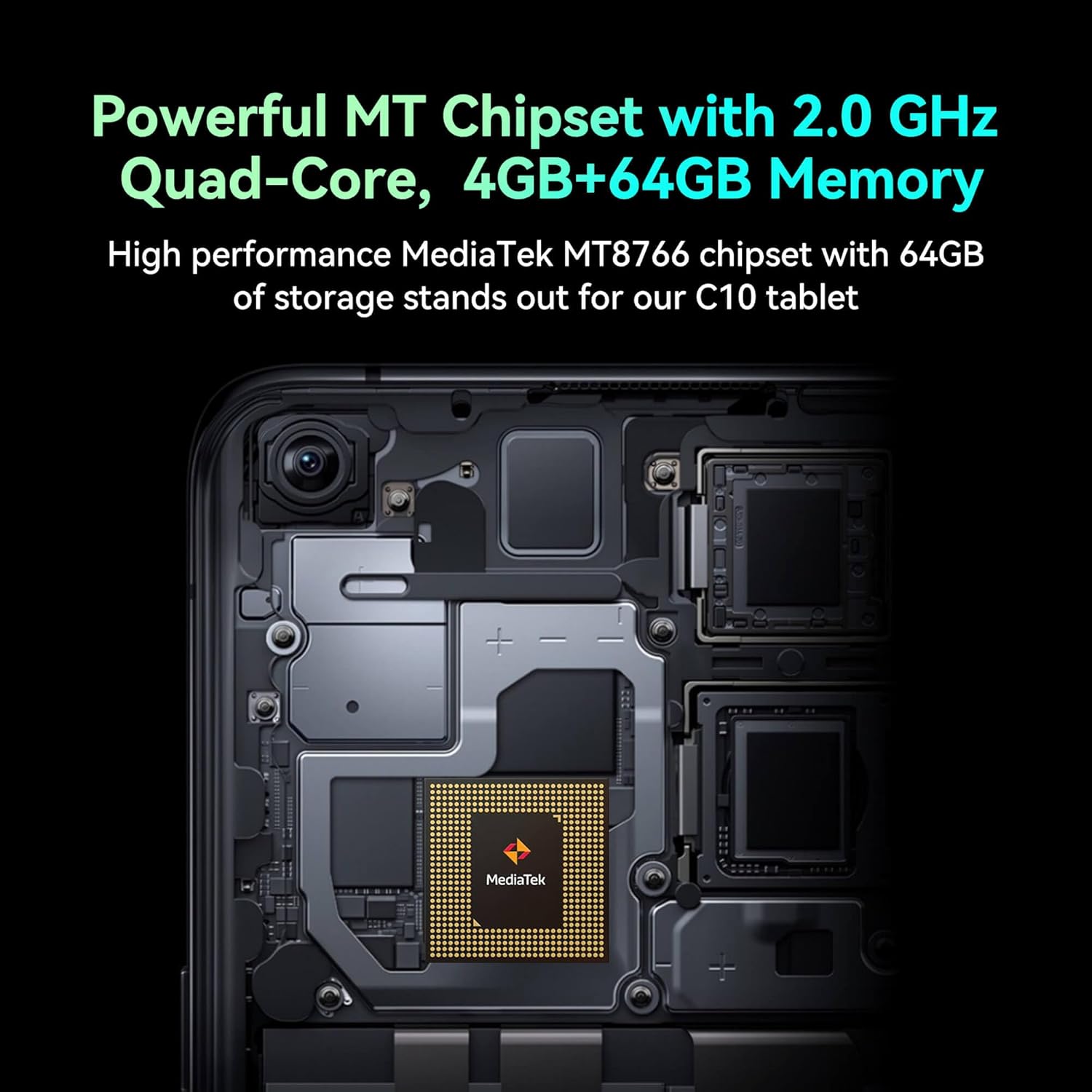
Image: Detail of the tablet's rear camera module, highlighting the 8-megapixel main camera with autofocus capabilities.
3.3 Proċessur u Memorja
It runs on a 2.0 GHz quad-core MediaTek MT8766 chipset, paired with 4GB of RAM and 64GB of internal storage for smooth performance and ampl-ispazju.

Immaġni: Interna view of the tablet's motherboard, showcasing the MediaTek MT8766 quad-core chipset.
3.4 Batterija
A 6000mAh battery provides extended usage time, ensuring the device stays powered throughout the day.
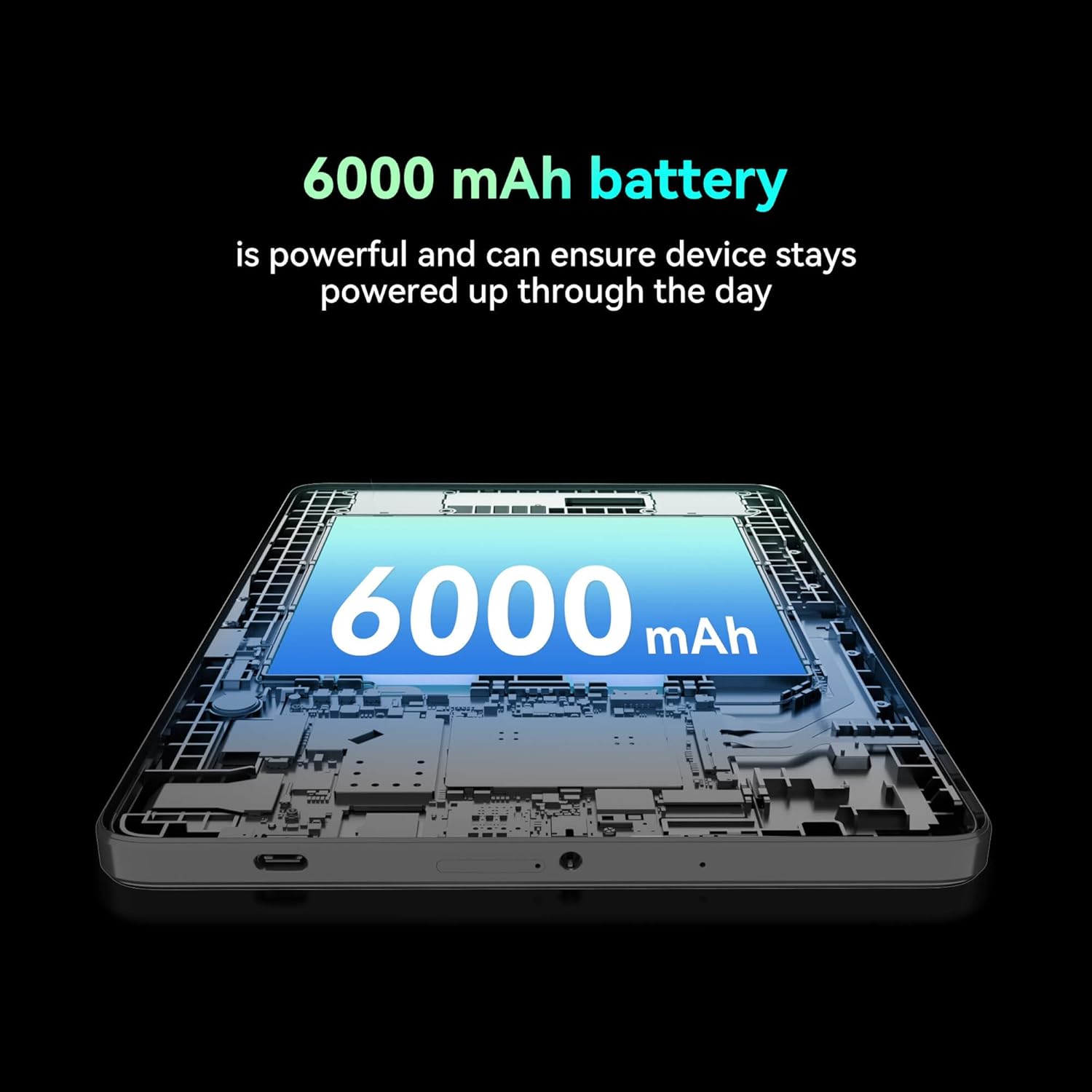
Immaġni: Maqtugħ view of the tablet highlighting the large 6000 mAh battery component.
4. Setup
4.1 Iċċarġjar inizjali
Before first use, fully charge your tablet using the provided Type-C cable and 10W charger. The battery indicator on the screen will show charging status.
4.2 Tixgħel/Jitfi
- Biex Tixgħel: Agħfas u żomm il-buttuna Power sakemm l-iskrin jixgħel.
- Biex Tifi: Agħfas u żomm il-buttuna tal-Power, imbagħad agħżel 'Power off' mill-għażliet fuq l-iskrin.
- Biex terġa' tibda: Agħfas u żomm il-buttuna tal-Power, imbagħad agħżel 'Restart' mill-għażliet fuq l-iskrin.
4.3 Installazzjoni tal-Karta SIM
The FOXX C10 supports Nano SIM cards for cellular connectivity. Locate the SIM card tray on the side of the tablet. Use the provided SIM ejector tool to open the tray. Insert the Nano SIM card into the designated slot with the gold contacts facing down. Close the tray securely.
4.4 MicroSD Card Installation (Optional)
If your tablet supports expandable storage, locate the MicroSD card slot, often combined with the SIM tray. Insert a MicroSD card (up to 128GB, sold separately) into the slot with the gold contacts facing down. Close the tray securely.
5. Istruzzjonijiet Operattivi
5.1 Navigazzjoni Bażika
Your tablet runs on Android 13. Use touch gestures for navigation:
- Tektek: Agħżel oġġett jew iftaħ app.
- Swipe: Skrollja 'l fuq minn skrins jew listi.
- Oqros: Iżżumja 'l ġewwa jew 'il barra fuq l-immaġnijiet u web paġni.
- Stampa Twila: Aċċessa l-menus kuntestwali jew iċċaqlaq l-ikoni.
5.2 Konnessjoni mal-Wi-Fi
- Mur fuq Settings > Netwerk u internet > Wi-Fi.
- Ixgħel il-Wi-Fi On.
- Agħżel in-netwerk Wi-Fi mixtieq tiegħek mil-lista.
- Daħħal il-password jekk tintalab, imbagħad tektek Qabbad.
5.3 Making Calls (4G LTE)
With a properly installed and activated Nano SIM card, your tablet can make and receive calls.
- Iftaħ il- Telefon app.
- Dial the desired number or select a contact.
- Tektek il- Ċempel buttuna.
5.4 L-Użu tal-Kamera
The tablet features dual 8MP cameras for photography and video recording.
- Iftaħ il- Kamera app.
- Tektek il- Shutter buttuna biex tieħu ritratt.
- Tektek il- Video icon to switch to video recording mode.
- Uża l-ikona tas-swiċċ tal-kamera biex taqleb bejn il-kameras ta' quddiem u ta' wara.
5.5 Tqabbil tal-Bluetooth
- Mur fuq Settings > Apparati konnessi > Bluetooth.
- Toggle Bluetooth On.
- Ensure the device you want to pair with is in pairing mode.
- Select the device from the list and follow any on-screen prompts to complete pairing.
6. Manutenzjoni
6.1 Kura tal-Batterija
- Evita temperaturi estremi, li jistgħu jnaqqsu l-ħajja tal-batterija.
- Tħallix it-tablet jiċċarġja għal perjodi twal wara li jkun iċċarġjat kompletament.
- Uża biss il-ċarġer u l-kejbil provduti.
6.2 Tindif
Uża drapp artab u mingħajr suf biex tnaddaf l-iskrin u l-qafas tat-tablet. Evita li tuża kimiċi ħarxa jew materjali li joborxu. Għal tbajja' persistenti, neħħi ftit.ampLaħlaħ id-drapp bl-ilma jew b'prodott tat-tindif tal-iskrin iddisinjat għall-elettronika.
6.3 Aġġornamenti tas-Software
Iċċekkja u installa aġġornamenti tas-softwer regolarment biex tiżgura li t-tablet tiegħek ikollu l-aħħar karatteristiċi, irqajja tas-sigurtà, u titjib fil-prestazzjoni. Mur fuq Settings > Sistema > Aġġornament tas-sistema.
7 Issolvi l-problemi
| Problema | Soluzzjoni |
|---|---|
| It-tablet ma jixgħelx | Kun żgur li l-batterija hija ċċarġjata. Qabbad il-ċarġer u stenna ftit minuti qabel ma tipprova tixgħelha mill-ġdid. |
| Ma tistax tikkonnettja mal-Wi-Fi | Check if Wi-Fi is enabled in settings. Restart your router and the tablet. Verify the Wi-Fi password. |
| L-apps huma bil-mod jew qed jiġġarraf | Close unused apps. Clear app cache (Settings > Apps > [App Name] > Storage > Clear cache). Restart the tablet. Ensure sufficient storage space. |
| L-ebda servizz ċellulari | Ensure the Nano SIM card is correctly inserted and activated. Check your network settings and contact your service provider if necessary. |
| L-iskrin ma jirrispondix | Erġa' ibda t-tablet. Jekk il-problema tippersisti, wettaq reset tal-fabbrika (id-dejta tintilef). |
8. Speċifikazzjonijiet
| Karatteristika | Dettall |
|---|---|
| Isem tal-Mudell | FOXX C10 |
| Sistema Operattiva | Android 13 |
| Daqs tal-Iskrin | 10.1 Pulzier |
| Riżoluzzjoni Massima tal-Iskrin | 800x1280 Pixel |
| Proċessur | 2 GHz Quad-Core MediaTek |
| RAM | 4 GB |
| Ħażna Interna | 64 GB |
| Daqs tal-Memorja Flash | 8 GB (likely referring to system partition or eMMC base) |
| Kameras | Dual 8MP (Front & Rear) |
| Kapaċità tal-batterija | 6000 mAh |
| Konnettività | 4G LTE, Wi-Fi (802.11 b/g/n/ac), Bluetooth 5.0, USB-C, 3.5mm AUX |
| Piż tal-oġġett | 1.26 liri |
| Dimensjonijiet tal-Prodott | 9.64 x 6.39 x 0.42 pulzieri |
| Kulur | Iswed |
9. Garanzija u Appoġġ
Għal informazzjoni dwar il-garanzija u appoġġ tekniku, jekk jogħġbok irreferi għad-dokumentazzjoni pprovduta max-xiri tiegħek jew ikkuntattja lill-bejjiegħ bl-imnut. Żomm il-prova tax-xiri tiegħek għal talbiet ta' garanzija.