
1. Introduzzjoni
The SCULPFUN iCube Pro is a compact desktop laser engraver and cutter designed for precision and ease of use. It features a 5000mW diode laser, an ultra-fine 0.06mm laser focus, and a built-in smoke filtration system. This manual provides essential information for safe and effective operation of your device.
Official product video demonstrating the SCULPFUN iCube Pro laser engraver's features and capabilities.

The SCULPFUN iCube Pro, a compact laser engraver, shown with various engraved items, highlighting its versatility.
2. Informazzjoni dwar is-Sigurtà
This device is a Laser Class 4 product. Always adhere to safety guidelines to prevent injury.
- Protezzjoni tal-għajnejn: The device includes a detachable laser filter enclosure that allows direct observation of the laser without goggles. However, always wear the provided laser safety goggles when operating the machine, especially if the enclosure is removed or damaged.
- Allarm ta' sħana żejda: An integrated temperature alarm system will sound and stop the machine if the internal temperature exceeds 45°C, preventing overheating.
- Smoke Filtration: The built-in smoke filtration system effectively filters smoke and odors during operation. Ensure the filter is clean and properly installed for optimal performance.
- Sejbien tal-inklinazzjoni: The machine is equipped with a gyroscope that detects tilting beyond 15° or unexpected movement during operation, immediately stopping the laser for safety.
- Waqfien ta' Emerġenza: An emergency stop button is provided for immediate shutdown in case of any unforeseen incident.
- Ventilazzjoni: Despite the smoke filtration system, ensure adequate ventilation in the work area.
- Materjali li jaqbdu: Do not engrave or cut highly flammable materials without proper precautions and supervision.

The laser filter enclosure and safety goggles provide eye protection during operation.

The overheat alarm system activates if the internal temperature exceeds 45°C.

The built-in smoke filtering system helps maintain a clean working environment.

Tilt detection automatically stops the laser if the machine is moved or tilted excessively.
3. Setup
The SCULPFUN iCube Pro is designed for immediate use with no assembly required.
- Spakkjar: Carefully remove the engraver from its packaging.
- Pjazzament: Place the engraver on a stable, level surface. Ensure adequate space around the device for ventilation.
- Konnessjoni tal-Enerġija: Qabbad l-adapter tal-enerġija mal-inċiżur u mbagħad ma' sokit tal-enerġija adattat.
- Installazzjoni tas-Softwer: Download the official SCULPFUN mobile App or connect to a computer via Bluetooth or Type-C data cable. Compatible software includes LightBurn and LaserGRBL.

The iCube Pro requires no assembly, offering a plug-and-play experience.

The device is ready to use right out of the box.
4. Istruzzjonijiet Operattivi
4.1 Tqegħid u Fokus tal-Materjal
- Post Materjal: Position the material to be engraved or cut within the designated engraving area (125x125mm).
- Quick Focusing: Use the built-in focus knob to adjust the distance between the laser module and the material until the laser spot is at its smallest point. This ensures optimal engraving and cutting precision.
- Detachable Hood: For engraving larger objects that do not fit inside the machine, the laser filter hood can be detached. This allows the machine to be placed directly on the surface of the object.

Adjust the focus using the built-in knob for precise results.

The detachable hood enables engraving on objects larger than the internal work area.
4.2 Software Control
Control the iCube Pro using either the SCULPFUN mobile App or computer software (LightBurn, LaserGRBL).
- App mobbli: The SCULPFUN App offers a user-friendly interface for beginners to quickly start engraving projects.
- Softwer tal-kompjuter: Connect via Bluetooth or Type-C data cable to use LightBurn or LaserGRBL for more advanced control and design capabilities.

The iCube Pro supports control via smartphone app or computer software.
4.3 Engraving and Cutting Materials
The iCube Pro can engrave on a wide range of materials and cut specific ones:
- Engravable Materials: Wood, leather, bamboo, ceramics, stainless steel, acrylic, cardboard, food, fabric, rubber, coated metal, glass.
- Cuttable Materials: Soft wood (up to 10mm thick), black acrylic (up to 6mm thick).
- Note for Reflective Materials: For materials like metal, glass, or ceramics, it is recommended to blacken the surface first to improve laser absorption and achieve better engraving results. Do not attempt to cut hard materials such as metal, ceramic, and glass.
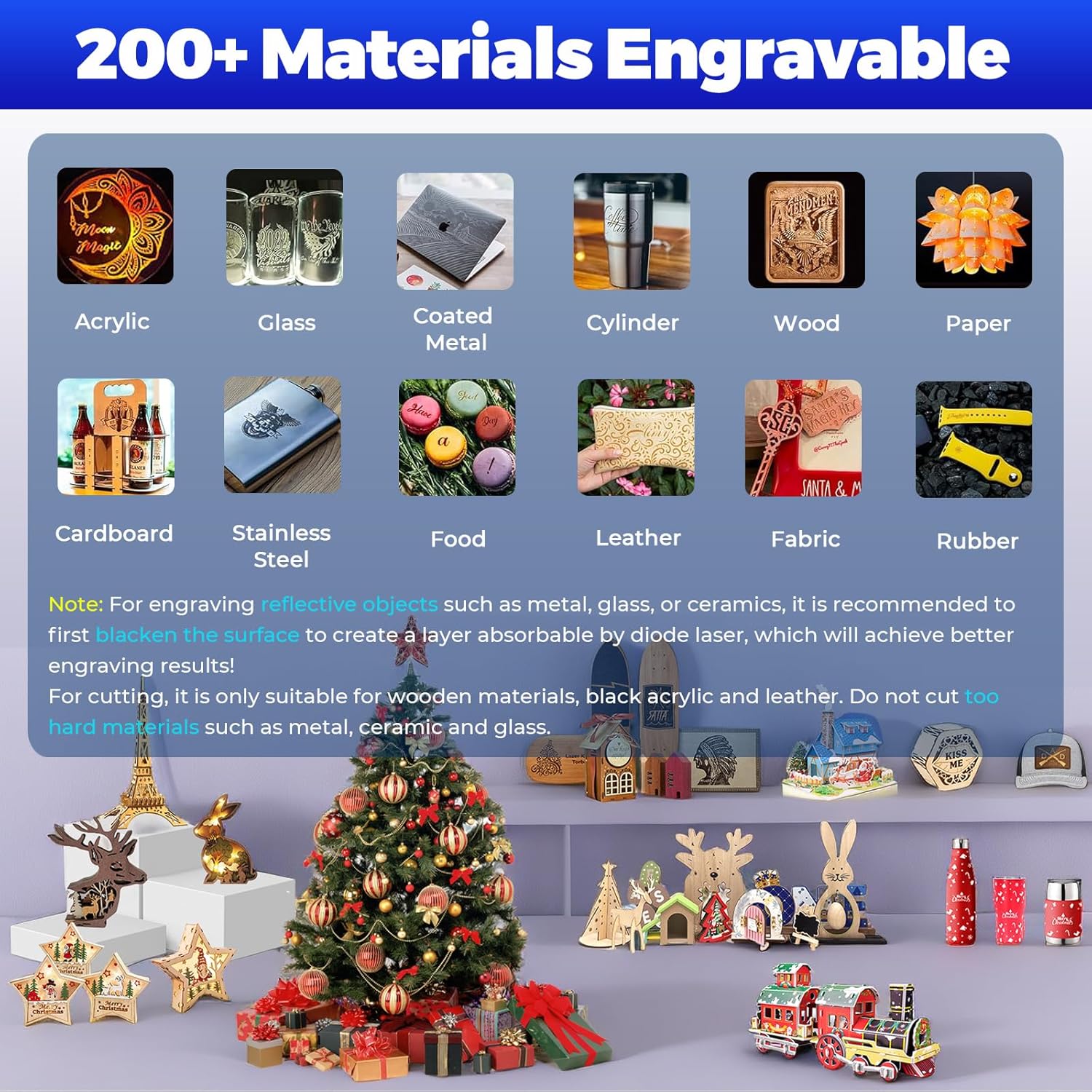
The iCube Pro supports engraving on over 200 types of materials.

The 5W laser can cut soft wood up to 10mm and black acrylic up to 6mm.
5. Manutenzjoni
Regular maintenance ensures optimal performance and longevity of your SCULPFUN iCube Pro.
- Tindif: Regularly clean the engraving area and the laser module to remove dust and debris. Use a soft, dry cloth.
- Smoke Filter: Inspect and clean or replace the smoke filter as needed. A clogged filter can reduce filtration efficiency.
- Tindif tal-Lenti: Periodically clean the laser lens with a specialized lens cleaning solution and cloth to maintain engraving precision.
6 Issolvi l-problemi
If you encounter issues with your iCube Pro, refer to the following common solutions:
- L-Apparat Mhux Jixgħel: Ensure the power adapter is securely connected to both the engraver and the power outlet. Check the power switch.
- Il-Laser Mhux Jaħdem: Verify that the device is properly connected to the control software/app and that the safety features (e.g., overheat alarm, tilt detection) are not activated. Ensure the material is correctly placed and focused.
- Kwalità Fqira tal-Inċiżjoni/Qtugħ: Check the laser focus. Ensure the material is clean and flat. Adjust power and speed settings in the software according to the material type. For reflective materials, ensure the surface is blackened if necessary.
- Overheat Alarm Activation: If the temperature alarm sounds, allow the machine to cool down. Ensure the ventilation vents are not obstructed.
- Waqfiet Mhux Mistennija: If the machine stops unexpectedly, check for tilt detection activation (due to movement) or if the emergency stop button was pressed.
- Kwistjonijiet ta' Konnessjoni: For Bluetooth connections, ensure the device is discoverable and within range. For Type-C, check the cable and port integrity.
7. Speċifikazzjonijiet
| Karatteristika | Speċifikazzjoni |
|---|---|
| Numru tal-Mudell | iCube Pro |
| Qawwa tal-Laser | 5000mW (5W) Diode Laser |
| Focus tal-Laser | 0.06mm |
| Veloċità tal-inċiżjoni | Sa 10000 mm/min |
| Żona tal-inċiżjoni | 125mm x 125mm |
| Max. Cutting Thickness (Soft Wood) | 10mm |
| Max. Cutting Thickness (Black Acrylic) | 6mm |
| Dimensjonijiet tal-Prodott | 10.31 x 11.81 x 8.89 pulzieri |
| Piż tal-oġġett | 7.05 liri |
| Manifattur | SCULPFUN Technology Co., Ltd. |
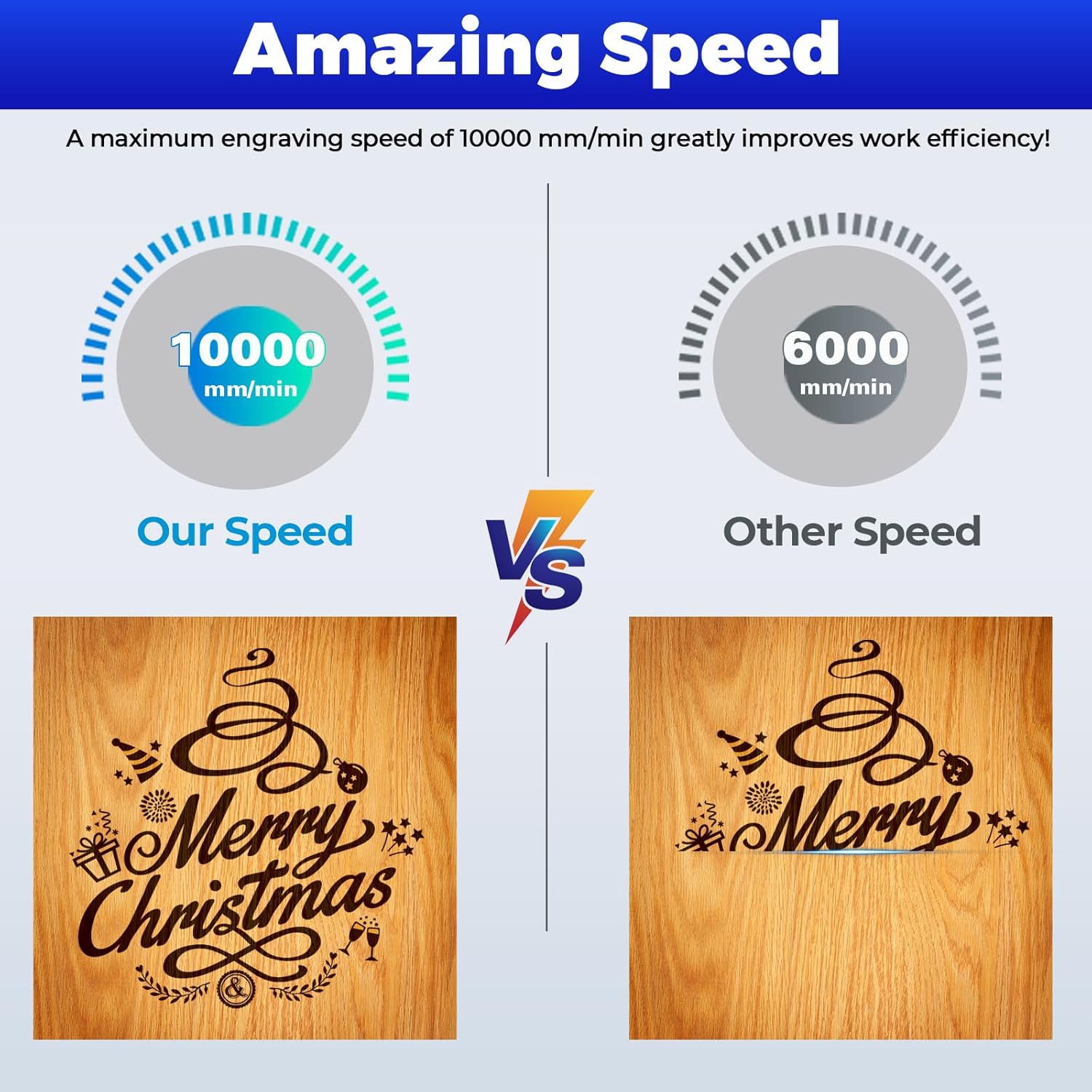
The iCube Pro offers an engraving speed of up to 10000 mm/min.
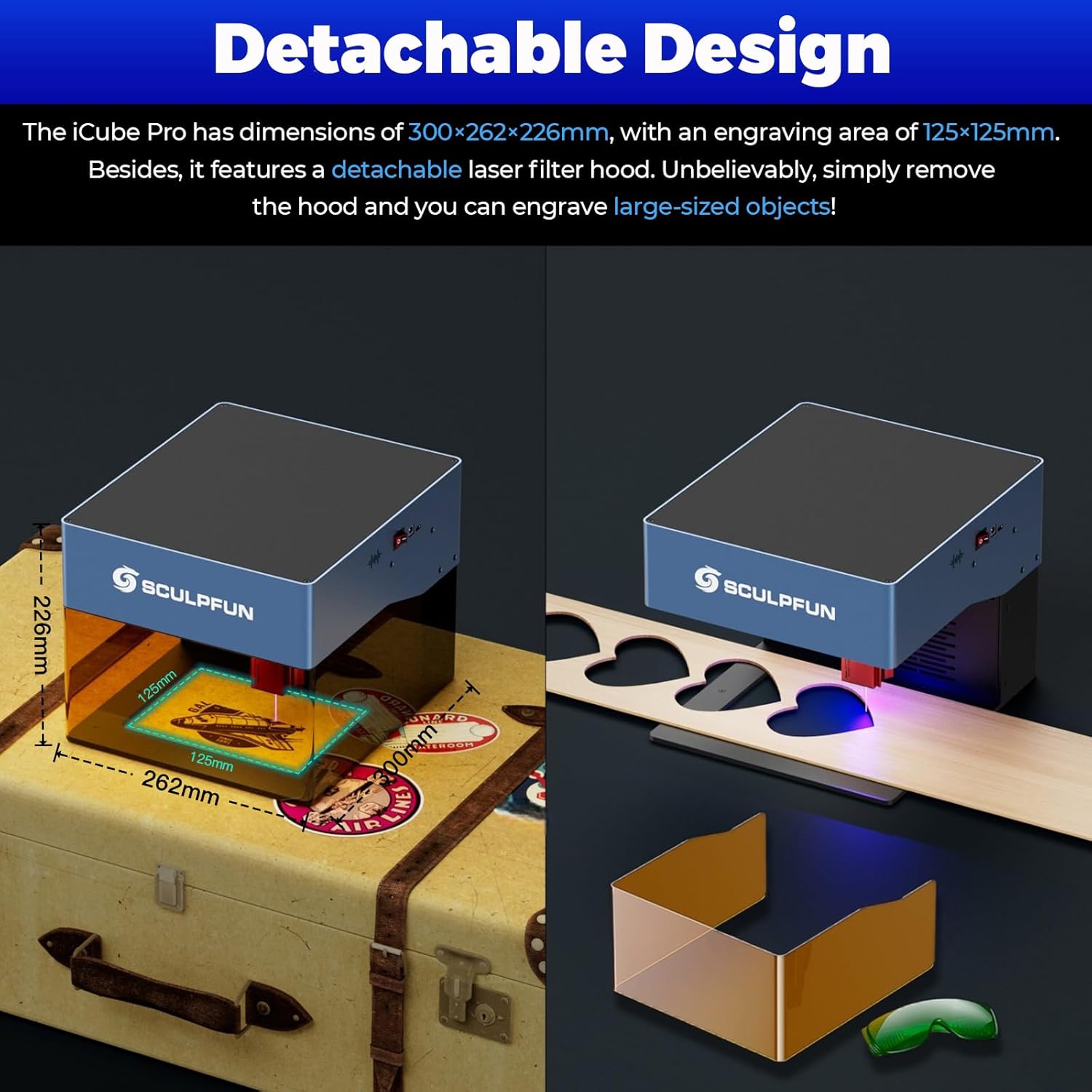
The compact design (262x300x226mm) and detachable hood offer versatility.
8. Garanzija u Appoġġ
For warranty information and technical support, please refer to the official SCULPFUN webis-sit jew ikkuntattja lis-servizz tal-konsumatur tagħhom direttament. Żomm l-irċevuta tax-xiri tiegħek bħala prova tax-xiri għal talbiet ta' garanzija.
Riżorsi onlajn:
- Visit the official SCULPFUN websit għal FAQs, aġġornamenti tas-softwer, u riżorsi addizzjonali.
- Consult the SCULPFUN App for in-app support and tutorials.