
1. Introduzzjoni
Thank you for choosing the ARENTI 4G LTE Cellular Solar Security Camera Outdoor. This manual provides detailed instructions for the installation, operation, and maintenance of your new security camera. Please read this manual thoroughly before use and retain it for future reference.
This advanced outdoor security camera offers 24/7 recording capabilities, 2K HD video quality, a powerful 10040mAh battery, and an 8W solar panel for continuous power. With 360° PTZ (Pan-Tilt-Zoom) functionality, motion alerts, two-way audio, and IP65 weather resistance, it provides comprehensive surveillance for various outdoor environments without requiring Wi-Fi or constant power outlets.
2. X'hemm fil-Kaxxa
- Korp tal-Kamera (x1)
- Panel Solari (x1)
- Manwal ta' Istruzzjoni (x1)
- Adapter tal-Enerġija (x1)
- Kejbil tat-Tip Ċ (x1)
- Parentesi (x1)
- Screw Package (x1)
- Silicone Plug for Power Cable (x1)
- Karta Micro SD ta' 32GB (installata minn qabel jew inkluża separatament)
3. Prodott Aktarview & Karatteristiċi
The ARENTI 4G LTE Cellular Solar Security Camera is designed for robust outdoor surveillance, offering a range of features to ensure your property is monitored effectively.
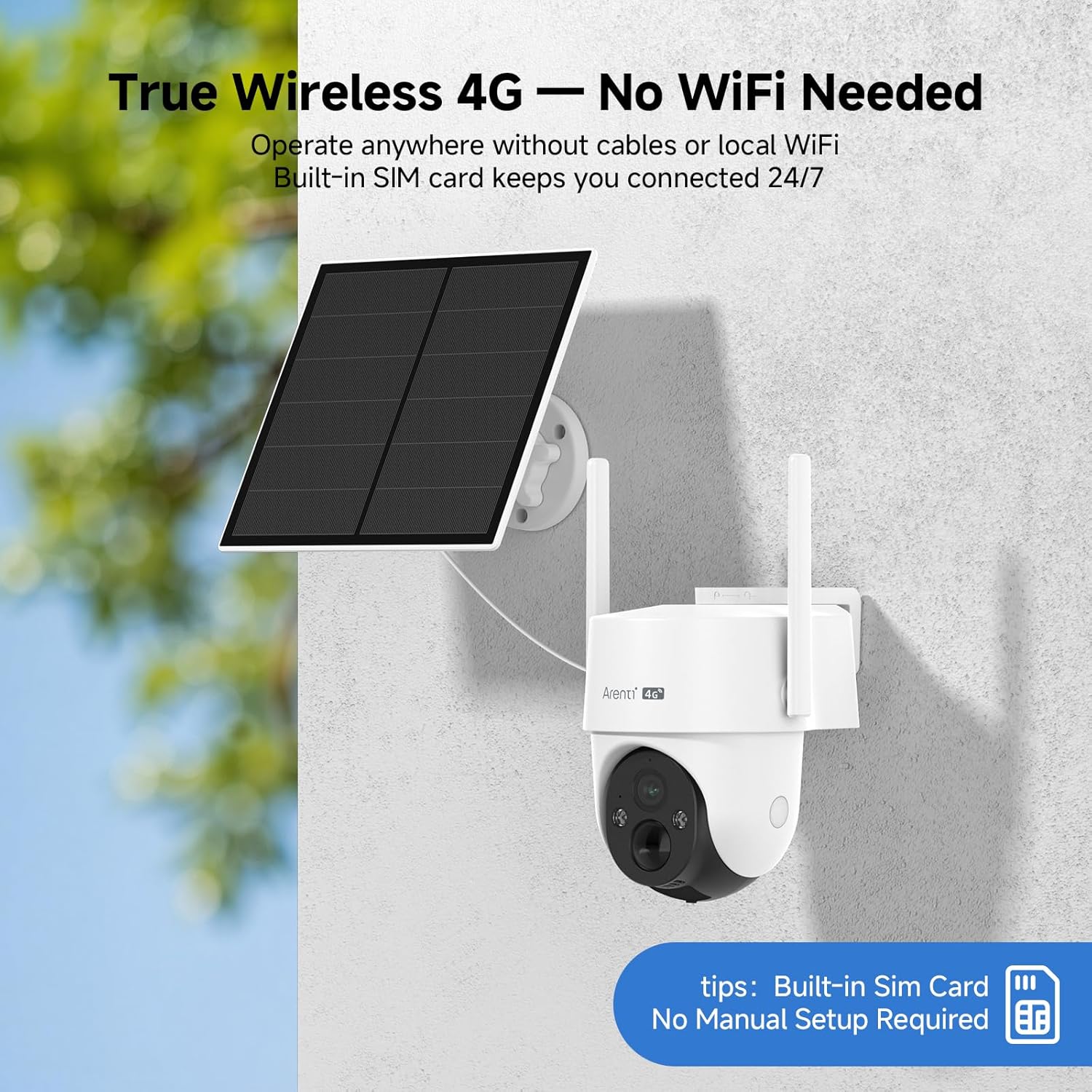
Figura 1: ARENTI 4G LTE Cellular Solar Security Camera with its solar panel and a smartphone displaying the live feed.

Figura 2: The camera's 360° pan and tilt capabilities providing full coverage of an outdoor area like a farm.
- AOV 24/7 Recording Mode: Unlike standard cameras that only record on motion, this camera captures 24/7 video at an optimized low frame rate (1/2–1/30fps). The 8W solar panel ensures the battery remains fully charged year-round, providing uninterrupted security without frequent charging.
- Endless Solar Power: The included 8W solar panel keeps the 10400mAh rechargeable battery fully charged, offering 365 days of continuous operation. This eliminates the need for power cables or frequent battery recharging.
- 360° Full Coverage with Auto Tracking: Featuring 355° Pan and 90° Tilt, the camera intelligently tracks people, vehicles, and movement across your property, ensuring no activity is missed.
- IP65 Reżistenti għat-Temp: Built to withstand various weather conditions including rain, snow, heat, and dust, ensuring reliable performance in any season. Ideal for remote locations without power or Wi-Fi.
- Unlimited Device Sharing: Share access to your camera with family, farm workers, or security teams without extra fees or interruptions. Monitor, talk, and playback recordings on multiple smartphones, tablets, or PCs.
- Flexible Local & Cloud Storage: Comes with a 32GB Micro SD card, expandable up to 512GB for local storage with no monthly fees. A 1-month free trial of encrypted cloud storage is also available, offering 6-second event playback.

Figura 3: Smart PIR + AI Motion Detection, capable of detecting people and vehicles up to 98ft away, triggering sound alarms, light flashes, and app notifications.

Figura 4: The camera offers two night vision modes: 2K Full-Color for vivid detail and Infrared (B/W) for discreet clarity in low light.
4. Konfigurazzjoni u Installazzjoni
The ARENTI 4G LTE Cellular Solar Security Camera is designed for easy installation. Follow these steps to set up your camera:
- Iċċarġja l-batterija: Before installation, ensure the camera's internal 10040mAh battery is fully charged using the provided Type-C cable and power adapter.
- Insert SIM Card & SD Card: Open the protective cover on the camera body. Insert the pre-installed 32GB Micro SD card (if not already in place) and a compatible 4G LTE SIM card. Ensure the silicone plug is securely re-inserted to maintain IP65 rating.
- Immonta l-Bracket: Choose a suitable outdoor location for the camera and solar panel. Use the provided screw package to securely attach the mounting bracket to a wall, awning, or post.
- Attach Camera to Bracket: Insert the camera body into the bracket and rotate it until it snaps into place, aligning with the lock logo.
- Qabbad Solar Panel: Connect the solar panel cable to the camera's power input. Position the solar panel in an area that receives maximum direct sunlight throughout the day for optimal charging.
- Niżżel l-App: Scan the QR code in the Quick Guide or search for "Arenti" on the App Store (iOS) or Google Play Store (Android) to download the companion app.
- Imqabbad il-Kamera: Follow the in-app instructions to pair your camera. This typically involves powering on the camera and scanning a QR code displayed in the app with the camera's lens.
Vidjo 1: An official product video demonstrating the features and installation process of the ARENTI 4G LTE Cellular Solar Security Camera Outdoor. This video provides a visual guide to setting up the camera and its solar panel for optimal performance.
5. Istruzzjonijiet Operattivi
Operate your ARENTI camera using the dedicated Arenti app on your smartphone or tablet.
- Live View: Open the Arenti app and select your camera to view l-għalf ħaj.
- Kontroll PTZ: Use the on-screen controls in the app to pan (355° horizontally) and tilt (90° vertically) the camera lens to adjust the viewangolu tal-ing.
- Awdjo f'żewġ direzzjonijiet: Tektek l-ikona tal-mikrofonu fl-app biex titkellem permezz tal-ispiker tal-kamera, u tisma' l-awdjo mill-mikrofonu tal-kamera.
- Modi ta' Reġistrazzjoni:
- AOV (Always-On Video) Mode: Provides continuous 24/7 recording at a low frame rate, ensuring constant coverage.
- Reġistrazzjoni Attivata mill-Mozzjoni: Records only when motion is detected, saving storage space and battery life.
- Viżjoni bil-lejl: The camera automatically switches between day and night vision modes. You can choose between full-color night vision (when sufficient ambient light is available or spotlight is active) and infrared (black & white) night vision for clear visibility in complete darkness.
- Motion Alerts & Tracking: Enable motion detection and human tracking in the app settings. You will receive instant notifications on your device when motion is detected, and the camera will automatically track the detected subject.
- Alarm Area Settings: Customize specific areas within the camera's view where motion detection should be active or ignored, reducing false alarms.
- Kondiviżjoni tal-Apparat: Access the device sharing option in the app settings to invite others to view your camera feed.
- Integrazzjoni tad-Dar Intelliġenti: The camera is compatible with Amazon Alexa and Google Assistant. Follow the instructions in your smart home app to link your ARENTI camera for voice control and integration.

Figura 5: The camera's compatibility with smart home platforms like Amazon Alexa and Google Assistant for hands-free control.
6. Manutenzjoni
- Tindif: Naddaf il-lenti tal-kamera u l-pannell solari regolarment b'ċarruta ratba u driegħamp cloth to ensure clear video quality and efficient solar charging. Avoid abrasive cleaners.
- Iċċekkja l-Konnessjonijiet: Periodically inspect all cables and connections for wear, damage, or loose fittings. Ensure the silicone plug for the power cable is always securely in place to maintain weather resistance.
- Aġġornamenti tas-Software: Keep the Arenti app and camera firmware updated to ensure optimal performance and access to the latest features and security enhancements. Check the app for available updates.
- Saħħa tal-batterija: While solar-powered, monitor battery levels in the app, especially during prolonged periods of low sunlight. If the battery consistently runs low, consider adjusting the solar panel's position or providing supplemental charging.
7 Issolvi l-problemi
| Problema | Kawża Possibbli | Soluzzjoni |
|---|---|---|
| Camera not connecting to 4G LTE. | No active SIM card, poor signal, incorrect APN settings. | Ensure SIM card is active and correctly inserted. Check 4G signal strength in the area. Verify APN settings in the app or with your carrier. |
| Il-batterija mhix qed tiċċarġja. | Solar panel not receiving enough sunlight, panel is dirty, faulty connection. | Relocate solar panel to an area with direct sunlight. Clean the solar panel. Check the connection cable between the panel and camera. |
| Kwalità fqira tal-vidjo. | Dirty lens, low signal, app settings. | Clean the camera lens. Ensure good 4G signal. Adjust video quality settings in the Arenti app. |
| Motion alerts not working. | Motion detection disabled, incorrect sensitivity, alert schedule. | Enable motion detection in the app. Adjust sensitivity levels. Check alert schedules and ensure they are active. |
| Two-way audio issues. | Microphone/speaker muted, low volume, network latency. | Check app settings for audio mute/volume. Ensure stable 4G connection. |
8. Speċifikazzjonijiet
- Ditta:
- ARENTI
- Isem tal-Mudell:
- GO3G Kit3-MRHK
- Użi Rakkomandati:
- Sigurtà ta 'barra
- Teknoloġija tal-Konnettività:
- Wireless (4G LTE Ċellulari)
- Riżoluzzjoni tal-Qbid tal-Vidjo:
- 1440p (2K HD)
- Rata tal-qafas:
- 30 frames per second (adjustable AOV mode)
- Pan/Mejjel:
- 355° Pan, 90° Mejjel
- Viżjoni bil-lejl:
- Full Color Night Vision, Infrared Night Vision (32 Feet Range)
- Karatteristiċi Speċjali:
- 2-Way Audio, Built-In Light, Motion Detection, Auto Tracking, AI Human Detection
- Sors tal-Enerġija:
- Solar Powered (8W Solar Panel, 10400mAh Battery)
- Ħażna:
- 32GB Micro SD (included), expandable up to 512GB, Cloud Storage (1-month free trial)
- Reżistenza għat-temp:
- IP65 Waterproof
- Apparati Kompatibbli:
- Smartphone (iOS, Android), Amazon Alexa, Google Assistant
- Dimensjonijiet tal-oġġett:
- 11.81 x 8.19 x 7.6 pulzieri
- Piż tal-oġġett:
- 3.4 Liri
9. Garanzija u Appoġġ
ARENTI stands behind the quality of its products. This camera comes with a Pjan ta' Protezzjoni ta' Sentejn, u tiżgura s-serħan tal-moħħ għall-investiment tiegħek.
For any questions, technical assistance, or support, please contact ARENTI Customer Support. Our team is available 24/7 to assist you with any issues or inquiries.
You can find contact information and additional resources on the official ARENTI website or through the Arenti app.