1. Introduzzjoni
This manual provides essential information for the safe and efficient use of your XIAOMI Redmi 15C smartphone. Please read this guide thoroughly before operating your device to ensure proper functionality and to prevent damage.
The Redmi 15C is designed to offer a reliable mobile experience with its large display, powerful battery, and capable camera system.
2. Informazzjoni dwar is-Sigurtà
- Sigurtà tal-batterija: Do not attempt to replace the battery yourself. Use only authorized service centers. Avoid exposing the device to extreme temperatures or direct sunlight.
- Iċċarġjar: Use only the original USB cable provided. A power adapter is not included; use a compatible 33W fast charger from a reputable manufacturer.
- Reżistenza għall-Ilma u t-Trab: The device features IP64 dust and water resistance. This rating indicates protection against dust ingress and splashing water from any direction. It is not designed for submersion in water.
- Rimi: Armi l-apparat u l-batterija tiegħu b'mod responsabbli skont ir-regolamenti lokali. Tarmix fl-iskart domestiku.
- Sigurtà tas-Sewqan: Always prioritize driving safety. Do not use your phone while driving unless absolutely necessary and in compliance with local laws.
3. Kontenut tal-Pakkett
Ivverifika li l-pakkett tiegħek fih l-oġġetti li ġejjin:
- Smartphone XIAOMI Redmi 15C
- Kejbil USB (Tip-Ċ)
- Għodda Eject SIM
- Gwida Quick Start
- Karta ta' Garanzija
Note: A power adapter is not included in the box and must be purchased separately. For optimal charging, use a 33W fast charger.
4. Device Overview
Iffamiljarizza ruħek mal-komponenti fiżiċi tar-Redmi 15C tiegħek.
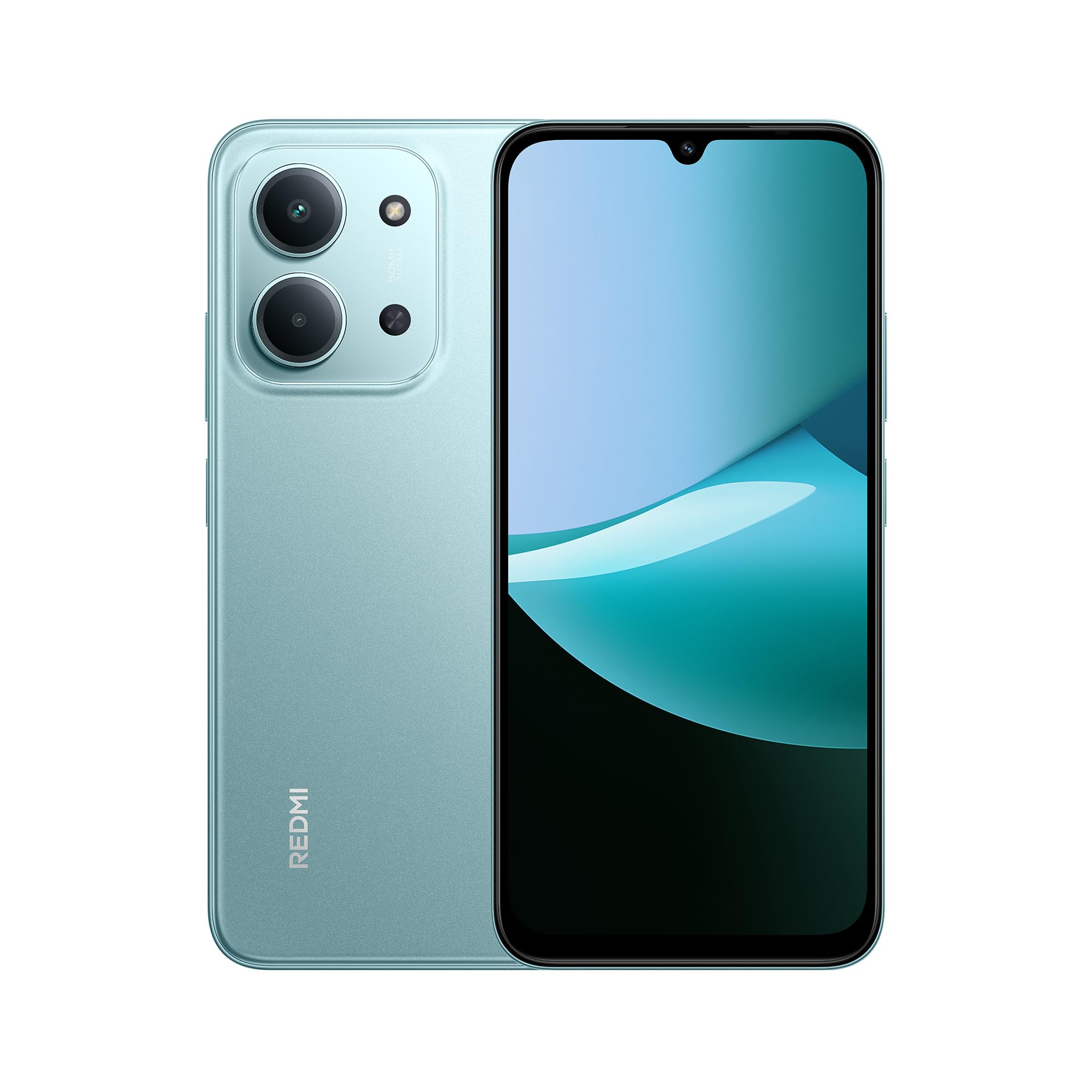
Quddiem u wara view of the XIAOMI Redmi 15C smartphone in Mint Green.

The slim 7.99mm body of the Redmi 15C, designed for comfortable handling.
Komponenti Fiżiċi:
- Buttuna tal-Qawwa: Jinsab fuq il-ġenb, jintuża biex jixgħel/jitfi l-apparat jew biex iqajjem/jorqod l-iskrin.
- Buttuni tal-Volum: Located near the power button, used to adjust media and call volume.
- Port USB tat-Tip Ċ: Jinsab fil-qiegħ, użat għall-iċċarġjar u t-trasferiment tad-dejta.
- Trej tal-Kard SIM/SD: Located on the side, for inserting SIM cards and a microSD card.
- Kamera ta' quddiem: Jinsab fil-parti ta' fuq tad-displej.
- Sistema ta' Kamera ta' wara: Located on the back, featuring a 50MP AI dual camera.
- Kelliem: Għall-output tal-awdjo.
- Mikrofonu: Għal input tal-vuċi waqt sejħiet u reġistrazzjonijiet.
5. L-Ibda (Setup)
5.1. Inserting SIM/SD Card
- Sib it-trej tal-kard SIM fuq il-ġenb tat-tagħmir tiegħek.
- Daħħal l-għodda tal-ħruġ tas-SIM fit-toqba ż-żgħira ħdejn it-trej u agħfas sew sakemm it-trej joħroġ 'il barra.
- Place your Nano-SIM card(s) and/or microSD card into the designated slots on the tray. Ensure the gold contacts face downwards. The device supports Dual SIM functionality.
- Daħħal mill-ġdid it-trej b'attenzjoni fl-apparat.
5.2. Tixgħil / Mitfi
- Biex Tixgħel: Agħfas u żomm il-buttuna tal-Power sakemm jidher il-logo XIAOMI.
- Biex Tifi: Agħfas u żomm il-buttuna tal-Enerġija sakemm jidher il-menù tal-enerġija, imbagħad agħżel "Itfi".
- Biex terġa' tibda: Agħfas u żomm il-buttuna tal-Enerġija sakemm jidher il-menu tal-enerġija, imbagħad agħżel "Erġa' ibda".
5.3. Inizjali Setup Wizard
Upon first power-on, the device will guide you through the initial setup process. Follow the on-screen instructions to:
- Agħżel il-lingwa u r-reġjun tiegħek.
- Qabbad ma 'netwerk Wi-Fi.
- Aċċetta t-termini u l-kundizzjonijiet.
- Idħol fil-kont Google tiegħek jew oħloq wieħed ġdid.
- Issettja l-illokkjar tal-iskrin (PIN, mudell, password, marka tas-swaba', ftuħ bil-wiċċ).
- Irrestawra d-dejta minn apparat preċedenti (mhux obbligatorju).
6. Operazzjoni Bażika
6.1. Navigazzjoni
The Redmi 15C features a responsive touchscreen. Use gestures such as tapping, swiping, pinching, and spreading to navigate the interface.
6.2. Nagħmlu Telefonati u Nibagħtu Messaġġi
- Sejħiet: Iftaħ l-app "Telefon", daħħal in-numru, u tektek l-ikona tas-sejħa.
- Messaġġi: Open the "Messages" app, tap the new message icon, enter the recipient and your message.
6.3. Konnessjoni mal-Wi-Fi u l-Bluetooth
- Mur fuq Settings > Wi-Fi or Settings > Bluetooth.
- Toggle the respective switch to turn it on.
- Select the desired network or device from the list and enter the password if prompted.
6.4. Uża l-Kamera
The Redmi 15C is equipped with a 50MP AI dual camera system for capturing photos and videos.

Detail of the 50MP AI dual camera system on the Redmi 15C, designed to capture clear and vibrant images.
- Iftaħ l-app "Kamera".
- Agħżel il-modalità mixtieqa tiegħek (Ritratt, Ritratt, Vidjo, eċċ.).
- Tektek il-buttuna tax-shutter biex tieħu ritratt jew tibda/twaqqaf ir-reġistrazzjoni ta' vidjow.
6.5. Ġestjoni tal-batterija
The device features a massive 6000mAh battery for extended usage.

Illustration of the 6000mAh battery inside the Redmi 15C, providing up to 82 hours of music playback.
Biex tiċċarġja t-tagħmir tiegħek:

The Redmi 15C supports 33W fast charging, allowing the battery to reach 50% in approximately 31 minutes.
- Connect the USB Type-C cable to the device and a compatible 33W fast charger.
- Avoid overcharging; disconnect the charger once the battery is full.
- To optimize battery life, adjust screen brightness, disable unnecessary features, and close background apps.
7. Karatteristiċi Avvanzati
7.1. Prestazzjoni tal-Proċessur
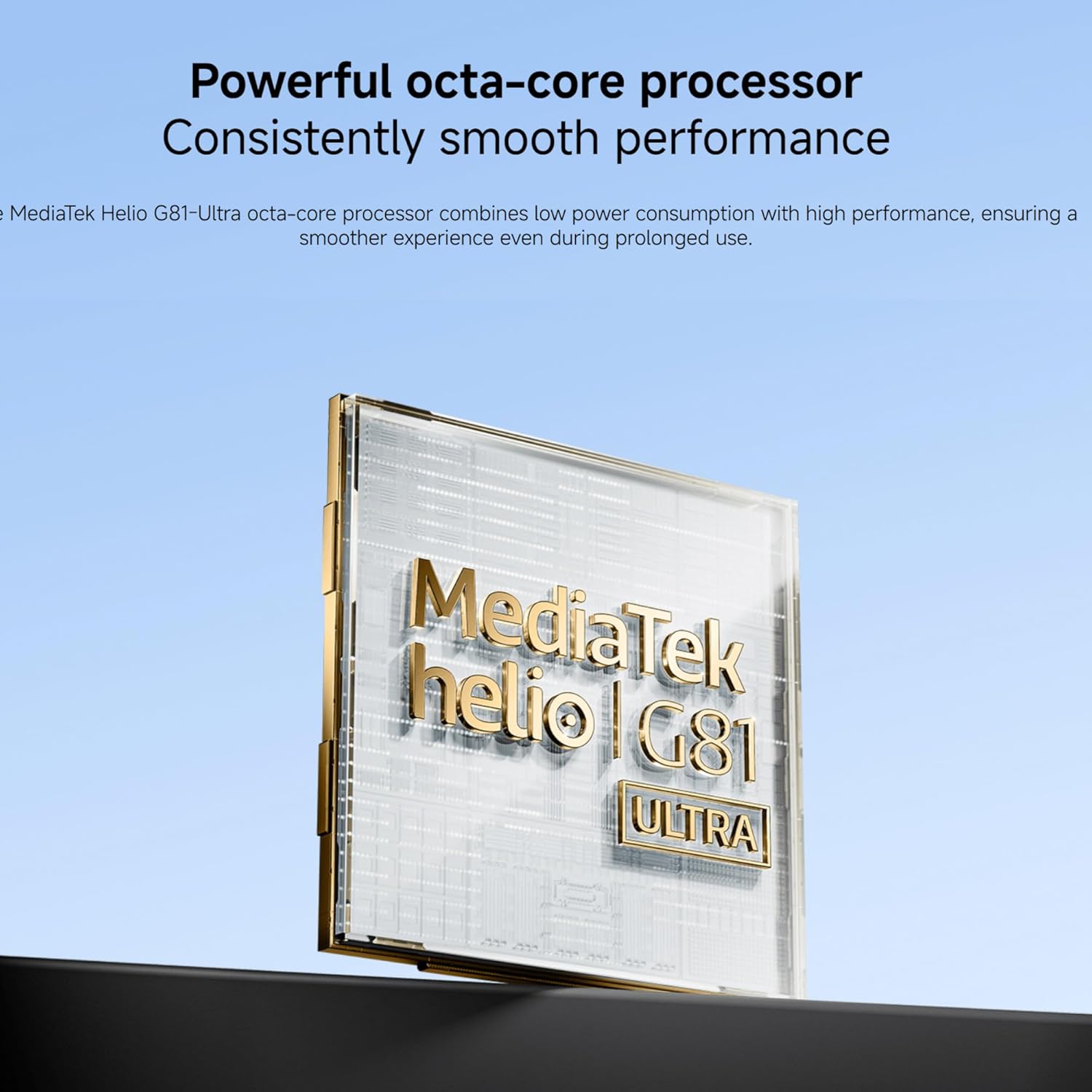
The Redmi 15C is powered by a MediaTek Helio G81-Ultra octa-core processor, ensuring smooth performance for daily tasks and applications.

Visual representation of the powerful MediaTek Helio G81-Ultra octa-core processor, designed for consistent smooth performance.
7.2. Immersive Display
Experience content on the immersive 6.9-inch display with a 120Hz AdaptiveSync refresh rate, providing a smoother visual experience.
The 6.9-inch display of the Redmi 15C, featuring up to 120Hz AdaptiveSync for a fluid user interface.
7.3. AI Features with Google Gemini
The Redmi 15C integrates with Google Gemini, an AI assistant designed to help with various tasks such as writing, brainstorming, and learning.

The Redmi 15C demonstrating interaction with Google Gemini, an AI assistant for various tasks. Setup is required for this feature.
8. Manutenzjoni
8.1. Tindif tal-Apparat
- Uża drapp ratba u mingħajr lint biex tnaddaf l-iskrin u l-korp tal-apparat.
- Evita li tuża kimiċi ħarxa jew materjali li joborxu.
- Tisprejjax prodotti tat-tindif direttament fuq l-apparat.
8.2. Aġġornamenti tas-Software
Iċċekkja u installa aġġornamenti tas-softwer regolarment biex tiżgura li t-tagħmir tiegħek ikollu l-aħħar karatteristiċi, irqajja tas-sigurtà, u titjib fil-prestazzjoni.
- Mur fuq Settings > Dwar it-telefon > Verżjoni MIUI (or similar for Hyper OS).
- Tap "Check for updates" and follow the on-screen instructions.
8.3. Ġestjoni tal-Ħażna
To maintain optimal performance, regularly manage your device's storage.
- Ħassar bla bżonn files, ritratti, u vidjows.
- Iddiżinstalla l-applikazzjonijiet mhux użati.
- Mexxi bil-kbir files to a microSD card (if installed) or cloud storage.
9 Issolvi l-problemi
Jekk tiltaqa' ma' problemi bit-tagħmir tiegħek, ipprova s-soluzzjonijiet li ġejjin:
| Ħruġ | Soluzzjoni |
|---|---|
| L-apparat ma jixgħelx | Kun żgur li l-batterija hija ċċarġjata. Qabbad ma' ċarġer għal mill-inqas 10 minuti, imbagħad ipprova ixgħelha. |
| L-apps qed jiġġarraf jew jiffriżaw | Restart the device. Clear the cache of the problematic app (Settings > Apps > [Isem tal-App] > Ħażna > Neħħi l-cache). |
| Sinjal tan-netwerk fqir | Check if your SIM card is properly inserted. Try restarting the device. Ensure you are in an area with network coverage. |
| Il-batterija tiskula malajr | Reduce screen brightness. Close background apps. Disable unnecessary features like GPS or Bluetooth when not in use. |
| L-apparat huwa bil-mod jew ma jirrispondix | Clear storage space. Restart the device. Check for system updates. |
If problems persist, contact customer support or visit an authorized service center.
10. Speċifikazzjonijiet
Detailed technical specifications for the XIAOMI Redmi 15C.
| Karatteristika | Speċifikazzjoni |
|---|---|
| Isem tal-Mudell | 15C |
| Sistema Operattiva | Hyper OS 2 |
| Proċessur | MediaTek Helio G81-Ultra Octa-core |
| RAM | 4 GB |
| Kapaċità tal-Ħżin | 128 GB |
| Daqs tal-Wiri | 6.9 Pulzier |
| Riżoluzzjoni tal-Wiri | 720 x 1600 |
| Riffriskar Rata | 120 Hz |
| Kamera ta' wara | Kamera Doppja AI ta' 50 MP |
| Kamera ta' Quddiem | Iva |
| Kapaċità tal-batterija | 6000 mAh |
| Ħin tat-Tkellem | Sa 30-il Siegħa |
| Iċċarġjar | 33W Fast Charging Compatible |
| Konnettività | 4G, Wi-Fi, Bluetooth, GPS |
| Appoġġ SIM | SIM doppju |
| Dimensjonijiet (L x W x H) | 17.3 x 8.1 x 0.82 ċm |
| Piż | 400 g |
| Karatteristiċi Speċjali | Wi-Fi Hotspot, Integrated GPS, IP64 Dust and Water Resistance |
11. Garanzija u Appoġġ
Your XIAOMI Redmi 15C smartphone comes with a standard manufacturer's warranty. Please refer to the warranty card included in your package for specific terms and conditions, including warranty period and coverage details.
Għal appoġġ tekniku, servizz, jew aktar mistoqsijiet, jekk jogħġbok żur is-sit uffiċjali tal-appoġġ XIAOMI webis-sit jew ikkuntattja s-servizz tal-konsumatur tagħhom. Żomm il-prova tax-xiri tiegħek għal talbiet ta’ garanzija.