
1. Introduzzjoni
Thank you for choosing the NiceVeedi 40W RGB Photography Lighting Kit. This professional studio light is designed to provide versatile and high-quality illumination for various creative applications, including live streaming, video recording, portrait photography, and content creation. This manual provides detailed instructions for setup, operation, maintenance, and troubleshooting to ensure optimal performance and longevity of your device.
2. Kontenut tal-Pakkett
Jekk jogħġbok ivverifika li l-oġġetti kollha elenkati hawn taħt huma inklużi fil-pakkett tiegħek:
- 1 x RGB LED Video Light Panel
- 1 x Kontroll mill-Bogħod bl-Infrared
- 1 x Tripod
- 1 x adapter AC
- 1 x Borża tal-Ħażna

3. Istruzzjonijiet ta' Setup
3.1 L-Immuntar tat-Tripod
- Iftaħ is-saqajn tat-tripod sakemm ikunu estiżi għalkollox u stabbli.
- Adjust the height of the tripod by loosening the locking knobs on the central column, extending to the desired height, and then securely tightening the knobs.
3.2 Twaħħil tal-Pannell tad-Dawl
- Locate the 5/8" standard socket on the bottom of the LED Light Panel.
- Mount the light panel onto the top of the tripod stand.
- Secure the light panel by tightening the easy-manual screw knob on the tripod mount.
- Adjust the light panel's angle using the 180° adjust socket as needed.
3.3 Konnessjoni tal-Enerġija
- Connect the AC adapter to the DC power outlet on the back of the LED Light Panel.
- Ipplaggja l-AC adapter fi żbokk elettriku standard.
4. Istruzzjonijiet Operattivi
4.1 Tixgħel/Jitfi
Press the 'ON/OFF' button located on the back panel of the light to power the unit on or off.
4.2 Control Panel Overview
The back panel features an LED display and physical buttons for direct control:
- Wiri LED: Provides real-time visual feedback of hue, saturation, brightness, and color temperature.
- Buttuna tal-Modalità: Cycles through different lighting modes (CCT, HSI, RGB, FX).
- Buttuna tal-Għażla: Selects specific parameters within a mode (e.g., hue, saturation, brightness).
- Increase/Reduce Buttons: Adjusts the selected parameter's value.
- Buttuna ON/OFF: Jixgħel jew jitfi d-dawl.
- DC Power Outlet: Għall-konnessjoni tal-adapter tal-AC.

4.3 Użu tal-Kontroll mill-bogħod
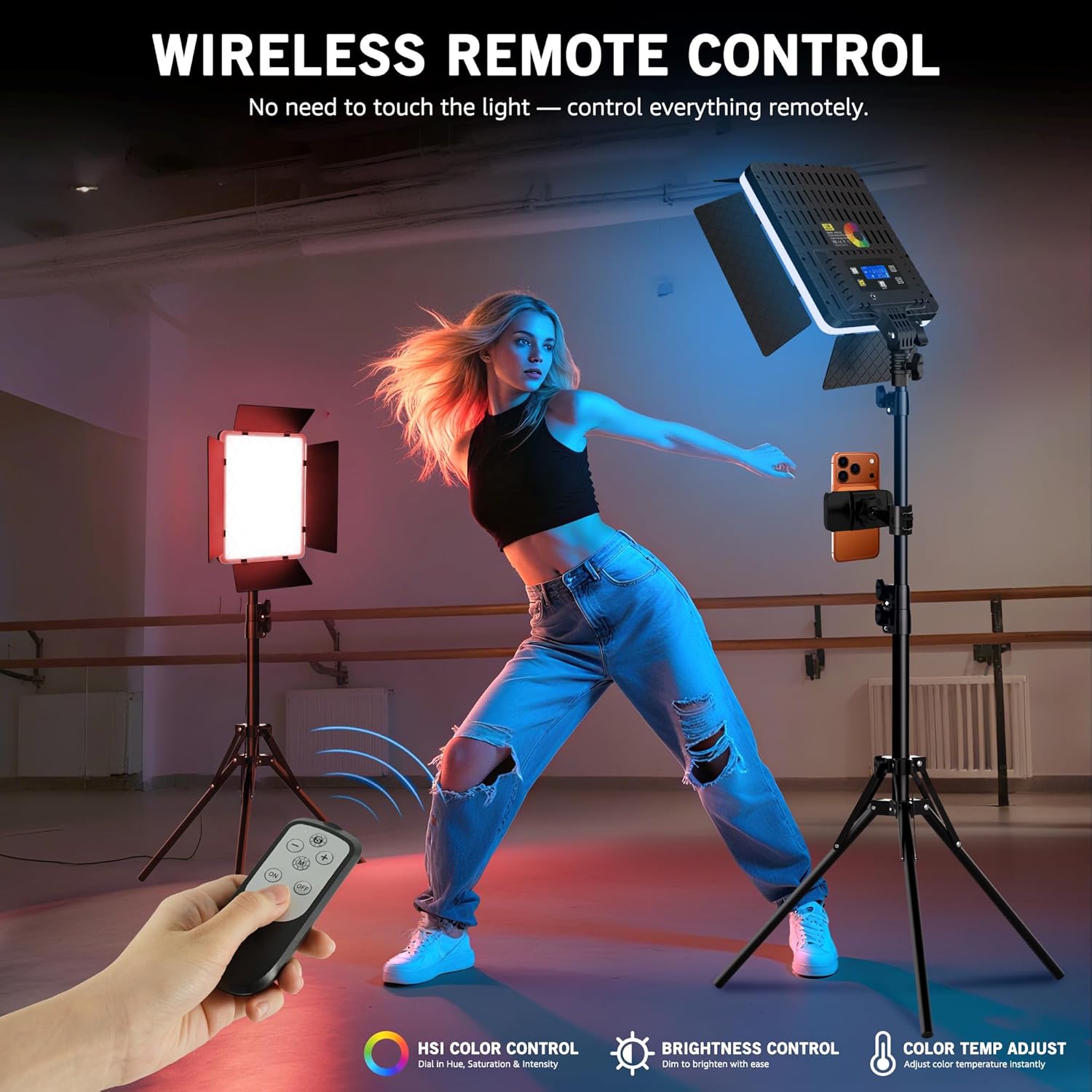
The included infrared remote control allows for wireless adjustment of lighting settings from up to 26 feet away. Ensure the remote is aimed at the infrared sensor located below the back of the light panel.
4.4 Modi tad-Dawl
The light offers four primary lighting modes for flexible control:
- Modalità CCT: Adjusts color temperature from 2700K (warm) to 6500K (cool) and brightness from 0% to 100%.
- Modalità HSI: Provides full color freedom with 0-360° hue adjustment and 0-100% saturation control.
- Modalità RGB: Allows for direct adjustment of Red, Green, and Blue color values.
- Modalità FX: Includes 20 built-in lighting effects to add cinematic atmosphere.


4.5 Adjusting Barndoors
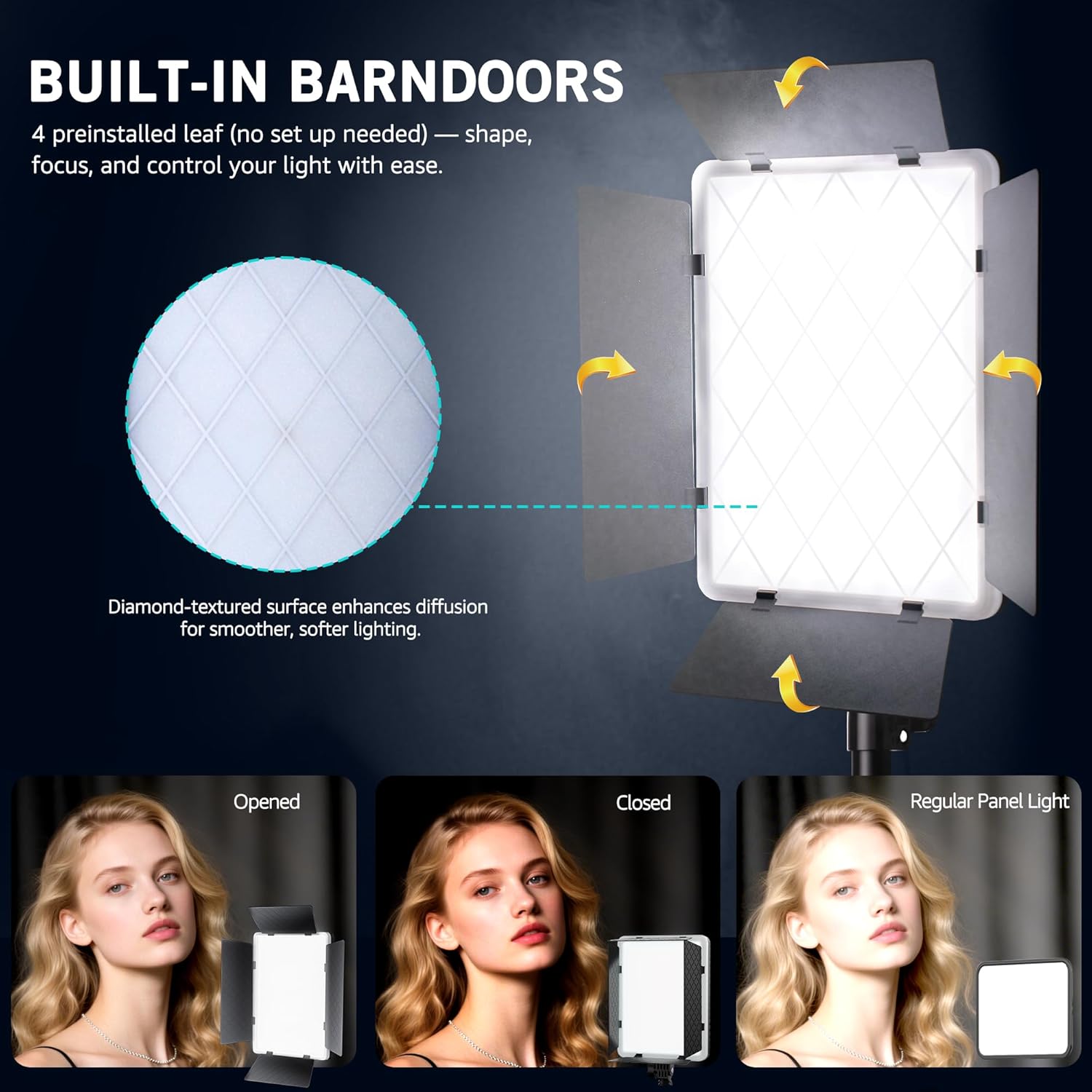
The built-in 4-leaf barndoors allow you to shape and control the light output. Adjust each leaf individually to direct light precisely where needed, creating focused highlights or wide flood lighting.
4.6 Dimostrazzjoni tal-Vidjo tal-Prodott
5. Manutenzjoni
5.1 Tindif
- Kun żgur li l-apparat ikun mitfi u splaggjat qabel it-tindif.
- Use a soft, dry cloth to wipe the exterior of the light panel and tripod.
- Għal ħmieġ iebes, ftit damp Jista' jintuża drapp, segwit minn tnixxif immedjat.
- Tużax kimiċi ħarxa, prodotti tat-tindif li joborxu, jew solventi, għax dawn jistgħu jagħmlu ħsara lill-finitura jew lill-komponenti interni.
5.2 Ħażna
- When not in use, store the lighting kit in the provided storage bag to protect it from dust and physical damage.
- Aħżen f'post frisk u niexef 'il bogħod mix-xemx diretta u temperaturi estremi.
6 Issolvi l-problemi
If you encounter any issues with your NiceVeedi 40W RGB Photography Lighting Kit, please refer to the table below for common problems and solutions:
| Problema | Kawża Possibbli | Soluzzjoni |
|---|---|---|
| Id-dawl ma jixgħelx | No power supply; Loose connection; Faulty adapter | Ensure AC adapter is securely plugged into both the light and the power outlet. Check if the power outlet is functional. Try a different power outlet. |
| Il-kontroll mill-bogħod ma jaħdimx | Low battery; Obstruction; Not aimed correctly | Replace remote control batteries. Ensure there are no obstructions between the remote and the light's IR sensor. Aim the remote directly at the IR sensor. |
| Light output is inconsistent or flickering | Unstable power supply; Loose connection | Check power connections. Ensure the power source is stable. If using an extension cord, ensure it is rated for the device's power requirements. |
| Cannot change modes or settings | Buttons unresponsive; Remote issue | Try using both the physical buttons on the light panel and the remote control. If only one method fails, troubleshoot that specific component (e.g., remote battery). |
7. Speċifikazzjonijiet
Key technical specifications for the NiceVeedi 40W RGB Photography Lighting Kit:
| Karatteristika | Speċifikazzjoni |
|---|---|
| Output Max | 40W |
| Kwantità LED | 540 Pcs |
| Temperatura tal-Kulur | 2700K-6500K |
| Modi ta 'Dawl | CCT, RGB, HSI, FX |
| Effetti tax-Xena | 20 |
| Remote Method | Infra-aħmar |
| Piż tal-oġġett | 6 liri |
| Dimensjonijiet tal-Pakkett | 17.32 x 9.96 x 6.06 pulzieri |
8. Garanzija u Appoġġ
NiceVeedi products are manufactured to high-quality standards. This product is covered by a manufacturer's warranty against defects in materials and workmanship. For specific warranty details, please refer to the documentation included with your purchase or contact NiceVeedi customer support.
For any inquiries, technical assistance, or support, please contact us through the Amazon platform or via the contact information provided in your product packaging. Our support team is dedicated to assisting you.