
1. Introduzzjoni
This manual provides detailed instructions for the setup, operation, maintenance, and troubleshooting of your NETUM RD-1950 2D QR Industrial Bluetooth Barcode Scanner. Please read this manual thoroughly before using the device to ensure proper functionality and to maximize its lifespan.
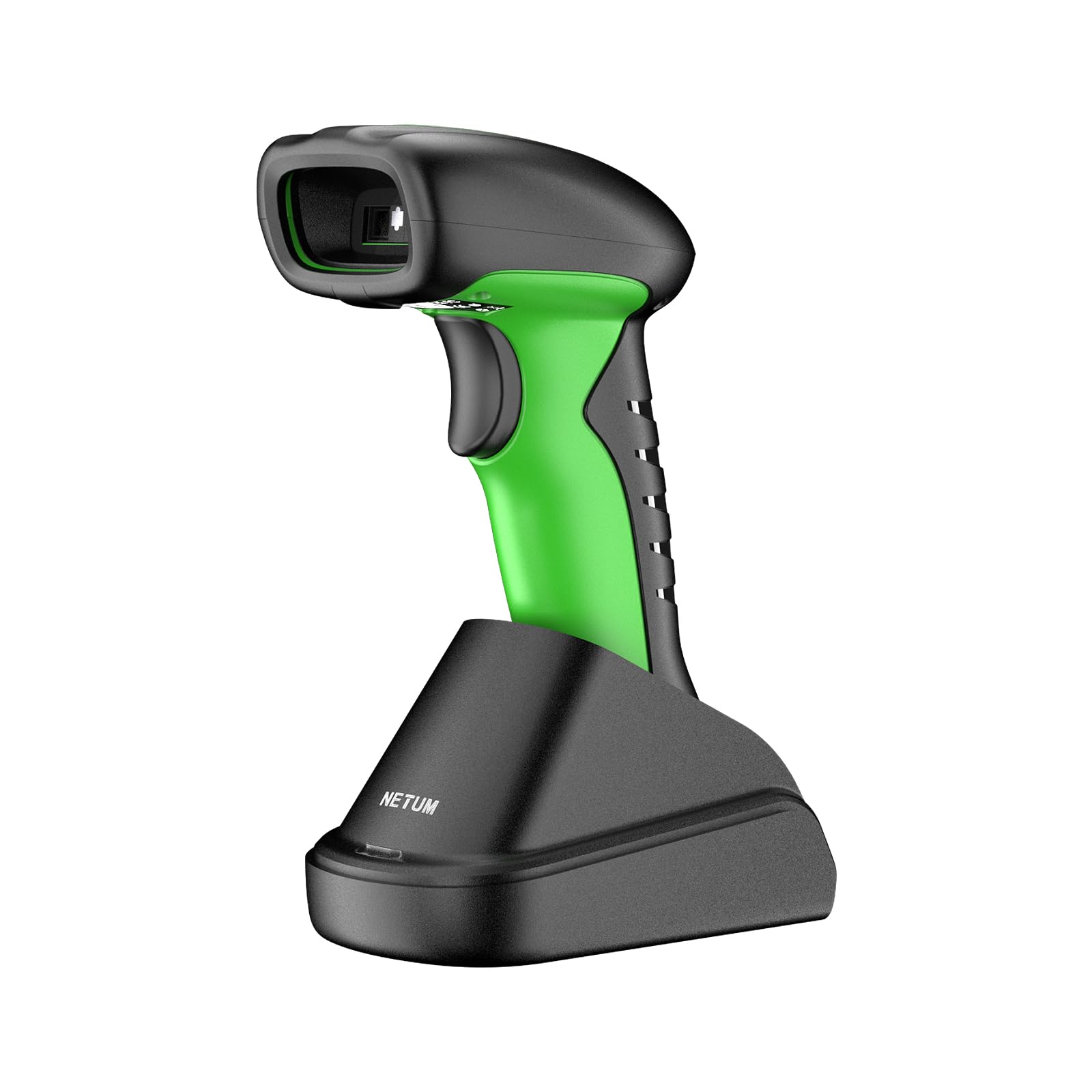
Image: The NETUM RD-1950 barcode scanner with its charging dock, showcasinid-disinn u l-komponenti tiegħu.
2. Karatteristiċi ewlenin
- Industrial-Grade Protection: The RD-1950 features an IP67 rating for dust, splash, and waterproof capabilities. Its rugged construction and durable silicone casing provide protection against drops from up to 12 ft (3.65 m), making it suitable for demanding industrial environments.
- Konnettività Doppju: Supports both 2.4G wireless and Bluetooth connections. The charging dock includes a built-in 2.4G receiver for plug-and-play operation. Bluetooth connectivity supports HID, SPP, and BLE modes for compatibility with various devices including laptops, PCs, smartphones, tablets, iPhones, iPads, and POS systems.
- Automatic Scanning & Storage Mode: Offers three scanning modes: manual trigger, continuous scanning, and auto-sensing for both handheld and hands-free use. A storage mode is available for offline operation, capable of storing up to 100,000 barcodes.
- Kapaċitajiet ta' Skanjar Avvanzati: Equipped with a 1280H × 800V (1M) CMOS sensor, providing fast scanning speeds up to 60 FPS. It accurately reads 1D barcodes ≥4 mil and 2D barcodes ≥5 mil (HD).
- Ħajja Estiża tal-Batterija: Powered by a 2600mAh battery, offering up to 30 days of use (based on 2,000 scans per day) on a full charge. The cradle serves as a charging station.
3. Gwida ta' Setup
3.1 Tneħħija tal-ippakkjar u l-Iċċarġjar Inizjali
Carefully remove all components from the packaging. Before first use, ensure the scanner is fully charged. Place the scanner into the charging dock. Connect the charging dock to a power source using the provided USB cable.
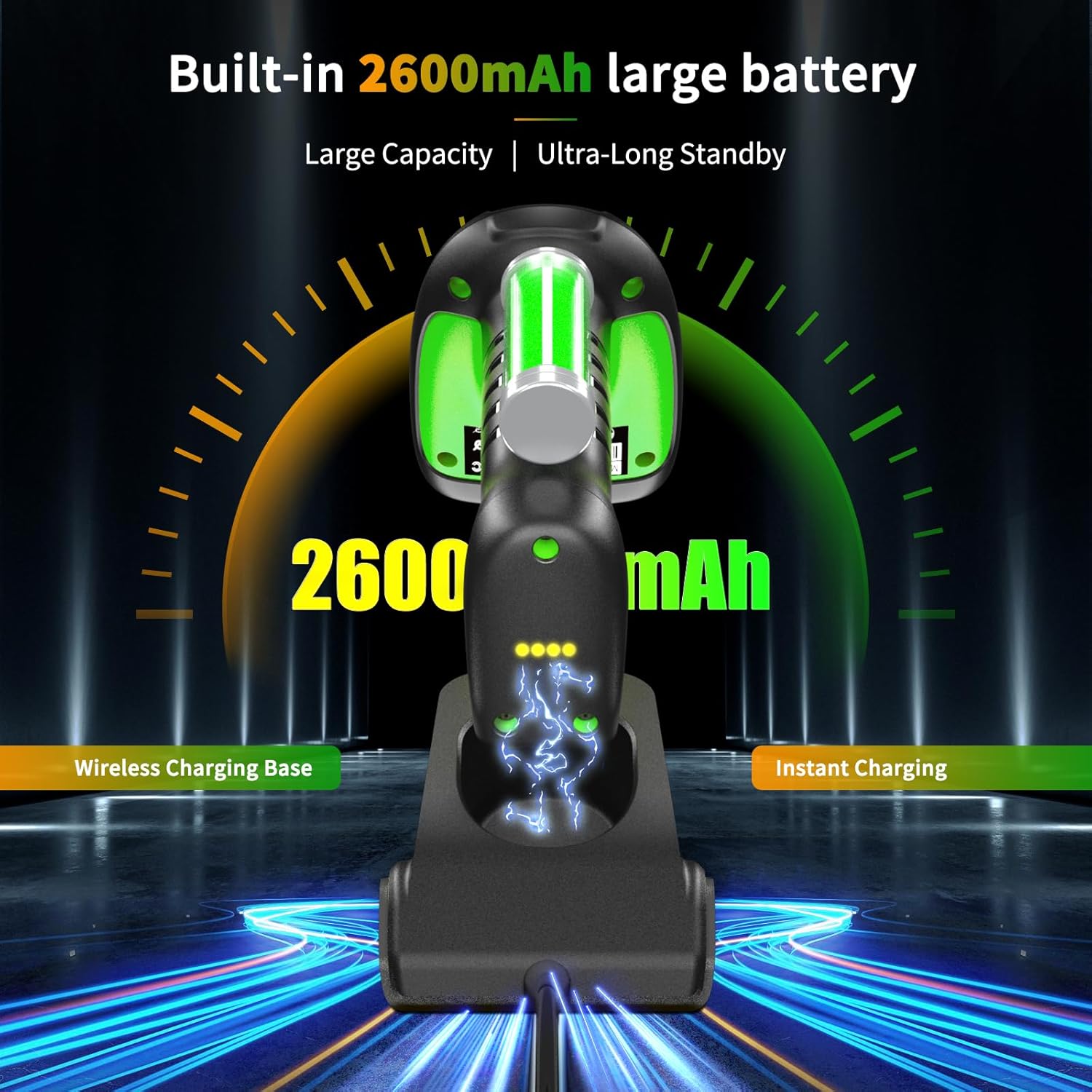
Image: The barcode scanner docked in its charging station, illustrating the charging process and battery indicator.
3.2 2.4G Wireless Connection (via Charging Dock)
- Connect the charging dock's USB cable to your computer's USB port.
- The computer will automatically detect and install the necessary drivers.
- The scanner is now ready for use in 2.4G wireless mode.

Image: Diagram showing the barcode scanner wirelessly connected to a computer via the 2.4G USB receiver in the charging dock.
3.3 Konnessjoni Bluetooth
The RD-1950 supports HID, SPP, and BLE Bluetooth modes. Refer to the full user manual for specific configuration barcodes to switch between modes if needed. The default mode is typically HID (Human Interface Device).
- Kun żgur li l-iskaner huwa mixgħul.
- Fuq it-tagħmir ospitanti tiegħek (smartphone, tablet, PC), attiva l-Bluetooth u fittex tagħmir disponibbli.
- Select "RD Barcode Scanner" from the list of found devices to pair.
- Ladarba jkun imqabbad, l-iskaner ikun lest għall-użu.

Image: The barcode scanner demonstrating wide compatibility with various operating systems and devices via Bluetooth connection.
Nota: Before using storage mode or specific advanced features, you may need to scan corresponding configuration barcodes found in the comprehensive user manual (not this summary).
4. Operazzjoni
4.1 Modi ta' Skennjar
The scanner offers three primary scanning modes:
- Modalità ta' Trigger Manwali: Agħfas il-buttuna tal-grillu biex tiskennja kull barcode.
- Modalità ta' Skennjar Kontinwu: The scanner continuously emits a scan beam, reading barcodes as they pass through the field of view without needing to press the trigger.
- Modalità Auto-Sensing: L-iskaner awtomatikament jiskopri barcode fil-qasam tiegħu. view and scans it without manual trigger activation. This mode is ideal for hands-free operation when placed in the charging dock.

Image: The barcode scanner in its multifunctional cradle, highlighting Auto-Sense and Continuous scanning modes, along with wireless charging and 2.4G wireless transmission capabilities.
4.2 Tipi ta' Barcode Appoġġjati
The RD-1950 is capable of reading a wide range of 1D and 2D barcodes:
- Kodiċijiet 2D: Aztec, Data Matrix, Maxicode, PDF417, QR-Code, and more.
- Kodiċijiet 1D: EAN, UPC, Code 39, Code 93, Code 128, UCC/EAN 128, Codabar, Interleaved 2 of 5, ITF-6, ITF-14, ISBN, ISSN, MSI-Plessey, GS1 Databar, Code 11, Industrial 25, Standard 25, Plessey, Matrix 2 of 5.

Image: The barcode scanner targeting a QR code on a package, with examples of various 1D and 2D barcode types it can read, including PDF417, Aztec, GS1 Code128, QR (7mils, 8mils), Data Matrix, HanXin, Maxi, Dotcode, Bank Code, Grid Matrix, and Composite codes.
4.3 Modalità ta' Ħażna
When Bluetooth or 2.4G wireless connections are unavailable, the scanner can store up to 100,000 barcodes internally. To activate and manage storage mode, refer to the specific configuration barcodes in the full user manual.
5. Manutenzjoni
5.1 Tindif tal-Iskaner
To maintain optimal performance, keep the scanner's scanning window clean. Use a soft, lint-free cloth lightly dampened with water or a mild, non-abrasive cleaning solution. Do not use harsh chemicals or abrasive materials, as these can damage the scanning window or casing.
5.2 Kura tal-Batterija
The scanner is equipped with a 2600mAh lithium-polymer battery. For best battery life:
- Charge the scanner fully before its first use.
- Avoid completely discharging the battery regularly.
- Aħżen l-iskaner f'post frisk u niexef jekk ma jintużax għal perjodi twal.
6 Issolvi l-problemi
6.1 Scanner Not Connecting
- 2.4G bla fili: Ensure the charging dock's USB receiver is securely plugged into the computer. Verify the scanner is within range.
- Bluetooth: Check if Bluetooth is enabled on your host device. Ensure the scanner is in pairing mode and visible. Try unpairing and re-pairing the device.
- Batterija: Confirm the scanner has sufficient battery charge.
6.2 Kwistjonijiet ta' Skennjar
- No Scan: Ensure the scanner is in the correct scanning mode (manual, continuous, auto-sense). Check if the barcode is damaged or poorly printed.
- Skans mhux eżatti: Ensure the scanning window is clean. Position the scanner correctly over the barcode, allowing for proper focus.
- Specific Barcodes (e.g., Driver's Licenses): Some barcodes may require specific configuration settings (e.g., line feed characters). Refer to the full user manual or contact support for advanced configuration barcodes.
6.3 Bluetooth Latency
Some users may experience noticeable latency when using Bluetooth, especially in high-volume scanning environments. For faster, more consistent data transmission, consider using the 2.4G wireless connection via the charging dock.

Image: Illustration of the scanner's Bluetooth transmission range, showing reduced range with obstacles (10m/32ft) and extended range in barrier-free environments (20m/65ft).
7. Speċifikazzjonijiet Tekniċi
7.1 Prestazzjoni tal-Iskennjar
- Sensor: 1280×800 CMOS (1M)
- Illuminazzjoni: LED abjad
- Timmira: LED aħmar
- Reading Precision: ≥4 mil (1D), ≥5 mil (2D, HD)
- Reading Depth of Field:
- EAN-13 (13 mil): 35mm - 420mm
- Code 39 (5 mil, 10 characters): 45mm - 165mm
- QR-Code (20 mil, 16 characters): 25mm - 330mm
- Data Matrix (10 mil, 20 characters): 40mm - 150mm
- PDF417 (6.67 mil, 7 characters): 25mm - 180mm
- Kuntrast: ≥25%
- Scanning Angles: Rotation 360°, Tilt ± 55°, Skew ± 55°
- Qasam ta View: Orizzontali 42°, Vertikali 28°
7.2 Karatteristiċi bla fili
- Teknoloġija tar-Radju: 2.4GHz, Bluetooth
- Distanza ta' Komunikazzjoni: 30-100m (linja tal-vista)
7.3 Electrical & Environmental
- Kapaċità tal-batterija: Polimer tal-Litju 2600mAh
- Ħajja tal-batterija: Up to 20 hours of continuous scanning (or 30 days based on 2,000 scans/day)
- Ħin tal-Iċċarġjar: 4 sigħat
- Memorja: 2MB of flash storage (up to 100,000 barcodes)
- Temperatura operattiva: -20°C sa +50°C (-4°F sa +122°F)
- Temperatura tal-Ħażna: -40°C sa +70°C (-40°F sa +158°F)
- Umdità Operattiva: 5% sa 95% (mingħajr kondensazzjoni)
- Reżistenza għad-Dawl Ambjentali: 0 sa 100,000 LUX
- Klassifikazzjoni tal-Protezzjoni: IP67 (Dust, Splash, Waterproof)
- Reżistenza għall-waqgħa: Sa 12 pied (3.65 m)
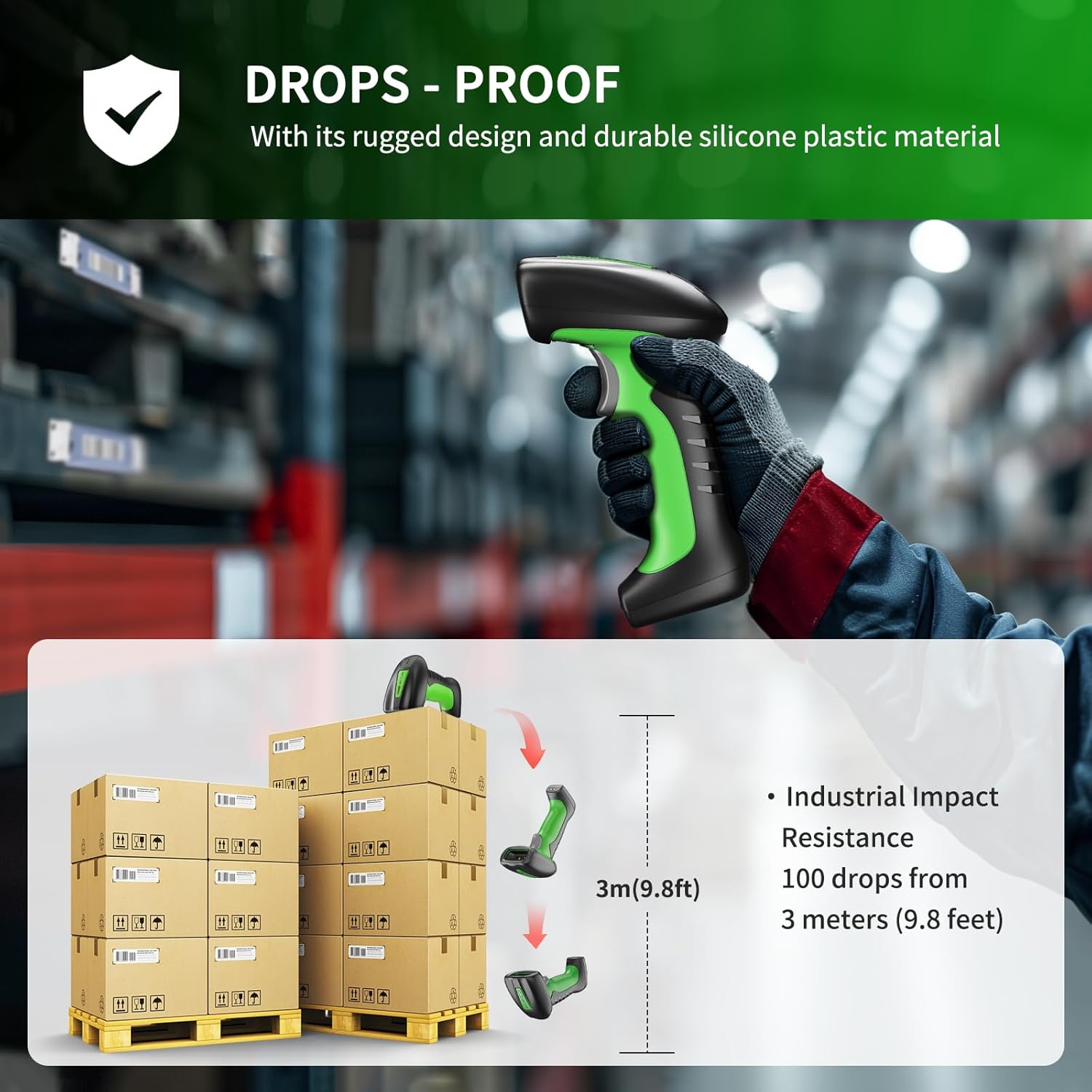
Image: Illustration demonstrating the scanner's drop-proof capability, showing it can withstand drops from 3 meters (9.8 feet).

Image: The barcode scanner partially submerged in water, demonstrating its IP67 waterproof rating and ability to pass a 30-minute waterproof resistance test.
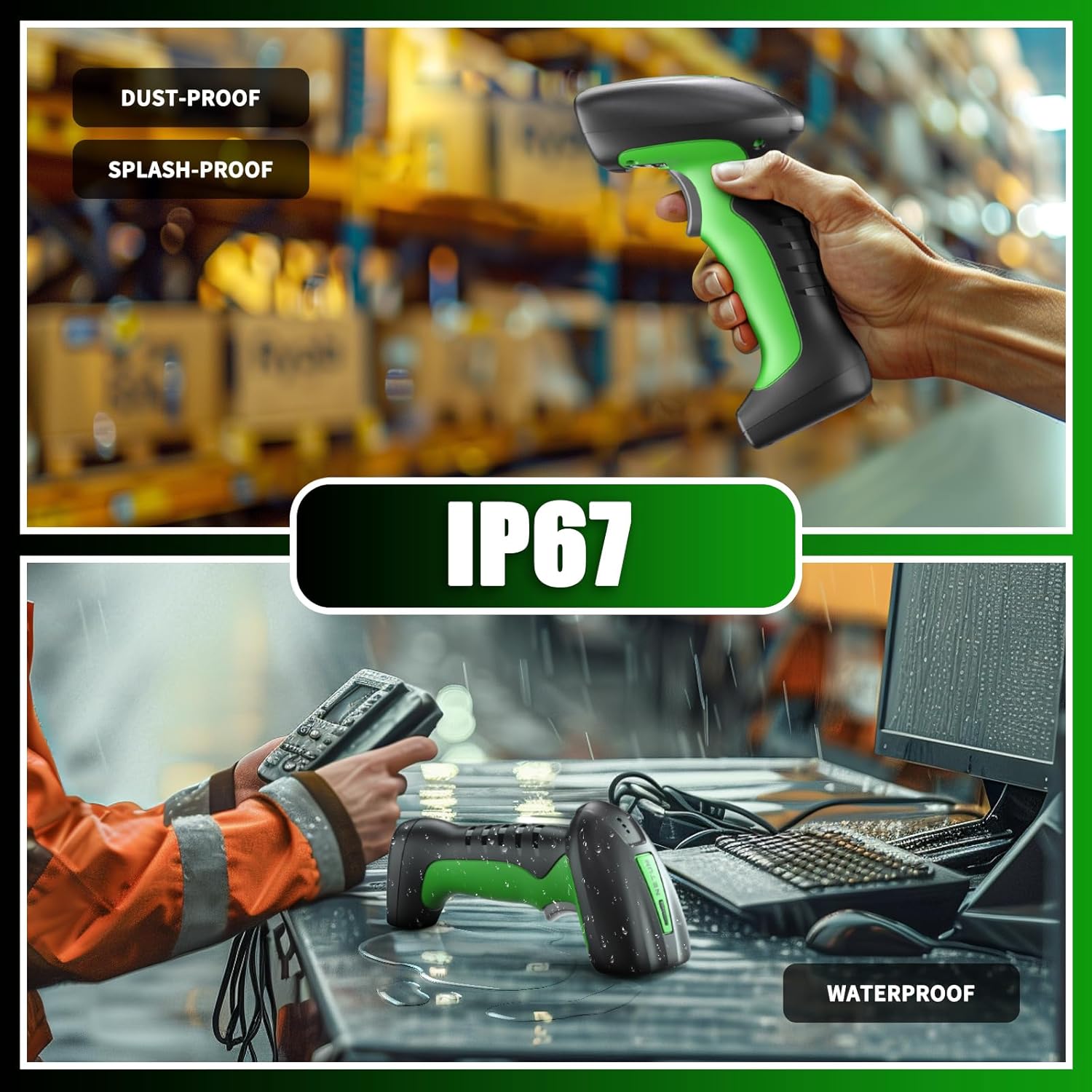
Image: Two scenes illustrating the scanner's IP67 rating, showing it being used in a dusty warehouse and on a wet desk, emphasizing its dust-proof, splash-proof, and waterproof capabilities.
7.4 Kompatibilità
- Apparati Kompatibbli: Laptop, PC, Smartphone, Tablet, iPhone, iPad, POS System.
- Incompatible Software: This scanner is not compatible with Square POS, LightSpeed, Clover, or Shopify.
8. Garanzija u Appoġġ
The NETUM RD-1950 Barcode Scanner comes with a garanzija ta 'sena mid-data tax-xiri. Din il-garanzija tkopri difetti fil-manifattura u tiżgura li l-prodott jissodisfa l-istandards ta’ prestazzjoni speċifikati tiegħu.
For technical assistance, troubleshooting, or warranty claims, please contact NETUM customer support. Refer to the contact information provided with your product packaging or visit the official NETUM websit għal dettalji ta 'appoġġ.