
Introduzzjoni
Thank you for choosing the Earbay BT786CD Wireless Headset. This manual provides essential information for setting up, operating, and maintaining your headset to ensure optimal performance and longevity. Please read these instructions carefully before use.
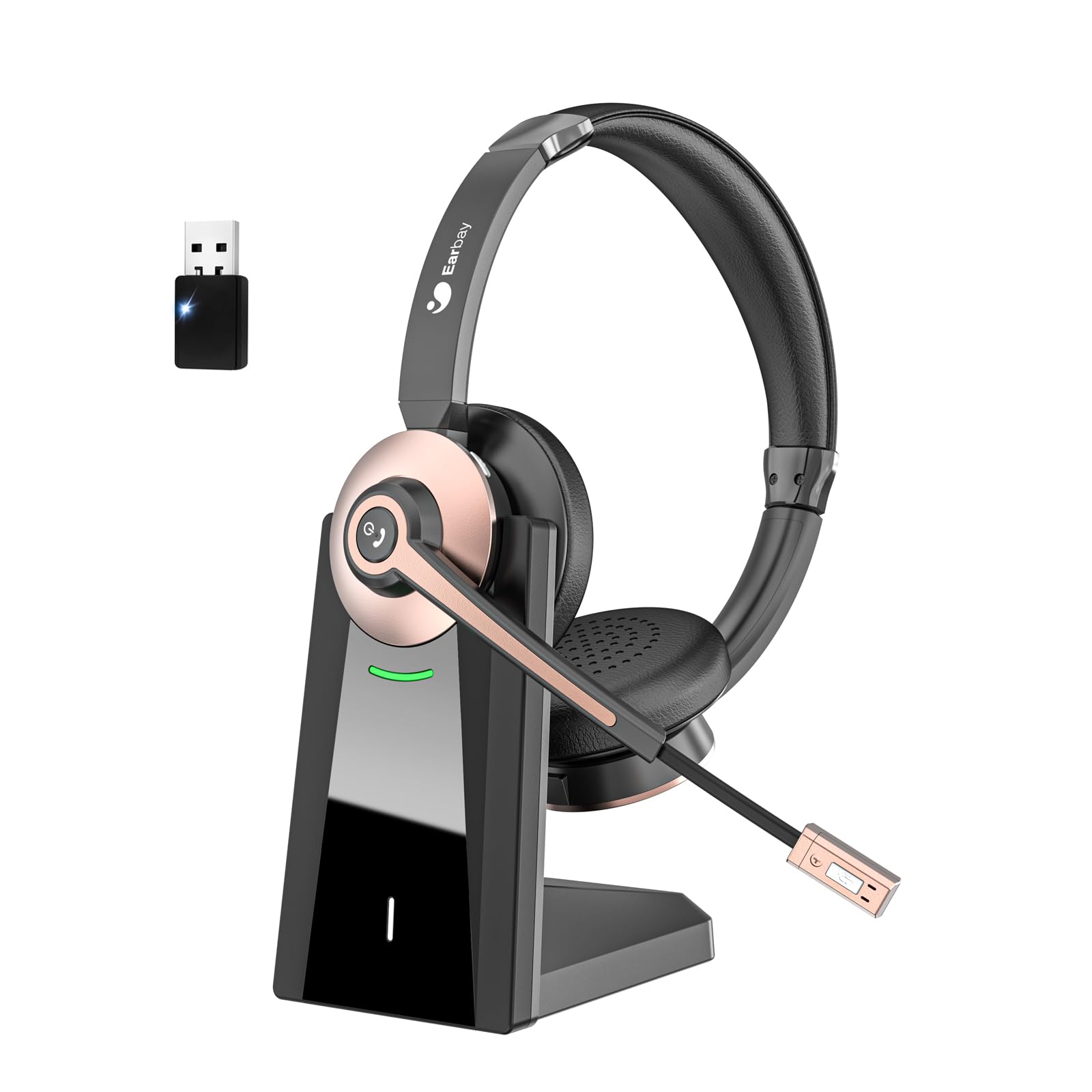
The Earbay BT786CD Wireless Headset is designed for comfort and clear communication during extended use.
X'hemm fil-Kaxxa
- 1 × Wireless Headset with Mic
- 1 × USB Charging Cable (USB-C)
- 1 × USB Dongle
- 1 × Bażi tal-Iċċarġjar
- 1 × Manwal għall-Utent

The package includes the headset, charging base, USB dongle, and necessary cables for charging and connection.
Prodott Overview
Komponenti u Kontrolli
Familiarize yourself with the key components and controls of your Earbay BT786CD headset:
- Faxxa tar-ras aġġustabbli: Għal tajbin komdu u sigur.
- Soft Leather Ear Pads: Iddisinjat għal kumdità ta' lbies estiż.
- Mikrofonu flessibbli: 270° rotatable with noise-cancelling technology.
- Kontroll tal-Volum: Integrated buttons for easy audio adjustment.
- Buttuna tal-Qawwa: For turning the headset on/off.
- Buttuna Multi-Funzjoni (MFB): For call management and other functions.
- Buttuna Mute: Located on the microphone for quick muting.
- Port tal-Iċċarġjar USB-C: Għal iċċarġjar dirett.

Dettaljati view of the headset's controls and adjustable microphone.

The headset features an adjustable headband and a flexible microphone for personalized comfort and clear audio.
Setup & Konnessjoni
Bluetooth Connection (for Mobile Devices/Tablets)
- Kun żgur li l-headset huwa ċċarġjat u mitfi.
- Press and hold the Power Button until the LED indicator flashes blue and red, indicating pairing mode.
- On your device (phone/tablet), go to Bluetooth settings and search for "BT786CD".
- Select "BT786CD" to connect. The LED will turn solid blue once connected.
USB Dongle Connection (for PC/Laptop)
- Plug the USB dongle into an available USB port on your PC/laptop.
- The dongle's LED indicator will flash blue.
- Power on your headset. It will automatically pair with the dongle. The LED on the dongle will turn solid blue once connected.
- On your PC, navigate to Sound Settings and set "BT786CD" as the default input and output device.

Visual guide for connecting the headset to a PC using either Bluetooth or the USB dongle.
Vidjo Uffiċjali tal-Prodott: Konfigurazzjoni u Karatteristiċi
This video from Earbay-Direct provides a visual guide to the headset's features and setup process, including Bluetooth connectivity.
Istruzzjonijiet Operattivi
Qawwa mixgħul/mitfi
- Qawwa Mixgħul: Agħfas u żomm il-Buttuna tal-Qawwa għal 3 sekondi sakemm l-indikatur LED jteptep blu.
- Itfi: Agħfas u żomm il-Buttuna tal-Qawwa għal 3 sekondi sakemm l-indikatur LED jteptep aħmar u mbagħad jintefa.
Kontroll tal-Volum
- Żid il-Volum: Agħfas il-buttuna Volum 'il fuq.
- Naqqas il-Volum: Agħfas il-buttuna Volum 'l isfel.
Mikrofonu Mute
- Press the Mute Button on the microphone to mute or unmute your voice during calls.

The microphone features a convenient one-key mute button for quick control during calls.
Iċċarġjar
Charge your headset using the provided USB-C cable and charging base:
- Connect the USB-C cable to the charging base and a power source.
- Place the headset on the charging base, ensuring the charging contacts align.
- Alternatively, plug the USB-C cable directly into the headset's charging port.
- L-indikatur LED se juri l-istatus tal-iċċarġjar (eż., aħmar għall-iċċarġjar, blu għal iċċarġjat kompletament).
- Ċarġ sħiħ jieħu madwar 2 sigħat.

The headset can be charged conveniently using the included charging base or directly via the USB-C cable.
Karatteristiċi u Benefiċċji
- Kumdità matul il-ġurnata kollha: Designed with soft leatherette ear cushions and an adjustable headband for comfortable wearing during intensive use.
- Kanċellazzjoni tal-Istorbju bl-AI: Blocks out up to 99% of ambient noise on calls, ensuring crystal-clear communication.
- Konnessjoni ta' Apparat Doppju: Connects to two devices simultaneously for seamless switching between calls and media.
- Batterija fit-tul: Offers up to 26 hours of talk time and 200 hours of standby time on a single 1.5-hour charge.
- Kompatibilità Wiesgħa: Works with various devices including computers, PCs, laptops, mobile phones, tablets, VoIP, and desktops. Compatible with popular meeting apps like Zoom, Skype for Business, Unify, Microsoft Teams, Google Meet, Bluejeans, GoToMeeting, 3CX, FaceTime, WhatsApp, and Slack.
- Kontrolli faċli biex tużah: Intuitive volume control, power button, and microphone mute for convenient operation.

The headset is engineered for all-day comfort, making it ideal for prolonged use in various work environments.

AI Noise Cancellation ensures clear audio by blocking out ambient sounds, as depicted in the 'Before' and 'After' sound wave comparison.

Enjoy extended usage with up to 26 hours of talk time and 200 hours of standby time on a single charge.
Manutenzjoni
- Naddaf il-headset regolarment b'ċarruta ratba u niexfa.
- Evita li tesponi l-headset għal temperaturi estremi, umdità, jew sustanzi korrużivi.
- Store the headset in its soft storage pouch when not in use to protect it from dust and damage.
- Do not attempt to disassemble or repair the headset yourself. Contact customer support for assistance.
Issolvi l-problemi
Ebda Ħoss/Kwalità tal-Awdjo Fqira
- Ensure the headset is powered on and properly connected (Bluetooth or USB dongle).
- Iċċekkja l-livelli tal-volum kemm fuq il-headset kif ukoll fuq l-apparat konness tiegħek.
- Verify that the headset is selected as the default audio input/output device in your computer's sound settings.
- Move closer to your connected device to ensure you are within the 15-meter Bluetooth range.
- If using the USB dongle, try plugging it into a different USB port.
Mikrofonu Mhux Taħdim
- Ensure the microphone is not muted (check the mute button on the mic).
- Verify that the headset's microphone is selected as the default input device in your computer's sound settings or meeting application settings.
- Adjust the microphone's position closer to your mouth for better pickup.
Headset Not Pairing
- Kun żgur li l-headset jinsab fil-modalità ta' tqabbil (l-LED jteptep blu u aħmar).
- Turn off and on your device's Bluetooth, then try pairing again.
- If using a PC, ensure your Bluetooth drivers are up to date or use the provided USB dongle.
Speċifikazzjonijiet
| Isem tal-Mudell | BT786CD |
| Teknoloġija tal-Konnettività | Mingħajr fili (Bluetooth 6.0) |
| Medda Bluetooth | 15 Meters |
| Kontroll tal-Ħoss | Passive Noise Cancellation, Active Noise Control |
| Ħajja tal-Batterija (Ħin tat-Taħdit) | 26 Sigħat |
| Ħin tal-Iċċarġjar | 2 Sigħat |
| Headphones Jack | USB-C |
| Forma tal-widna | Fuq Widnejn |
| Materjal | Aluminju |
| Piż tal-oġġett | 1.06 liri |
Garanzija u Appoġġ
For warranty information or technical support, please refer to the contact details provided with your purchase or visit the official Earbay website. If you have any questions or concerns, please contact customer service for prompt assistance.