
Veidoo E8
Manwal tal-Utent tal-Qarrej tal-E-Book Veidoo E8 ta' 8.2 Pulzieri
Mudell: E8
Introduzzjoni
This manual provides essential instructions for setting up, operating, and maintaining your Veidoo E8 8.2-inch E-Book Reader. Please read this guide thoroughly to ensure optimal performance and longevity of your device.

Image: The Veidoo E8 E-Book Reader, shown with its protective cover and stylus. The device features an E-Ink screen displaying text and a power button icon.
X'hemm fil-Kaxxa
Ivverifika li l-oġġetti kollha huma preżenti fil-pakkett:
- Veidoo E8 E-Book Reader
- New Generation Stylus
- Kawża Protettiva
- Type-C Adapter (Power Adapter)
- USB-C Cable
- Manwal għall-Utent (dan id-dokument)

Image: A visual representation of the package contents, including the E-Ink ebook reader, stylus, quick guide, Type-C adapter, and protective cover.
Setup
1. Iċċarġjar tal-Apparat
Before first use, fully charge your E-Book Reader. Connect the provided USB-C cable to the device's USB-C port and the other end to the Type-C adapter, then plug into a power outlet. The 3000mAh battery provides weeks of reading on a single charge.

Image: The Veidoo E8 E-Book Reader being charged via a USB-C cable, illustrating its long-lasting battery and fast charging capability.
2. Power On/Off
- Biex Tixgħel: Press and hold the power button located on the side or top edge of the device until the screen activates.
- Biex Tifi: Press and hold the power button, then select 'Power off' from the on-screen options.
- Biex Torqod/Tqum: Briefly press the power button to put the device into sleep mode or wake it up.
3. Konfigurazzjoni Inizjali
Upon first power-on, follow the on-screen prompts to select your preferred language, connect to a Wi-Fi network, and set up other basic preferences. The device supports dual-band Wi-Fi (2.4G/5G) for stable and high-speed connections.
4. Stylus Setup
The included stylus is battery-free and requires no charging or pairing. Simply remove it from its magnetic holder on the protective case and begin using it for navigation, writing, and annotation.
Operating the E-Book Reader
1. Display and Reading Experience
The Veidoo E8 features an 8.2-inch E-Ink screen with 1440x1920 resolution (292 PPI), providing a clear, paper-like reading experience. The anti-glare treatment reduces reflections and blue light emission.
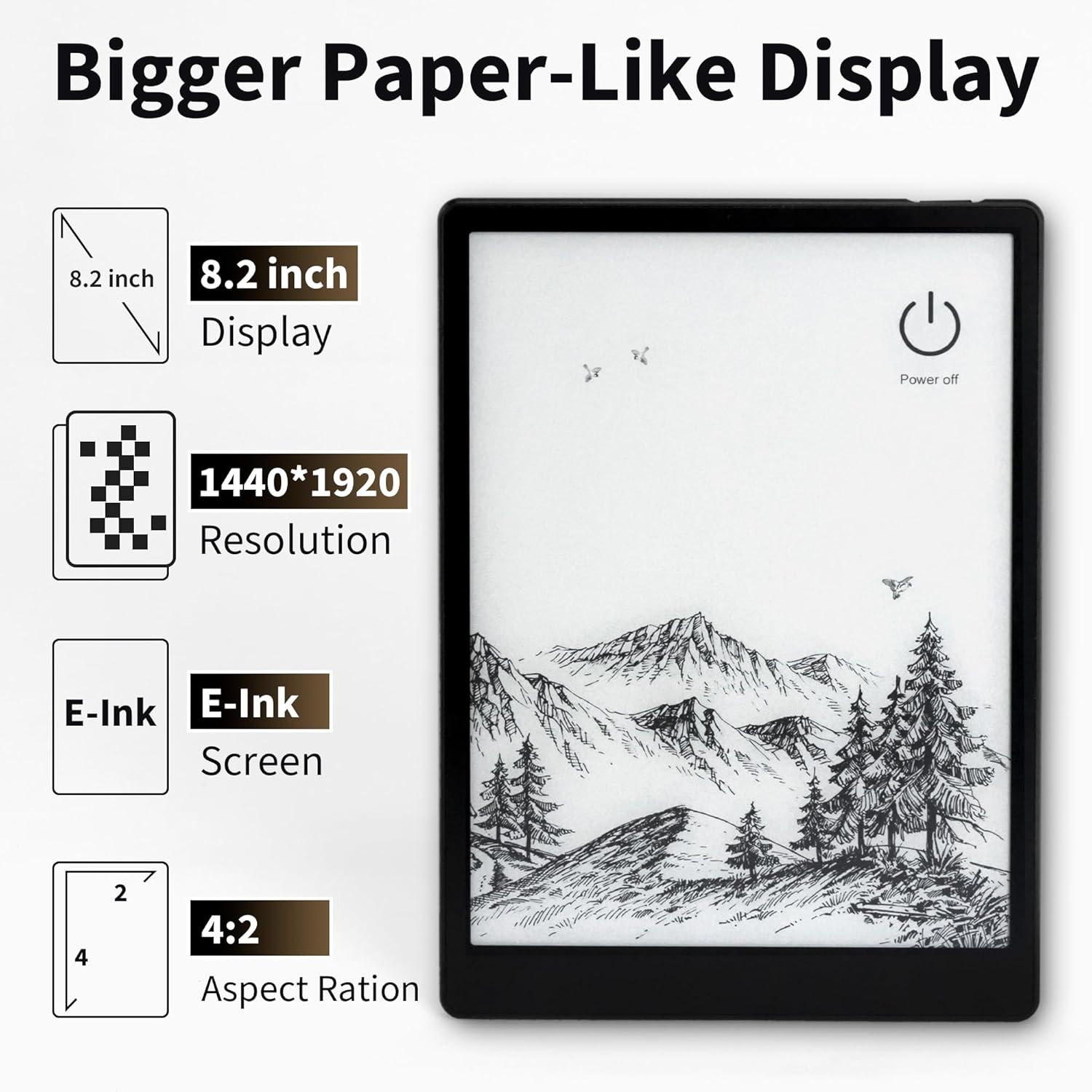
Image: A close-up of the Veidoo E8's 8.2-inch E-Ink display, highlighting its 1440x1920 resolution and paper-like quality.
Adjustable SMARTlight
Customize your reading environment with the adjustable SMARTlight. You can change brightness and color temperature (cool light for daytime, warm light for nighttime) to suit any lighting condition. Access these settings through the quick settings panel or within reading applications.

Image: The adjustable front light feature of the Veidoo E8, showing various screen color temperatures from cool to warm light, and a night reading mode.
Formati appoġġjati
The device supports major e-book formats including EPUB, PDF, and MOBI, with smart typesetting optimization for an enhanced reading experience.
2. Navigation and Performance
Equipped with a 1.8GHz quad-core processor and 4GB RAM, the E8 ensures smooth system operation. Page flipping, annotations, and application switching are responsive. The 64GB internal storage can hold over 20,000 e-books.

Image: The Veidoo E8 E-Book Reader's interface showing a library of books, emphasizing its 4GB RAM and 64GB ROM for extensive storage.
3. Stylus Functionality
The battery-free stylus offers precise control for writing, PDF annotation, and note-taking. It features pressure sensitivity for a natural writing feel and an integrated eraser function.

Immaġni: Dettaljata view of the Veidoo E8 stylus, highlighting its built-in eraser, pressure sensitivity, and smooth writing experience on the E-Ink screen.
4. Karatteristiċi tal-Awdjo
The E8 includes dual speakers, enhancing the reading experience by supporting read-aloud functions for audiobooks and other audio content. Bluetooth 5.0 connectivity allows for wireless headphone use.

Image: An illustration showing the Veidoo E8 E-Book Reader with sound waves emanating from its sides, indicating its dual speakers for balanced audio quality.
Manutenzjoni
1. Tindif tal-Apparat
Use a soft, lint-free cloth to gently wipe the screen and body of the device. Avoid using harsh chemicals or abrasive materials, which can damage the E-Ink display or casing.
2. Kura tal-batterija
Biex ittawwal il-ħajja tal-batterija, evita li tesponi l-apparat għal temperaturi estremi. Iċċarġja l-apparat regolarment, iżda evita li tħallih skarikat kompletament għal perjodi twal.
3. Aġġornamenti tas-Software
Periodically check for software updates in the device settings to ensure optimal performance, security, and access to new features. Connect to Wi-Fi before initiating any updates.
4. Kawża protettiva
Always use the provided protective case to shield your E-Book Reader from scratches, impacts, and dust. The case offers 360° protection and features a magnetic stylus holder.
Issolvi l-problemi
- L-Apparat Mhux Jixgħel: Ensure the device is sufficiently charged. Connect it to the charger for at least 30 minutes, then attempt to power it on again.
- L-iskrin mhux qed jirrispondi: If the screen is unresponsive, try restarting the device by holding the power button for 10-15 seconds until it reboots.
- Kwistjonijiet ta' Konnettività Wi-Fi: Check if your Wi-Fi router is working correctly. Try forgetting the network and reconnecting, or restart both the E-Book Reader and your router.
- L-istilus mhux qed jaħdem: Ensure the stylus tip is clean and undamaged. Since it's battery-free, no charging is required. If issues persist, contact support.
- Prestazzjoni bil-mod: Close any unused applications running in the background. If performance remains slow, consider performing a factory reset (back up your data first).
Speċifikazzjonijiet
| Isem tal-Mudell | E8 |
| Wiri | 8.2-inch E-Ink, 1440x1920 resolution (292 PPI) |
| Proċessur | 1.8GHz Quad-core |
| RAM | 4GB |
| Ħażna Interna | 64GB ROM |
| Batterija | 3000mAh |
| Konnettività | Dual-band Wi-Fi (2.4G/5G), Bluetooth 5.0 |
| Sistema Operattiva | Android (version not specified, but supports Android apps) |
| Formati appoġġjati | EPUB, PDF, MOBI, and others |
| Dimensjonijiet | 7.48 x 0.39 x 5.51 pulzieri (190 x 10 x 140 mm) |
| Piż | 13.8 uqija (390g) |
| Komponenti Inklużi | E-Book Reader, Stylus, Protective Case, Type-C Adapter, USB-C Cable, User Manual |
Garanzija u Appoġġ
Informazzjoni dwar Garanzija
Specific warranty details for the Veidoo E8 E-Book Reader are not provided in this manual. Please refer to the warranty card included with your product or visit the official Veidoo websit għal termini u kundizzjonijiet komprensivi tal-garanzija.
Appoġġ għall-Klijent
For technical assistance, troubleshooting, or any inquiries regarding your Veidoo E8 E-Book Reader, please contact Veidoo customer support. Contact information can typically be found on the official Veidoo webis-sit jew fuq l-imballaġġ tal-prodott.
Ask a question about this manual
Ask about setup, troubleshooting, compatibility, parts, safety, or missing instructions. Manuals+ will review the question and use this page’s manual context to help answer it.