
Introduzzjoni
Thank you for choosing the ILIFE V5s Plus Robot Vacuum and Mop. This device is designed to provide efficient cleaning for your home, combining both vacuuming and mopping functions. It features smart navigation, app control, and automatic self-charging for convenience. Please read this manual thoroughly before use to ensure proper operation and maintenance.
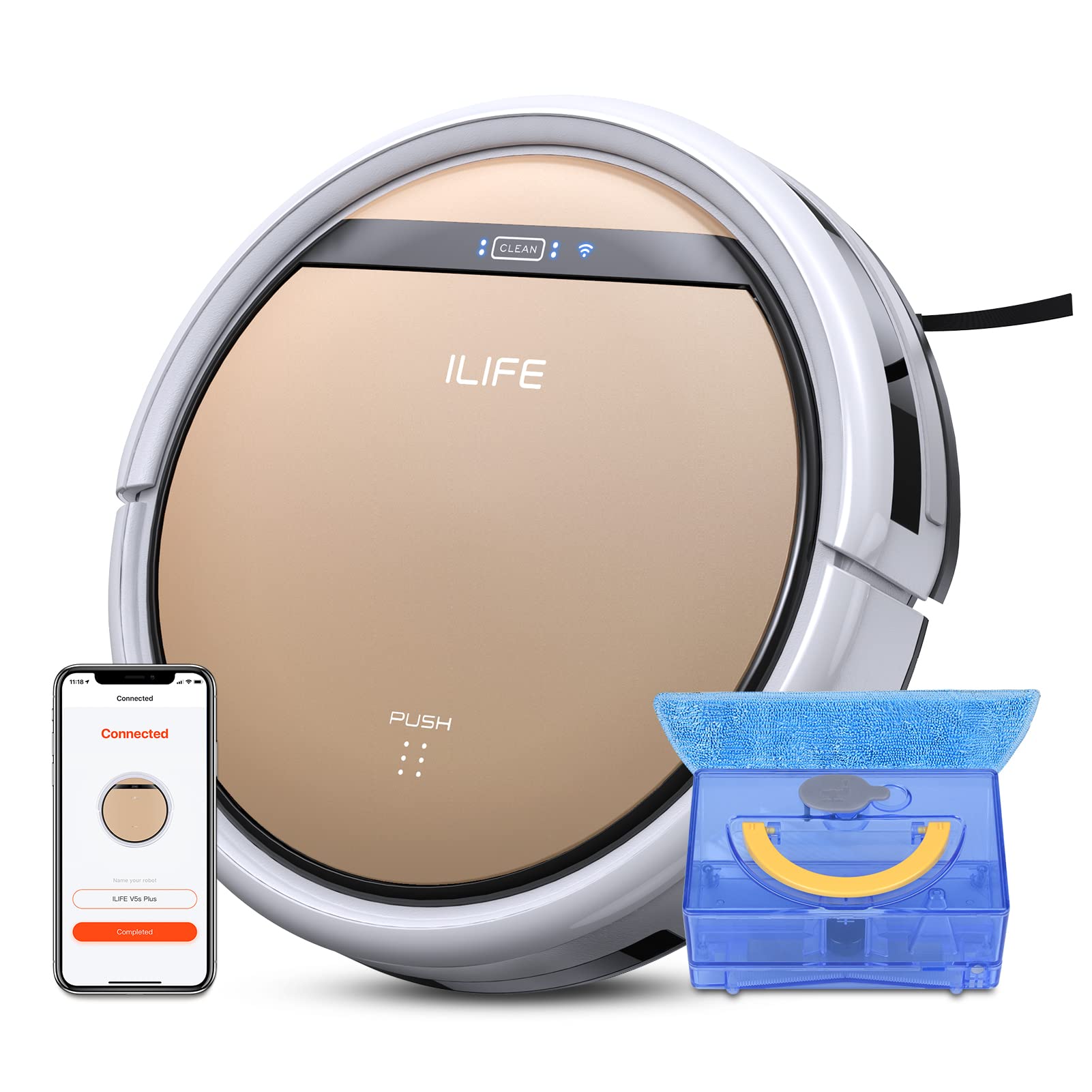
The ILIFE V5s Plus Robot Vacuum and Mop, ready for use.
Istruzzjonijiet tas-Sigurtà
Before operating the ILIFE V5s Plus, please observe the following safety precautions:
- Aqra sew l-istruzzjonijiet kollha qabel tuża l-apparat.
- Keep the robot and its accessories out of reach of children.
- Tħaddimx ir-robot f'ambjenti mxarrbin jew ħdejn l-ilma.
- Kun żgur li l-istazzjon tal-iċċarġjar jitqiegħed fuq wiċċ ċatt mal-ħajt, bi spazju vojt madwaru.
- Neħħi kwalunkwe kejbil maħlul, oġġetti żgħar, jew oġġetti fraġli mill-mogħdija tat-tindif biex tevita li jitħabblu jew jagħmlu ħsara.
- Tużax ir-robot biex tiġbor debris kbir, oġġetti li jaqtgħu, jew likwidi għajr l-ilma għall-moppjar.
- Uża biss l-adapter tal-enerġija u d-dock tal-iċċarġjar oriġinali pprovduti mar-robot.
X'hemm fil-Kaxxa
Ivverifika li l-komponenti kollha huma preżenti fil-pakkett:
- Korp prinċipali (batterija inkluża)
- Baċir tal-iċċarġjar
- Kontroll mill-bogħod (batterija mhux inkluża)
- AC adapter
- Għodda tat-tindif
- Drapp tal-mopp
- Tank tal-ilma
- Manwal għall-utent
- Filtru ta 'prestazzjoni għolja
- Pniezel tal-ġenb żejda
Setup
1. Iċċarġjar Inizjali
Place the charging dock against a wall in an open area. Connect the AC adapter to the charging dock and plug it into a power outlet. Place the robot onto the charging dock, ensuring the charging pins align. The robot will begin charging automatically. Allow for a full charge before first use (approximately 3-5 hours).
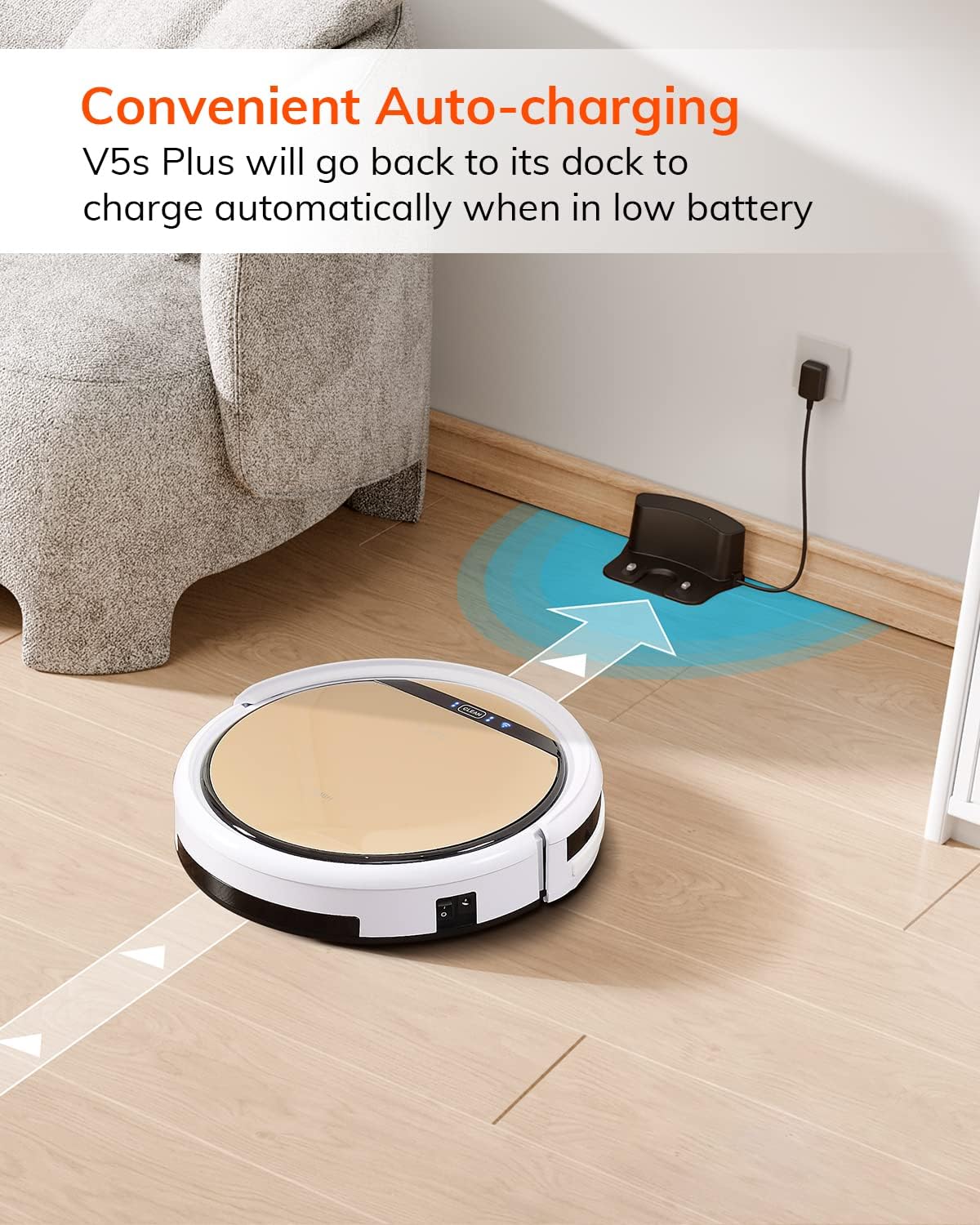
The robot automatically returns to its charging dock when the battery is low.
2. App Download and WiFi Connection
Download the 'ILIFEHOME' app from your smartphone's app store. Follow the in-app instructions to connect your robot to your home WiFi network. Ensure your WiFi is 2.4GHz, as the app does not support 5G WiFi.

Control the robot and schedule cleaning via the ILIFEHOME app.
3. Tħejjija taż-Żona tat-Tindif
Before each cleaning cycle, clear the floor of any obstacles such as cables, toys, or small rugs that could entangle the robot. For mopping, ensure the water tank is filled and the mop cloth is attached.
Istruzzjonijiet Operattivi
1. Power On/Off
To power on the robot, press the 'CLEAN' button on the robot or use the remote control/app. To power off, press and hold the 'CLEAN' button until the indicator lights turn off, or use the app.
2. Modi ta 'tindif
The ILIFE V5s Plus offers multiple cleaning modes:
- Modalità Awtomatika: The robot automatically cleans the area, adjusting its path as needed.
- Modalità Spot: Jiffoka fuq żona maħmuġa speċifika, u jnaddaf f'mudell spirali.
- Modalità Xifer: Tnaddaf tul il-ħitan u t-truf tal-għamara.
- Modalità Max: Increases suction power for deeper cleaning.
- Scheduling Cleaning Mode: Set a cleaning schedule via the app for automated cleaning.

The robot utilizes various cleaning modes to suit different needs.
3. Vacuum cleaner u mopping
The V5s Plus functions as both a vacuum and a mop. For vacuuming, ensure the dustbin is installed. For mopping, replace the dustbin with the water tank and attach a clean mop cloth. The intelligent control water tank offers three-level water outlet: gentle, standard, and strong, which can be controlled by the App.

The ILIFE V5s Plus offers both vacuuming and mopping capabilities.
4. Kontroll tal-Vuċi
The ILIFE V5s Plus is compatible with Amazon Alexa and Google Assistant. Connect your robot to your smart home system to start or stop cleaning tasks using voice commands.

Control your robot with voice commands through Alexa or Google Assistant.
5. Automatic Charging
When the battery is low or a cleaning cycle is complete, the robot will automatically return to its charging dock. Ensure the charging dock is accessible and free from obstructions.

The robot automatically returns to its charging base when power is low.
Manutenzjoni
Regular maintenance ensures optimal performance and extends the lifespan of your ILIFE V5s Plus.
1. Tbattil u Tindif tal-Landa taż-Żibel
Open the top cover of the robot and remove the dustbin. Empty the dustbin into a trash receptacle. Clean the dustbin and filter with the provided cleaning tool or a soft brush. Rinse the dustbin with water if necessary, ensuring it is completely dry before reinstallation.
2. Filling and Cleaning the Water Tank
Remove the water tank from the robot. Open the water tank cap and fill it with clean water. Securely close the cap and reinsert the water tank into the robot. After mopping, empty any remaining water and rinse the tank. Allow it to air dry.

The water tank for the mopping function.
3. Tindif ta 'Xkupilji tal-Ġenb
Regularly check the side brushes for tangled hair or debris. Remove any obstructions using the cleaning tool or scissors. Replace worn-out side brushes with new ones.
4. Sensuri tat-Tindif
Wipe the anti-drop sensors and anti-collision sensors on the robot's underside and front bumper with a clean, dry cloth to ensure proper navigation.
Issolvi l-problemi
If you encounter issues with your ILIFE V5s Plus, refer to the following common problems and solutions:
- Ir-robot ma jixgħelx: Ensure the battery is charged. Check if the power switch on the side of the robot is turned on.
- Ir-robot ma jiċċarġjax: Verify the charging dock is powered and the robot is correctly aligned with the charging pins. Clean the charging contacts on both the robot and the dock.
- Ir-robot jeħel spiss: Clear the cleaning area of obstacles. Check for tangled hair in the side brushes or wheels.
- Prestazzjoni fqira tat-tindif: Empty the dustbin and clean the filter. Clean the side brushes. Ensure the water tank is properly filled for mopping.
- Ma nistax nikkonnettja mal-App:
- Make sure to select the correct Wi-Fi and login with the correct Wi-Fi password.
- The ILIFE Robot does not support 5G Wi-Fi. Make sure to use a 2.4G Wi-Fi connection.
- Make sure the Wi-Fi signal is covered and strong.
- Allow the ILIFEHOME APP to have access to your location services and wireless data.
Speċifikazzjonijiet
| Karatteristika | Dettall |
|---|---|
| Brand | ILIFE |
| Isem tal-Mudell | V5s Plus |
| Rakkomandazzjoni tal-wiċċ | Art iebes |
| Qawwa tal-ġbid | 2 kpa |
| Ħin ta 'Użu | Sa 110 minuta |
| Kapaċità tat-Tank tal-Ilma | 300mL |
| Kapaċità tal-Kaxxa tat-Trab | 300mL |
| Dust Box Filter Type | High efficiency filter + nylon mesh |
| Modi tat-Tindif | Auto/Spot/Edge/Max |
| Tip ta' Kontroll | Remote Control/ App Control/ Alexa/ Google Assistant |
| Dimensjonijiet tal-Prodott | 30L x 30W x 8.1H Ċentimetri |
| Tip ta 'batterija | Jonju tal-litju |
| Voltage | 110 Volts |
Garanzija
The ILIFE V5s Plus Robot Vacuum and Mop comes with a Garanzija ta' 1 snin mill-manifattur. Please retain your proof of purchase for warranty claims. The warranty covers defects in materials and workmanship under normal use. It does not cover damage caused by misuse, accidents, unauthorized modifications, or normal wear and tear.
Appoġġ
For further assistance, technical support, or warranty inquiries, please contact ILIFE customer service:
- Email: service_us_ca@iliferobot.com
Prodott Overview Video
Ara dan il-filmat għal ħarsa ġenerali lejnview of the ILIFE V5s Plus features and operation.
Prodott uffiċjali lestview of the ILIFE V5s Plus Robot Vacuum and Mop.