
Introduzzjoni
This manual provides essential information for the safe and efficient use of your ASUS ROG Strix G18 G814 Gaming Laptop. Please read this guide thoroughly before operating your device to ensure proper setup, operation, and maintenance.
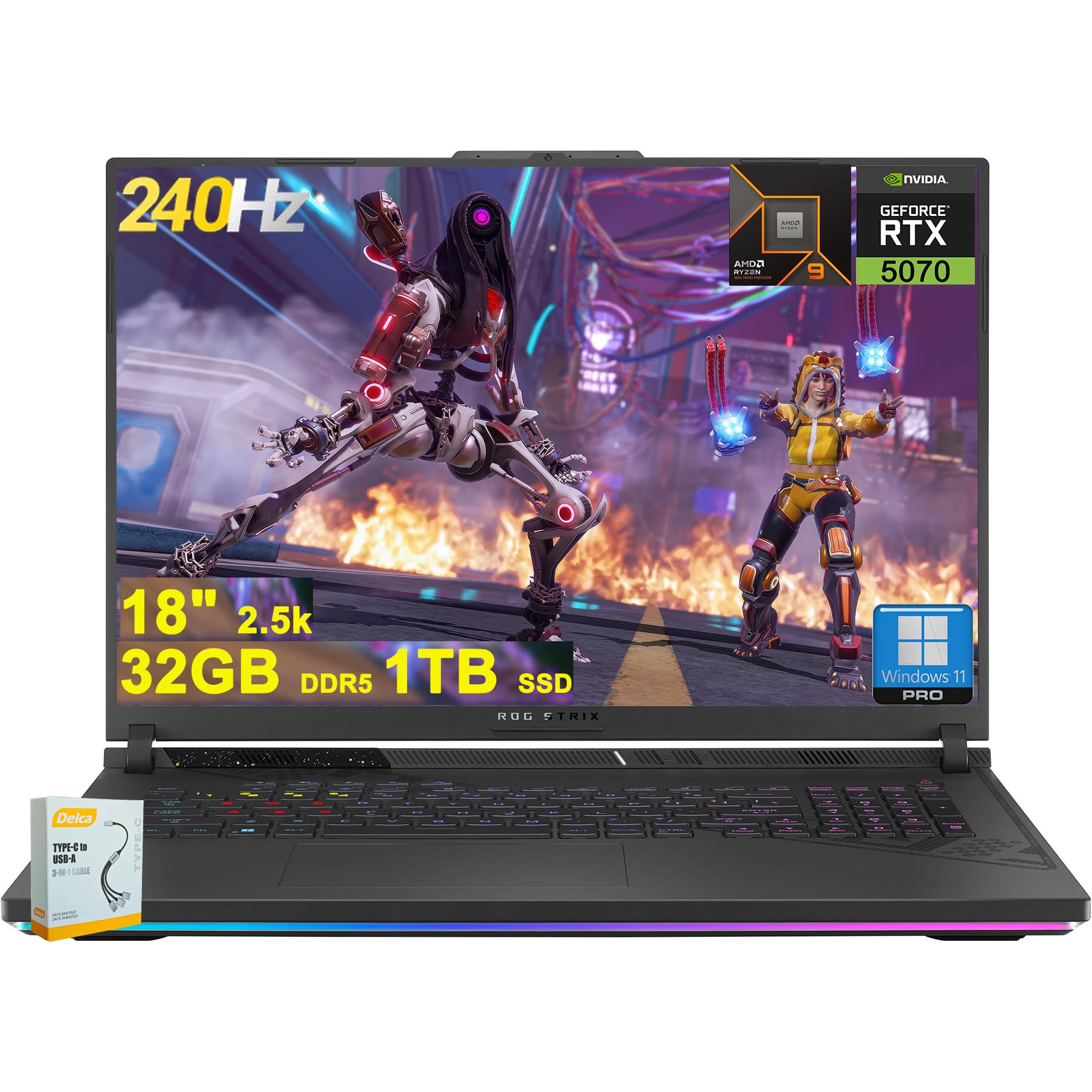
Figure 1: ASUS ROG Strix G18 G814 Gaming Laptop, front view bl-iskrin miftuħ.
X'hemm fil-Kaxxa
Iċċekkja li l-oġġetti kollha huma preżenti u f'kundizzjoni tajba meta tiftaħ il-kaxxa.
- Laptop tal-Logħob ASUS ROG Strix G18 G814
- Adapter/Ċarġer tal-Enerġija

Figure 2: Contents of the ASUS ROG Strix G18 G814 package, including the laptop and power adapter.
Setup
1. L-Ewwel Tixgħil
- Qabbad l-Adapter tal-Enerġija: Ipplaggja l-adapter tal-enerġija fil-port tad-dħul tal-enerġija tal-laptop u mbagħad f'sokit tal-ħajt.
- Iftaħ il-Laptop: Iftaħ l-għatu tal-laptop bir-reqqa.
- Qawwa Mixgħul: Press the power button, typically located on the keyboard deck. The laptop will begin its initial boot sequence.
- Segwi l-Istruzzjonijiet fuq l-Iskrin: Complete the Windows 11 setup process, including language selection, network connection, and user account creation.
2. Konnessjoni Periferali
Connect external devices such as a mouse, keyboard, or external display to the available ports.

Figura 3: Ġenb view of the ASUS ROG Strix G18 G814, illustrating the various input/output ports including USB-A, USB-C, HDMI, and RJ45 Ethernet.
- USB-A 3.2: For standard USB devices like mice, keyboards, and external drives. (2 ports)
- Type USB 4: For high-speed data transfer, display output, and power delivery. (1 port)
- HDMI 2.1 FRL: Għall-konnessjoni ma' monitors jew televiżjonijiet esterni.
- Ethernet RJ45: Għal konnessjoni ta' netwerk bil-fili.
- Jack tal-Headphone/Microphone Combo: Għad-dħul/ħruġ tal-awdjo.
Istruzzjonijiet Operattivi
Ġestjoni tal-Enerġija
- Qawwa Mixgħul: Agħfas il-buttuna tal-qawwa.
- Itfi: Ikklikkja l-buttuna Start, imbagħad Power, imbagħad Shut down.
- Modalità Sleep: Agħlaq l-għatu jew agħżel Sleep mill-menù Power.
Tastiera u Touchpad
The laptop features a 4-zone RGB backlit keyboard and a precision touchpad for navigation.

Figura 4: Close-up view of the ASUS ROG Strix G18 G814's 4-zone RGB backlit keyboard and touchpad.
- Kontroll tad-dawl ta' wara: Use the dedicated function keys (Fn + Fx) to adjust keyboard backlight brightness or effects.
- Ġesti tat-touchpad: Refer to Windows settings for customizable multi-touch gestures.
Display u Grafika
Your laptop is equipped with an 18-inch 2560x1600 IPS display with a 240Hz refresh rate and 100% DCI-P3 color gamut, powered by an NVIDIA GeForce RTX 5070 8GB graphics card.

Figure 5: Visual representation of the 18-inch IPS display with 2560x1600 resolution and 240Hz refresh rate.

Figure 6: Image highlighting the NVIDIA GeForce RTX 5070 graphics card, emphasizing its role in visual performance.
Sistema Awdjo
Experience enhanced audio with Smart Amp technology, Dolby Atmos support, and AI Noise-canceling for clear communication.

Figure 7: Visual depicting the audio features, including Dolby Atmos and AI Noise-Canceling Microphone.
Prestazzjoni u Softwer
The laptop is powered by an AMD 16-core Ryzen 9 9955HX processor and runs on Windows 11 Pro. It includes 32GB DDR5 RAM and a 1TB SSD for fast performance and storage.

Figure 8: Image illustrating the AMD Ryzen 9 9955HX processor, highlighting its 16-core architecture.
- Sistema Operattiva: Windows 11 Pro provides a secure and efficient computing environment.
- Kaxxa tal-Armerija: Update Armoury Crate software for optimal system management and performance tuning.
Manutenzjoni
Tindif tal-Laptop
- Skrin: Uża ċarruta ratba u mingħajr ħelu dampLaħlaħ bl-ilma jew b'tindif tal-iskrin. Evita kimiċi ħarxa.
- Tastiera u Chassis: Uża drapp artab. Għal ħmieġ iebes, neħħi ftit drapp.amp cloth is acceptable. Ensure no liquid enters openings.
- Ventijiet: Periodically clean dust from the ventilation grilles using compressed air to maintain optimal cooling performance.
Kura tal-batterija
- Evita temperaturi estremi.
- Tneħħix il-batterija kompletament ta' spiss.
- Għal ħażna fit-tul, iċċarġja l-batterija sa madwar 50-60%.
Issolvi l-problemi
| Problema | Soluzzjoni Possibbli |
|---|---|
| Il-laptop ma jixgħelx. | Kun żgur li l-adapter tal-enerġija huwa konness sew kemm mal-laptop kif ukoll ma' sokit tal-enerġija li jaħdem. Iċċekkja jekk is-sokit tal-enerġija hux qed jaħdem. |
| L-iskrin jibqa' iswed wara li jinxtegħel. | Connect an external monitor to verify if the issue is with the laptop's display. Try pressing Fn + F6 (or the appropriate function key) to toggle display output. |
| Prestazzjoni bil-mod. | Close unnecessary applications. Check for background processes consuming high resources. Ensure drivers are updated, especially graphics drivers. Verify sufficient free storage space on the SSD. |
| Problemi bil-konnessjoni tal-Wi-Fi. | Restart the laptop and the wireless router. Check Wi-Fi settings in Windows. Ensure Wi-Fi drivers are up to date. |
| Long reboot time after BIOS updates. | This is normal behavior for some BIOS updates. Allow the system to complete the process, which may take several minutes. Do not interrupt the power. |
| Operating System discrepancy (e.g., Windows 11 Home instead of Pro). | Verify the installed OS version via System Information. If there is a discrepancy with the purchased specification, contact your retailer or ASUS support for clarification. |
Speċifikazzjonijiet
| Isem tal-Mudell | ASUS ROG Strix G18 G814 |
| Proċessur | AMD 16-core Ryzen 9 9955HX (3 GHz) |
| Grafika | NVIDIA GeForce RTX 5070 8GB Dedikata |
| Wiri | 18-inch IPS, 2560x1600 resolution, 240Hz refresh rate, 100% DCI-P3 |
| RAM | 32GB DDR5 SDRAM |
| Ħażna | 1TB SSD (Solid State Drive) |
| Sistema Operattiva | Windows 11 Pro |
| Konnettività bla fili | Wi-Fi 6E (802.11ax) |
| Portijiet | 2x USB-A 3.2, 1x Type USB 4, 1x HDMI 2.1 FRL, 1x RJ45 Ethernet, Headphone/Mic Combo Jack |
| Tastiera | Tastiera RGB b'4 żoni b'dawl minn wara |
| Awdjo | Smart Amp, Dolby Atmos, AI Noise-canceling |
| Webcam | Kamera FHD |
| Batterija | 90Wh |
| Dimensjonijiet (LxWxH) | 11.57 x 15.71 x 1.21 pulzieri |
| Piż | 6.63 liri |
Garanzija u Appoġġ
For warranty information, technical support, or service inquiries, please refer to the official ASUS support websit jew ikkuntattja lill-bejjiegħ bl-imnut tiegħek.
Appoġġ ASUS Websit: https://www.asus.com/support/
Please have your product model number (ROG Strix G18 G814) and serial number ready when contacting support.