
1. Introduzzjoni
Thank you for choosing the Caupureye HDV900pro 4K 48MP Camcorder. This device is designed to capture high-quality video and images, offering a range of features for both beginners and enthusiasts. With 4K video resolution, 48.0MP image resolution, and 21x digital zoom, it's ideal for vlogging, travel, and capturing everyday moments. The 270° rotatable screen provides flexible shooting angles, and included accessories like an external microphone and 64GB SD card enhance your recording experience.
Vidjo: Fuqview of the Caupureye 4K 48MP Camcorder, showcasinid-disinn u l-karatteristiċi ewlenin tiegħu.
2. X'hemm fil-Kaxxa
Your Caupureye HDV900pro package includes the following items:
- 1 x Camcorder Video Camera
- 2 x Li-ion Batteries
- 1 x 64GB SD Card
- 1 x Mikrofonu Estern
- 1 x Cable HDMI
- 1 x USB Cable
- 1 x Kontroll mill-bogħod
- 1 x Camera Bag
- 1 x Manwal għall-Utent
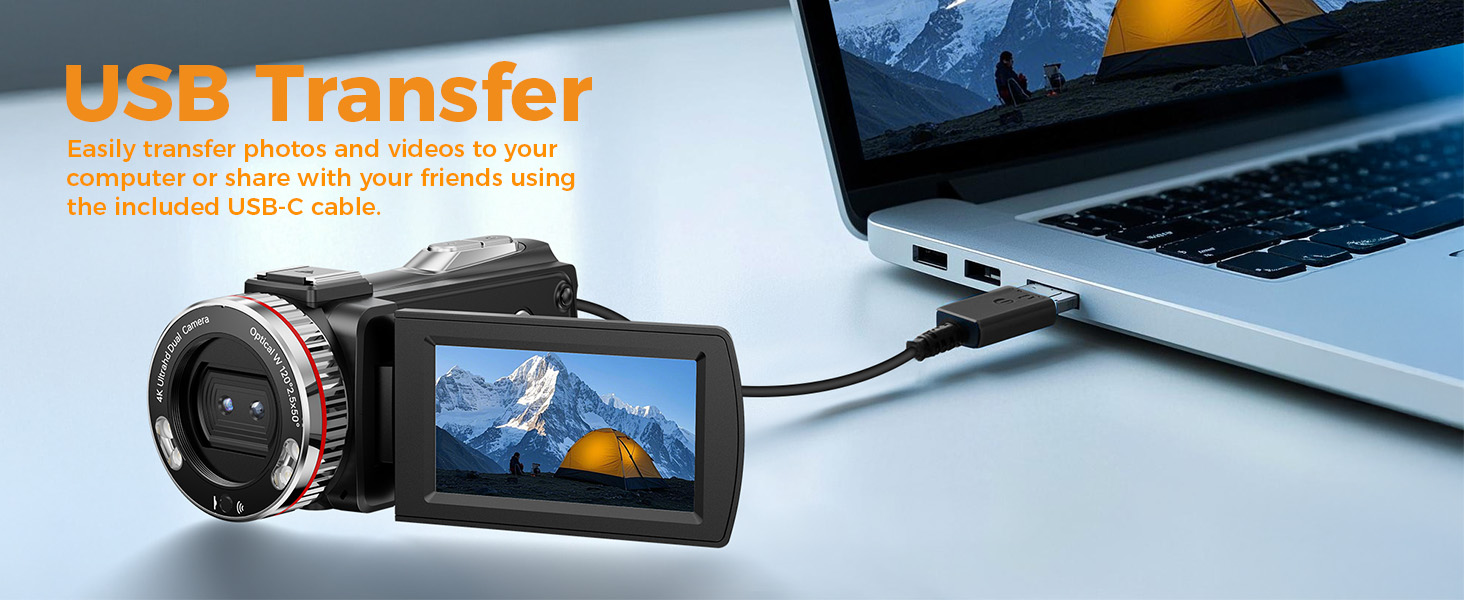
Image: A visual representation of all items included in the Caupureye HDV900pro Camcorder package.
3. Prodott Aktarview
The Caupureye HDV900pro camcorder features a compact design with a 3.0-inch 270° rotatable screen for versatile shooting. It supports 4K video and 48MP photos, with 21x digital zoom. The camera includes a built-in fill light for low-light conditions and dual lenses (wide-angle and narrow) for various scenarios.

Image: The camcorder capturing a scene, highlighting its 4K 48MP capabilities and rotatable screen.
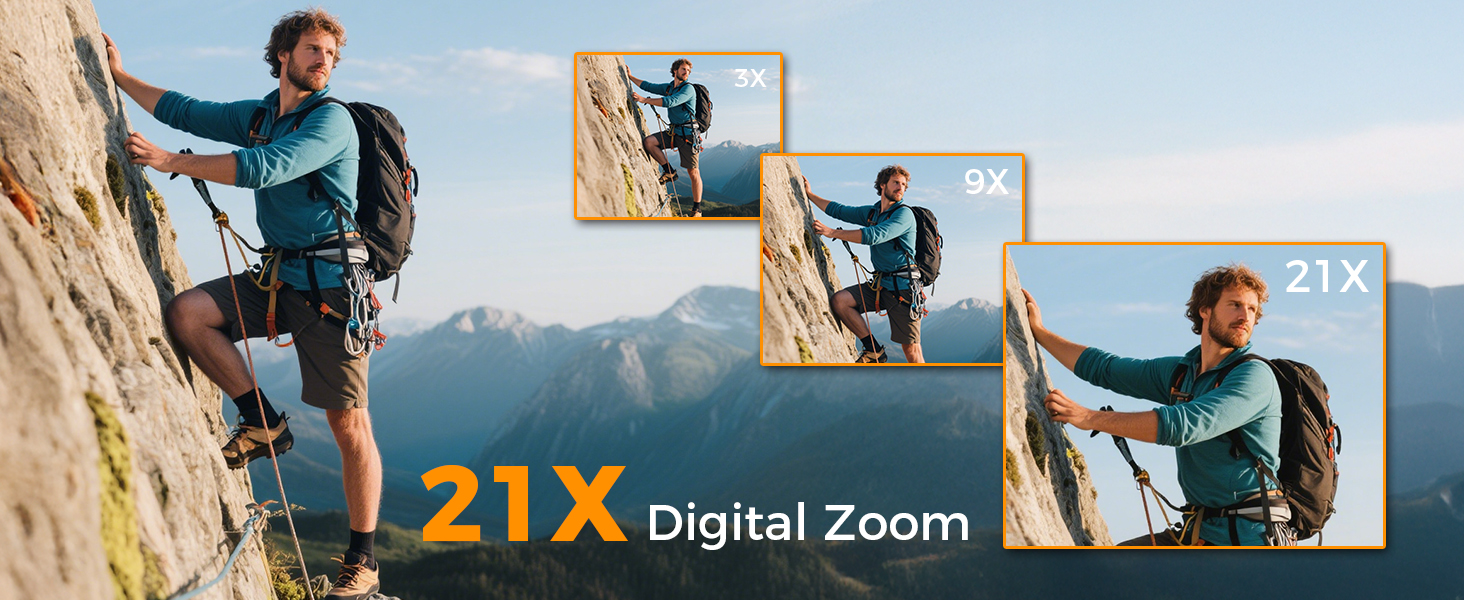
Image: Visual comparison of 3x, 9x, and 21x digital zoom, and the difference between normal and 120° wide-angle views.

Image: The LED Fill Light in action, demonstrating its ability to enhance image quality in low-light conditions.
4. Setup
4.1 Installazzjoni u Iċċarġjar tal-Batterija
Insert one of the provided Li-ion batteries into the battery compartment. The camcorder supports recording while charging, ensuring you don't miss any moments. Use the included USB cable to charge the batteries.
4.2 Inserzjoni tal-Kard SD
Insert the 64GB SD card (or your own U3 class 10 memory card up to 512GB) into the designated slot. Ensure it clicks into place.
4.3 External Microphone Attachment
Attach the external microphone to the camcorder's hot shoe mount and plug it into the microphone input for enhanced audio recording.
5. Operazzjoni Bażika
5.1 Power On/Off
Open the 270° rotatable screen to power on the camcorder. Close the screen to power it off.
5.2 Reġistrazzjoni ta' Vidjows u Tieħu Ritratti
To record video or take photos, follow these steps:
- Agħfas il- MODALITÀ button to select your desired mode (video or photo).
- Agħfas il- SHUTTER button to start/stop recording or take a photo.
- Uża l- W/T button to zoom in/out.
- Agħfas il- IMLA DAWL button to activate the LED light in dark areas.

Image: Step-by-step guide on using the camcorder's buttons for recording and photography.
6. Karatteristiċi Avvanzati
6.1 Webkamera u ħruġ HDMI
Connect the camcorder to your computer via USB and select "PC Camera" mode to use it as a webcam for live streaming. For an immersive viewing experience, connect the camcorder to a TV using the HDMI cable.

Image: The camcorder functioning as a webcam and connected to a TV via HDMI.
6.2 Modi Speċjali ta' Reġistrazzjoni
The camcorder offers various modes to enhance your creativity:
- Pawża Funzjoni: Pause and resume recording without creating multiple files.
- Reġistrazzjoni bil-mod: Capture detailed slow-motion video.
- Reġistrazzjoni Time-Lapse: Ikkondensa avvenimenti twal f'vidjows qosra u interessanti.
- Selfie: Use the rotatable screen to frame yourself perfectly.
- Sparar Kontinwu: Aqbad sekwenza rapida ta' ritratti.
- Night Vision (LED Fill Light): Improve visibility in dark environments.

Immaġni: Eżamples of different recording modes, including pause, slow-motion, and time-lapse.
7. Konnessjoni ma' Kompjuter
Use the provided USB cable to connect your camcorder to a computer. This allows for easy transfer of photos and videos for editing or sharing.

Image: The camcorder connected to a laptop, illustrating the USB transfer function.
8. Daqq
Biex terġa 'view your recorded videos and photos:
- Agħfas il- PLAY/RIGHT buttuna biex tidħol fil-modalità tal-plejbek.
- Uża l- UP/ISĦU button to select the clip you wish to view.
- Agħfas il- OK button to play or stop the video.
- Agħfas il- MENU/LEFT button to delete a clip or return to the gallery.

Image: Step-by-step guide on how to access and control media playback on the camcorder.
9 Issolvi l-problemi
- Il-kamera ma tixgħelx: Kun żgur li l-batteriji huma mdaħħla sew u kompletament iċċarġjati.
- Poor video/image quality: Check lighting conditions, adjust exposure settings, or ensure the lens is clean.
- Il-mikrofonu mhux qed jirreġistra l-awdjo: Ensure the external microphone is securely plugged in and powered on (if applicable).
- Żball fil-karta SD: Ensure the SD card is correctly inserted and not full. Try formatting the card (this will erase all data).
- Il-kontroll mill-bogħod ma jaħdimx: Ensure the battery in the remote is functional and there are no obstructions between the remote and the camcorder.
For further assistance, please contact customer service.
10. Speċifikazzjonijiet
| Karatteristika | Dettall |
|---|---|
| Brand | Caupureye |
| Numru tal-Mudell | HDV900pro |
| Riżoluzzjoni tal-Qbid tal-Vidjo | 4K |
| Teknoloġija tas-Sensor tar-Ritratti | CMOS |
| Apertura massima | 2 f |
| Daqs tal-Iskrin | 3 Pulzier |
| Teknoloġija tal-Konnettività | USB |
| Piż tal-oġġett | 1.41 liri |
11. Garanzija u Appoġġ
For warranty information or technical support, please refer to the contact details provided in your product packaging or visit the official Caupureye websit. It-tim tas-servizz tal-konsumatur tagħna huwa disponibbli biex jgħinek bi kwalunkwe mistoqsija jew tħassib.