
1. Introduzzjoni
This manual provides instructions for the Fosmon Bike Anti-Theft Alarm, a multi-functional device designed to enhance bicycle security and visibility. It integrates an anti-theft alarm, front and rear lights, an auto brake light, turn signals, and a bicycle horn, all controllable via a wireless remote. The unit is USB-C rechargeable and features an IP65 waterproof rating.
2. Kontenut tal-Pakkett
Ivverifika li l-oġġetti kollha huma preżenti fil-pakkett:
- Fosmon Bike Anti-Theft Alarm Unit (Tail Light & Alarm)
- Fosmon Bike Headlight Unit
- Kontroll mill-bogħod mingħajr fili
- Cable tal-Iċċarġjar tal-USB-C
- Mounting Brackets (for seat post and handlebar)
- Zip Rabtiet
- Ċavetta Allen
- Viti u Ġewż
- Rubber Shims/Pads
- Manwal għall-Utent
Vidjo: Il-ftuħ tal-kaxxa u aktarview of the anti-theft alarm components.
3. Setup u Installazzjoni
Before first use, fully charge both the alarm unit and the headlight unit using the provided USB-C cable.
3.1 Mounting the Alarm Unit (Tail Light)
- Select a suitable location on your bike's seat post.
- Attach the seat post mounting bracket using the provided screws and Allen key. Ensure it is securely fastened.
- Slide the alarm unit onto the mounted bracket until it clicks into place.
3.2 Mounting the Headlight Unit
- Attach the handlebar mounting bracket to your bike's handlebar.
- Secure the headlight unit to the bracket.
3.3 Tqabbil tal-Kontroll mill-bogħod
The remote control may need to be paired with the alarm unit. Up to 8 remotes can be paired to one alarm.
- Press the DISARM button on the remote.
- Press and hold the PAIRING button on the alarm unit for 3 seconds until you hear a tone confirming you are in pairing mode. The alarm will beep.
- Press the ARM button on your remote to pair the alarm. If successful, you will hear a "Du Du" tone.
Video: Instructions on pairing the remote control to the alarm unit.
Video: Detailed installation guide for the anti-theft alarm on a bicycle.
4. Istruzzjonijiet Operattivi
4.1 Funzjonijiet ta' Kontroll mill-bogħod
The wireless remote control allows easy management of the alarm and lights:
- Arm Button (Lock Icon): Press once to arm the anti-theft alarm. The alarm will beep once.
- Disarm Button (Unlock Icon): Press once to disarm the anti-theft alarm. The alarm will beep twice.
- Ringtone Button (Lightning Bolt Icon): Press to cycle through 3 different horn sounds.
- Bell Button (Bell Icon): Press to locate your bike by sounding the alarm.
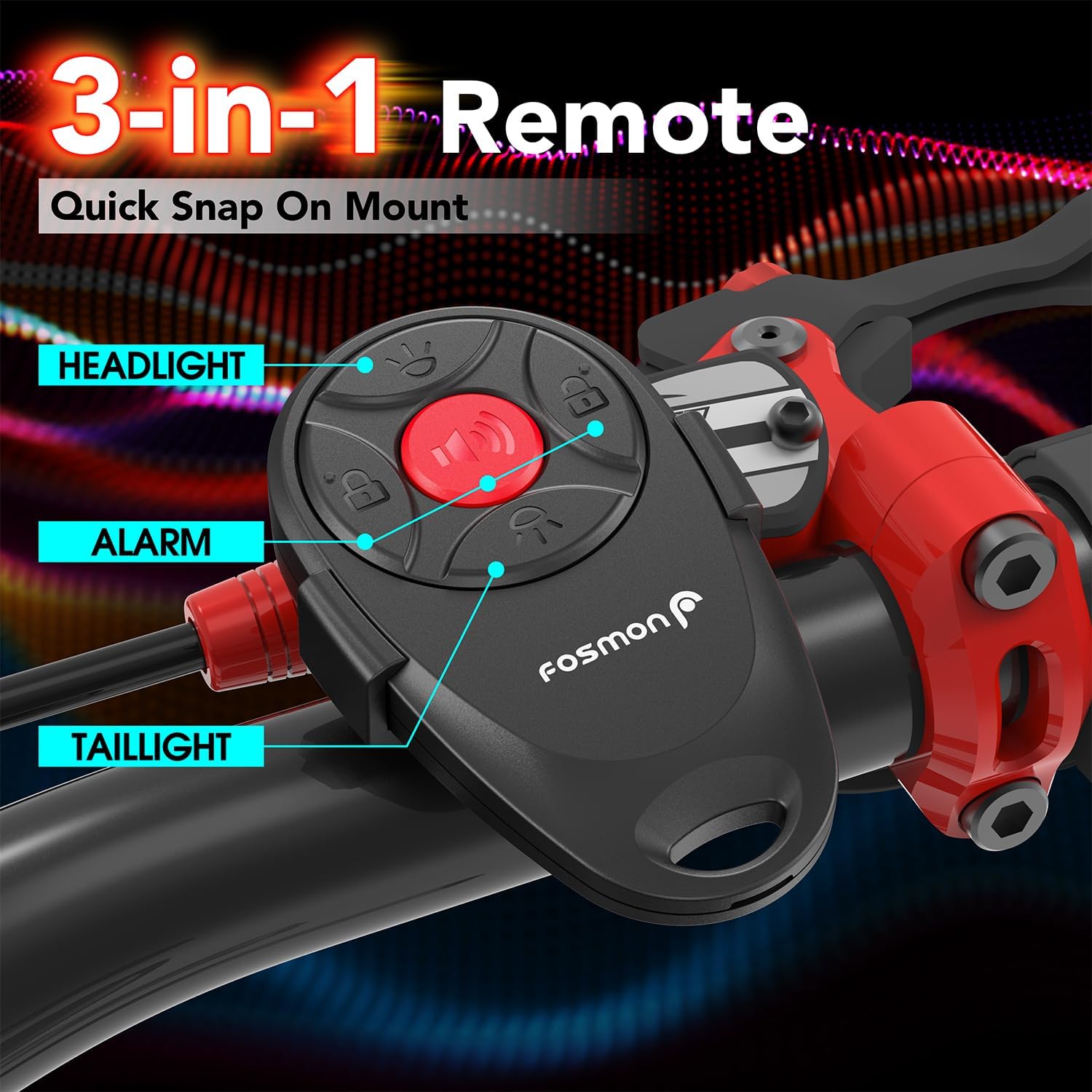
Image: The 3-in-1 remote control with labeled buttons for headlight, alarm, and tail light functions.
4.2 Lighting Modes (Tail Light)
The rear tail light features 4 lighting modes and an auto brake light function:
- Modalità Teptip: Provides intermittent flashes for visibility.
- Mod tan-nifs: Light fades in and out smoothly.
- Fast Blinking Mode: Rapid flashes for increased attention.
- Modalità tad-Dawl Sod: Constant illumination.
- Auto Brake Light: An accelerometer detects rapid deceleration and activates a bright, steady brake light to warn traffic behind you.
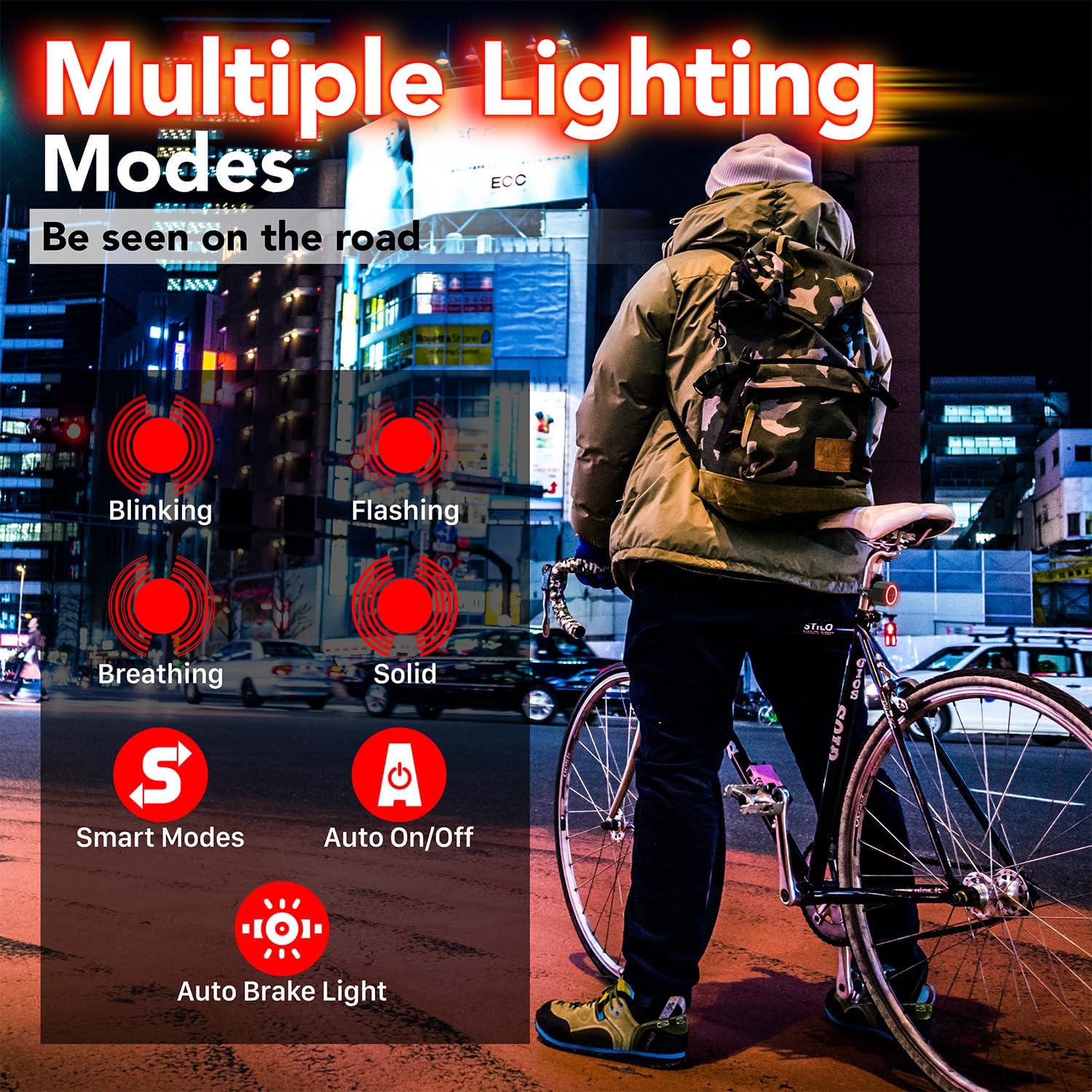
Image: Visual representation of the tail light's multiple lighting modes and smart features.
Video: Demonstration of the smart brake light and various tail light modes.
4.3 Headlight Modes
The front headlight provides three illumination settings:
- Dawl Għoli: Luminożità massima għal viżibilità ċara.
- Dawl baxx: Reduced brightness for less intense illumination.
- Torċ: Flashing mode for enhanced daytime or emergency visibility.

Image: The headlight unit demonstrating its three light settings.
4.4 Anti-Theft Alarm
When armed, the alarm emits a loud 110dB sound upon detecting movement or vibration, deterring potential theft.

Image: The alarm unit highlighting its 110dB sound capability.
4.5 Bicycle Horn
The alarm unit also functions as a bicycle horn, offering three distinct sounds for signaling. Press the Ringtone button on the remote to cycle through these sounds.
5. Aġġustament tas-Sensittività
The alarm has 7 sensitivity levels to prevent false triggers. These levels are indicated by musical pitches (Do, Re, Mi, Fa, So, La, Ti), where 'Do' is the highest sensitivity and 'Ti' is the lowest.
- Press and hold the DISARM button on the remote for about 6 seconds until the remote's blue indicator light stays on. The alarm will sound during this process; ignore it.
- Short press the ARM button to cycle through the sensitivity levels. Each press will play a different musical pitch.
- Once you hear the desired sensitivity pitch, press the DISARM button once to exit the setting.
Video: Guide on how to adjust the alarm's sensitivity levels.
6. Aġġustament tal-Volum
The alarm has 3 volume levels.
- Press and hold the DISARM button on the remote for about 6 seconds until the remote's blue indicator light stays on.
- Press the BELL button to cycle through the three volume levels.
- Once the desired volume is confirmed, press the DISARM button once to exit the setting.
7. Iċċarġjar
Both the alarm unit and headlight unit are equipped with built-in 700mAh rechargeable batteries and charge via USB-C.
- Connect the provided USB-C cable to the charging port on each unit and to a USB power source.
- During charging, the indicator light on the unit will illuminate.
- The indicator light will turn off once the unit is fully charged.
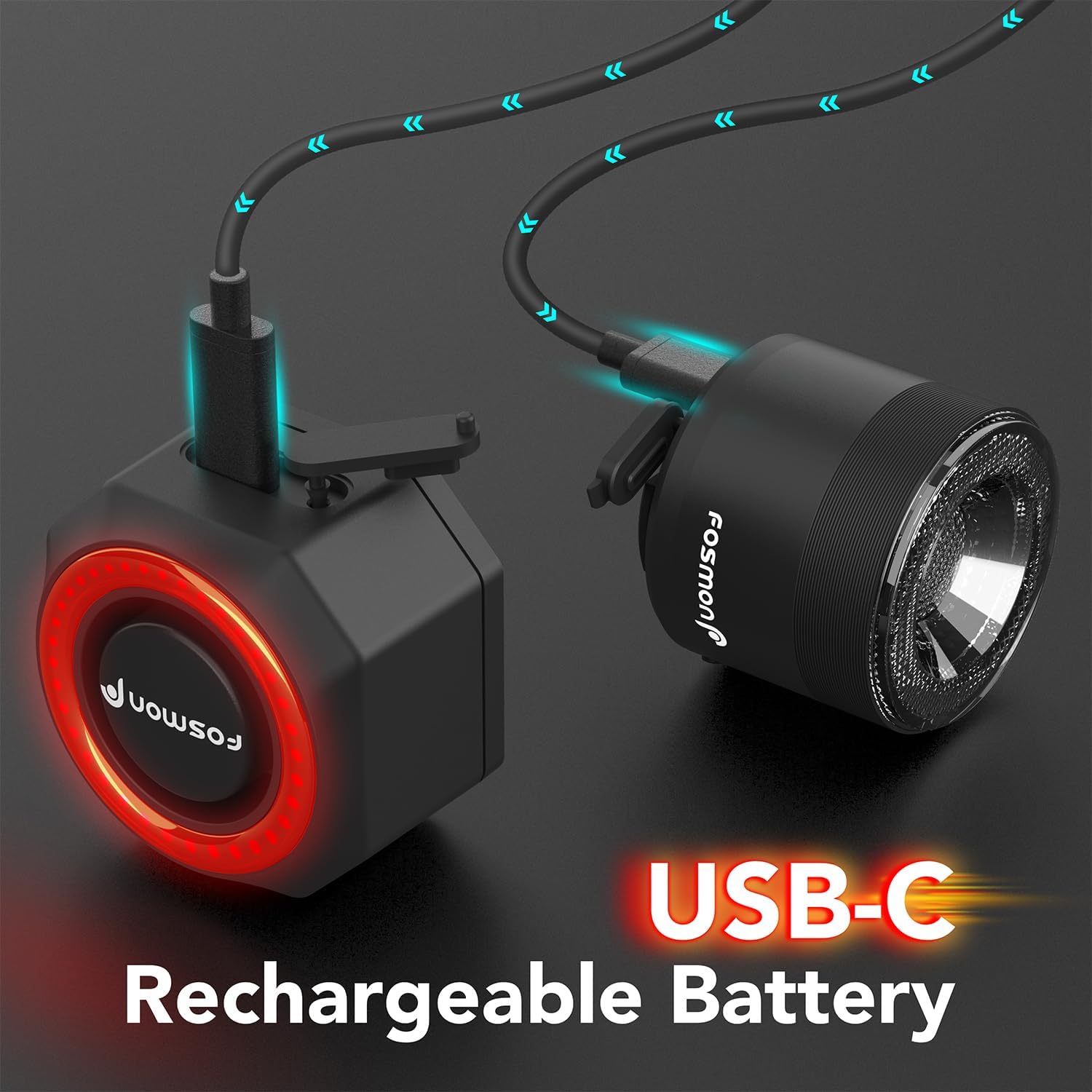
Image: The alarm and headlight units connected to USB-C for charging.
8. Manutenzjoni
To ensure optimal performance and longevity of your Fosmon Bike Anti-Theft Alarm:
- Klassifikazzjoni li ma jgħaddix ilma minnha: The alarm unit has an IP65 waterproof rating, protecting it from dust and low-pressure water jets. Avoid submerging the device in water.
- Kura tal-batterija: Recharge the battery regularly, especially if the device will not be used for an extended period. The built-in 700mAh battery lasts up to 3 months on a single charge depending on usage.
- Tindif: Imsaħ l-apparat b'artab, damp drapp. Tużax kimiċi ħarxa jew tindif li joborxu.
- Ħażna: Aħżen l-apparat f'post frisk u niexef meta ma jkunx qed jintuża.

Image: The IP65 waterproof and dustproof rating of the alarm unit.
9 Issolvi l-problemi
If you encounter issues with your Fosmon Bike Anti-Theft Alarm, refer to the following common solutions:
- L-allarm mhux qed jirrispondi għall-kontroll remot: Ensure the remote's battery is not depleted. Re-pair the remote control with the alarm unit as described in Section 3.3.
- Alarm false triggers: Adjust the sensitivity level to a lower setting (e.g., 'Ti' for lowest sensitivity) as described in Section 5.
- Id-dwal ma jaħdmux: Check if the unit is fully charged. Ensure the correct button on the remote is being pressed for the desired light mode.
- Low alarm volume: Adjust the volume level to a higher setting as described in Section 6.
- Il-batterija mhix qed tiċċarġja: Ensure the USB-C cable is properly connected to both the unit and the power source. Try a different USB-C cable or power adapter.
10. Speċifikazzjonijiet
| Karatteristika | Dettall |
|---|---|
| Numru tal-Mudell | 51142HOMFW |
| Manifattur | Fosmon |
| Dimensjonijiet tal-Prodott | 4.57 x 3.56 x 4.83 ċm |
| Piż | 274.99 g |
| Batterija | 1 Lithium Metal battery (included), 700mAh |
| Allarm Loudness | 110dB |
| Klassifikazzjoni li ma jgħaddix ilma minnha | IP65 |
| Pajjiż ta' Oriġini | Iċ-Ċina |
11. Garanzija u Appoġġ
Fosmon products come with a limited lifetime warranty. For questions or support, please contact our dedicated USA-based customer support team 24 hours a day, 7 days a week. Refer to Fosmon’s official website for more information regarding warranty terms and contact details.