
1. Kompatibilità
This replacement remote control, model RF373E JLDK.28.10.14, is designed for use with specific adjustable bed bases. It is compatible with:
- Blissful Nights e4 Adjustable Bed Base
- Blissful Nights e6 Adjustable Bed Base
- Ergomotion HAND WAND Adjustable Bed Base
- Greaton Adjustable Bed Base
Nota Importanti:
Before ordering, ensure that the buttons and overall appearance of this remote match your original or old remote exactly. Discrepancies may indicate incompatibility.
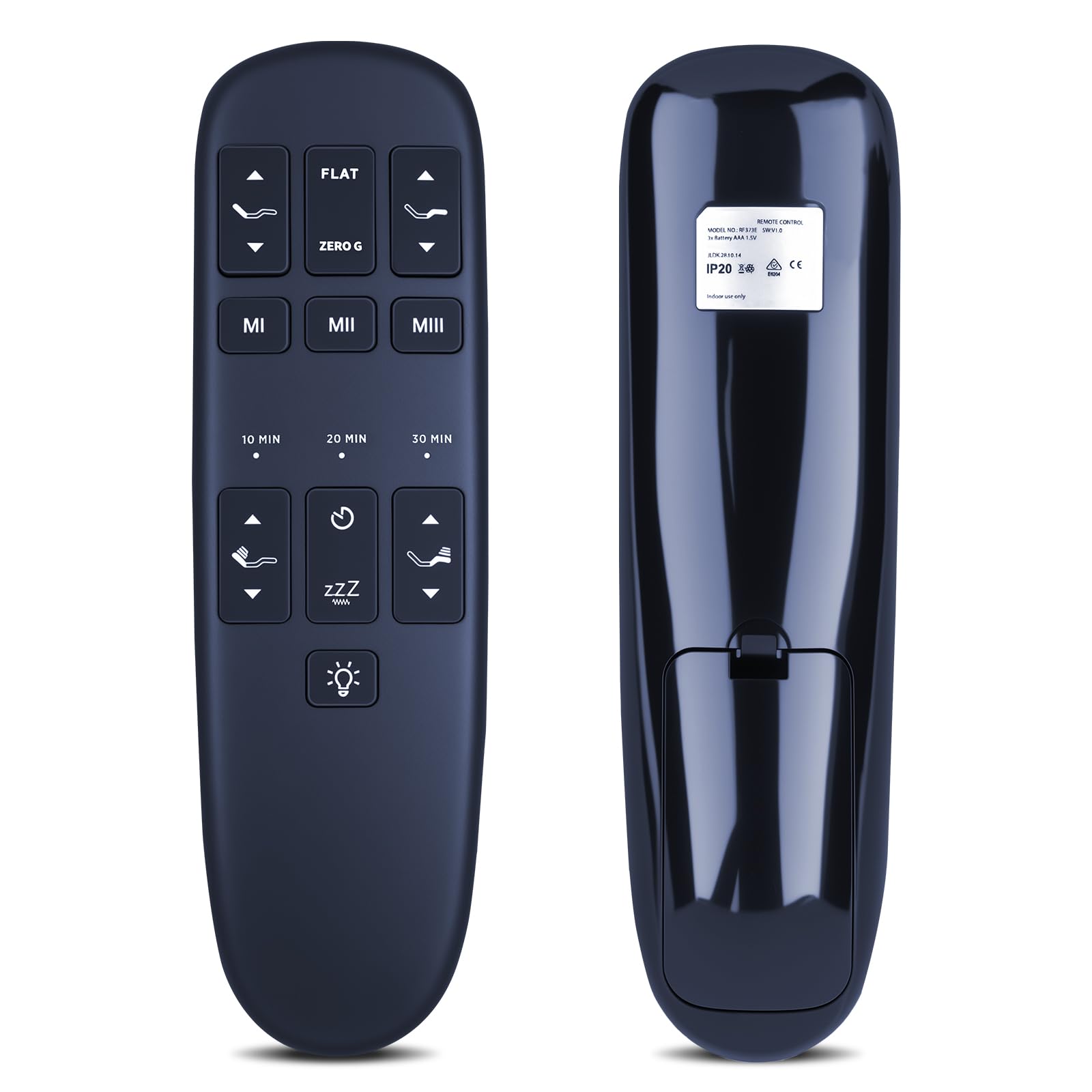
Immaġni: Quddiem view of the RETROSUN RF373E JLDK.28.10.14 remote control, showing its button layout.
2. Twaqqif u Tqabbil
The remote control is typically pre-programmed to the adjustable bed base. If the remote is unresponsive or needs to be re-paired, follow these steps:
- Ensure the remote has fresh batteries. This remote requires three (3) AAA batteries (not included).
- Skonnettja l-korda tal-enerġija tal-bażi tas-sodda aġġustabbli tiegħek mis-sokit tal-elettriku.
- Stenna għal 5 sekondi.
- Ipplaggja l-korda tad-dawl lura fl-iżbokk tal-elettriku.
- Within 10 seconds of plugging the power cord back in, press and hold the "Head Up" button (top left arrow) and the "Foot Down" button (bottom right arrow) simultaneously for 10 seconds.
- The adjustable bed base should now be re-paired with the remote control.
Nota:
If the remote illuminates but the bed does not respond, check the batteries and replace them if necessary before attempting the pairing process again.
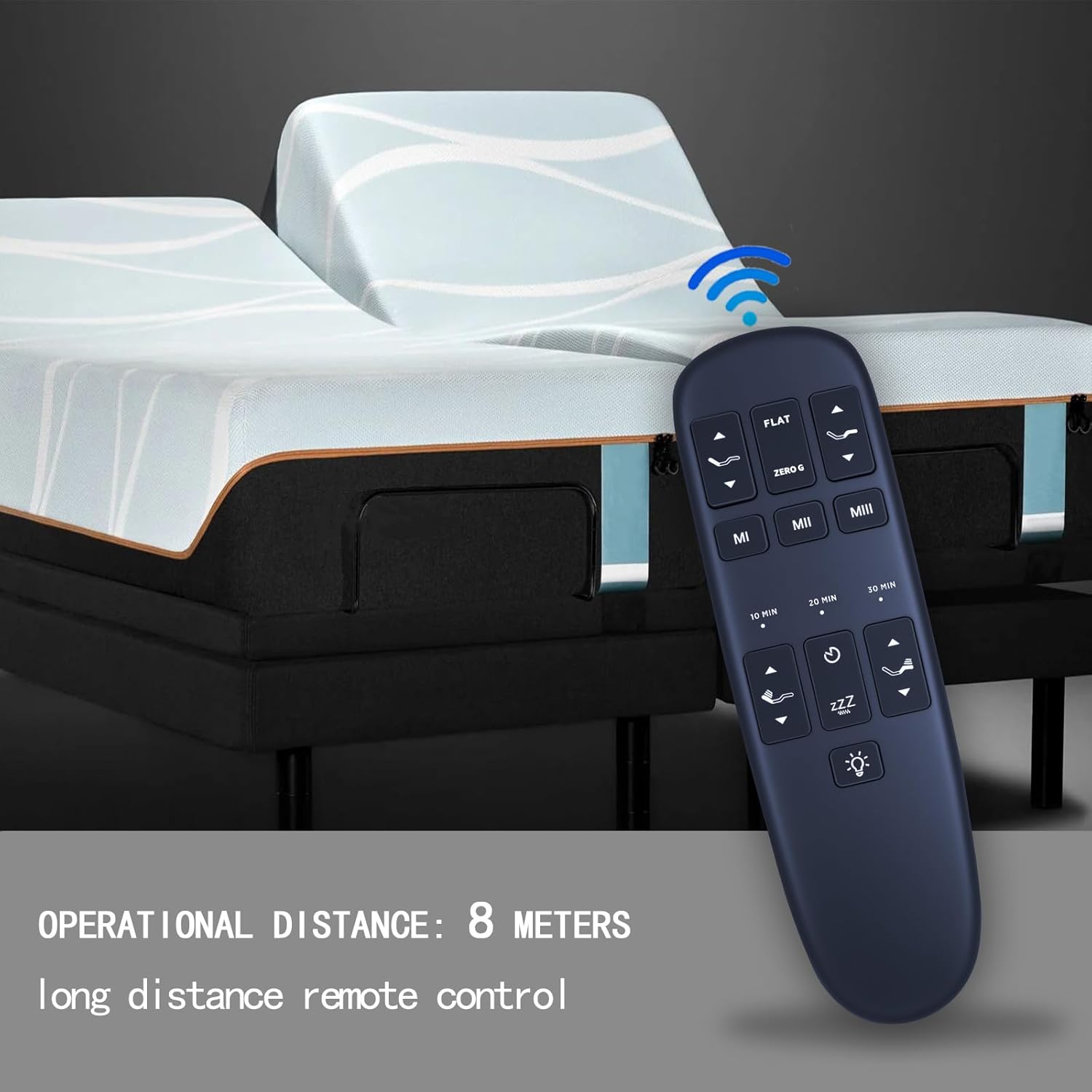
Image: Visual guide for pairing the remote control, highlighting the "Head Up" and "Foot Down" buttons to press simultaneously.
3. Operazzjoni
The remote control features an intuitive button layout for adjusting your bed base. While specific functions may vary slightly depending on your bed model, the general operations are as follows:
- Head Up/Down Arrows: Aġġusta s-sezzjoni tar-ras tas-sodda.
- Foot Up/Down Arrows: Aġġusta s-sezzjoni tas-saqajn tas-sodda.
- Buttuna ĊATTA: Jirritorna s-sodda f'pożizzjoni kompletament ċatta.
- ZERO G Button: Activates the Zero Gravity preset position, which elevates the head and foot to relieve pressure.
- M1, M2, M3 Buttons: These are memory preset buttons. You can program and recall your favorite bed positions. Refer to your adjustable bed base manual for specific instructions on setting these memory positions.
- 10 MIN, 20 MIN, 30 MIN Buttons: These typically control massage timers or other timed functions.
- Zzz Button: Often activates a gentle massage or sleep mode.
- Light Bulb Icon Button: Controls under-bed lighting or other integrated lighting features.
The remote operates with a reliable range of up to 8 meters (26 feet) and features a 120-degree wide-angle design for flexible use without strict positioning constraints.

Image: The remote control shown in a bedroom setting with an adjustable bed, illustrating its operational distance.

Image: A hand holding the remote control, demonstrating its ergonomic design.
4. Manutenzjoni
Sostituzzjoni tal-batterija
The remote control requires three (3) AAA batteries. When the remote's performance degrades or it stops responding, it is likely time to replace the batteries.
- Sib l-għatu tal-kompartiment tal-batterija fuq wara tal-kontroll remot.
- Żerżaq jew neħħi l-għatu biex tiftaħ il-kompartiment.
- Neħħi l-batteriji AAA qodma.
- Insert three new AAA batteries, ensuring correct polarity (+ and - ends match the markings inside the compartment).
- Ibdel l-għatu tal-kompartiment tal-batterija b'mod sikur.
Attenzjoni:
Do not mix old and new batteries. Do not mix alkaline, standard (carbon-zinc), or rechargeable (nickel-cadmium) batteries. Dispose of used batteries responsibly according to local regulations.

Immaġni: Wara view of the remote control, illustrating the battery compartment and the insertion of three AAA batteries.
5 Issolvi l-problemi
If your remote control is not functioning as expected, consider the following common issues and solutions:
- Remote is unresponsive:
- Check the batteries. Replace with fresh AAA batteries if needed.
- Perform the pairing procedure described in Section 2. Setup and Pairing.
- Kun żgur li m'hemm l-ebda ostaklu bejn ir-remote u r-riċevitur tal-bażi tas-sodda.
- Bed base does not move:
- Verify the bed base is properly plugged into a working electrical outlet.
- Check for any loose cables or connections on the bed base.
- If the remote illuminates but the bed does not respond, re-pair the remote as per Section 2.
- Buttons do not match original remote:
- This remote is a specific replacement. If the buttons or model number do not match your original remote, it may not be compatible with your bed base. Refer to Section 1. Compatibility.
6. Speċifikazzjonijiet
| Karatteristika | Dettall |
|---|---|
| Brand | RETROSUN |
| Numru tal-Mudell | RF373E JLDK.28.10.14 (Internal Model: BW441) |
| Kompatibilità | Blissful Nights e4/e6, Ergomotion HAND WAND, Greaton Adjustable Bed Bases |
| Teknoloġija tal-Konnettività | Infra-aħmar (IR) |
| Medda Massimu | 8 metru (26 pied) |
| Tip ta 'batterija | 3 x AAA (mhux inklużi) |
| Materjal | ABS ta' kwalità għolja |
| Kulur | Iswed |
| Piż tal-oġġett | 0.08 Kilogrammi |
7. Informazzjoni dwar Garanzija
This RETROSUN remote control comes with a Garanzija ta '90 jum mid-data tax-xiri. Din il-garanzija tkopri difetti fil-manifattura u malfunzjonamenti taħt użu normali.
For warranty claims or support, please contact your retailer or the manufacturer directly with your proof of purchase.
8. Appoġġ għall-Klijent
If you encounter any issues not covered in this manual or require further assistance, please refer to the contact information provided by your retailer or the manufacturer, Oumeite.
Always ensure you have your product model number (RF373E JLDK.28.10.14) and purchase details ready when contacting support.