
1. Introduzzjoni
This manual provides detailed instructions for the proper use and maintenance of your ANYSECU W63-US 4G Network Radio. The W63-US is an intelligent handheld transceiver operating on Android 9.0, designed for Push-to-Talk (PTT) communication over 4G networks. It supports popular platforms like Zello and RealPTT, offering features such as GPS, Bluetooth, Wi-Fi, and a flashlight function. Its robust design includes IP68 waterproof and dustproof ratings, making it suitable for various environments.
2. Kontenut tal-Pakkett
Please verify that all items listed below are included in your product package. If any items are missing or damaged, contact your vendor.
- ANYSECU W63-US Radio Body (x1)
- Antenna (x1)
- Batterija (x1)
- Kejbil tal-Enerġija (x1)
- Adapter tal-Enerġija (x1)
- Clip taċ-ċinturin (x1)
- Manwal għall-Utent (x1)
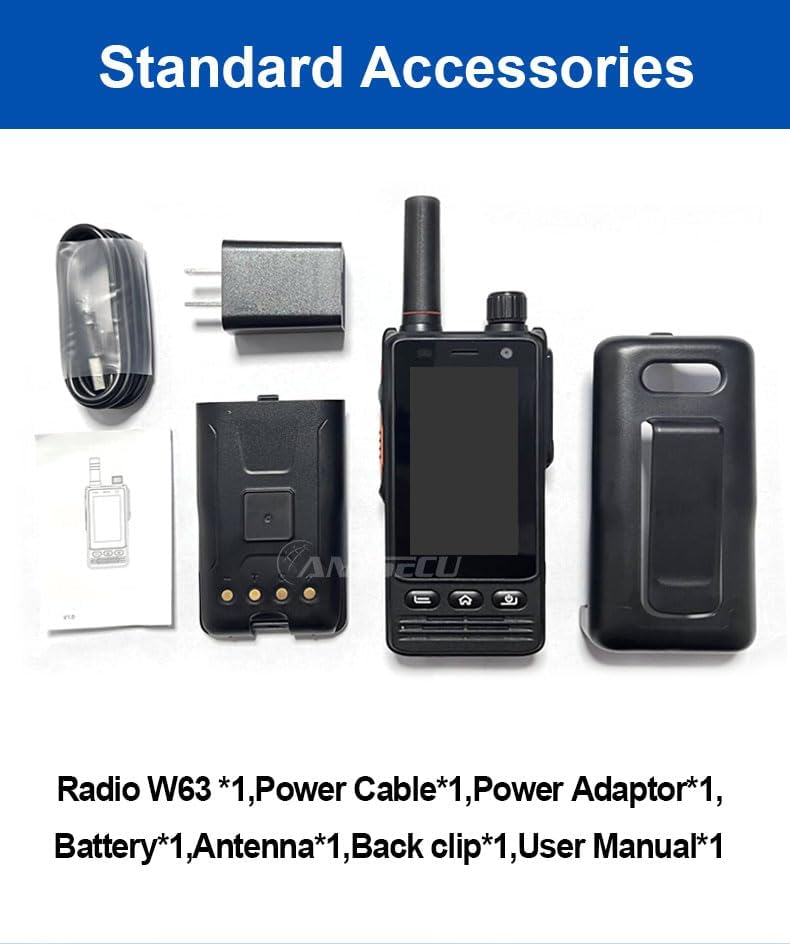
Image: Standard accessories included with the ANYSECU W63-US radio.
3. Prodott Aktarview
The ANYSECU W63-US features a compact design with a 2.95-inch high-definition touch screen and physical buttons for intuitive operation. It is equipped with both front and rear cameras, and a high-capacity battery for extended use.

Immaġni: Quddiem view of the ANYSECU W63-US radio highlighting Android 9, touch screen, GPS/BT/WiFi, and flashlight function.

Immaġni: Wara view of the ANYSECU W63-US radio, showing the 5MP front and 13MP rear cameras with built-in flash.
Komponenti Ewlenin:
- Antenna: For signal reception and transmission.
- Buttuna tal-Volum: Jaġġusta l-livell tal-ħruġ tal-awdjo.
- Buttuna SOS: For emergency alerts.
- Buttuna PTT: Push-to-Talk button for communication.
- Wiri: 2.95-inch touch screen (854*480 pixels).
- Buttuni tan-Navigazzjoni: Home, Back, and Power buttons.
- Port USB-C: Għall-iċċarġjar u t-trasferiment tad-dejta.
- Clip taċ-ċinturin: Għal ġarr konvenjenti.

Image: The ANYSECU W63-US radio shown with its high-quality waist clip for portability.
4. Setup
4.1 Installazzjoni tal-batterija
- Kun żgur li l-apparat ikun mitfi.
- Sib l-għatu tal-kompartiment tal-batterija fuq wara tar-radju.
- Neħħi b'attenzjoni l-għatu.
- Insert the provided 4000mAh 3.8V battery, aligning the contacts.
- Erġa' poġġi l-għatu tal-kompartiment tal-batterija, waqt li tiżgura li jkun imsakkar sew.

Image: The ANYSECU W63-US radio highlighting its 4000mAh high-capacity battery.
4.2 SIM Card / SD Card Installation
The W63-US supports 4G network connectivity. Insert your SIM card into the designated slot. If desired, an SD card can also be installed for additional storage.
4.3 Qawwa Inizjali
- Agħfas u żomm il-buttuna tal-Qawwa sakemm l-iskrin jixgħel.
- Segwi l-istruzzjonijiet fuq l-iskrin għas-setup inizjali, inkluż l-għażla tal-lingwa u l-konfigurazzjoni tan-netwerk.
Video: Demonstration of the ANYSECU W63-US radio's physical features and initial power-on sequence.
5. Istruzzjonijiet Operattivi
5.1 Navigazzjoni Bażika
- Touch Screen: Navigate menus and applications by tapping and swiping on the 2.95-inch display.
- Buttuna tad-dar: Jirritorna għall-iskrin prinċipali tad-dar.
- Buttuna Lura: Terġa' lura għall-iskrin ta' qabel.
- Buttuna tal-Qawwa: Short press to lock/unlock screen, long press to power off/restart.

Image: A hand interacting with the 2.95-inch high-definition touch screen of the ANYSECU W63-US radio.
5.2 PTT Communication (Zello/RealPTT)
The W63-US is compatible with Zello and RealPTT applications for Push-to-Talk communication. Ensure you have an active account and are logged into your preferred application.
- Open the Zello or RealPTT application from the home screen.
- Select your desired contact or channel.
- Agħfas u żomm id-dedikat Buttuna PTT on the side of the radio to transmit your voice.
- Itlaq il-buttuna PTT biex tisma.
5.3 Konnettività tan-Netwerk
The device supports global 4G networks, Wi-Fi, and Bluetooth for versatile connectivity.
- Netwerk 4G: Automatically connects if a valid SIM card is inserted and configured.
- Wi-Fi: Access Wi-Fi settings through the Android interface to connect to available networks.
- Bluetooth: Pair with compatible Bluetooth accessories like headsets.
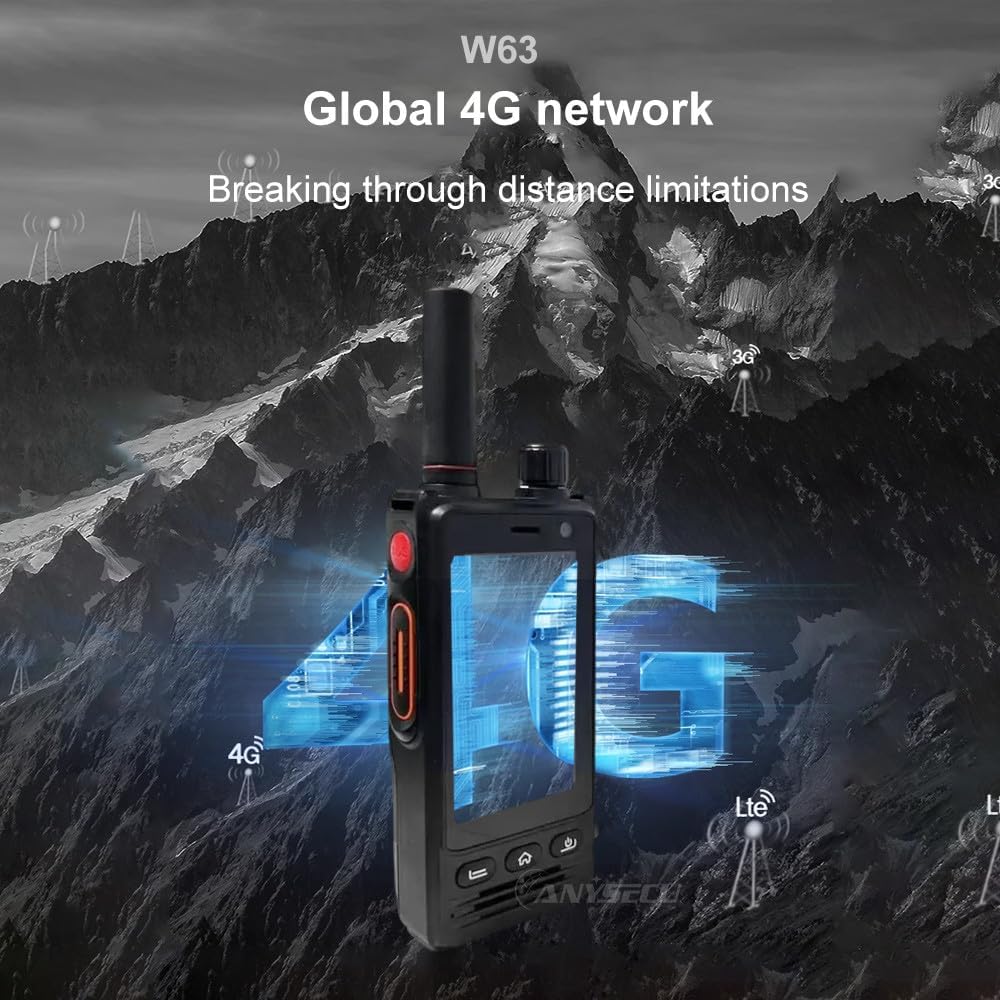
Image: The ANYSECU W63-US radio demonstrating its global 4G network capabilities.
6. Manutenzjoni
6.1 Tindif tal-Apparat
Uża artab, damp cloth to clean the exterior of the radio. Avoid using harsh chemicals or abrasive materials that could damage the device or screen.
6.2 Kura tal-Batterija
- Iċċarġja l-batterija kompletament qabel l-ewwel użu.
- Evita li tiċċarġja żżejjed jew tbattal kompletament il-batterija biex ittawwal il-ħajja tagħha.
- Aħżen ir-radju u l-batterija f'post frisk u niexef meta ma tkunx qed tużahom għal perjodi twal.
6.3 Reżistenza għall-Ilma u t-Trab
The W63-US is rated IP68 waterproof and dustproof. This means it can withstand immersion in water up to 1.5 meters for 30 minutes and is protected against dust ingress. Ensure all ports and covers are securely closed before exposing the device to water or dust.

Image: The ANYSECU W63-US radio demonstrating its IP68 waterproof and dustproof features. An optional explosion-proof version may also be available.
7 Issolvi l-problemi
If you encounter issues with your ANYSECU W63-US radio, refer to the following common problems and solutions:
- Apparat mhux mixgħul:
Ensure the battery is correctly installed and charged. Connect the radio to the charger and attempt to power on again. - L-ebda konnessjoni man-netwerk:
Verify that your SIM card is properly inserted and active. Check network settings to ensure 4G is enabled. If using Wi-Fi, confirm you are connected to a valid network. - Il-funzjoni PTT mhux qed taħdem:
Ensure you are logged into your Zello or RealPTT account. Check the application settings to confirm the PTT button is correctly mapped. Verify you have an active internet connection. - Audio issues (no sound/distorted sound):
Adjust the volume knob. Check if a headset is connected and properly functioning. Restart the device. - L-iskrin tattili ma jirrispondix:
Restart the device. If the issue persists, ensure the screen is clean and free from debris.
8. Speċifikazzjonijiet
| Karatteristika | Dettall |
|---|---|
| Brand | ANYSECU |
| Numru tal-Mudell | W63-US |
| Kulur | Iswed |
| Sistema Operattiva | Android 9.0 |
| Protokoll tal-Konnettività | 4G |
| Tip ta' tuner | 4G |
| Wiri | 2.95 inch High-definition (854*480 pixels) Touch Screen |
| Livell ta 'Reżistenza għall-Ilma | IP68 Waterproof |
| Batterija | 4000mAh 3.8V (1 AA battery required, included) |
| Numru ta 'Kanali | 1000 |
| Talking Range Massimu | 10 Mil |
| Karatteristiċi Speċjali | Long Range, GPS, Bluetooth, Wi-Fi, Flashlight |
| Apparati Kompatibbli | Zello, RealPTT |
| Kameras | Front 5MP, Rear 13MP with Built-in Flash |
9. Garanzija u Appoġġ
9.1 Informazzjoni dwar Garanzija
The ANYSECU W63-US radio body is covered by a garanzija ta 'sena from the date of purchase. This warranty covers manufacturing defects under normal use. Please retain your proof of purchase for warranty claims. The warranty does not cover damage caused by misuse, accidents, unauthorized modifications, or normal wear and tear.
9.2 Appoġġ għall-Klijent
For technical assistance, troubleshooting beyond this manual, or warranty inquiries, please contact your authorized ANYSECU dealer or visit the official ANYSECU websit għal riżorsi ta' appoġġ.