
1. Introduzzjoni
Thank you for choosing the Medcursor MD-EM03 Eye Massager. This device is designed to provide relief from eye fatigue, promote relaxation, and improve sleep quality through a combination of air pressure massage, targeted heating, and optional music. Please read this manual thoroughly before use to ensure proper operation and to maximize your experience.
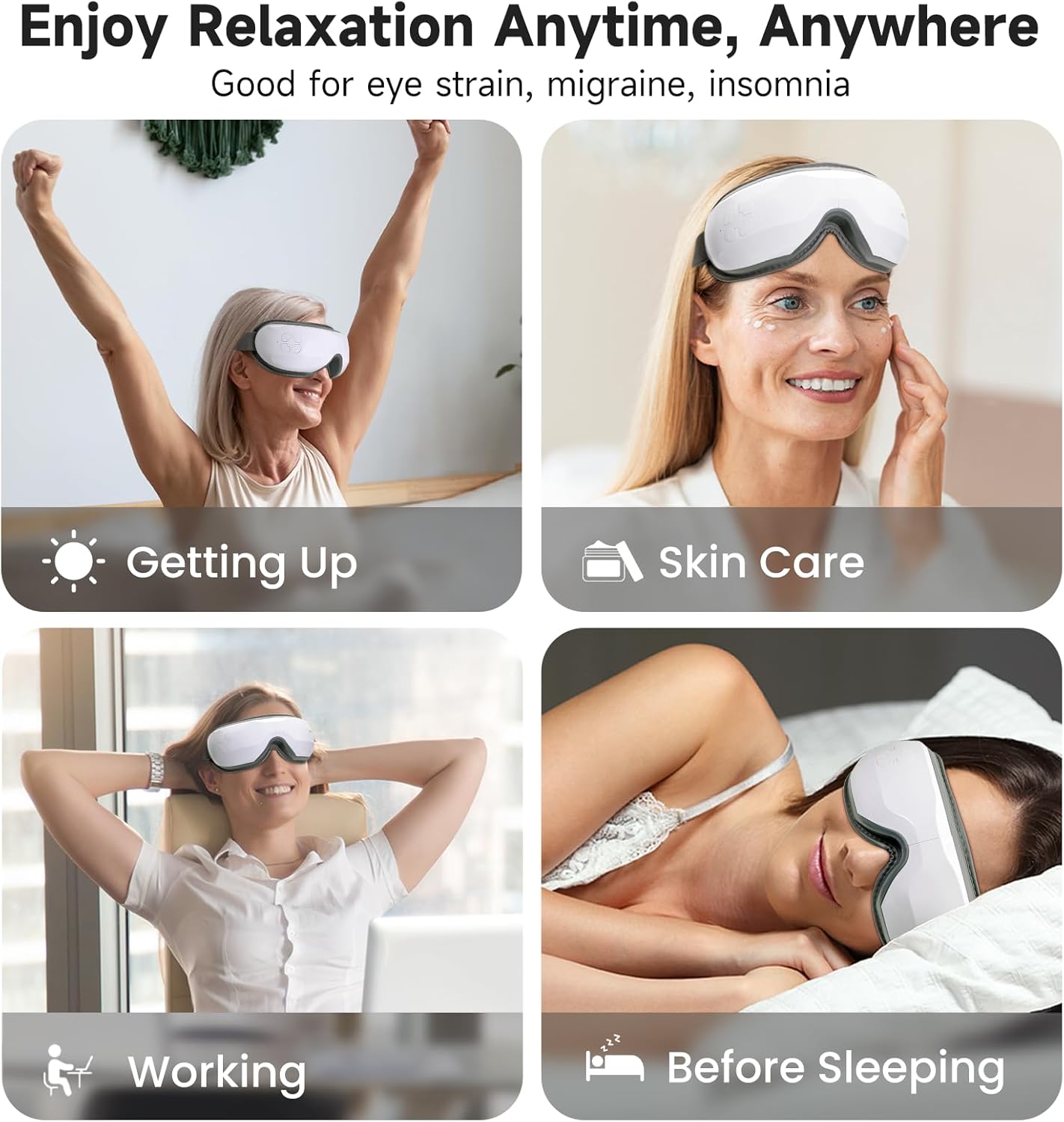
Image: The Medcursor Eye Massager provides relaxation for various situations, including waking up, during skincare routines, while working, and before sleeping.
2. Informazzjoni dwar is-Sigurtà
- Do not use this product if you have eye injuries, inflammation, or have undergone eye surgery recently. Consult a physician before use if you have any pre-existing eye conditions.
- Żomm l-apparat 'il bogħod mill-ilma u umdità għolja.
- Żarmax jew tipprova ssewwi l-apparat lilek innifsek. Ikkuntattja l-appoġġ tal-klijent għall-assistenza.
- Żomm fejn ma jintlaħaqx mit-tfal.
- Uża biss il-kejbil tal-iċċarġjar ipprovdut.
- If you experience any discomfort during use, discontinue immediately.
- The heating function should be used with caution by individuals sensitive to heat.
3. Kontenut tal-Pakkett
Jekk jogħġbok iċċekkja l-pakkett biex tiżgura li l-oġġetti kollha huma preżenti:
- 1 x Medcursor Eye Massager
- 1 x Cable tal-Iċċarġjar tal-USB Type-C
- 1 x Manwal għall-Utent

Image: The package includes one eye massager, one USB cable, and one user manual.
4. Karatteristiċi tal-prodott
- 4 Modi ta' Massaġġi: Soft, Strong, Relax, and Sleep modes for varied massage experiences.
- Intelligent Heating Function: Adjustable heat settings (off, low, medium, high) to relieve eye fatigue and improve circulation.
- Pressjoni tal-Arja aġġustabbli: Customizable intensity with a dual-layer massage pad for comfort.
- Konnettività Bluetooth: Connect to your smartphone to play personal music or use built-in light music.
- Operazzjoni b'Ċavetta Waħda: Simple control for mode selection and power.
- Iċċarġjar tat-Tip C: Fast charging in approximately 1.5 hours.
- Faxxa tar-ras aġġustabbli: Ensures a comfortable fit for most users.
5. Setup
- Iċċarġja l-Apparat: Before first use, fully charge the eye massager using the provided Type-C USB cable and a compatible adapter or power bank. The charging indicator light will show charging status.
- Aġġusta Headband: Place the massager over your eyes and adjust the elastic headband for a snug yet comfortable fit. Ensure the device is centered over your eyes.
6. Operazzjoni
6.1 Power On/Off
- Qawwa Mixgħul: Press and hold the power button for 2-3 seconds. The device will start in the default mode.
- Itfi: Press and hold the power button for 2-3 seconds again.
6.2 Għażla tal-Modalità
The device features 4 massage modes, cycling automatically every 15 minutes. Press the power button briefly to cycle through the modes manually:
- Modalità Artab: Air Pressure + Heating + Music (Gentle relaxation)
- Modalità qawwija: Enhanced Air Pressure + Heating + Music (Deep pressure relief)
- Modalità Rilassament: Air Pressure + Music (Soothes tension)
- Modalità Sleep: Heating + Music (Pre-bed calm)
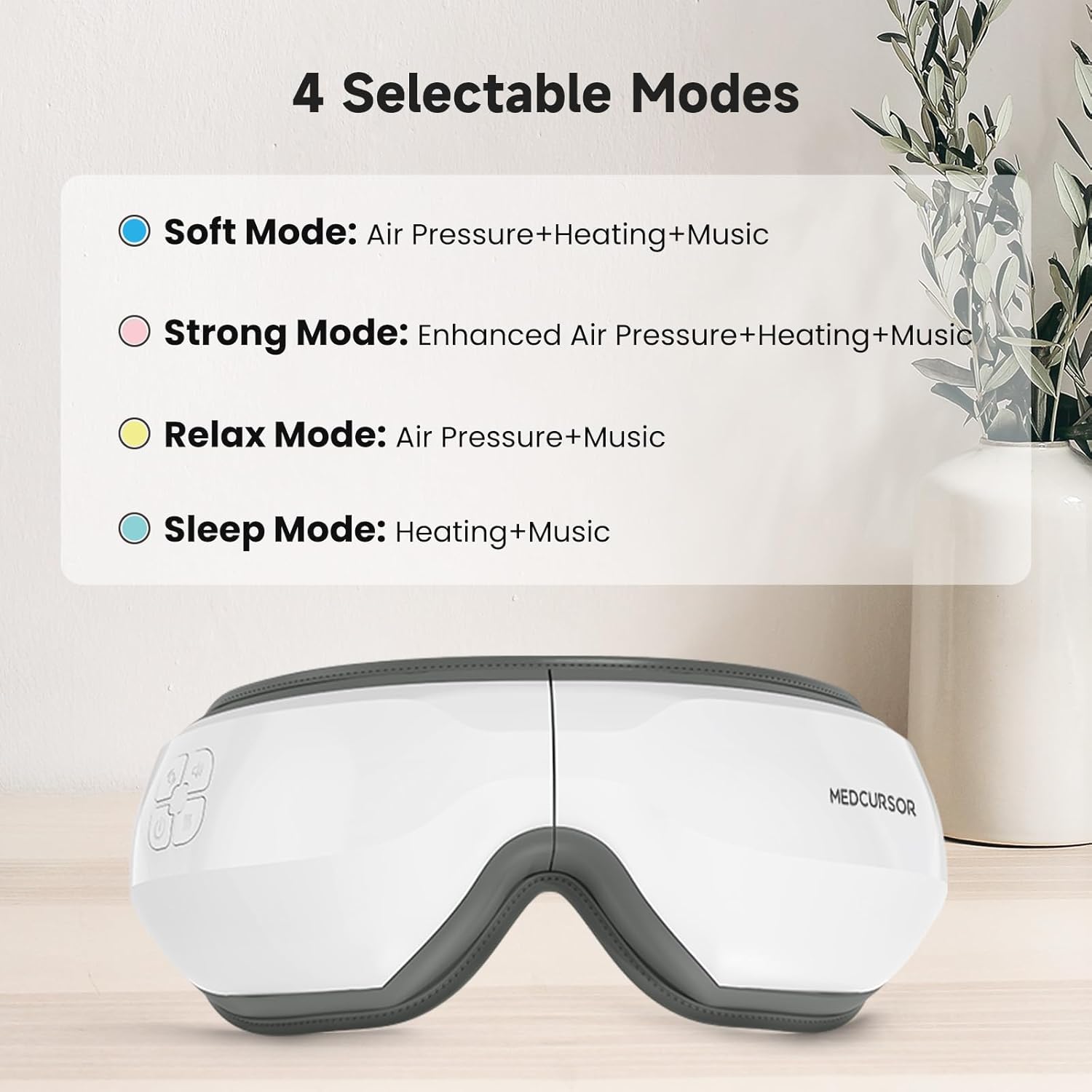
Image: The four selectable modes and their features.
6.3 Funzjoni tat-Tisħin
The heating function is integrated into some modes. The device offers four heating settings (off, low, medium, high). The constant temperature range is 38°C - 45°C.

Image: The heating function provides a comfortable and warm experience for the eyes, covering a large area.
6.4 Bluetooth Connection and Music
The massager supports Bluetooth connectivity to play your own music or utilize the built-in light music.
- Kun żgur li l-Bluetooth huwa attivat fuq l-ismartphone tiegħek.
- Turn on the eye massager.
- Fittex għal "Medcursor" or a similar device name in your phone's Bluetooth settings and pair.
- Once connected, you can play music from your phone through the massager's speakers.

Image: The eye massager connects to your phone via Bluetooth for a personalized music experience.
6.5 Funzjoni Mute
To mute the device's sounds (including built-in music and operational prompts), press the standby button three times quickly.

Image: Pressing the standby button three times mutes the device, creating an immersive eye massage experience.
7. Iċċarġjar
- The device uses a Type-C charging interface.
- Ċarġ sħiħ jieħu madwar 1.5 sigħat.
- The battery supports approximately 4-5 applications on a single charge.
- The charging indicator light will illuminate during charging and turn off or change color when fully charged (refer to specific product indicator behavior).
8. Manutenzjoni
- Tindif: Wipe the surface of the massager with a soft, slightly damp drapp. Tużax tindif li joborxu jew tgħaddas l-apparat fl-ilma.
- Ħażna: Aħżen l-apparat f'post frisk u niexef 'il bogħod mix-xemx diretta meta ma tkunx qed tuża.
9 Issolvi l-problemi
| Problema | Kawża Possibbli | Soluzzjoni |
|---|---|---|
| L-apparat ma jixgħelx. | Batterija baxxa jew xejn ċarġ. | Iċċarġja l-apparat għal kollox. |
| No air pressure or weak massage. | Incorrect mode selected or low battery. | Switch to a stronger mode (e.g., Strong Mode). Ensure the device is fully charged. |
| L-ebda sħana jew sħana insuffiċjenti. | Heating function is off or low setting. | Ensure a mode with heating is selected. Check heat settings. |
| Kwistjonijiet ta 'konnessjoni Bluetooth. | Device not in pairing mode or phone's Bluetooth is off. | Ensure the massager is on. Turn off and on your phone's Bluetooth and try pairing again. |
| Loud motor sound. | Normal operation sound or potential internal issue. | Some motor sound is normal during air pressure operation. If excessively loud or unusual, contact customer support. |
10. Speċifikazzjonijiet
| Karatteristika | Dettall |
|---|---|
| Numru tal-Mudell | MD-EM03 |
| Dimensjonijiet tal-Prodott | 7.87 x 5.51 x 4.17 pulzieri |
| Piż | 1.41 Liri |
| Batterija | 1 Batterija Mhux Standard (Riċarġabbli) |
| Interface tal-iċċarġjar | USB tat-tip C |
| Ħin tal-Iċċarġjar | Appross. 1.5 sigħat |
| Materjal | Plastik |
| Kulur | Abjad |
| Karatteristiċi Speċjali | Rechargeable, Timer, Bluetooth, Heat, Air Pressure |
11. Garanzija u Appoġġ
Medcursor products are designed for quality and reliability. For warranty information, technical support, or any questions regarding your MD-EM03 Eye Massager, please contact Medcursor customer service. Refer to the contact information provided on the product packaging or the official Medcursor websit.