
Introduzzjoni
This manual provides essential instructions for the setup, operation, maintenance, and troubleshooting of your Insignia 32-inch 1080p HD HDR LCD Fire TV Smart TV, model NS-32F401CA26. Please read this manual thoroughly before using your television to ensure proper and safe operation.
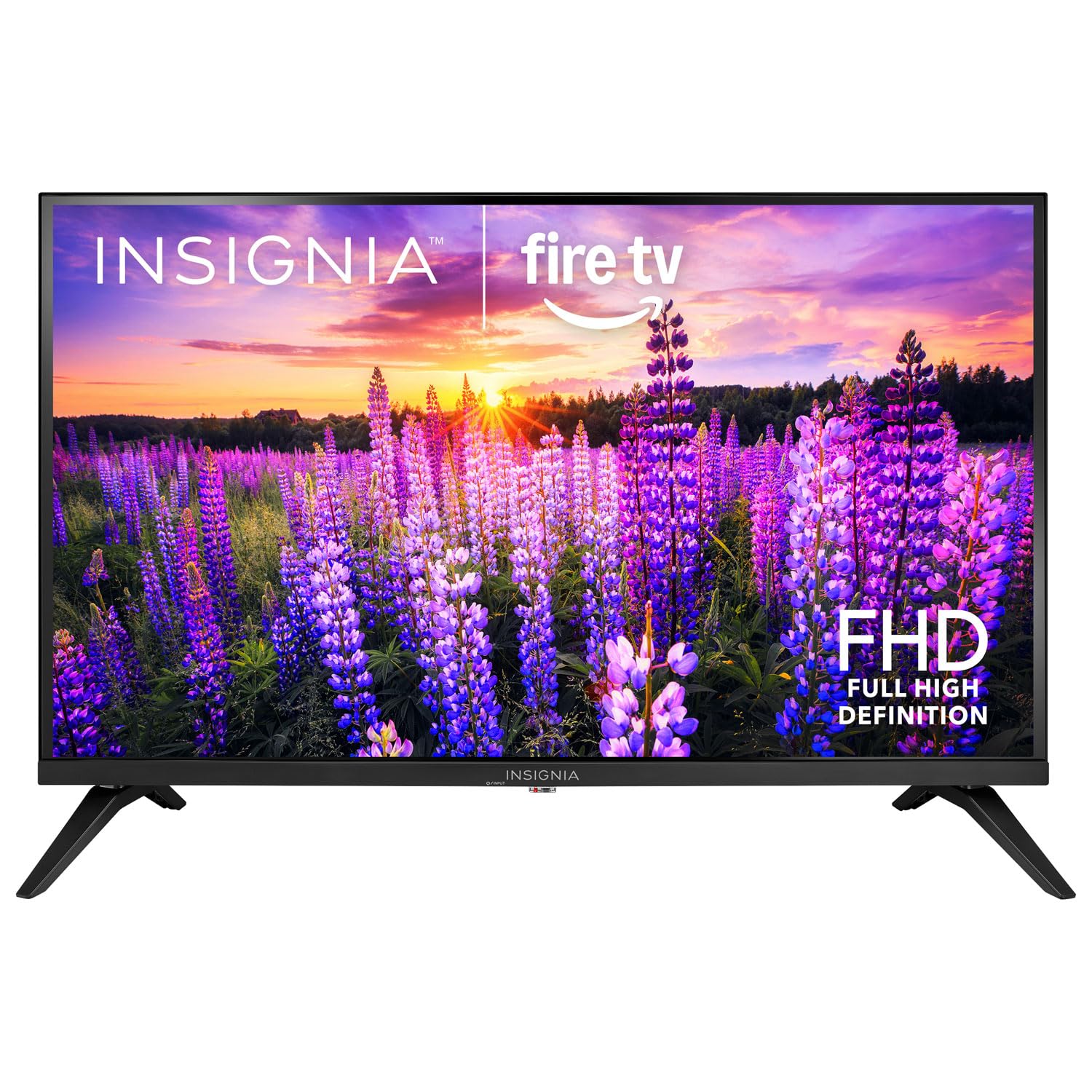
Immaġni: Quddiem view of the Insignia 32-inch Fire TV Smart TV, showing the screen and a remote control.
1. Setup
1.1 Disimballaġġ
Neħħi t-TV u l-aċċessorji kollha mill-imballaġġ bir-reqqa. Żomm il-materjali tal-imballaġġ għal trasport jew ħażna fil-futur.
1.2 Twaħħil tal-Istand jew Immuntar mal-Ħajt
Għall-Installazzjoni tal-Stand:
- Poġġi t-TV wiċċu 'l isfel fuq wiċċ artab u nadif biex tevita li l-iskrin isir ħsara.
- Allinja l-bażijiet tal-istand mat-toqob tal-viti fil-qiegħ tat-TV.
- Waħħal l-istands billi tuża l-viti pprovduti.
Għall-Immuntar tal-Ħajt:
- This TV supports a VESA Mount Standard of 200 x 200 mm.
- Use a compatible wall mount kit (sold separately) and follow its installation instructions.
- Kun żgur li l-ħajt jista' jsostni l-piż tat-TV u l-muntatura.
1.3 Qawwa tal-Konnessjoni
Plug the power cord into the TV's power input, then plug the other end into a working electrical outlet.
1.4 Konnessjoni ta' Apparati Esterni
Your TV includes multiple ports for external devices:
- HDMI Ports (Total 2): Connect Blu-ray players, game consoles, cable/satellite boxes.
- USB 3.0 Port (Total 1): Qabbad apparati tal-ħażna USB għad-daqq tal-midja.
- Input tal-Antenna/Kejbil: Qabbad antenna għal xandiriet bl-ajru jew konnessjoni bil-kejbil.
1.5 Initial Setup (Fire TV OS)
Upon first power-on, the TV will guide you through the Fire TV setup process:
- Tqabbil tal-Kontroll mill-bogħod: Insert the included 2 AAA batteries into the remote. Follow on-screen instructions to pair the remote.
- Konnessjoni tan-Netwerk: Agħżel in-netwerk Wi-Fi tiegħek u daħħal il-password.
- Kont tal-Amazon: Log in with your Amazon account or create a new one.
- Scan tal-Kanal: If using an antenna, the TV will scan for available channels.
- Aġġornamenti tas-Software: The TV may download and install the latest software updates.
2. Tħaddem it-TV tiegħek
2.1 Power On/Off
Agħfas il- Qawwa button on the remote control to turn the TV on or off.
2.2 Navigazzjoni tal-Interfaċċja tat-TV tan-Fire
Uża l-kuxxinett direzzjonali u Agħżel button on your remote to browse the Fire TV home screen, access apps, and navigate menus.
2.3 L-użu tal-Alexa Voice Remote
Agħfas u żomm il- Alexa button on your remote and speak into the microphone to:
- Fittex għal films u programmi televiżivi.
- Launch applications (e.g., "Open Netflix").
- Ikkontrolla l-plejbek (eż., "Pawża", "Avvanza malajr").
- Staqsi mistoqsijiet jew ikseb informazzjoni.
2.4 Aċċess għall-Applikazzjonijiet
Popular streaming services like Amazon Prime Video, Netflix, and YouTube are pre-installed. You can download additional apps from the Amazon Appstore.
2.5 Aġġustament tas-Settings tal-Immaġni u l-Ħoss
Aċċess għall- Settings menu on the Fire TV home screen to adjust:
- Stampa: Brightness, contrast, color, aspect ratio (16:9).
- Ħoss: Volume, sound mode, DTS Virtual-X settings.
- Wiri: Resolution (1080p), refresh rate (120 Hz).
2.6 Kontrolli tal-Ġenituri
The TV includes parental control features. Navigate to the Settings menu, imbagħad agħżel Preferenzi, u mbagħad Kontrolli tal-Ġenituri to set restrictions on content, purchases, and app usage. A PIN is required to enable or disable these controls.
3. Manutenzjoni
3.1 Tindif tat-TV
- Skrin: Imsaħ l-iskrin bil-mod b'ċarruta ratba u mingħajr suf. Għal marki persistenti, nixxef ftit.ampLaħlaħ id-drapp bl-ilma jew b'tindif tal-iskrin iddisinjat speċifikament għat-televiżjonijiet. Tisprejjax likwidu direttament fuq l-iskrin.
- Korp: Imsaħ il-qafas u l-istand tat-TV b'ċarruta ratba u niexfa.
- Dejjem aqla’ t-TV qabel ma tnaddaf.
3.2 Aġġornamenti tas-Software
Your Fire TV Smart TV automatically checks for and installs software updates when connected to the internet. You can manually check for updates in the Settings menu taħt It-TV tan-nar tiegħi > Dwar > Iċċekkja għal Aġġornamenti.
3.3 Sostituzzjoni tal-Batterija tal-Kontroll mill-Bogħod
When the remote control's performance degrades, replace the two AAA batteries. Ensure correct polarity when inserting new batteries.
4 Issolvi l-problemi
| Problema | Kawża Possibbli | Soluzzjoni |
|---|---|---|
| Ebda qawwa | Il-korda tal-enerġija mhux imqabbda; is-sokit mhux qed jaħdem. | Ensure power cord is securely plugged into TV and a live outlet. Test outlet with another device. |
| L-ebda stampa jew ħoss | Sors ta' input mhux korrett; apparat estern mitfi jew skonnettjat. | Agħfas il- Input button on the remote to select the correct source. Check connections of external devices. Ensure devices are powered on. |
| Il-kontroll mill-bogħod ma jaħdimx | Batteriji mejta; il-kontroll remot mhux imqabbad. | Replace batteries (2 AAA). Re-pair remote by holding the Dar button for 10 seconds near the TV. |
| Kwistjonijiet ta 'konnessjoni Wi-Fi | Password mhux korretta; problemi bir-router; it-TV wisq 'il bogħod mir-router. | Verify Wi-Fi password. Restart your router and modem. Move TV closer to router or use a Wi-Fi extender. |
| L-apps ma jitgħabbewx jew jiġġarraf | Temporary software glitch; insufficient memory. | Restart the TV. Clear app cache (Settings > Applications > Manage Installed Applications). Ensure sufficient storage. |
5. Speċifikazzjonijiet
| Numru tal-Mudell | NS-32F401CA26 |
| Daqs tal-Iskrin | 32 Pulzier |
| Teknoloġija tal-Wiri | LCD |
| Riżoluzzjoni | 1080p (Full HD) |
| Riffriskar Rata | 120 Hz |
| Format HDR Appoġġjat | HDR10 |
| Proporzjon ta' l-aspett | 16:9 |
| Teknoloġija tal-Konnettività | Wi-Fi |
| Portijiet HDMI | 2 |
| Portijiet USB 3.0 | 1 |
| Servizzi tal-Internet Appoġġjati | Amazon Prime Video, Netflix, YouTube, Alexa |
| Deskrizzjoni tal-Kelliem | DTS Virtual-X virtual surround sound |
| Integrated Surround Sound Format | DTS Virtual-X |
| Metodu ta' Kontroll | Remote (with Alexa Voice) |
| Batteriji Meħtieġa | 2 AAA (inklużi) |
| Dimensjonijiet tal-Prodott (P x W x H) | 47.3D x 17.1W x 71.9H Ċentimetri |
| Standard tal-Immuntar VESA | 200 x 200 mm |
| Karatteristiċi Addizzjonali | Kontrolli tal-Ġenituri |
6. Garanzija u Appoġġ
For warranty information, please refer to the warranty card included with your product or visit the official Insignia support website. For technical assistance, product registration, or service inquiries, please contact Insignia customer support through their official channels.
Nota: It-termini speċifiċi tal-garanzija u d-dettalji ta' kuntatt għall-appoġġ jistgħu jvarjaw skont ir-reġjun u huma soġġetti għal tibdil.