
KATVR C 2 Core
KATVR KAT Walk C2 Core VR Treadmill Instruction Manual
Model: C 2 Core | Brand: KATVR
1. Introduzzjoni
The KAT Walk C2 Core is a 360° omnidirectional walking pad designed to provide immersive virtual reality (VR) gaming and fitness experiences. It enables natural, full-body movement within VR environments, aiming to reduce motion sickness and enhance user engagement. This device offers a compact footprint suitable for home setups and is compatible with various VR platforms.

Figure 1.1: KAT Walk C2 Core VR Treadmill, KAT VR Shoes, and KAT Nexus Adapter.
2. Informazzjoni dwar is-Sigurtà
Before operating the KAT Walk C2 Core, please read and understand all safety instructions. Failure to follow these guidelines may result in injury or damage to the device.
- Spazju ċar: Ensure a clear and unobstructed area around the treadmill to prevent collisions during use.
- Użu tal-Arness: Always wear the provided safety harness correctly and securely. The harness is designed to prevent falls and maintain balance during dynamic movements.
- Żraben Adatti: Use only the provided KAT VR shoes with the treadmill. Other footwear may not provide the necessary friction or support.
- Restrizzjoni tal-Età: Dan il-prodott huwa rakkomandat għal utenti minn 13-il sena 'l fuq.
- Superviżjoni: Children and individuals with limited physical capabilities should be supervised during use.
- Konsiderazzjonijiet tas-Saħħa: If you experience dizziness, nausea, disorientation, or any discomfort, immediately stop using the device. Consult a medical professional if symptoms persist.
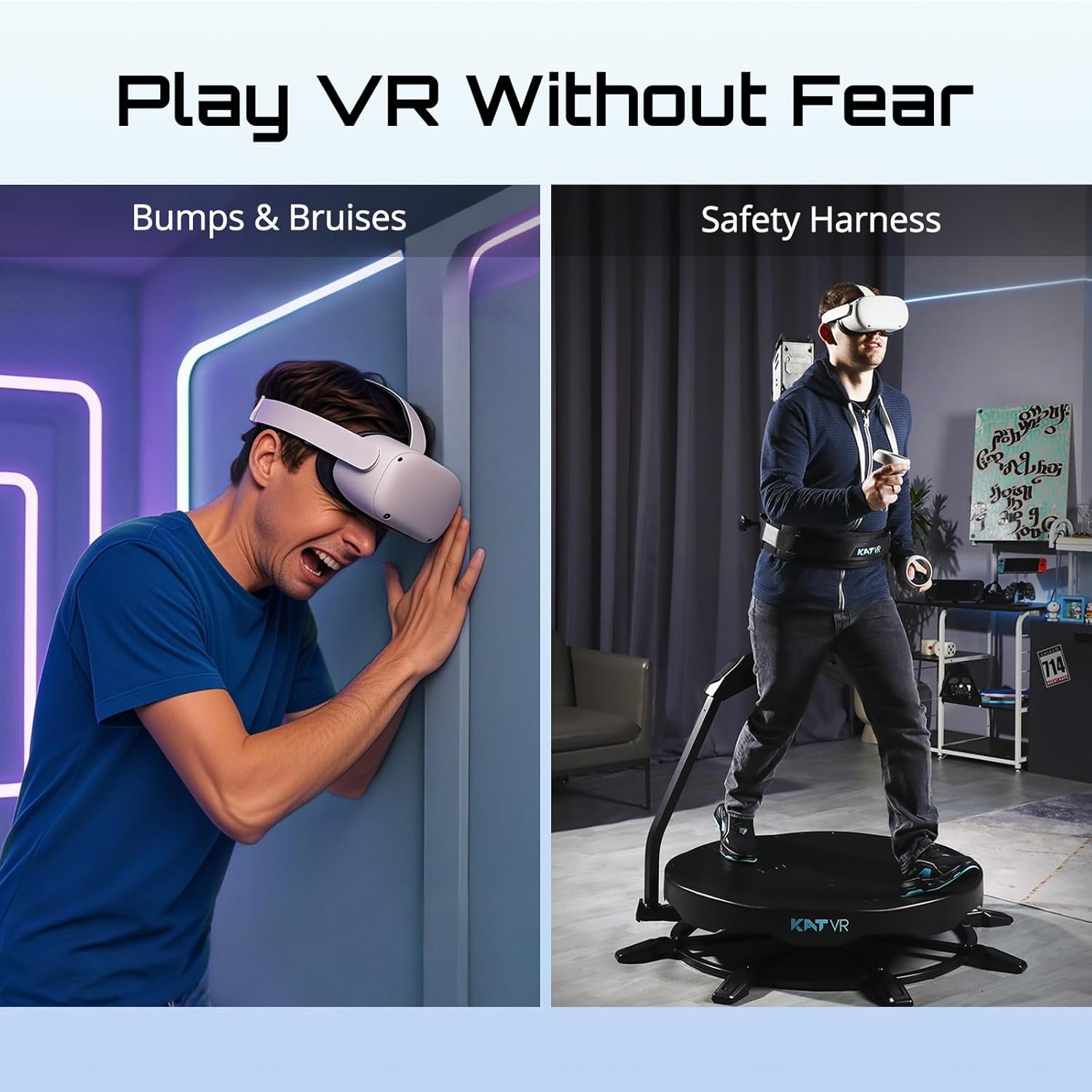
Figure 2.1: The safety harness ensures secure and flexible immersion.
3. Kontenut tal-Pakkett
Ivverifika li l-oġġetti kollha huma preżenti fil-pakkett tiegħek:
- KAT Walk C2 Core Treadmill Unit
- KAT VR Shoes (specific size as ordered)
- KAT Nexus Adapter
- Safety Harness and Support Frame
- Għodda tal-Assemblaġġ u Qafliet
- Manwal għall-Utent (dan id-dokument)
4. Setup
4.1. Assemblea
Detailed assembly instructions are provided in a separate quick start guide included with your package. Ensure all components are securely fastened before proceeding.
4.2. Initial Connection and Calibration
After physical assembly, connect the KAT Nexus adapter to your PC or VR headset as per the specific connection guide for your chosen platform. Follow the on-screen prompts for software installation and initial calibration. Ensure your KAT VR shoes are properly fitted and connected for accurate tracking.
5. Istruzzjonijiet Operattivi
5.1. Liebes l-Apparat
- Put on the KAT VR shoes and ensure they are snug.
- Step onto the treadmill platform.
- Securely fasten the safety harness around your waist and attach it to the support frame. Adjust the harness height for comfort and optimal support.
- Put on your VR headset.
5.2. Movement in VR
The KAT Walk C2 Core allows for 360° omnidirectional movement. Begin by walking naturally on the concave platform. The specialized shoes and low-friction surface, combined with the harness, enable you to walk, run, and move in any direction within your VR environment while remaining in a compact physical space.

Figure 5.1: Natural locomotion on the KAT Walk C2 Core helps reduce VR motion sickness.

Figure 5.2: Experience full-body movement and immersion within your VR games.
6. Kompatibilità
The KAT Walk C2 Core is designed for broad compatibility:
- PC VR Headsets: Fully compatible with SteamVR headsets, including HTC Vive and Valve Index.
- Standalone VR Headsets: Through the included KAT Nexus adapter, enjoy wireless gameplay on standalone devices such as Meta Quest 2, Meta Quest 3, and Meta Quest Pro.
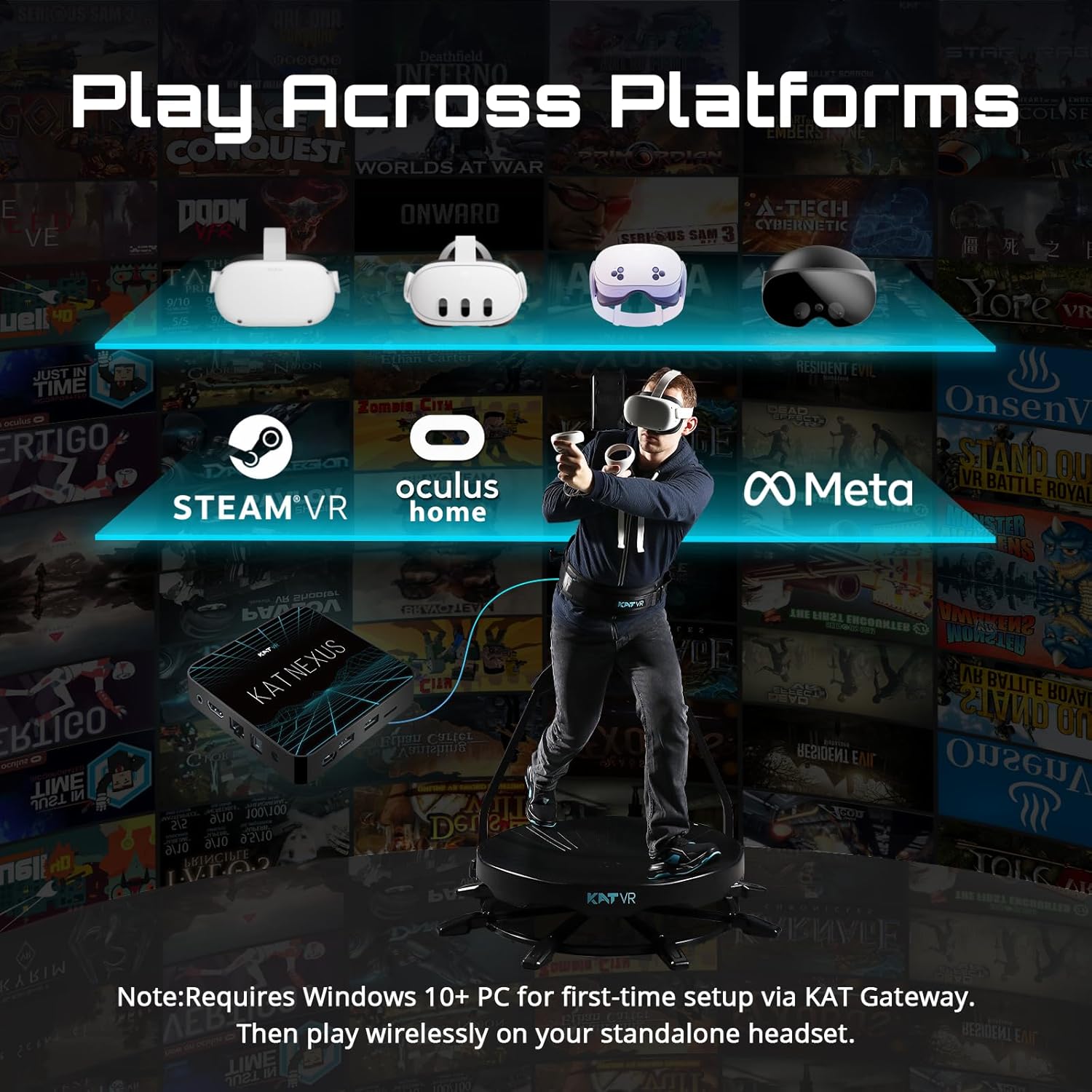
Figure 6.1: Cross-platform compatibility with major VR ecosystems.
7. Manutenzjoni
Regular maintenance ensures the longevity and optimal performance of your KAT Walk C2 Core.
- Tindif: Wipe down the treadmill platform, support frame, and harness with a damp drapp wara kull użu. Evita prodotti tat-tindif jew solventi li joborxu.
- Shoe Care: Keep the KAT VR shoes clean and dry. Inspect them regularly for wear and tear.
- Ħażna: Aħżen l-apparat f'post niexef u frisk 'il bogħod mix-xemx diretta u minn temperaturi estremi.
- Spezzjoni: Iċċekkja perjodikament il-viti u l-konnessjonijiet kollha biex tiżgura li huma ssikkati u siguri.
8 Issolvi l-problemi
If you encounter issues with your KAT Walk C2 Core, refer to the following common solutions:
| Problema | Kawża Possibbli | Soluzzjoni |
|---|---|---|
| No movement detected in VR | Loose shoe connection, software issue, incorrect calibration. | Ensure shoes are properly connected. Restart VR software and recalibrate the device. Check for software updates. |
| Motion tracking is inaccurate | Interference, improper harness adjustment, worn shoes. | Ensure clear space around the device. Adjust harness for snug fit. Inspect shoes for excessive wear. |
| KAT Nexus not connecting | Wi-Fi interference, incorrect setup. | Ensure your PC/headset Wi-Fi is stable (2.4GHz recommended). Re-pair the KAT Nexus via the companion app. |
9. Speċifikazzjonijiet
| Karatteristika | Dettall |
|---|---|
| Dimensjonijiet tal-Prodott | 49"D x 49"W x 79"H |
| Isem tal-Mudell | KAT Walk C 2 Core |
| Brand | KATVR |
| Manifattur | KATVR |
| Teknoloġija tal-Konnettività | Wi-Fi |
| Karatteristiċi Speċjali | 360° Natural Movement, Reduced Motion Sickness, Compact Footprint |
| Komponenti Inklużi | KAT VR shoes, KAT Nexus adapter |
| Apparati Kompatibbli | VR headsets (SteamVR, Meta Quest series) |
| Użi Speċifiċi | Logħob |
| Medda ta' Età | 13 snin 'il fuq |
10. Garanzija u Appoġġ
For detailed warranty information, technical support, or to purchase replacement parts, please visit the official KATVR webis-sit jew ikkuntattja lis-servizz tal-konsumatur tagħhom direttament. Żomm il-prova tax-xiri tiegħek għal talbiet ta' garanzija.
Manifattur: KATVR
Appoġġ onlajn: Refer to the official KATVR websit għal FAQs, gwidi għas-soluzzjoni tal-problemi, u informazzjoni ta’ kuntatt.
Ask a question about this manual
Ask about setup, troubleshooting, compatibility, parts, safety, or missing instructions. Manuals+ will review the question and use this page’s manual context to help answer it.