
Introduzzjoni
This manual provides essential information for setting up, operating, and maintaining your Lenovo ThinkCentre M700 Tiny Desktop PC. This compact desktop computer is designed for productivity and efficiency, offering a small footprint to maximize your workspace. It comes equipped with a 6th Gen Quad Core i5-6500 processor, 16GB DDR4 RAM, a 256GB Solid State Drive, and runs on Windows 11 Pro. The system includes a 24-inch Full HD monitor, keyboard, and mouse for a complete computing experience.

Figure 1: Complete Lenovo ThinkCentre M700 Tiny Desktop PC setup.
X'hemm fil-Kaxxa
Il-pakkett tiegħek għandu jkun fih l-oġġetti li ġejjin:
- 1 Lenovo ThinkCentre M700 Tiny Business Desktop PC
- 1 24-inch FHD Monitor
- 1 Tastiera
- 1 Ġurdien
- 1 Korda tal-Enerġija
Gwida ta' Setup
Follow these steps to set up your Lenovo ThinkCentre M700 Tiny Desktop PC:
- Ħoll il-Komponenti: Neħħi l-oġġetti kollha mill-imballaġġ bir-reqqa. Kun żgur li l-komponenti kollha elenkati huma preżenti.
- Qabbad il-Monitor: Connect the 24-inch FHD monitor to one of the DisplayPort outputs on the rear of the ThinkCentre M700 Tiny PC using a DisplayPort cable. Connect the monitor's power cable to an electrical outlet.
- Qabbad it-Tastiera u l-Maws: Plug the USB keyboard and mouse into any available USB 3.0 ports on the front or rear of the PC.
- Qabbad l-Enerġija: Connect the PC's power cord to the power input on the rear of the PC, then plug it into an electrical outlet.
- Qawwa Mixgħul: Press the power button on the front of the ThinkCentre M700 Tiny PC. Then, power on the monitor. The system will boot into Windows 11 Pro.
- Setup Inizjali: Follow the on-screen instructions to complete the Windows 11 Pro initial setup, including network connection (WiFi or Ethernet via RJ-45 port), user account creation, and privacy settings.

Figure 2: Rear ports of the ThinkCentre M700 Tiny, including DisplayPort connections.

Figure 3: Front ports of the ThinkCentre M700 Tiny, including USB 3.0 ports.
Istruzzjonijiet Operattivi
Your Lenovo ThinkCentre M700 Tiny PC comes pre-installed with Windows 11 Pro, offering a secure and efficient operating environment.
- Power On/Off: Press the power button on the front of the PC to turn it on. To shut down, click the Start button, then Power, and select "Shut down."
- Konnettività: Utilize the multiple USB 3.0 ports for peripherals. Connect to the internet via integrated WiFi or the RJ-45 Ethernet port. Bluetooth is also available for wireless accessories.
- Wiri: The system supports dual display output via its two DisplayPort connections, allowing for extended desktop configurations.
- Prestazzjoni: The Intel Quad Core i5-6500 processor and 16GB DDR4 RAM provide ample power for multitasking, web browsing, office applications, and multimedia consumption. The 256GB SSD ensures fast boot times and quick application loading.
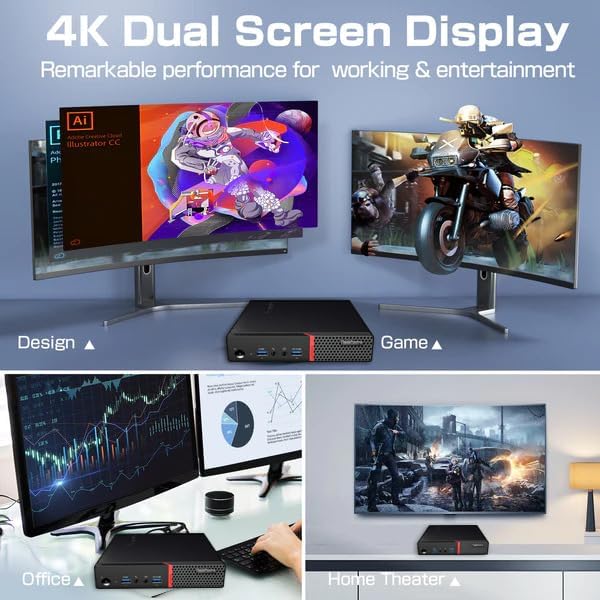
Figure 4: Illustrates dual screen display functionality for various applications.
Manutenzjoni
Manutenzjoni regolari tgħin biex tiżgura l-lonġevità u l-prestazzjoni ottimali tal-PC tiegħek.
- Żommha Nadif: Regularly clean the exterior of the PC and monitor with a soft, dry cloth. Use compressed air to clear dust from vents to prevent overheating.
- Aġġornamenti tas-Software: Ensure Windows 11 Pro and all drivers are kept up-to-date. This improves security and performance.
- Backup tad-Data: Agħmel backup tad-dejta importanti perjodikament fuq drajv estern jew ħażna fil-cloud.
- Protezzjoni Antivirus: Maintain active antivirus software to protect against malware and viruses.
Issolvi l-problemi
Jekk tiltaqa' ma' problemi, ipprova dawn il-passi bażiċi għas-soluzzjoni tal-problemi:
- Ebda Qawwa: Check all power connections to the PC and monitor. Ensure the power outlet is functional.
- Ebda Display: Verify the DisplayPort cable is securely connected to both the PC and the monitor. Ensure the monitor is powered on and set to the correct input source.
- Periferali Mhux Jaħdem: Try plugging the keyboard or mouse into a different USB port. Ensure drivers are installed if required (usually automatic for basic peripherals).
- Ebda Konnessjoni tal-Internet: Check your WiFi connection settings or ensure the Ethernet cable is properly connected to the RJ-45 port and your router/modem.
- Tnaqqis tas-Sistema: Close unnecessary applications. Check for background processes consuming high resources using Task Manager (Ctrl+Shift+Esc).
Speċifikazzjonijiet
| Karatteristika | Dettall |
|---|---|
| Brand | Lenovo |
| Mudell | ThinkCentre M700 Ċkejkna |
| Proċessur | 6th Gen Intel Quad Core i5-6500 (up to 3.6GHz) |
| RAM | 16GB DDR4 |
| Ħażna | Sewqan ta' Stat Solidu (SSD) ta' 256GB |
| Sistema Operattiva | Windows 11 Pro (64-bit) |
| Koproċessur tal-Grafika | Grafika Intel UHD 630 (Integrata) |
| Monitor | FHD ta' 24 pulzieri (1920 x 1080) |
| Portijiet ta' quddiem | 2x USB 3.0 (one Always On/fast charge), 1x Microphone, 1x Headphone/Microphone combo jack |
| Portijiet ta' wara | 4x USB 3.0, 1x RJ-45 (Ethernet), 2x DisplayPort, 1x Headphone |
| Wireless | Bluetooth, Wi-Fi |
| Dimensjonijiet (PC) | 7.1 x 1.3 x 7 pulzieri (L x W x H) |
| Piż (PC) | 4.1 liri |

Figure 5: Dimensions of the ThinkCentre M700 Tiny PC.
Informazzjoni dwar Garanzija
This Lenovo ThinkCentre M700 Tiny Desktop PC comes with a Garanzija limitata ta '90 jumJekk jogħġbok irreferi għad-dokumentazzjoni tal-garanzija inkluża max-xiri tiegħek għat-termini u l-kundizzjonijiet sħaħ.
Appoġġ
Għal assistenza teknika, downloads ta' sewwieqa, jew aktar appoġġ, jekk jogħġbok żur is-sit uffiċjali tal-appoġġ ta' Lenovo website or contact your seller. Ensure you have your product model number and serial number ready when seeking support.