
1. Introduzzjoni
This manual provides detailed instructions for the operation and maintenance of your HOVOYNN M10-128G MP3 Player. This portable digital music player features Bluetooth 5.3, a 2.8-inch touchscreen, 128GB internal storage, HiFi lossless sound, FM radio, voice recording, and e-book capabilities. Please read this manual thoroughly before use to ensure optimal performance and longevity of your device.
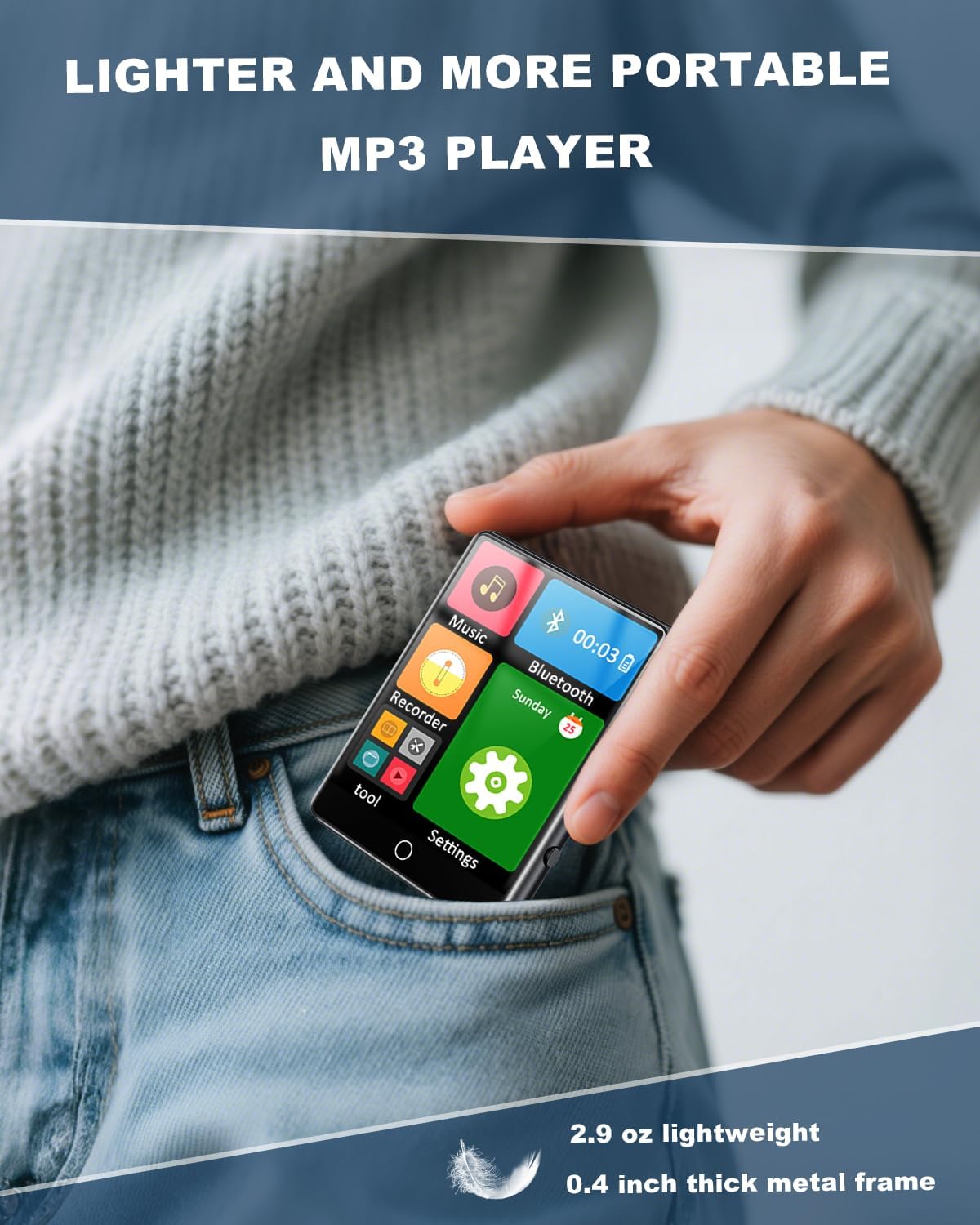
Figure 1.1: The HOVOYNN M10-128G MP3 Player, designed for portability.
Vidjo 1.1: Overview of the 128GB MP3 Player with Bluetooth 5.3, showcasinil-karatteristiċi u d-disinn tiegħu.
2. Informazzjoni dwar is-Sigurtà
- Tesponix l-apparat għal temperaturi estremi, dawl tax-xemx dirett, jew umdità għolja.
- Evita li twaqqa’ jew tissuġġetta l-apparat għal impatti qawwija.
- Żomm l-apparat 'il bogħod mill-ilma u likwidi oħra.
- Tippruvax iżarma jew isewwi l-apparat lilek innifsek. Ikkuntattja l-appoġġ tal-klijent għall-assistenza.
- Uża biss il-kejbil tal-iċċarġjar u l-aċċessorji pprovduti.
- Smigħ fit-tul f'livelli ta' volum għoli jista' jikkawża ħsara fis-smigħ.
3. Kontenut tal-Pakkett
Ivverifika li l-oġġetti kollha huma preżenti fil-pakkett:
- HOVOYNN M10-128G Portable MP3 Player
- Cable tal-Iċċarġjar tal-USB-C
- Headphones bil-fili
- Istruzzjonijiet għall-Utent (dan il-manwal)
4. Prodott Aktarview
Familiarize yourself with the physical components and interface of your MP3 player.

Figura 4.1: Quddiem view of the HOVOYNN M10-128G MP3 Player, showing the main interface and connected headphones.

Figure 4.2: Key features of the HOVOYNN M10-128G MP3 Player.
5. Setup
5.1. Iċċarġjar tal-Apparat
Before first use, fully charge your MP3 player. Connect the provided USB-C cable to the device's charging port and the other end to a USB power adapter (not included) or a computer's USB port. The battery indicator on the screen will show charging status.
5.2. Ġestjoni tal-Memorja
The device comes with 128GB of built-in memory. You can expand storage by inserting a Micro SD card (up to 128GB, not included) into the designated slot. Ensure the card is inserted correctly.

Figure 5.1: The MP3 player with an external Micro SD card, demonstrating memory expansion.

Figure 5.2: Storage capacity details for the MP3 player.
5.3. Connecting to a Computer & File Trasferiment
Biex tittrasferixxi files (music, videos, photos, e-books) to your MP3 player, connect it to your computer using the provided USB-C cable. The device should appear as a removable disk. Drag and drop your files fil-fowlders xierqa fuq l-apparat.
Vidjo 5.1: Istruzzjonijiet dwar kif tittrasferixxi files from a computer to the MP3 player.
6. Istruzzjonijiet Operattivi
6.1. Power On/Off
Press and hold the power button on the side of the device to turn it on or off.
6.2. Navigazzjoni fuq Touch Screen
The 2.8-inch touchscreen allows for intuitive navigation. Swipe left/right or tap icons to access different functions and settings.

Figure 6.1: Demonstrating sensitive full-screen touch control.

Figure 6.2: The 2.8-inch large color screen for clear viewing.

Figure 6.3: Easy control through the full touch screen.
6.3. Daqq tal-mużika
Tap the 'Music' icon to access your music library. The player supports MP3, WMA, APE, FLAC, WAV, and AAC formats. Enjoy HiFi lossless sound quality through headphones or the built-in speaker.
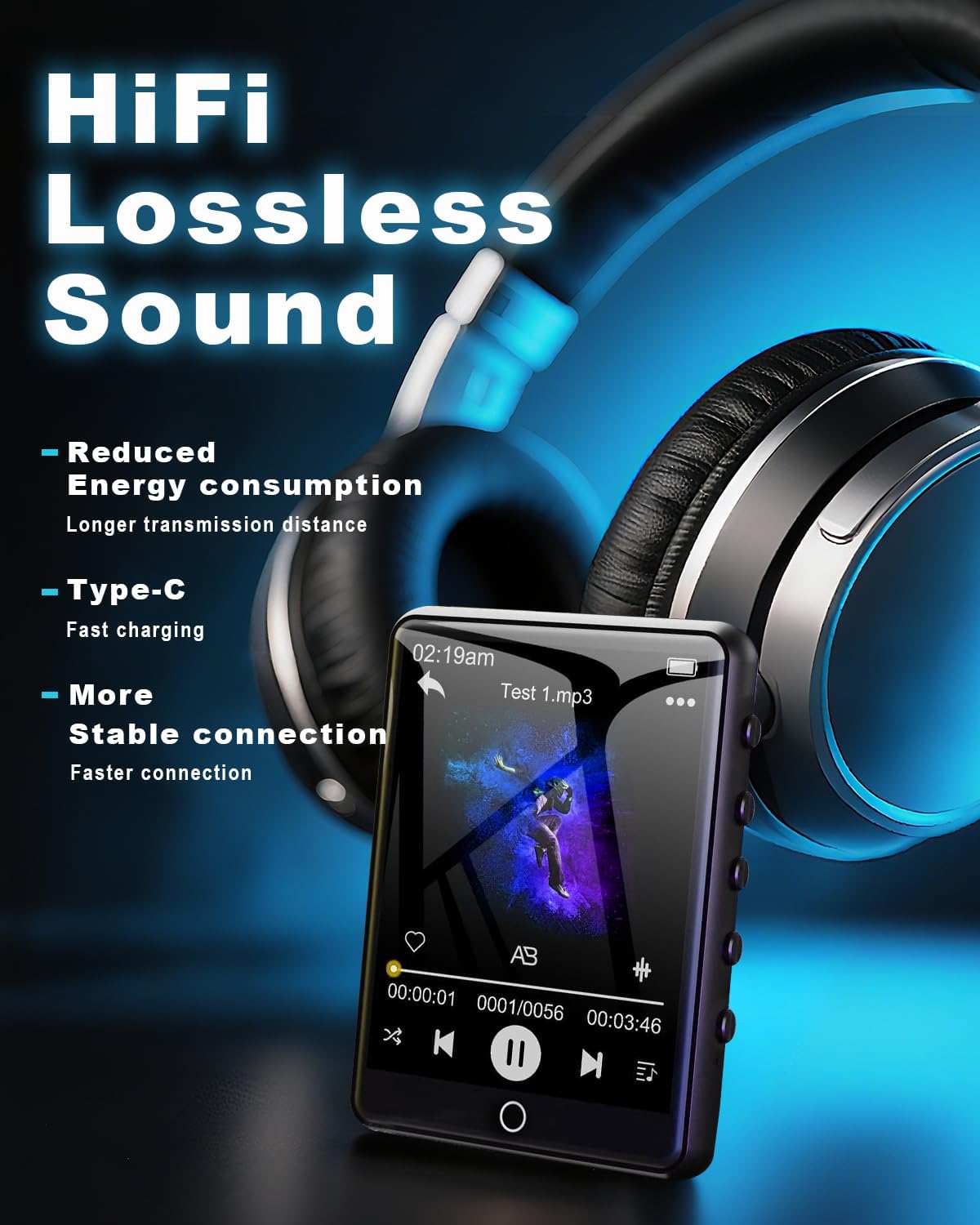
Figure 6.4: Enjoying HiFi lossless sound with headphones.

Figure 6.5: High-fidelity lossless sound quality experience.

Figure 6.6: The built-in speaker for audio playback without headphones.

Figure 6.7: Music playback options and controls.

Figure 6.8: Supported media formats for the MP3 player.
6.4. Konnettività Bluetooth
Activate Bluetooth by tapping the 'Bluetooth' icon. Pair with compatible Bluetooth headphones or speakers for wireless audio streaming. The device features Bluetooth 5.3 for faster data transfer and stable connections.
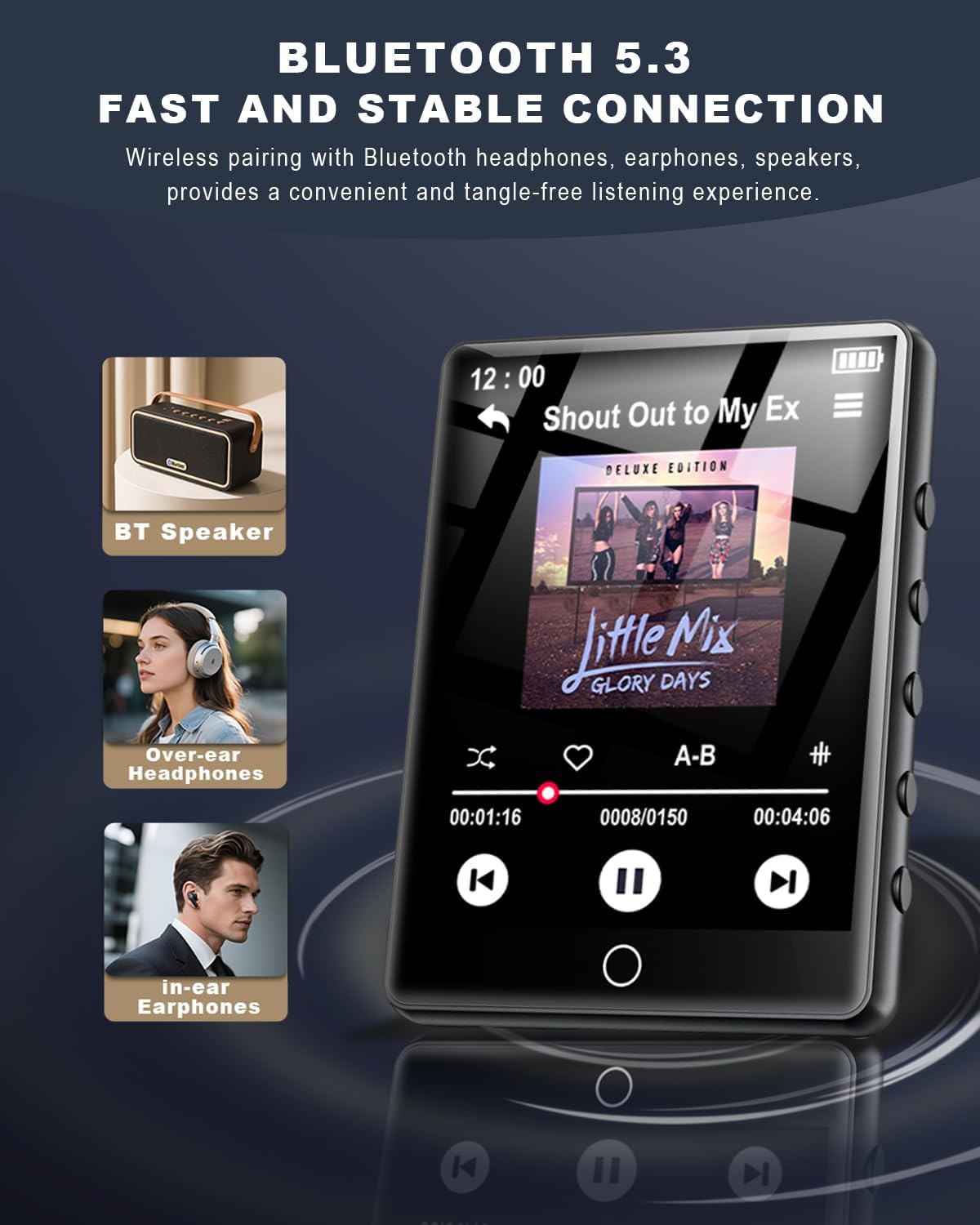
Figure 6.9: Bluetooth 5.3 connectivity with various audio devices.

Figure 6.10: Fast and stable Bluetooth 5.3 connection.
6.5. Radju FM
To use the FM radio, connect the wired headphones (included) as they act as an antenna. Tap the 'FM Radio' icon to access radio functions. You can scan for stations and save your favorites.

Figure 6.11: FM Radio icon.
6.6. Voice Recorder
Tap the 'Recorder' icon to access the voice recording function. You can record audio memos and save them directly to the device's memory.

Figure 6.12: Voice Recorder icon.
6.7. Qarrej tal-E-Book
Tap the 'E-Book' icon to read TXT format e-books. The touchscreen allows for easy page navigation.

Figure 6.13: E-Book icon.
6.8. Funzjonijiet Oħra
The MP3 player includes additional tools such as a pedometer, alarm clock, calendar, and stopwatch. Access these features through the main menu or 'Tool' section.

Figure 6.14: Alarm Clock function settings.

Figura 6.15: Aktarview of multi-functional capabilities.
7. Manutenzjoni
- Clean the device regularly with a soft, dry cloth. Avoid using abrasive cleaners or solvents.
- Keep the screen free from dust and fingerprints for optimal touch response.
- Aħżen l-apparat f'post frisk u niexef meta ma jkunx qed jintuża.
- Biex ittawwal il-ħajja tal-batterija, evita li tiċċarġja kompletament il-batterija ta' spiss.
8 Issolvi l-problemi
| Ħruġ | Soluzzjoni Possibbli |
|---|---|
| L-apparat ma jixgħelx | Kun żgur li l-batterija hija ċċarġjata. Qabbad ma' sors ta' enerġija u erġa' pprova. |
| Ma jistax jittrasferixxi files | Ensure the USB-C cable is securely connected. Try a different USB port or computer. Verify the device is in 'File Transfer' mode if prompted. |
| Apparat Bluetooth mhux pairing | Ensure the Bluetooth device is in pairing mode and within range. Restart both devices and try again. |
| No FM radio signal | Ensure wired headphones are plugged in, as they function as the antenna. Adjust your location for better reception. |
| Touchscreen ma jirrispondix | Erġa' ibda l-apparat. Kun żgur li l-iskrin ikun nadif u niexef. |
9. Speċifikazzjonijiet
- Isem tal-Mudell: MP3 Player M10-128G
- Ditta: HOVOYNN
- Kapaċità tal-Ħżin tal-Memorja: 128 GB (expandable up to 128GB via Micro SD)
- Daqs tal-iskrin: 2.8 Pulzier
- Teknoloġija tal-Konnettività: Bluetooth 5.3, USB
- Karatteristiċi Speċjali: Built-In Speaker, FM Radio, Touch Screen, Voice Recorder, E-Book, Pedometer, Alarm Clock, Calendar, Stopwatch, A-B Repeat
- Apparati Kompatibbli: Headphones, Kelliema
- Tip tal-Midja: Mikro SD
- Piż tal-oġġett: 2.96 uqija
- Batteriji: 1 batterija tal-jone tal-litju (inkluża)
10. Garanzija u Appoġġ
For warranty information and technical support, please refer to the contact details provided with your purchase documentation or visit the official HOVOYNN websit. Żomm il-prova tax-xiri tiegħek għal talbiet ta' garanzija.