
1. Prodott Aktarview
The Doohoeek Universal Travel Keyboard Plus is a versatile, portable keypad designed for enhanced typing across multiple devices. It features dual Bluetooth connectivity, 7-color backlighting, and an integrated stand for optimal viewing angles. Compatible with iOS, Android, and Windows operating systems, this keyboard is ideal for tablets, foldable phones, and laptops.
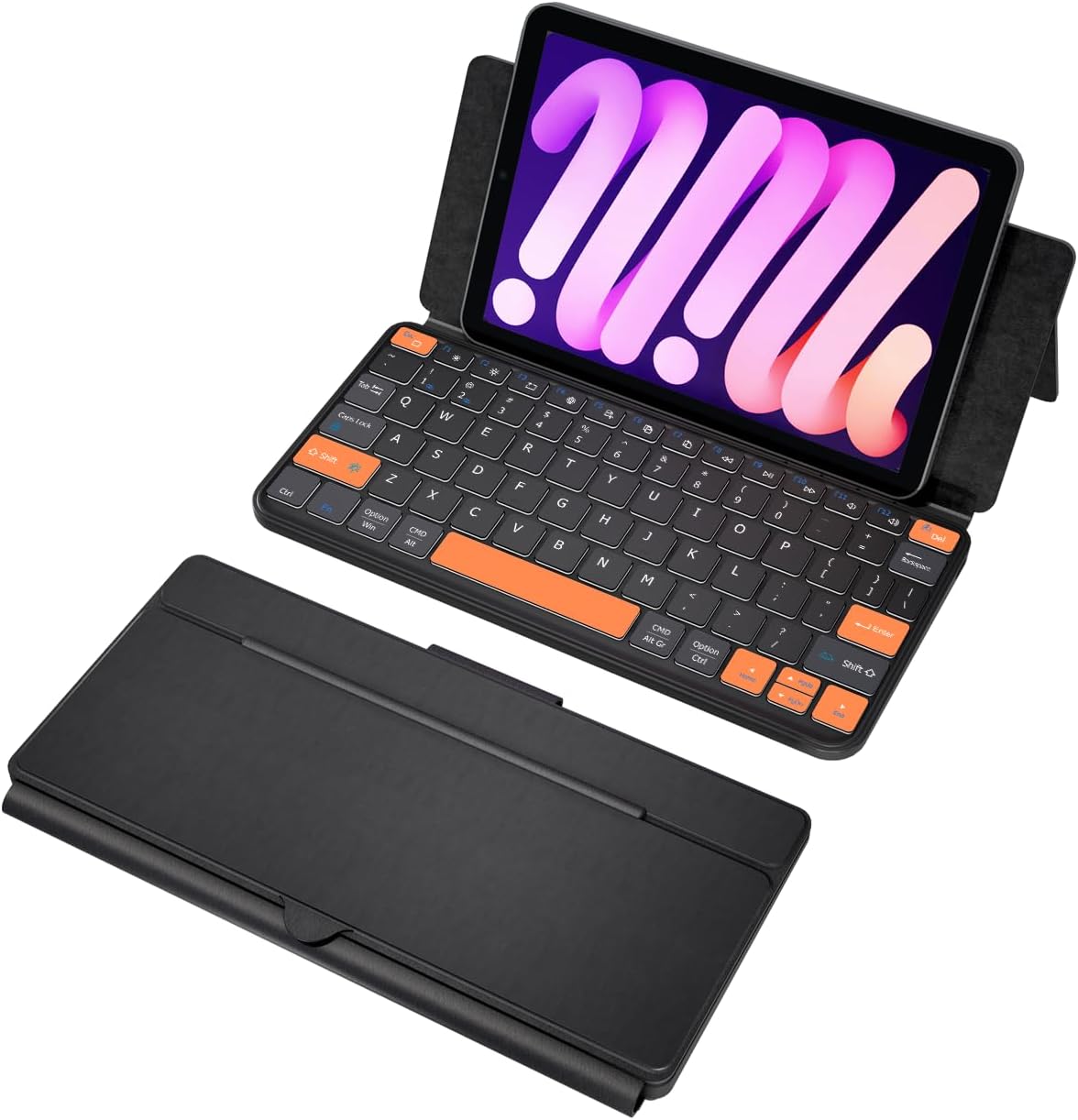
Image: The Doohoeek Universal Travel Keyboard Plus, showcasing its compact, foldable design and backlit keys. The image displays the keyboard both folded for portability and unfolded, ready for use, with a phone placed in its integrated stand.
2. Setup u Konnessjoni
2.1. Iċċarġjar Inizjali
Before first use, ensure the keyboard is fully charged. Connect the provided USB-C charging cable to the keyboard's charging port and a compatible USB power source. The charging indicator light will show the charging status.
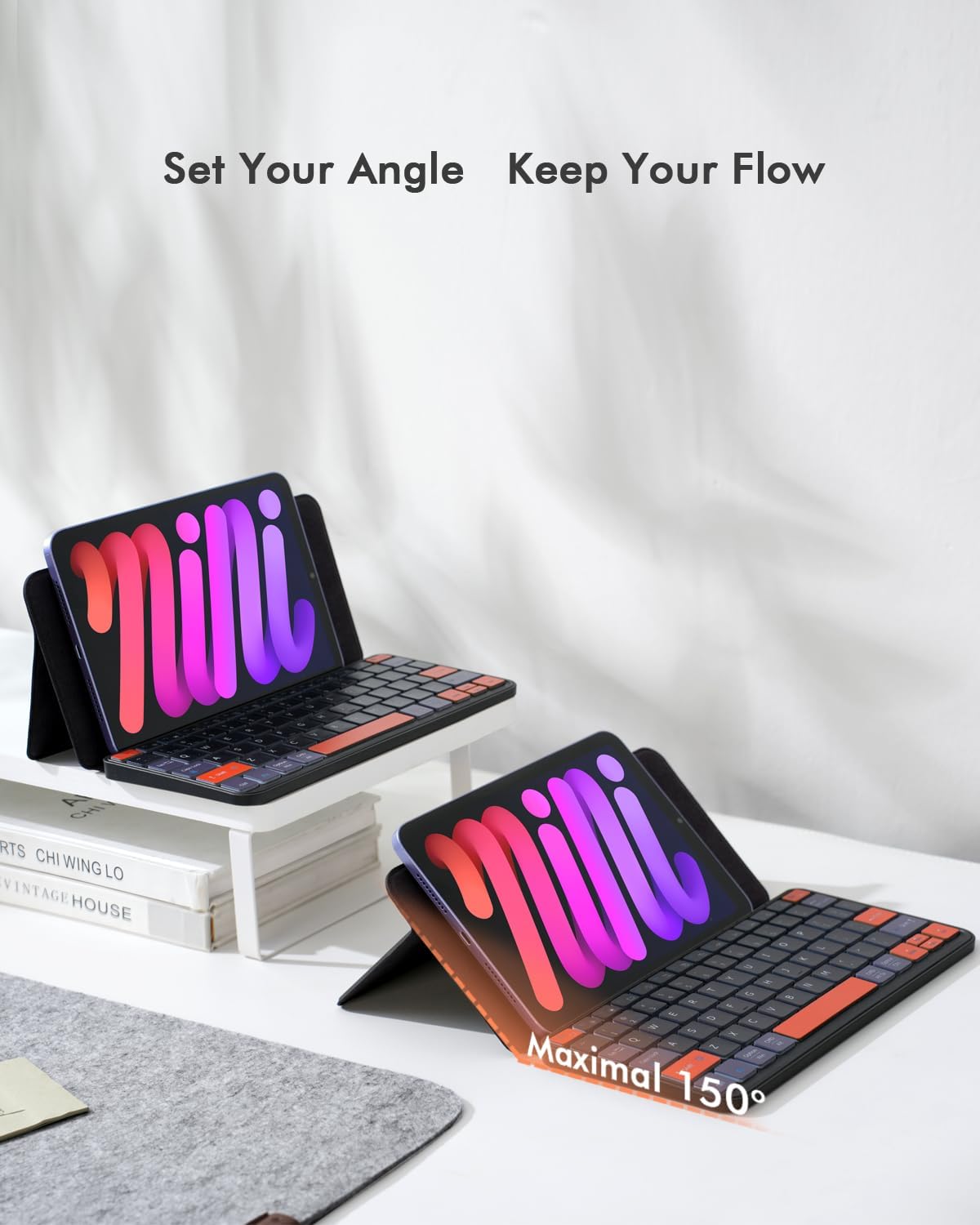
Image: The keyboard connected to a USB-C charging cable, illustrating the charging process. Icons indicate a 500mAh battery, 1.5-2 hours charging time, 150 hours continuous working time, and 30 days standby.
2.2. Tqabbil tal-Bluetooth
- Ixgħel it-tastiera billi tuża l-iswiċċ tal-enerġija li jinsab fuq il-ġenb.
- Press and hold the first and the last key at the top row of the keyboard until all indicator lights start flashing.
- The Bluetooth light will flicker quickly, indicating it has entered Bluetooth pairing mode. (If not, press fn+1 or fn+2 to activate pairing mode for the desired channel).
- On your device (tablet, phone, or laptop), go to Bluetooth settings and search for "Wireless keyboard".
- Select "Wireless keyboard" to complete the pairing process.
Video: A demonstration of connecting the Doohoeek Universal Travel Keyboard Plus to a device via Bluetooth, showing the pairing process and key functionality.
Vidjo: Overview of the Doohoeek Universal Travel Keyboard Plus, highlighting its features and ease of setup with various devices.
3. Istruzzjonijiet Operattivi
3.1. Using the Integrated Stand
The keyboard features an integrated stand that allows you to prop up your tablet or phone at various angles, up to 150 degrees, for comfortable typing and viewing. Simply unfold the keyboard and adjust the stand to your desired position.

Image: The keyboard with a tablet securely placed in its integrated stand, demonstrating the adjustable angle for comfortable use.
3.2. Kontroll tad-dawl ta 'wara
The keyboard offers 7-color adjustable backlighting with 3 levels of brightness. To change the backlight color, press Fn + Shift. To adjust brightness, press Fn + Alt. Note that the backlight illuminates the perimeter and gaps around the keys, providing an ambient glow, but the letters/symbols on the keycaps themselves do not light up.

Immaġni: Close-up view of the keyboard's keys, showcasing the vibrant 7-color backlighting in action.
3.3. Dual-Device Switching
This keyboard supports connection to two different devices simultaneously. To switch between connected devices, press fn+1 or fn+2.

Image: The keyboard simultaneously connected to an iPad and a laptop, demonstrating the seamless switching capability between two devices.
3.4. Kompatibilità tas-Sistema Operattiva
The keyboard is compatible with iOS, Android, and Windows operating systems. It features an enhanced layout with larger keys and additional shortcuts, optimized for comfortable typing on various devices including iPads, Android tablets, and foldable phones.

Image: The keyboard displaying its multi-OS compatibility with Android, iOS, and Windows logos, indicating broad device support.
4. Manutenzjoni
To ensure the longevity and optimal performance of your Doohoeek Universal Travel Keyboard Plus, follow these maintenance guidelines:
- Tindif: Uża drapp artab u niexef biex timsaħ il-wiċċ tat-tastiera. Għal ħmieġ persistenti, nixxef ftit.ampLaħlaħ id-drapp bl-ilma jew b'soluzzjoni ħafifa tat-tindif. Evita umdità eċċessiva.
- Ħażna: Meta ma tkunx qed tużaha, itwi t-tastiera biex tipproteġi ċ-ċwievet u l-iskrin. Aħżenha f'post frisk u niexef 'il bogħod mix-xemx diretta u minn temperaturi estremi.
- Kura tal-batterija: Biex iżżomm il-batterija f'saħħitha, evita li tneħħi t-tastiera kompletament ta' spiss. Iċċarġjaha regolarment, anke jekk ma tkunx qed tużaha kontinwament.
- Evita Likwidi: Żomm it-tastiera 'l bogħod mil-likwidi biex tevita li tagħmel ħsara lill-komponenti interni.
5 Issolvi l-problemi
5.1. Kwistjonijiet ta' Konnessjoni Bluetooth
If you experience difficulty connecting the Bluetooth or if the connection is unstable, please follow these steps:
- Ixgħel it-tastiera.
- Press and hold the first and the last key at the top row of the keyboard until all indicator lights start flashing.
- The Bluetooth light should flicker quickly, automatically entering Bluetooth pairing mode. (If not, press fn+1 or fn+2).
- On your device, search for and select "Wireless keyboard" in the Bluetooth settings to reconnect.
- Ensure your device's Bluetooth is enabled and the keyboard is within range.
6. Speċifikazzjonijiet
| Karatteristika | Dettall |
|---|---|
| Brand | Doohoeek |
| Mudell | Universal Travel Keyboard Plus (B0F9179JND) |
| Teknoloġija tal-Konnettività | Bluetooth |
| Apparati Kompatibbli | Laptops, Smartphones (iPhones, Z Fold Series, Z Flip Series & other Keyboard-Enabled Phones), Tablets (Galaxy Tabs, iPads, Lenovo Tabs, Pixel Tabs & other Tablets) |
| Karatteristiċi Speċjali | Backlit (7-Color), Integrated Stand, Rechargeable |
| Kulur | Iswed |
| Materjal | Plastik |
| Sors tal-Enerġija | Imħaddem bil-batterija (500mAh) |
| Ħin tal-Iċċarġjar | 1.5-2 sigħat |
| Ħin ta' Ħidma Kontinwu | 150 sigħat |
| Ħin ta' Standby | 30-il jum |
| Layout tat-Tastiera | QWERTY |
| Numru ta' Ċwievet | 84 |
| Minimum Required OS | Windows 10, iPadOS 13 |
| Komponenti Inklużi | 1 x Kaxxa tat-Tastiera |
7. Garanzija u Appoġġ
The Doohoeek Universal Travel Keyboard Plus comes with a 1 Snin Garanzija. For any support inquiries or warranty claims, please contact Doohoeek customer service through your purchase platform or the official brand websit.