
Prodott Overview
The Doohoeek Universal Keyboard Case is designed to enhance the functionality of 9-11 inch tablets. It features a detachable Bluetooth keyboard with a trackpad, multi-color backlighting, and a versatile stand. The case utilizes a unique washable and reusable adhesive mounting system for secure attachment to your tablet.
This keyboard case is compatible with a wide range of tablets, specifically those measuring 9-11 inches with a top-left positioned camera. It offers seamless connectivity to two Bluetooth devices, allowing for efficient multitasking across different operating systems.
Setup Istruzzjonijiet
1. Tablet Compatibility and Mounting
Ensure your tablet is between 9 and 11 inches in size and has its camera located in the top-left corner. This case is designed exclusively for such configurations.

Figure 1: Tablet Compatibility. The image displays three tablets of 9, 10, and 11 inches, illustrating how they fit into the case and emphasizing the requirement for a top-left camera position.
The case uses residue-free adhesive pads for secure tablet attachment. These pads are designed to leave no damage on your device. Four extra adhesive pads are included for long-term use.
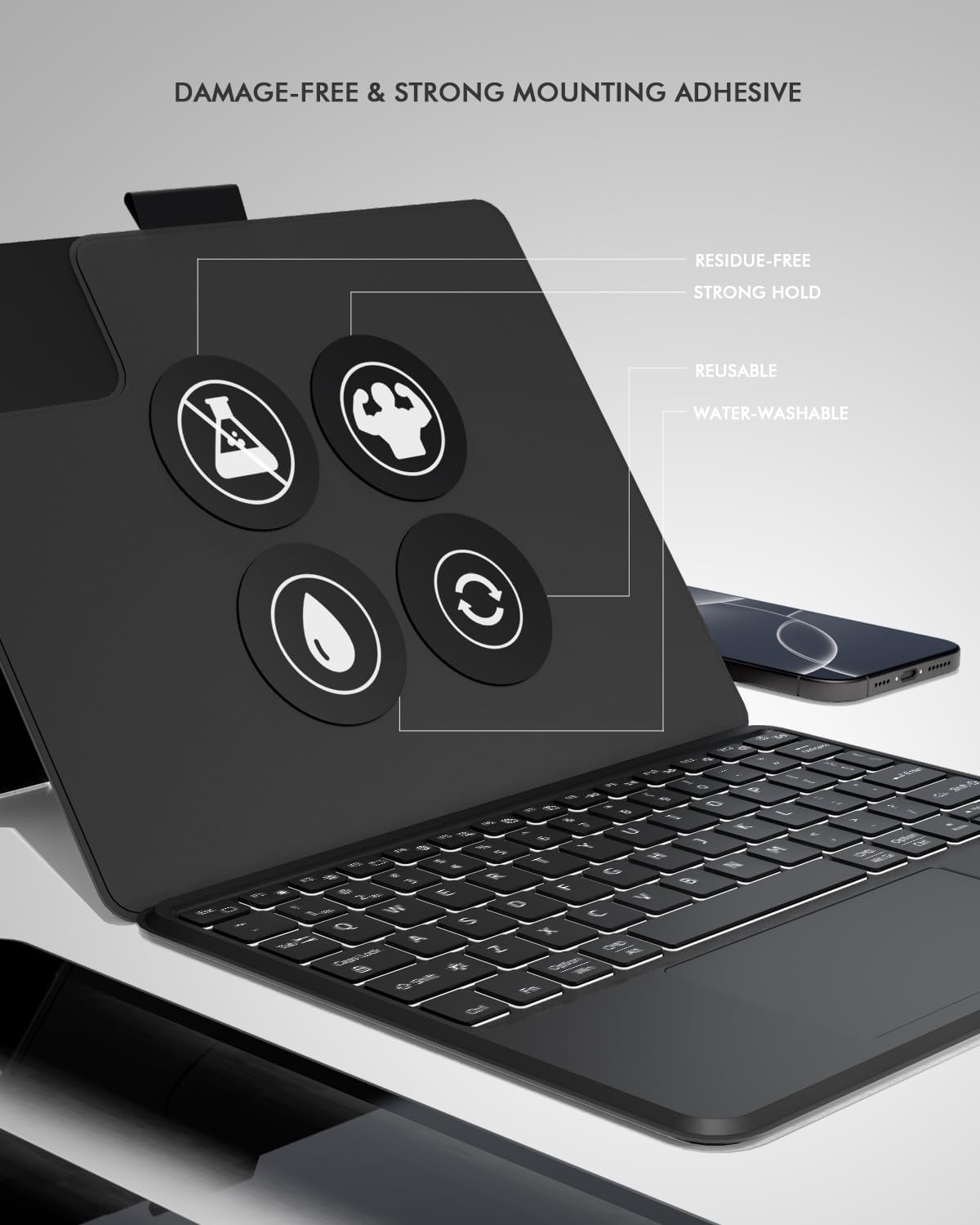
Figure 2: Adhesive Mounting Pads. This image highlights the four adhesive pads on the case, detailing their key features: residue-free, strong hold, reusable, and water-washable.
2. Konnessjoni Bluetooth
- Kun żgur li t-tastiera hija ċċarġjata.
- Ixgħel it-tastiera.
- Activate Bluetooth on your tablet.
- Agħfas u żomm il- Fn ċavetta u l- C Agħfas it-tast simultanjament fuq it-tastiera biex tidħol fil-modalità ta' tqabbil. Id-dawl indikatur tal-Bluetooth se jteptep.
- On your tablet, search for available Bluetooth devices and select the keyboard (e.g., "Bluetooth Keyboard").
- Segwi kwalunkwe prompts fuq l-iskrin biex tlesti l-proċess ta 'tqabbil.
Istruzzjonijiet Operattivi
1. Konnettività bejn Apparati Multipli
The keyboard supports connection to two Bluetooth devices simultaneously. To switch between connected devices:
- Agħfas fn+1 biex taqleb għall-ewwel apparat imqabbad.
- Agħfas fn+2 biex taqleb għat-tieni apparat imqabbad.
2. Backlit Keyboard
The keyboard features 7-color backlighting with 3 brightness levels for use in various lighting conditions.
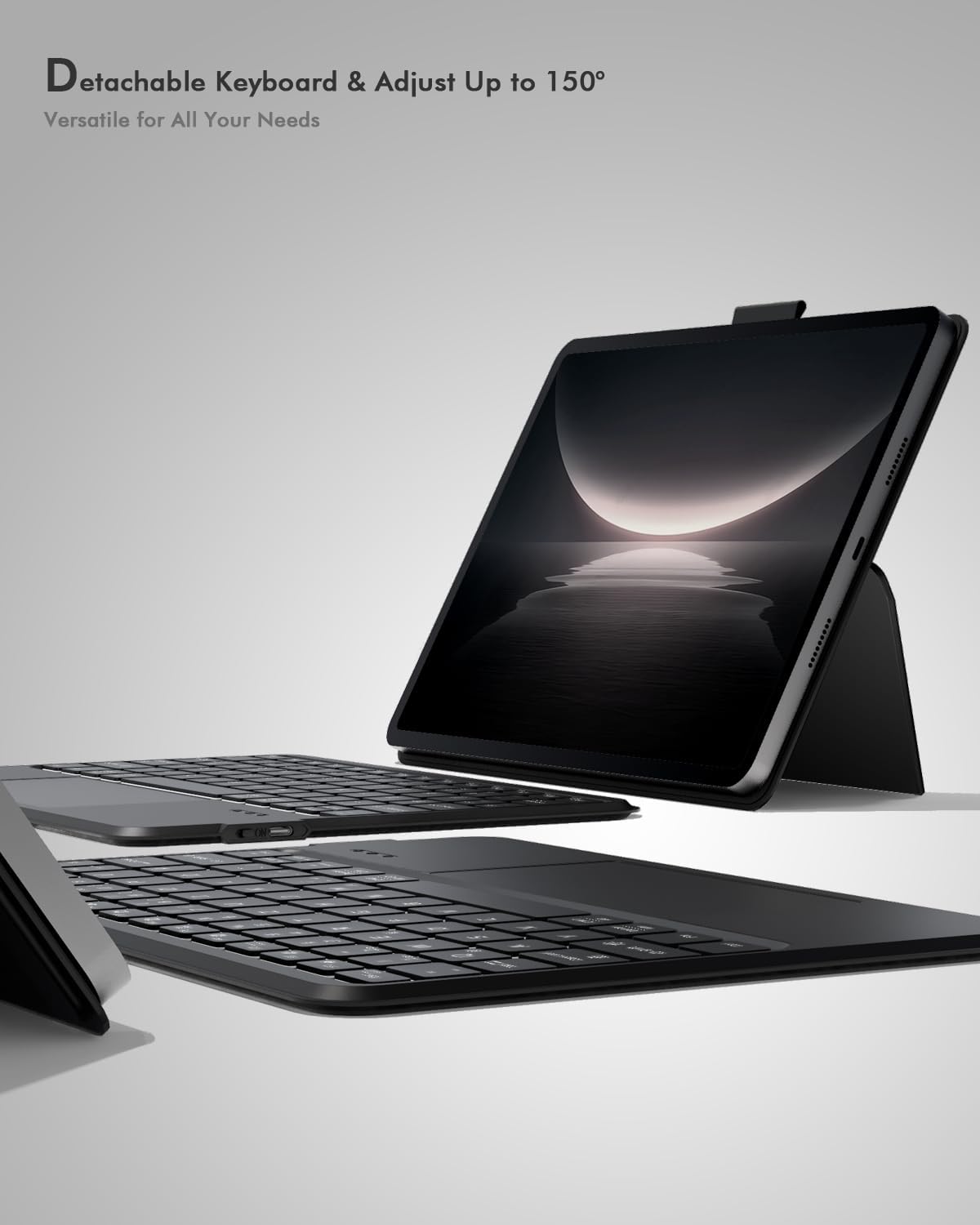
Figure 3: Backlit Keyboard. The image shows the keyboard with its keys glowing, illustrating the multi-color backlit functionality.
- Agħfas il- ikona tal-bozza tad-dawl to cycle through the 7 backlight colors.
- Agħfas Fn + light bulb icon key to adjust the brightness level (3 levels).
3. Integrated Trackpad
The integrated multi-touch trackpad supports various gestures for navigation and control.

Figure 4: Integrated Trackpad. This image provides a detailed view of the keyboard's trackpad, located centrally below the spacebar.
Refer to your tablet's operating system documentation for specific multi-touch gesture support.
4. Multi-Angle Adjustable Stand
The case features a flexible stand that allows for various viewing and typing angles. The keyboard is detachable via a strong magnetic snap-on mechanism.
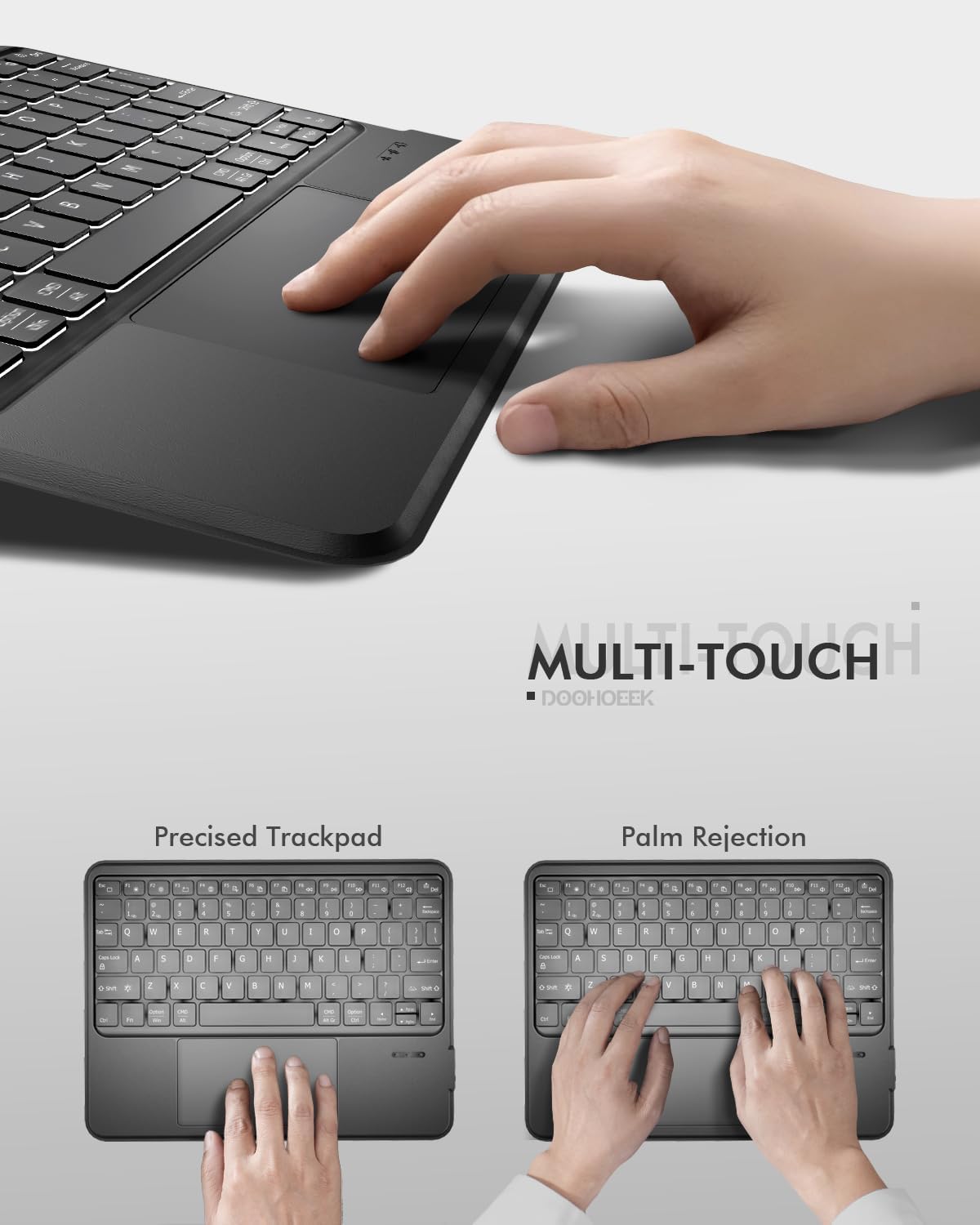
Figure 5: Adjustable Stand. The image demonstrates the case's ability to hold a tablet at multiple angles, suitable for various activities like typing, viewing, jew tpinġija.
Manutenzjoni
1. Cleaning the Adhesive Pads
The adhesive pads are water-washable and reusable. If the stickiness decreases due to dust or debris:
- Gently detach the tablet from the case. Ensure the keyboard remains dry.
- Rinse the adhesive pads with clean water.
- Allow the pads to air-dry completely before reattaching your tablet. Do not use cloths or paper towels, as fibers may reduce stickiness.
2. Tindif tal-Kaxxa u t-Tastiera
- The case itself is washable. You can wipe it with a damp drapp.
- It-tastiera hija not submersible. To clean the keyboard, detach it from the case and wipe it gently with a dry or slightly damp cloth. Avoid getting moisture into the keys or ports.
Issolvi l-problemi
1. It-Tastiera Mhux Qed Tikkonnettja permezz tal-Bluetooth
- Kun żgur li t-tastiera tkun iċċarġjata u mixgħula.
- Kun żgur li l-Bluetooth huwa attivat fuq it-tablet tiegħek.
- Re-enter pairing mode by pressing Fn + C.
- Forget the device from your tablet's Bluetooth settings and attempt to pair again.
- Ensure the keyboard is within the effective Bluetooth range (typically 10 meters).
2. Keys or Trackpad Not Responding
- Iċċekkja l-livell tal-batterija tat-tastiera. Iċċarġjaha jekk meħtieġ.
- Erġa' qabbad il-konnessjoni Bluetooth.
- Ibda mill-ġdid il-pillola tiegħek.
- Ensure no debris is obstructing the keys or trackpad surface.
3. Backlight Mhux Taħdim
- Kun żgur li t-tastiera hija mixgħula u ċċarġjata.
- Agħfas il- ikona tal-bozza tad-dawl biex tattiva jew tibdel is-settings tad-dawl ta' wara.
- Aġġusta l-luminożità billi tuża Fn + light bulb icon key.
Speċifikazzjonijiet
| Brand | Doohoeek |
| Apparati Kompatibbli | 9-11 inch tablets with top-left cameras (NOT center-positioned) |
| Teknoloġija tal-Konnettività | Bluetooth |
| Deskrizzjoni tat-Tastiera | Universal Keyboard Case |
| Karatteristiċi Addizzjonali | Backlit, Integrated Stand, Rechargeable, Trackpad, Universally Fit |
| Sors tal-Enerġija | Mħaddma bil-batterija |
| Layout tat-Tastiera | QWERTY |
| Numru ta' Ċwievet | 84 |
| Materjal tal-għeluq | Silikonju |
| Numru tal-Mudell (ASIN) | B0F914SPF3 |

Figure 6: Product Dimensions. The image illustrates the physical dimensions of the keyboard case and highlights the removable nature of the keyboard, which weighs 1.1 lbs.
Garanzija u Appoġġ
For warranty information or technical support, please refer to the product packaging or contact Doohoeek customer service directly. Contact details can typically be found on the manufacturer's official webis-sit jew permezz tal-pjattaforma tax-xiri tiegħek.