
Introduzzjoni
The ASUS TUF Gaming VG249QM5A is a 23.8-inch Full HD monitor designed for an enhanced gaming experience. It incorporates a 240Hz refresh rate and 0.3ms response time, alongside AMD FreeSync™ Premium and NVIDIA® G-SYNC® compatibility for smooth visuals. This monitor offers improved color performance, Gaming AI features, and convenient control via the DisplayWidget Center.
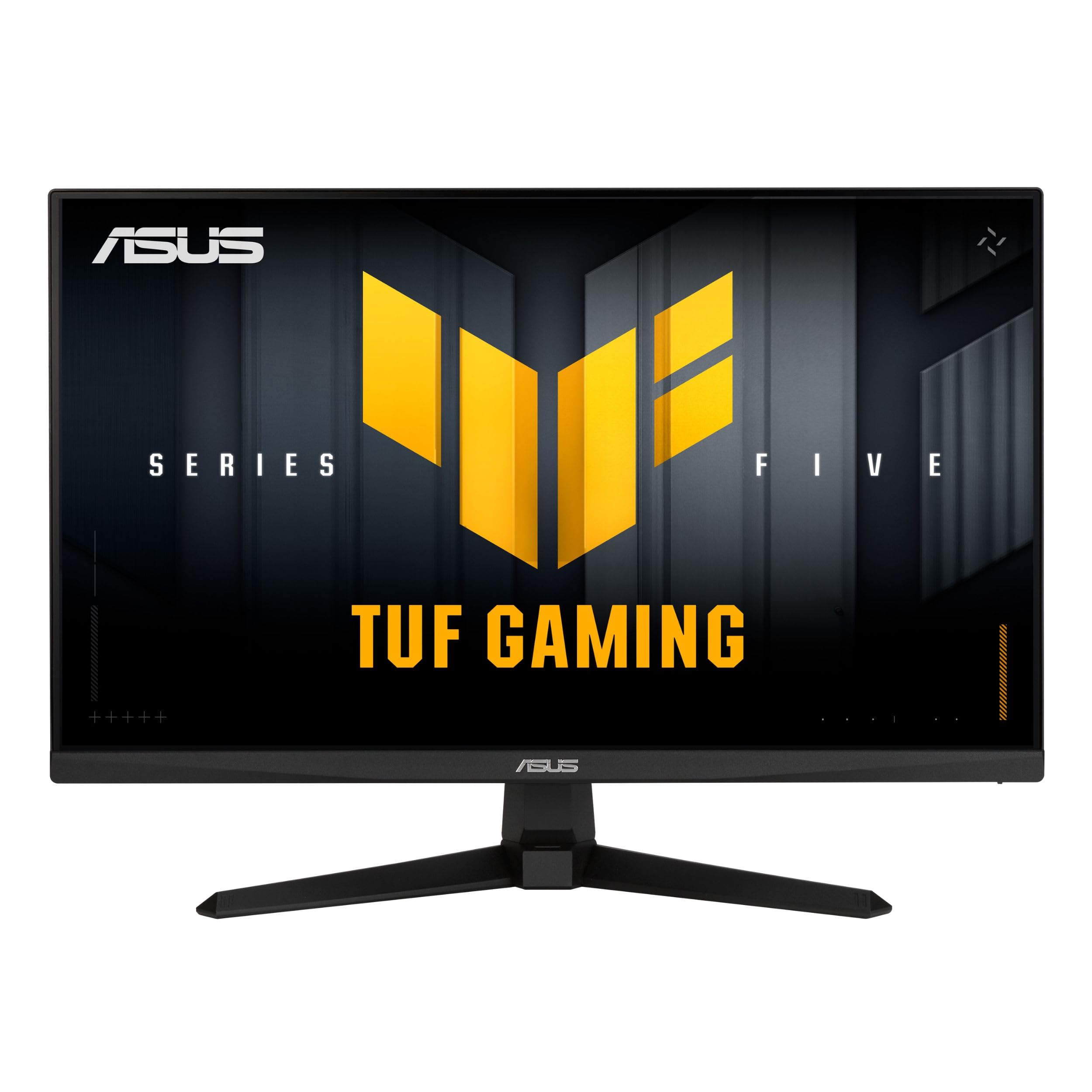
Immaġni: Quddiem view of the ASUS TUF Gaming VG249QM5A monitor.
X'hemm fil-Kaxxa
Ivverifika li l-oġġetti kollha li ġejjin huma preżenti fl-imballaġġ tal-prodott tiegħek:
- ASUS TUF Gaming VG249QM5A Monitor
- Cable DisplayPort
- Tornavit b'forma ta' L
- Korda tal-enerġija
- Gwida tal-bidu ta 'malajr
- Karta ta' Garanzija
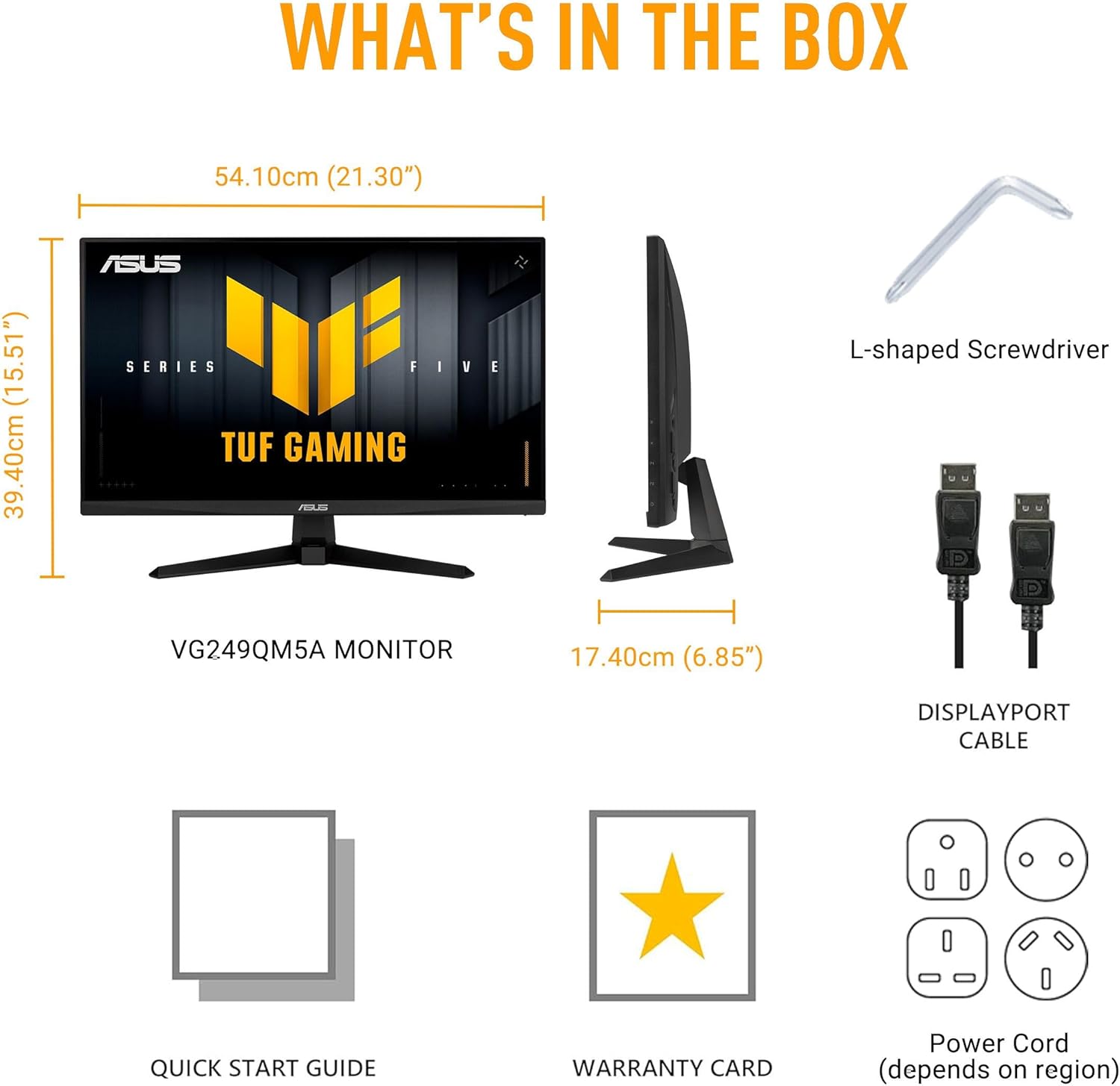
Image: Diagram showing the monitor, DisplayPort cable, L-shaped screwdriver, power cord, quick start guide, and warranty card included in the box.
Setup
1. Assemblea tal-Monitor
Carefully remove the monitor and its components from the packaging. Attach the stand base to the stand neck, then secure the assembled stand to the back of the monitor panel. Ensure all connections are firm.
2. Kejbils tal-Konnessjoni
Qabbad il-kejbils meħtieġa mal-monitor u l-kompjuter tiegħek:
- Korda tal-Enerġija: Connect one end of the power cord to the monitor's power input and the other end to a power outlet.
- Cable DisplayPort: For optimal performance, connect the included DisplayPort cable from your computer's graphics card to the DisplayPort input on the monitor.
- Kejbils HDMI: Alternatively, you can use HDMI cables to connect to the monitor's HDMI 2.0 ports.
- Jack tal-widna: Connect your headphones or external speakers to the earphone jack for audio output.

Image: The monitor connected to a desktop computer with various cables.

Immaġni: Close-up view of the monitor's rear ports, including two HDMI 2.0 ports, one DisplayPort, and an earphone jack.
It-tħaddim tal-Monitor
Key Performance Features
- Panel IPS veloċi: Experience vibrant colors and wide viewangoli.
- Rata ta' Aġġornar ta' 240Hz: Provides extremely fluid visuals for fast-paced gaming.
- 0.3ms Response Time (min): Minimizes motion blur and ghosting for sharp images.
- G-SYNC Compatible & FreeSync Premium: Ensures tear-free and stutter-free gameplay by synchronizing the monitor's refresh rate with your GPU's frame rate.
- Sinkronizzazzjoni Estrema ta' Ċajpir ta' Mozzjoni Baxxa (ELMB SYNC): Enables ELMB simultaneously with variable refresh rate technologies, further reducing ghosting and tearing.
- Gamma tal-Kulur 99% sRGB: Delivers accurate and rich color reproduction.

Image: Infographic highlighting key upgrades including speed (0.3ms, 240Hz), fluidity (FreeSync Premium, G-SYNC, ELMB SYNC), Gaming AI, colors (99% sRGB), and simplicity (DisplayWidget Center).

Immaġni: Il-monitor juriasing a high-speed gaming scene, emphasizing its fast IPS, Full HD, 0.3ms, and 240Hz capabilities.

Image: A visual comparison demonstrating improved game fluidity with Variable Refresh Rate (VRR) enabled, highlighting G-SYNC, FreeSync Premium, and ELMB SYNC.
Gaming AI Technology
The monitor includes TUF Gaming A.I. technology with AI-powered features to enhance your gaming experience:
- Crosshair Dinamiku: Jipprovdi crosshair fuq l-iskrin għal preċiżjoni mtejba tal-immirar.
- Viżwali tal-AI: Optimizes visual settings based on game content.

Image: Demonstrations of Dynamic Crosshair (before and after) and AI Visual (before and after) features in gaming scenarios.
Ċentru DisplayWidget
The DisplayWidget Center software allows for easy access to On-Screen Display (OSD) settings and monitor adjustments using your mouse. This provides a user-friendly interface for customizing various display parameters, managing firmware updates, and controlling multi-screen setups.

Image: A screenshot of the DisplayWidget Center interface, showing options for customizable settings, firmware update notifications, and multiscreen control.
Eye Care Features and Ergonomic Design
This monitor incorporates features designed to reduce eye strain during extended use and offers flexible positioning options:
- Anti-glare Screen: Reduces reflections from ambient light, improving visibility.
- Filtru tad-Dawl Blu: Adjustable levels to reduce harmful blue light emissions.
- Teknoloġija Ħieles Flikkjaturi: Eliminates screen flickering to minimize eye fatigue.
- Disinn Ergonomiku: The stand allows for tilt, swivel, pivot, and height adjustments to achieve a comfortable viewing pożizzjoni.
Video: An official ASUS video demonstrating the eye care features (anti-glare, blue light filter, flicker-free) and ergonomic design of ASUS monitors, including adjustable stand functionality.
Manutenzjoni
Biex tiżgura l-lonġevità u l-prestazzjoni ottimali tal-monitor tiegħek, segwi dawn il-linji gwida ta' manutenzjoni:
- Tindif tal-Iskrin: Imsaħ l-iskrin bil-mod b'ċarruta ratba u mingħajr suf. Għal marki persistenti, nixxef bil-modampLaħlaħ id-drapp bl-ilma jew b'prodott speċjalizzat għat-tindif tal-iskrin. Evita kimiċi ħarxa jew materjali li joborxu.
- Tindif tas-Casing: Uża drapp artab u niexef biex tnaddaf il-monitor casing.
- Ventilazzjoni: Kun żgur li l-fetħiet tal-ventilazzjoni tal-monitor huma ċari u mhux imfixkla biex tevita li jisħon iżżejjed.
- Immaniġġjar: Evita li tpoġġi oġġetti tqal fuq il-monitor jew li tapplika pressjoni eċċessiva fuq l-iskrin.
- Itfi: Dejjem itfi l-monitor meta ma jkunx qed jintuża għal perjodi twal.
Issolvi l-problemi
Jekk tiltaqa' ma' problemi bil-monitor tiegħek, irreferi għall-passi komuni li ġejjin għas-soluzzjoni tal-problemi:
- Ebda Wiri/Qawwa:
- Iċċekkja jekk il-korda tal-enerġija huwiex imqabbad sew kemm mal-monitor kif ukoll mas-sokit tal-enerġija.
- Ensure the power button on the monitor is pressed.
- Ivverifika li l-iżbokk tad-dawl huwa funzjonali.
- Ebda Sinjal:
- Confirm that the video cable (DisplayPort or HDMI) is securely connected to both the monitor and your computer's graphics card.
- Ensure the correct input source is selected on the monitor (use the OSD menu).
- Iċċekkja jekk il-kompjuter tiegħek huwiex mixgħul u mhux fil-modalità sleep.
- Kwistjonijiet ta' Kwalità tal-Immaġni (Imċajpra, Distorta, Kuluri Mhux Korretti):
- Aġġusta r-riżoluzzjoni u r-rata ta' aġġornament fuq il-kompjuter tiegħek biex jaqblu mar-riżoluzzjoni nattiva tal-monitor (1920x1080) u r-rata ta' aġġornament mixtieqa (sa 240Hz).
- Reset the monitor's display settings to factory defaults via the OSD menu.
- Aġġorna s-sewwieqa tal-karta grafika tiegħek.
- Check for physical damage to the video cable.
- Skrin li jteptep:
- Ensure Flicker-Free technology is enabled (if applicable via OSD or DisplayWidget Center).
- Iċċekkja għal interferenza esterna minn apparati elettroniċi oħra.
If the issue persists after attempting these steps, please contact ASUS customer support.
Speċifikazzjonijiet
| Karatteristika | Speċifikazzjoni |
|---|---|
| Brand | ASUS |
| Numru tal-Mudell | VG249QM5A |
| Daqs tal-Iskrin | 24 Pulzier (23.8 pulzier viewkapaċi) |
| Riżoluzzjoni tal-Iskrin | 1920 x 1080 Pixels (Full HD) |
| Riżoluzzjoni Massima tal-Iskrin | 1920 x 1080 Pixels |
| Riffriskar Rata | 240Hz |
| Ħin ta' Rispons | 0.3ms (min) |
| Tip ta' Panel | IPS veloċi |
| Gamut tal-Kulur | 99% sRGB |
| Teknoloġija ta' Sinkronizzazzjoni Adattiva | G-SYNC Compatible, FreeSync Premium |
| Proporzjon ta' l-aspett | 16:9 |
| Deskrizzjoni tal-wiċċ tal-iskrin | Matte |
| Konnettività | DisplayPort, HDMI 2.0 (x2), Earphone Jack |
| Piż tal-oġġett | 7.5 liri |
| Dimensjonijiet tal-Prodott (LxWxH) | 6.9 x 21.3 x 15.5 pulzieri |
| Kulur | ISWED |
Garanzija u Appoġġ
The ASUS TUF Gaming VG249QM5A monitor typically comes with a Garanzija ta' 3 snin mill-manifattur. Please refer to the included Warranty Card for specific terms, conditions, and registration details.
Għal appoġġ tekniku, downloads ta' sewwieqa, jew aktar assistenza, jekk jogħġbok żur is-sit uffiċjali tal-appoġġ tal-ASUS websit:
When contacting support, have your monitor's model number (VG249QM5A) and serial number readily available.