
1. Introduzzjoni
Thank you for choosing the Leapwell Portable Bluetooth Desktop CD Player, Model L-CD202B. This device offers versatile audio playback options, including CD, Bluetooth, FM Radio, USB, AUX, AB Repeat, and Optical modes. Designed for both home and portable use, it features integrated speakers and a rechargeable battery. This manual provides essential information for safe and effective operation of your new CD player.
2. Informazzjoni dwar is-Sigurtà
- Aqra l-istruzzjonijiet kollha qabel l-użu u żommu għal referenza futura.
- Tesponix l-apparat għax-xita, umdità, jew temperaturi estremi.
- Evita li tpoġġi l-apparat ħdejn sorsi tas-sħana bħal radjaturi, reġistri tas-sħana, stufi, jew apparat ieħor li jipproduċi s-sħana.
- Uża biss aċċessorji/aċċessorji speċifikati mill-manifattur.
- Naddaf biss b'ċarruta niexfa.
- Timblokka l-ebda fetħiet tal-ventilazzjoni.
- Ipproteġi l-korda tad-dawl milli jimxi fuqu jew maqrusa.
- Aqla 'l-apparat waqt maltempati sajjetti jew meta ma jintużax għal perjodi twal.
- Irreferi l-manutenzjoni kollha lil persunal tas-servizz kwalifikat.
3. X'hemm fil-Kaxxa
Meta tiftaħ il-pakkett, jekk jogħġbok kun żgur li l-oġġetti kollha huma preżenti u f'kundizzjoni tajba:
- Leapwell Portable CD Player
- Kontroll mill-bogħod
- Cable tal-Iċċarġjar tal-USB-C
- Kejbil AUX ta '3.5mm
- Manwal ta' Istruzzjoni
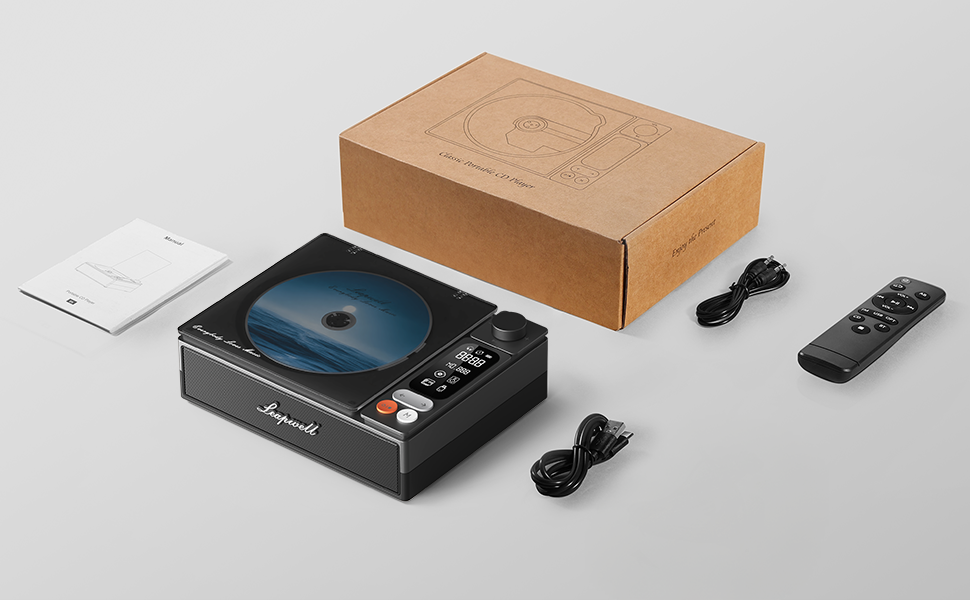
Image: All components included in the Leapwell CD Player package, including the player, remote, cables, and manual.
4. Prodott Aktarview
The Leapwell L-CD202B is a compact and versatile audio device designed for various listening preferences.

Immaġni: Quddiem view of the Leapwell Portable Bluetooth Desktop CD Player with a CD inserted and the dust cover open.
Karatteristiċi ewlenin:
- 7-in-1 Playback Modes: Supports CD Play, Bluetooth (Receive & Transmit), FM Radio, USB, AUX, AB Repeat, and Optical Mode.
- HiFi Speaker System: Features an independent sound cavity design and inner magnetic speaker unit for enhanced sound detail and bass.
- Bluetooth 5.1: Allows seamless connection to mobile phones, tablets, and external Bluetooth speakers or headphones.
- Batterija rikarikabbli: Built-in USB-C fast-charging battery provides 4-5 hours of playback.
- Disinn Klassiku: Retro square design with a translucent CD dust cover, volume knob, and a 2.4-inch LCD display.
- Output ottiku: For connecting to external decoders for lossless audio.
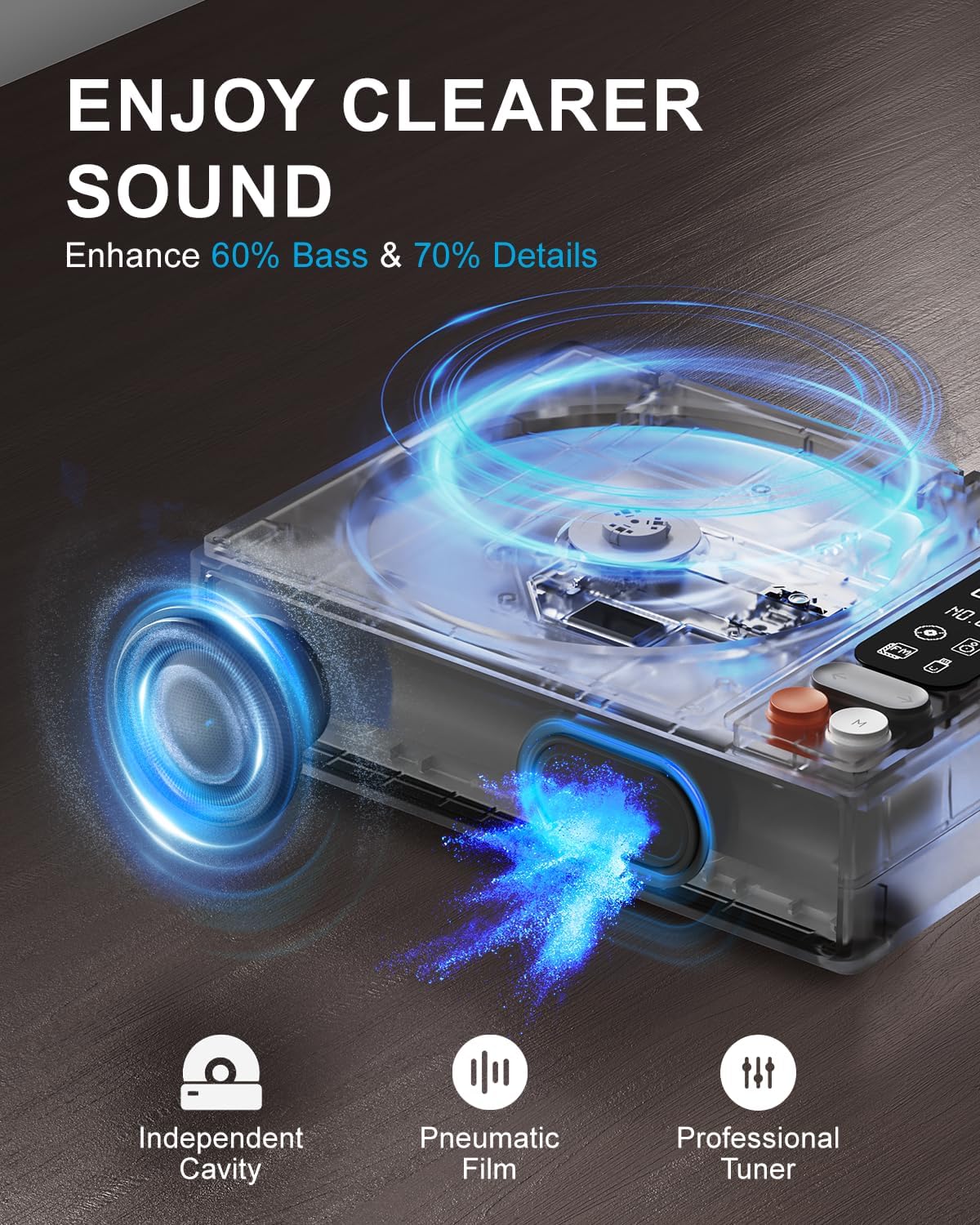
Image: Diagram illustrating the internal speaker design with independent cavity and pneumatic film for enhanced bass and sound detail.

Immaġni: Close-up view of the Leapwell CD Player highlighting its classic design, volume knob, and digital display.
5. Setup
5.1 Iċċarġjar tal-Apparat
Before first use, fully charge the CD player using the provided USB-C cable. Connect the USB-C end to the player's charging port and the other end to a 5V-2A USB power adapter (not included) or a computer's USB port. Charging via a computer's USB port will be slower.

Image: The Leapwell CD Player shown outdoors with battery indicators, emphasizing its portability and rechargeable battery.
5.2 Power On/Off
To power on the device, press and hold the power button. To power off, press and hold the power button again.
5.3 It-tagħbija ta' CD
- Gently lift the translucent dust cover.
- Place a CD onto the spindle, ensuring it is centered and flat.
- Close the dust cover. The player will begin reading the CD automatically or after selecting CD mode.
Video: Demonstration of loading a CD into the Leapwell CD Player and initiating playback. The video also shows the Bluetooth pairing process.
6. Modi Operattivi
The Leapwell CD Player supports multiple audio playback modes. Use the 'M' (Mode) button on the device or remote control to switch between modes.
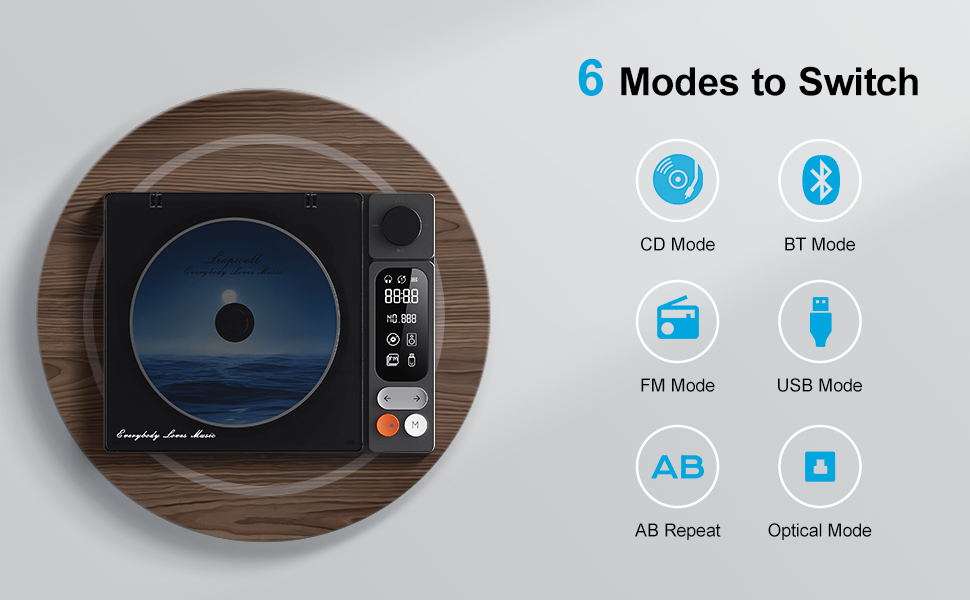
Image: Visual representation of the six main operating modes: CD, Bluetooth, FM, USB, AB Repeat, and Optical.
6.1 CD Play Mode
After loading a CD, the player will typically detect it and begin playback. Use the play/pause, next/previous track buttons, and the volume knob to control playback.
6.2 Modalità Bluetooth
The device supports both Bluetooth Receive and Transmit modes.
- Modalità Riċeviment: Allows you to connect your mobile phone or tablet to the CD player and use its built-in speakers for audio output. Activate Bluetooth mode on the CD player, then search for 'CD player' on your external device's Bluetooth settings and pair.
- Modalità Trażmissjoni: Enables the CD player to connect to external Bluetooth speakers or headphones. Activate Bluetooth mode on the CD player, then put your external Bluetooth device into pairing mode. The CD player will search and connect.

Image: A smartphone wirelessly connected to the Leapwell CD Player via Bluetooth, demonstrating the receive mode functionality.

Image: A woman enjoying music through Bluetooth headphones connected to the Leapwell CD Player, illustrating the transmit mode.
6.3 Modalità tar-Radju FM
Switch to FM Radio mode. Use the next/previous track buttons to scan for radio stations. The display will show the current frequency.
6.4 Modalità USB
Daħħal USB flash drive li jkun fih l-awdjo files into the USB port. The player will automatically switch to USB mode and begin playback. Use the track control buttons to navigate.
6.5 Modalità AUX
Connect an external audio device (e.g., smartphone, MP3 player) to the CD player's AUX input using the provided 3.5mm AUX cable. Switch to AUX mode to play audio from the connected device through the CD player's speakers.
6.6 AB Repeat Mode
This mode allows you to repeat a specific section of audio. During playback, press the AB Repeat button once to set point A, and press it again to set point B. The player will continuously repeat the section between A and B. Press a third time to cancel.
6.7 Optical Mode
Connect the CD player to an external decoder or amplifier via an optical fiber cable (not included) using the optical output port. Switch to Optical mode to transmit digital audio for enhanced sound quality.

Image: The Leapwell CD Player connected to an external audio amplifier using an optical cable, demonstrating the optical output feature.
7. Kontrolli
The CD player features intuitive controls for easy operation:
- Buttuna tal-Volum: Dawwar biex taġġusta l-livell tal-volum.
- Buttuna Play/Pause: Jibda jew iwaqqaf il-plejbek.
- Buttuni tal-Track Li jmiss/Preċedenti: Jaqbeż għat-trakka/stazzjon li jmiss jew ta’ qabel.
- Buttuna tal-Modalità (M): Switches between different playback modes.
- Skrin LCD: Displays track information, mode, time, and battery status.
- Kontroll mill-bogħod: Provides convenient access to all functions from a distance of up to 15 feet.
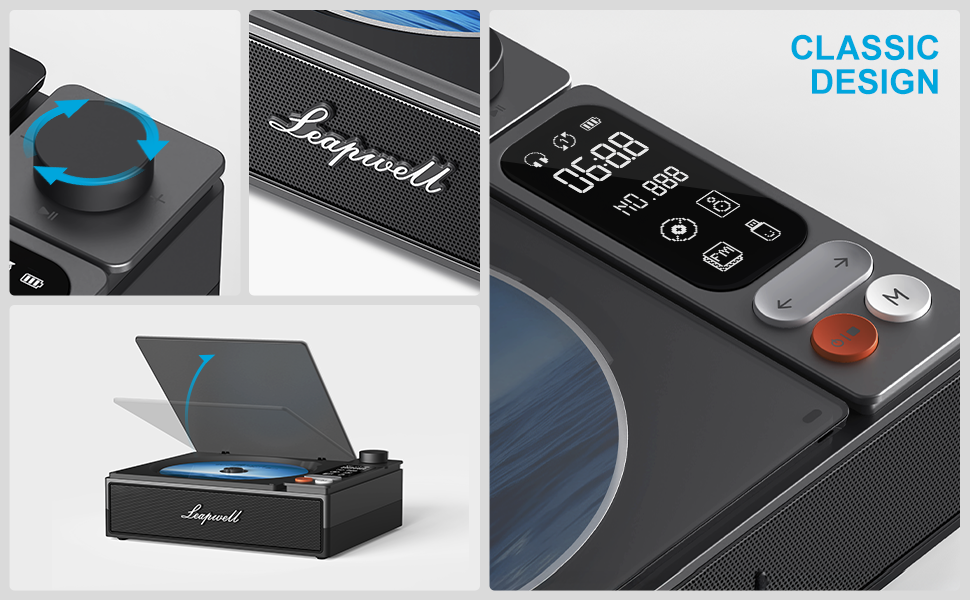
Immaġni: Dettaljata view of the control panel, including the volume knob, playback buttons, mode button, and LCD display.
8. Manutenzjoni
8.1 Tindif tal-Apparat
Wipe the exterior of the CD player with a soft, dry cloth. Do not use liquid cleaners or abrasive materials. Keep the CD compartment free of dust and debris. Avoid touching the optical lens.
8.2 Kura tas-CD
Handle CDs by their edges. Store them in their cases to prevent scratches and dust accumulation. Clean dirty CDs with a soft, lint-free cloth, wiping from the center outwards.
9 Issolvi l-problemi
If you encounter issues with your Leapwell CD Player, refer to the following common problems and solutions:
- Ebda Qawwa: Kun żgur li l-apparat ikun iċċarġjat jew imqabbad ma 'sors ta' enerġija.
- CD mhux qed jilgħab: Check if the CD is inserted correctly and is clean. Ensure the device is in CD Play mode.
- Ebda Ħsejjes: Adjust the volume. Check if external speakers/headphones are properly connected or paired via Bluetooth. Ensure the correct mode is selected.
- Kwistjonijiet ta' Konnessjoni Bluetooth: Ensure the CD player is in Bluetooth mode and your external device's Bluetooth is enabled and in pairing mode. Try restarting both devices.
- Jista 'jintuża waqt l-iċċarġjar? Yes, it can. Please unplug the power when not in use for a long time.
- Can it connect to Bluetooth headphones? Yes, it can. It can also connect to a mobile phone and play music.
- Can it be charged via a computer's USB port? Yes, it can. However, charging will be very slow. It is recommended to use a 5V-2A adapter for charging.
10. Speċifikazzjonijiet
| Dimensjonijiet tal-Prodott | 7.3 x 5.7 x 2.5 pulzieri |
| Piż tal-oġġett | 1.4 liri |
| Isem tal-Mudell | L-CD202B |
| Kulur | Iswed |
| Teknoloġija tal-Konnettività | Awżiljarju, Bluetooth, Ottiku, USB |
| Karatteristiċi Speċjali | Anti-Skip Protection, Auto Power-Off, Bluetooth, Portable, Rechargeable |
| Batteriji | 1 batterija tal-jone tal-litju (inkluża) |
11. Garanzija u Appoġġ
Leapwell CD Players come with lifelong technical support and 24/7 professional customer service. For any inquiries or assistance, please contact Leapwell customer support through the official channels provided at the time of purchase or on the Leapwell websit.