
1. Introduzzjoni
This manual provides detailed instructions for the installation, operation, and maintenance of your ELUSH 60Amp MPPT Solar Charge Controller. This device is designed to efficiently manage power from your solar panels to charge various battery types, including LiFePO4, AGM, and Gel batteries, in 12V, 24V, and 48V systems.
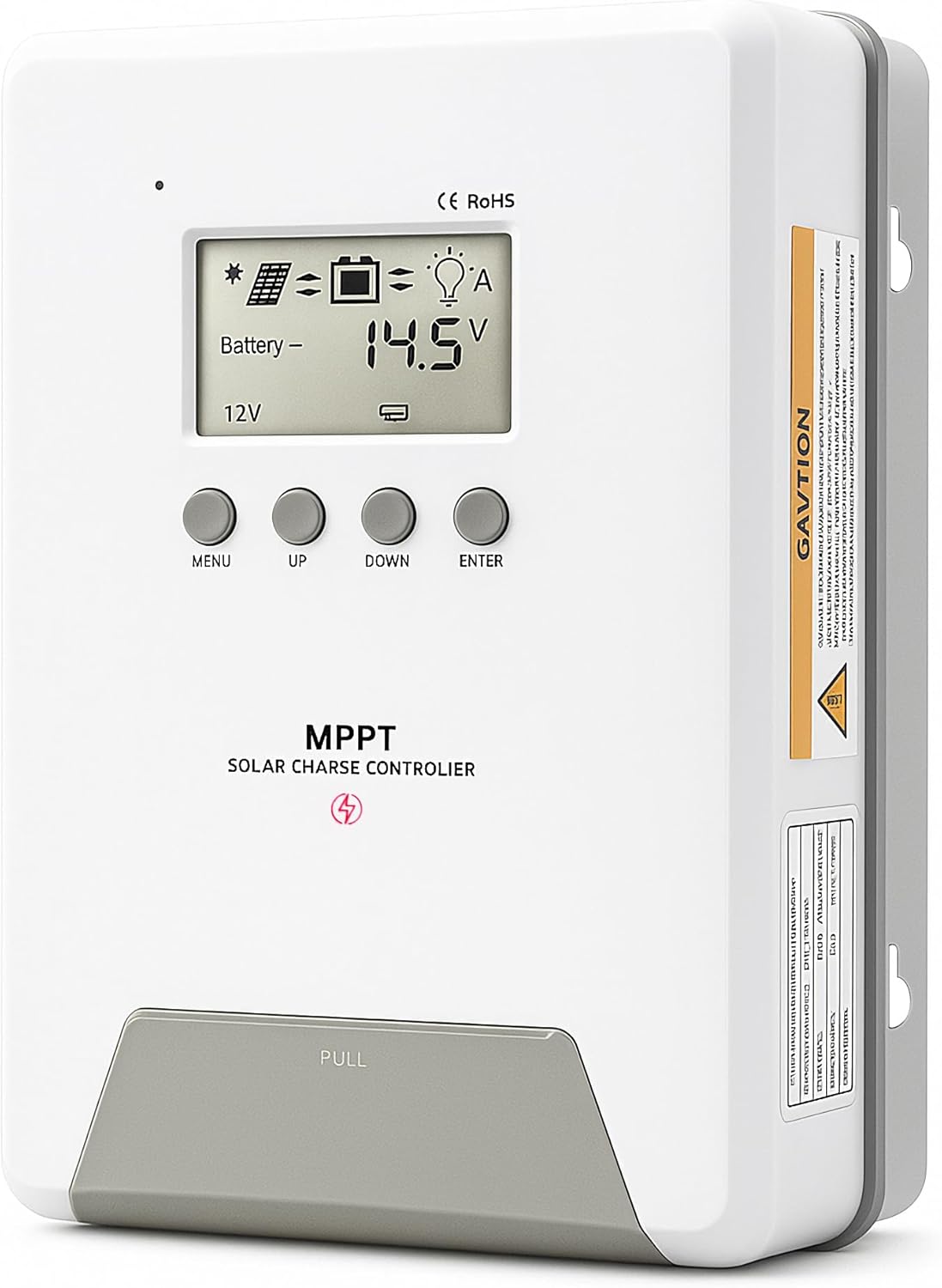
Image 1.1: ELUSH 60Amp Kontrollur tal-Iċċarġjar Solari MPPT.
2. Karatteristiċi ewlenin
- Teknoloġija MPPT Avvanzata: Maximizes energy harvest from solar panels with tracking efficiency no less than 99% and peak conversion efficiency up to 98%.
- System Auto-Detection: Automatically detects 12V, 24V, and 48V DC system voltages upon startup.
- Kompatibilità wiesgħa tal-batterija: Supports Sealed (AGM), Gel, Flooded lead-acid batteries, and Lithium batteries (LiFePO4, Ternary Lithium/Li-ion).
- Display LCD ċar: Provides real-time monitoring of PV voltage, batterija voltage/current, charging power, accumulated energy generation, and load status.
- Essential Built-in Protections: Includes safeguards against overvoltage, overcurrent, undervoltage, and high temperature.
- Dissipazzjoni effiċjenti tas-sħana: Features a high-quality aluminum heatsink for stable operation and optimal performance.

Image 2.1: MPPT Technology highlighting 99% tracking efficiency and 98% peak conversion efficiency.
3. Safety Information and System Protection
The ELUSH MPPT Solar Charge Controller is equipped with multiple protection features to ensure safe and reliable operation of your solar power system. Always adhere to local electrical codes and safety guidelines during installation and operation.
- Over-discharging Protection: Prevents batteries from being discharged below a safe voltaglivell e.
- Protezzjoni ta' tagħbija żejda: Safeguards against excessive current draw from the load terminals.
- Short-circuiting Protection: Protects against short circuits in the solar panel, battery, or load circuits.
- Protezzjoni tal-Polarità Reverse: Prevents damage from incorrect battery or solar panel connections.
- Protezzjoni minn Iċċarġjar Żejjed: Ensures batteries are not overcharged, extending their lifespan.
- Kumpens tat-Temperatura: Adjusts charging parameters based on battery temperature for optimal charging.
- Protezzjoni ta' Kurrent Invers: Jipprevjeni l-kurrent milli jiċċirkola lura mill-batterija għall-pannell solari bil-lejl.

Image 3.1: Visual representation of the controller's system protection features.
4. Installazzjoni u Wiring
Installazzjoni xierqa hija kruċjali għat-tħaddim sikur u effiċjenti tal-kontrollur tal-iċċarġjar solari tiegħek. Segwi dawn il-passi bir-reqqa.
4.1 Sekwenza ta' Konnessjoni
Dejjem qabbad il-komponenti fl-ordni li ġejja biex tevita l-ħsara:
- Qabbad il-batterija: Connect the battery to the controller's battery terminals. Ensure correct polarity (+ to + and - to -). The battery terminals should be installed with safety fuses. Ensure the distance does not exceed 150mm.
- Qabbad it-tagħbija: Qabbad it-tagħbijiet DC tiegħek mat-terminals tat-tagħbija tal-kontrollur.
- Connect the solar panel: Connect the solar panel to the controller's solar energy terminals. Ensure correct polarity.
- Ixgħel il-kontrollur: The controller will automatically power on once all connections are secure.
Nota: If you want to connect an inverter, connect it directly to the battery, not to the load terminal of the controller.

Image 4.1: Diagram showing the connection points for solar energy, battery, and load.

Image 4.2: Step-by-step visual guide for connecting the system components.
4.2 Hidden Installation Wiring
For a clean and secure installation, the wiring can be routed and hidden. After all connections are properly made and tested, tighten the screws on the terminals and close the bottom cover of the controller to complete the installation. This protects the wiring and provides a neat appearance.
5. Istruzzjonijiet Operattivi
The controller features an intuitive LCD display and buttons for monitoring and configuration.
5.1 Wiri u Buttuni LCD
The LCD screen provides real-time information about your system. The buttons allow you to navigate menus and adjust settings.
- Sensor tat-temperatura: Located on the controller, it measures ambient temperature for accurate charging compensation.
- Display LCD: Shows PV voltage, batterija voltage, charging current, load status, and other system parameters.
- Buttuna MENU: Used to enter and exit menu settings.
- Buttuna UP: Navigates upwards through menu options or increases values.
- Buttuna 'l isfel: Navigates downwards through menu options or decreases values.
- Buttuna ENTER: Jikkonferma l-għażliet jew jidħol f'submenus.
Image 5.1: The controller's LCD display and button layout for user interaction.
5.2 Vol. Awtomatikutage Recognition and Battery Compatibility
The controller automatically detects the system voltage (12V, 24V, or 48V) upon startup. It is compatible with a wide range of battery types, ensuring efficient and safe charging for your specific setup.
- Lithium-ion batteries (Li): For standard lithium-ion chemistries.
- Lithium Iron Phosphate batteries (LiFePO4): Specifically designed for LiFePO4 batteries.
- Lead-acid batteries (BAT): Includes Sealed (AGM), Gel, and Flooded types.

Image 5.2: Illustration of automatic voltage recognition and compatibility with various battery types.
6. Speċifikazzjonijiet
| Brand | ELUSH |
| Numru tal-Mudell | DM60A |
| Klassifikazzjoni kurrenti | 60A |
| Sistema Voltage | 12V/24V/48V Auto Detection |
| Max PV Input Voltage | 150V |
| Materjal | Aluminju |
| Tip ta 'Wiri | LCD |
| Kulur | Iswed |
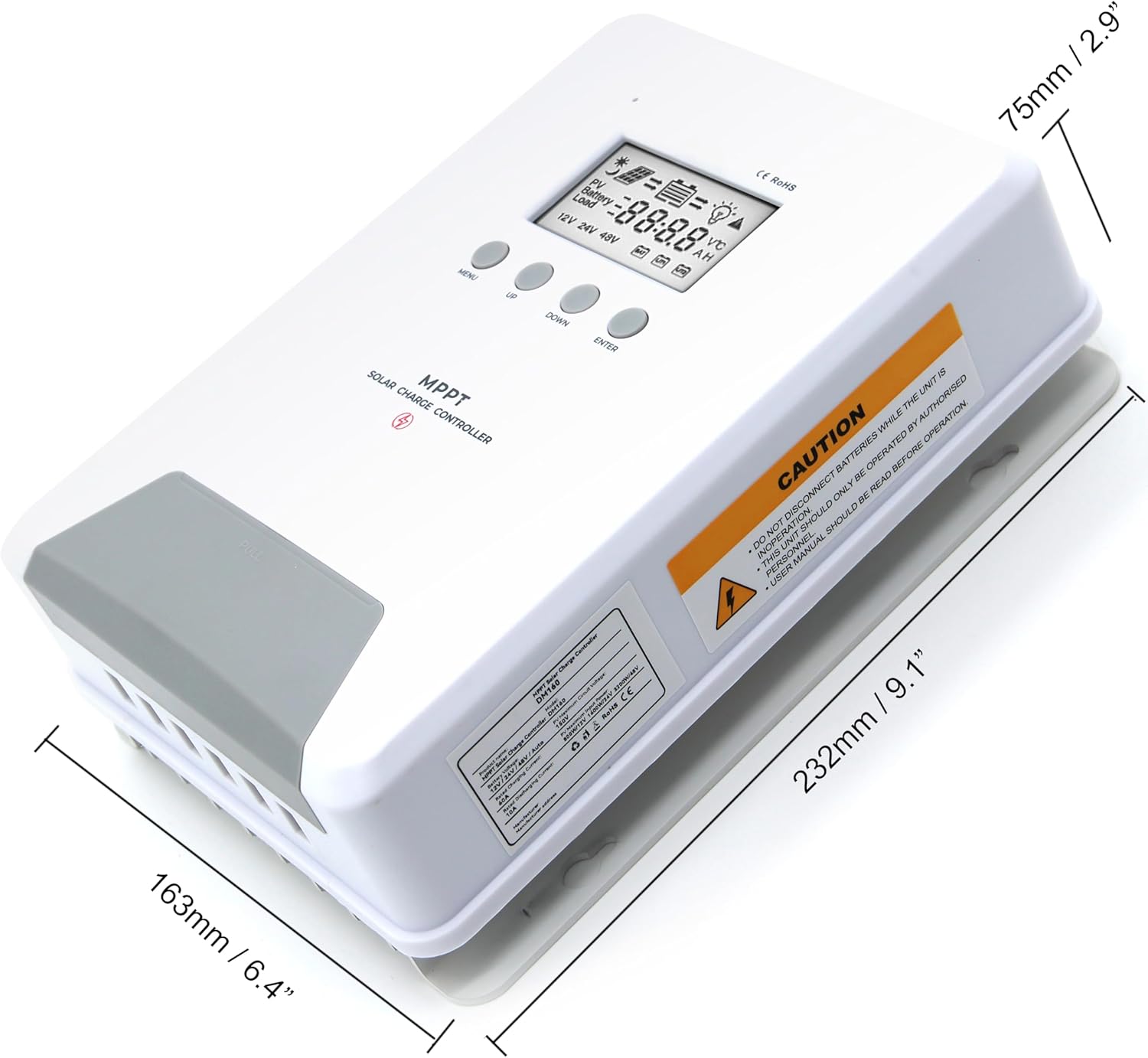
Image 6.1: Physical dimensions of the ELUSH 60Amp Kontrollur tal-Iċċarġjar Solari MPPT.
7. Manutenzjoni
Biex tiżgura prestazzjoni ottimali u lonġevità tal-kontrollur tal-iċċarġjar solari tiegħek, huwa rakkomandat manutenzjoni regolari:
- Spezzjona Konnessjonijiet: Iċċekkja perjodikament il-konnessjonijiet tal-wajers kollha għal issikkar u korrużjoni. Konnessjonijiet laxki jistgħu jikkawżaw sħana żejda u ħsara.
- Naddaf il-Kontrollur: Żomm il-kontrollur nadif u ħieles mit-trab u l-fdalijiet. Uża drapp niexef biex timsaħ il-barra. Kun żgur li l-fetħiet tal-ventilazzjoni mhumiex imblukkati.
- Monitora l-Prestazzjoni: Regularly check the LCD display for normal operating parameters. Note any unusual readings or error codes.
- Saħħa tal-batterija: Ensure your batteries are well-maintained according to their manufacturer's guidelines.
8 Issolvi l-problemi
If you encounter issues with your ELUSH MPPT Solar Charge Controller, refer to the following basic troubleshooting steps:
- Ebda Wiri/Ebda Qawwa: Iċċekkja l-konnessjonijiet tal-batterija u kun żgur li l-volum tal-batterijatage is within the controller's operating range. Verify fuses are intact.
- Batterija Mhux Iċċarġja: Ikkonferma l-konnessjonijiet u l-polarità tal-pannelli solari. Iċċekkja jekk hemmx biżżejjed dawl tax-xemx u żgura li l-volum tal-pannelli solari...tage huwa 'l fuq mill-volum tal-batterijatage. Verify battery type settings are correct.
- It-Tagħbija Mhux Taħdem: Check load connections and ensure the load current does not exceed the controller's rating. Verify load output settings on the controller.
- Kodiċi ta' Żball: If the LCD displays an error code, consult the full product manual (if available) or contact technical support for specific guidance.
- Is-sħana żejda: Ensure the controller is installed in a well-ventilated area, away from direct sunlight or heat sources. Check for any obstructions to the heatsink.
9. Garanzija u Appoġġ
ELUSH provides professional technical support for its products. If you have any questions, require assistance with installation, operation, or troubleshooting, please feel free to contact us. Refer to your purchase documentation for specific warranty terms and contact information.