
1. Istruzzjonijiet Importanti dwar is-Sigurtà
Please read these instructions carefully before using the Audizio Canzo DAB+ Internet Radio. Keep this manual for future reference.
- Tesponix l-apparat għax-xita jew għall-umdità biex tevita nar jew xokk elettriku.
- Tiftaħx is-casing. Ġewwa m'hemm l-ebda partijiet li jistgħu jiġu rranġati mill-utent. Irreferi għal kull manutenzjoni f'idejn persunal kwalifikat.
- Uża biss l-adapter tal-enerġija fornut mal-apparat.
- Aċċerta ruħek li jkun hemm ventilazzjoni xierqa madwar l-unità. Timblokkax il-fetħiet tal-ventilazzjoni.
- Evita li tpoġġi l-unità ħdejn sorsi ta’ sħana jew fid-dawl tax-xemx dirett.
- Naddaf l-unità biss b'ċarruta niexfa u ratba. Tużax prodotti tat-tindif likwidi.
2. Prodott Aktarview
The Audizio Canzo is a versatile DAB+ Internet Radio designed for high-quality audio reception and playback. It features multiple connectivity options including Wi-Fi, Bluetooth 5.3, AUX, and USB, along with a remote control for convenient operation. The elegant wooden finish and clear display make it suitable for various home environments.
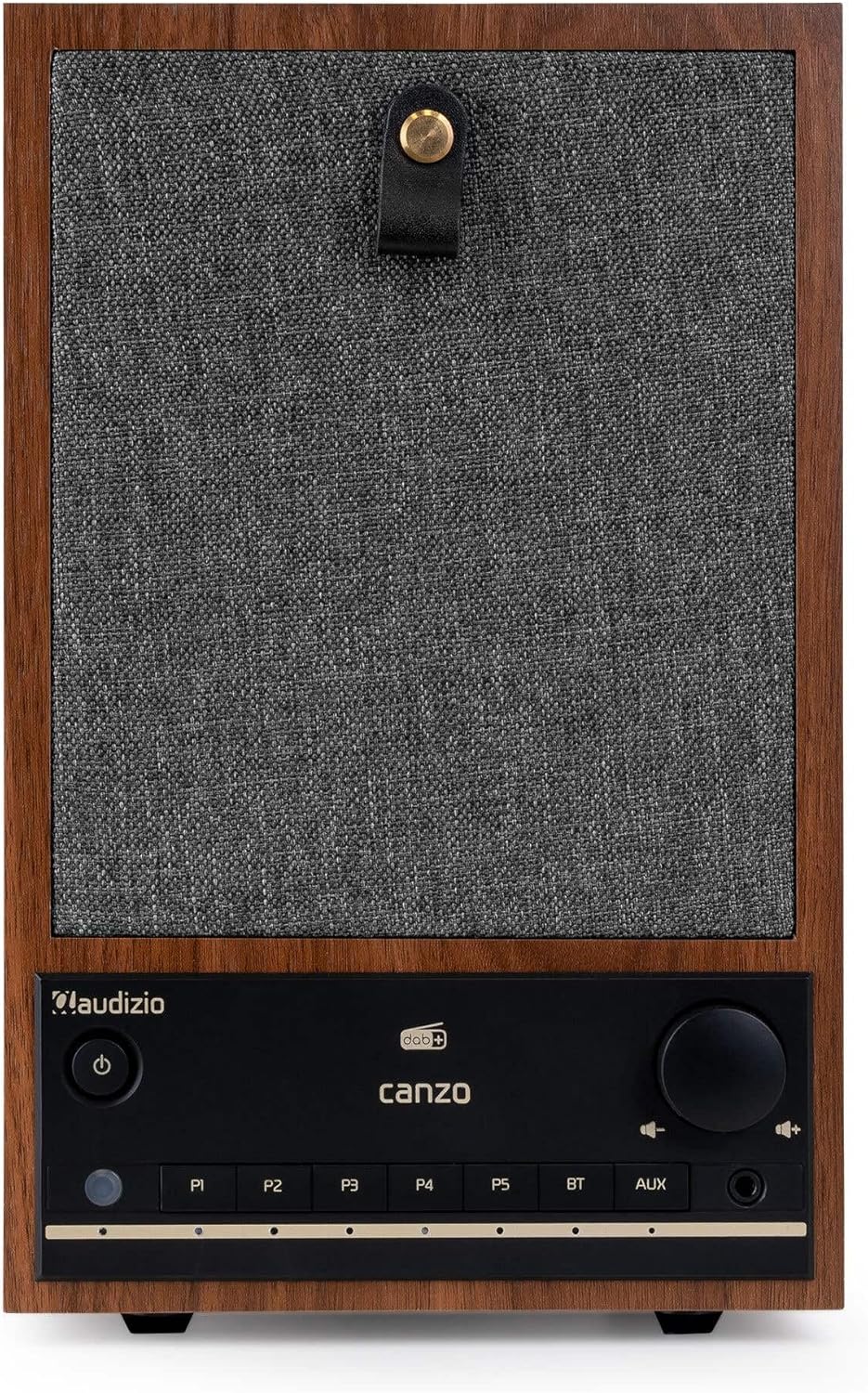
Figura 2.1: Quddiem view of the Audizio Canzo DAB+ Internet Radio in walnut finish.

Figura 2.2: Quddiem view with speaker grille removed, highlighting the speaker, display, and control panel.
3. X'hemm fil-Kaxxa
Iftaħ il-kaxxa bir-reqqa u kun żgur li l-oġġetti kollha huma preżenti:
- Audizio Canzo DAB+ Internet Radio
- Adapter tal-Enerġija
- Kontroll mill-bogħod
- Gwida Quick Start
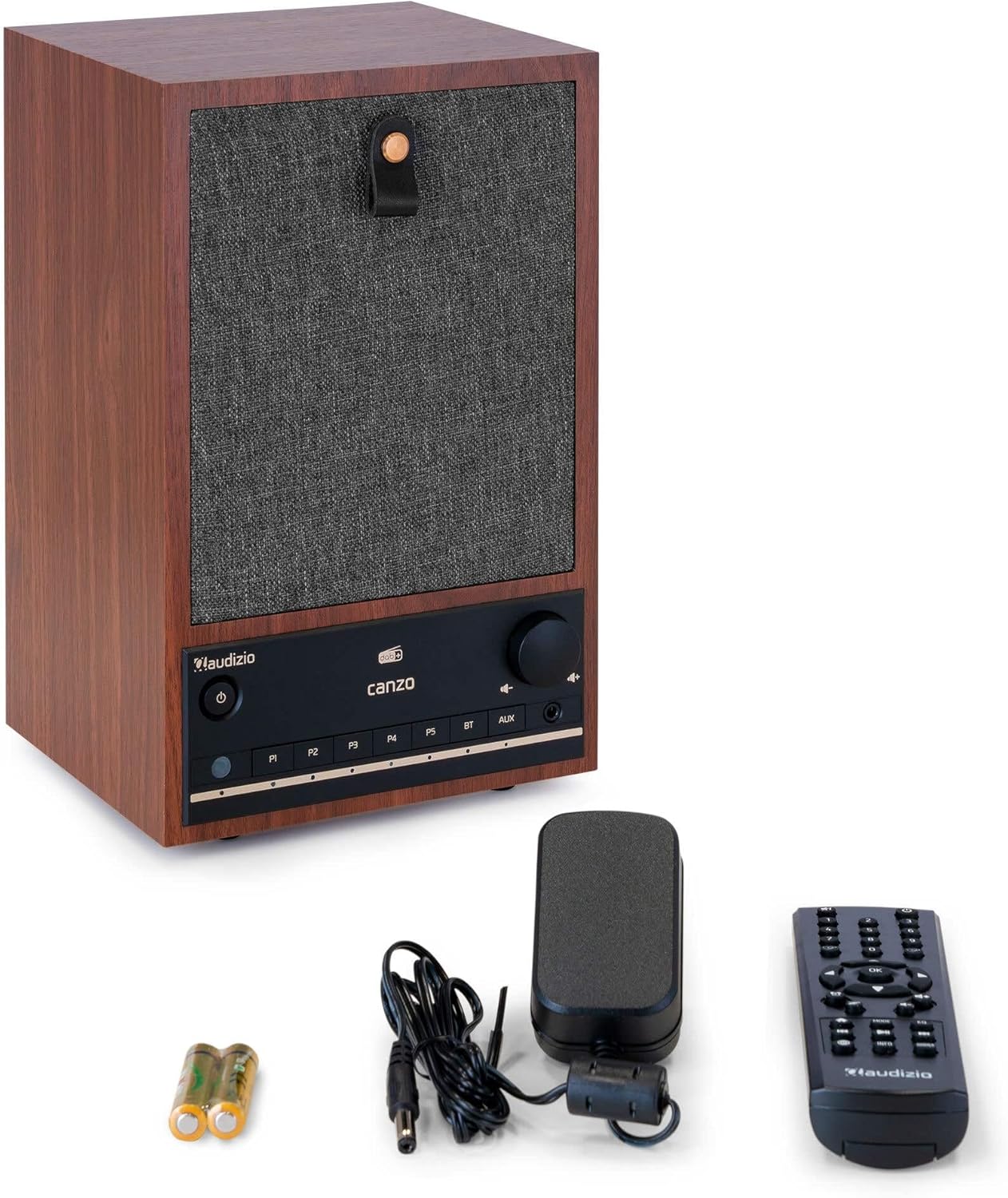
Figure 3.1: Audizio Canzo radio with its accessories.
4. Setup
4.1 Qawwa tal-Konnessjoni
- Insert the DC plug of the power adapter into the DC IN port on the back of the radio.
- Plug the power adapter into a standard wall outlet (220V).
- Aqleb il- ON/OFF switch on the back of the unit to the ON pożizzjoni.
4.2 Konnessjoni tal-antenna
For optimal DAB+ and FM reception, extend the telescopic antenna located on the back of the unit. Adjust its position for the best signal.

Figure 4.1: Rear panel with power input, audio ports, USB, LAN, and antenna.
4.3 L-Ewwel Tixgħel u s-Setup tan-Netwerk
- Agħfas il- Qawwa button on the front panel or remote control to turn on the radio.
- The display will show the Audizio logo and then guide you through the initial setup wizard.
- Agħżel il-lingwa preferuta tiegħek.
- The radio will prompt you to connect to a network. Choose Wi-Fi or LAN.
- Għal Wi-Fi: Select your Wi-Fi network from the list and enter the password using the navigation buttons and OK buttuna.
- For LAN: Qabbad kejbil Ethernet mir-router tiegħek mar- LAN port on the back of the radio. The connection should be established automatically.
- Once connected, the radio will update the time and date automatically.
5. Istruzzjonijiet Operattivi
5.1 Kontrolli Bażiċi
The front panel features a power button, preset buttons (P1-P5), Bluetooth (BT) and AUX input buttons, a volume knob, and navigation controls. The remote control provides full access to all functions.
5.2 Għażla tal-Modalità
Agħfas il- MODALITÀ button on the radio or remote control to cycle through available modes: Internet Radio, DAB+, FM, Bluetooth, AUX, and USB Playback.
5.3 Radju bl-Internet
- Agħżel Radju fuq l-Internet mod.
- Use the navigation buttons to browse stations by location, genre, or search.
- Agħfas OK biex tagħżel stazzjon.
- Biex issalva stazzjon bħala preset, agħfas u żomm wieħed mill- P1-P5 buttons until the display confirms.
Radju 5.4 DAB+
- Agħżel DAB+ mod.
- Ir-radju se jiskennja awtomatikament għall-istazzjonijiet DAB+ disponibbli.
- Use the navigation buttons to scroll through the list of found stations.
- Agħfas OK biex tagħżel stazzjon.
- Biex issalva stazzjon bħala preset, agħfas u żomm wieħed mill- P1-P5 buttuni.
5.5 Radju FM
- Agħżel FM mod.
- Agħfas u żomm il- Skennja button (usually on the remote or via menu) to auto-scan for FM stations.
- Use the navigation buttons to tune manually or select from scanned stations.
- Biex issalva stazzjon bħala preset, agħfas u żomm wieħed mill- P1-P5 buttuni.
5.6 Daqq tal-Bluetooth
- Agħżel Bluetooth mode. The radio will enter pairing mode, indicated on the display.
- Fuq l-ismartphone jew it-tablet tiegħek, ippermetti l-Bluetooth u fittex it-tagħmir disponibbli.
- Select "Audizio Canzo" from the list to pair.
- Once paired, you can play audio from your device through the radio.
5.7 Input AUX
- Qabbad apparat awdjo estern (eż., MP3 player) mal- KAJN IN port on the back of the radio using a 3.5mm audio cable.
- Agħżel AUX mod.
- L-awdjo mill-apparat konness issa se jindaqq permezz tar-radju.
5.8 Daqq tal-USB
- Daħħal USB flash drive li jkun fih l-awdjo files fil- DABBA USB port on the back of the radio.
- Agħżel USB mod.
- Uża l-buttuni tan-navigazzjoni biex tfittex u tagħżel l-awdjo files għall-plejbek.
5.9 Arloġġ tal-Allarm u Sleep Timer
- Allarm: Access the Alarm settings via the menu. Set up to two alarms with desired time, source (buzzer, radio), and volume.
- Timer ta 'l-Irqad: Access the Sleep Timer settings via the menu. Set a duration (e.g., 15, 30, 60 minutes) after which the radio will automatically turn off.
- Tnaqqis Meta tinstema' allarm, agħfas il-buttuna Snooze button on the remote or radio to temporarily silence it.
6. Manutenzjoni
6.1 Tindif
To clean the radio, use a soft, dry, lint-free cloth. Do not use abrasive cleaners, waxes, or solvents as they may damage the finish or internal components.
6.2 Ħażna
Jekk se taħżen l-unità għal perjodu estiż, skonnettjaha mis-sokit tal-enerġija u aħżenha f'post frisk u niexef 'il bogħod mix-xemx diretta u minn temperaturi estremi.
7 Issolvi l-problemi
| Problema | Kawża Possibbli | Soluzzjoni |
|---|---|---|
| Ebda qawwa | Power adapter not connected; ON/OFF switch is OFF. | Ensure power adapter is securely connected and ON/OFF switch is ON. |
| L-ebda ħoss | Volum baxx wisq; sors mhux korrett magħżul; headphones imqabbda. | Żid il-volum; agħżel il-modalità tad-dħul korretta; skonnettja l-headphones. |
| Ma tistax tikkonnettja mal-Wi-Fi | Password mhux korretta; router wisq 'il bogħod; problema tan-netwerk. | Verify Wi-Fi password; move radio closer to router; restart router. |
| Riċeviment DAB+/FM fqir | Antenna mhux estiża; żona b'sinjal dgħajjef. | Fully extend and adjust the telescopic antenna; try repositioning the radio. |
| Il-kontroll mill-bogħod ma jaħdimx | Batteries depleted; obstruction between remote and radio. | Replace remote control batteries; ensure clear line of sight to the radio's sensor. |
8. Speċifikazzjonijiet
| Karatteristika | Speċifikazzjoni |
|---|---|
| Numru tal-Mudell | Canzo |
| Dimensjonijiet tal-Prodott | 22.5 x 20.5 x 34 ċm |
| Piż tal-oġġett | 2.9 Kilogrammi |
| Kulur | Ġewż |
| Daqs tal-Iskrin | 2.4 Pulzier |
| Teknoloġija tal-Konnettività | Aux, Bluetooth, Wi-Fi, LAN |
| Verżjoni Bluetooth | 5.3 |
| Frekwenzi tar-Radju Appoġġjati | DAB+, FM, Radju tal-Internet |
| Sors tal-Enerġija | Corded Electric (220 Volt) |
| Karatteristiċi Speċjali | Integrated Clock, Sleep Timer, Alarm, Remote Control, Preset Stations |
| Apparati Kompatibbli | Smartphone, Tablet, Headphones, MP3 Player, USB Storage Device |
9. Garanzija u Appoġġ
For warranty information and technical support, please refer to the warranty card included with your product or contact your retailer. Keep your proof of purchase for any warranty claims.


