
SYLVOX 75-inch Cinema Pro
SYLVOX 75-inch Cinema Pro Outdoor TV User Manual
Model: 75-inch Cinema Pro (2025 Series)
Introduzzjoni
Thank you for choosing the SYLVOX 75-inch Cinema Pro Outdoor TV. This manual provides essential information for setting up, operating, and maintaining your new outdoor television. Designed with cutting-edge Mini-LED QLED technology, 3500 nits super high brightness, and IP55 waterproof rating, your SYLVOX TV is built to deliver an unparalleled entertainment experience in any outdoor environment. Please read this manual thoroughly before use to ensure proper operation and longevity of your product.
X'hemm fil-Kaxxa
Carefully unpack your SYLVOX Outdoor TV and ensure all items are present:
- SYLVOX 75-inch Cinema Pro Outdoor TV
- Manwal għall-Utent
- Kontroll mill-bogħod
- Karta ta' Garanzija
- Korda tal-Enerġija
- Viti
- Tornavit

Setup
Immuntar tat-TV
The SYLVOX 75-inch Cinema Pro Outdoor TV supports VESA standard mounting. For the 75-inch model, the VESA standard is 600 x 400 mm. Ensure you use a compatible outdoor-rated wall mount that can support the TV's weight of approximately 116 pounds.
- Oħroġ it-TV mill-imballaġġ tiegħu bir-reqqa.
- Attach the VESA mount bracket to the back of the TV using the provided screws and screwdriver.
- Securely install the wall mount to a sturdy outdoor surface according to the mount manufacturer's instructions.
- Carefully lift and attach the TV to the installed wall mount. It is recommended to have at least two people for this step due to the TV's size and weight.

Konnessjoni Periferali
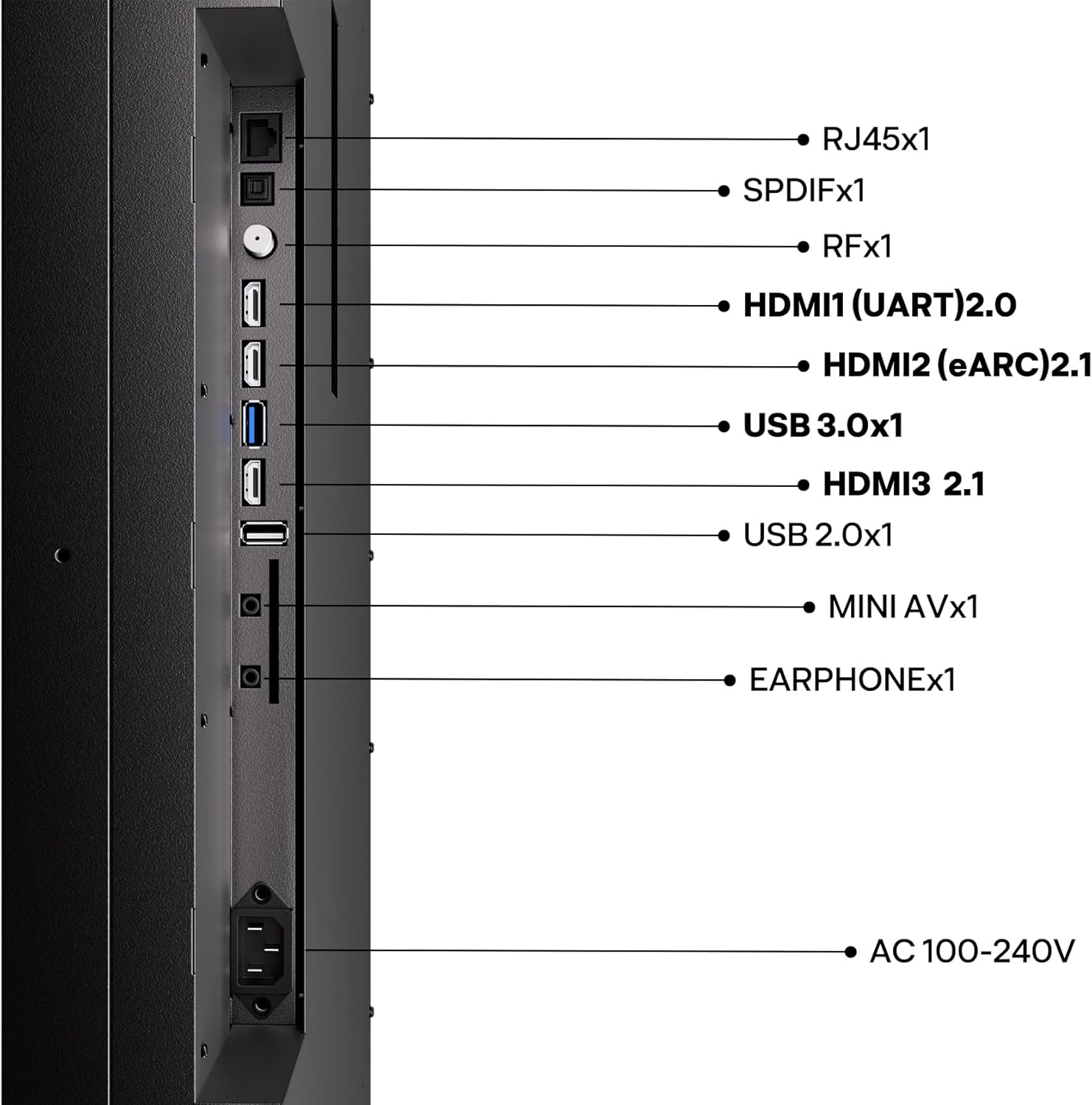
The SYLVOX Cinema Pro offers a variety of connectivity options:
- HDMI 2.1: Connect your gaming consoles, Blu-ray players, or streaming devices for high-quality audio and video.
- USB 3.0: Għall-daqq tal-midja minn drives USB.
- Ethernet (RJ45): Għal konnessjoni stabbli tal-internet bil-fili.
- Wi-Fi/Bluetooth: Għal konnessjonijiet ta' netwerk mingħajr fili u aċċessorji.
- SPDIF: Output awdjo diġitali.
- RF: Antenna/cable input.
- MINI AV: Input tal-vidjo analogu.
- Earphone: Audio output for headphones.
Konnessjoni tal-Enerġija
Connect the provided power cord to the AC 100-240V input on the TV and then to a suitable outdoor-rated power outlet. Ensure the outlet is protected from the elements.
It-tħaddim tat-TV
L-Inizjali Tixgħel u s-Setup tal-Google TV
Upon first power-on, the TV will guide you through the initial setup process for Google TV, including network connection, Google account login, and app installation. The integrated Google TV platform provides access to a vast array of streaming services and apps.
Karatteristiċi tal-Immaġni u l-Ħoss
Your SYLVOX Outdoor TV is equipped with advanced display and audio technologies:
- Helio QLED (Mini-LED + QLED): Delivers exceptional brightness (3500-5000 nits) and vibrant colors, ensuring clear visibility even in direct sunlight.
- 120Hz Refresh Rate with MEMC: Provides smooth motion for fast-paced content like sports and gaming, reducing blur.
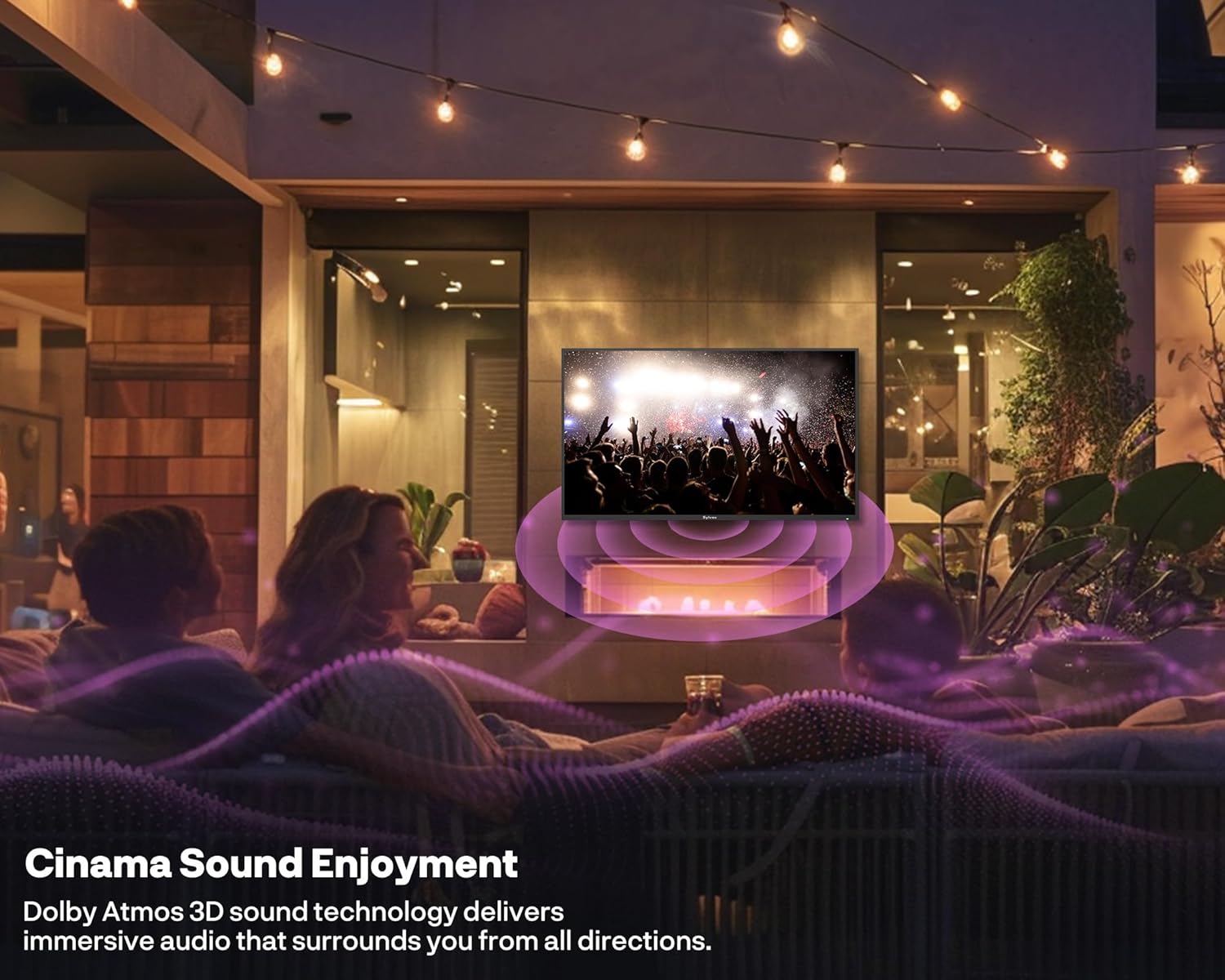
- Dolby Atmos Sound: Integrated 2x30W speakers offer immersive 3D surround sound for a cinematic audio experience.
- Kontroll tal-Vuċi: Utilize Google Assistant for hands-free control of your TV and smart home devices.



Vidjo Uffiċjali tal-Prodott
Ara l-filmat uffiċjali tal-prodott għal aktar minnview of the SYLVOX Cinema Pro Series Outdoor TV features and benefits:
Manutenzjoni
The SYLVOX Cinema Pro is built for durability in outdoor conditions, but proper maintenance will ensure its longevity.
- Tindif: Uża artab, damp cloth to clean the screen and exterior. Avoid harsh chemicals or abrasive materials.
- Protezzjoni tat-Temp: While IP55 waterproof, it is recommended to use a protective cover when the TV is not in use for extended periods or during extreme weather conditions to further safeguard it.
- Reżistenza għall-korrużjoni: The rust-proof metal body is designed to withstand outdoor elements. Regularly inspect for any signs of wear.

Issolvi l-problemi
If you encounter issues with your SYLVOX Outdoor TV, refer to the following common troubleshooting tips:
- Ebda Qawwa: Ensure the power cord is securely connected to both the TV and a working power outlet. Check the circuit breaker.
- Ebda Stampa/Ħoss: Verify that the correct input source is selected. Check all cable connections (HDMI, audio, etc.) are secure.
- Remote Mhux Taħdem: Ibdel il-batteriji fir-remote control. Kun żgur li m'hemm l-ebda ostaklu bejn ir-remote u s-sensor IR tat-TV.
- Kwistjonijiet ta' Konnettività tan-Netwerk: Restart your Wi-Fi router. For wired connections, ensure the Ethernet cable is properly connected.
- Kwistjonijiet ta' Kwalità tal-Istampa: Adjust picture settings (brightness, contrast, color) in the TV menu. Ensure the content source is high-quality.
For more complex issues or persistent problems, please contact SYLVOX customer support.
Speċifikazzjonijiet
| Karatteristika | Deskrizzjoni |
|---|---|
| Brand | SYLVOX |
| Mudell | 75-inch Cinema Pro |
| Daqs tal-Iskrin | 75 Pulzier |
| Teknoloġija tal-Wiri | Mini LED, QLED |
| Riżoluzzjoni | 4K (UHD) |
| Luminożità | 3500 nits (peak) |
| Riffriskar Rata | 120 Hz |
| Klassifikazzjoni li ma jgħaddix ilma minnha | IP55 |
| Awdjo | 2x30W Speakers, Dolby Atmos |
| Karatteristiċi Smart | Google TV, Chromecast, Voice Control |
| Konnettività | Bluetooth, Wireless (Wi-Fi), Ethernet, HDMI 2.1, USB 3.0 |
| Dimensjonijiet tal-Prodott | 3.5"D x 66.29"W x 38.31"H |
| Piż tal-oġġett | 116 liri |
| Standard VESA | 600 x 400 mm |
Garanzija u Appoġġ
Your SYLVOX Outdoor TV comes with a garanzija ta 'sena. SYLVOX is committed to providing excellent customer service. If you require technical assistance, installation advice, or have any questions regarding your product, please contact our dedicated team of TV specialists. Our professional support ensures your outdoor entertainment system performs flawlessly for years.
For support, please refer to the contact information provided on the warranty card included in your product packaging or visit the official SYLVOX websit.
Ask a question about this manual
Ask about setup, troubleshooting, compatibility, parts, safety, or missing instructions. Manuals+ will review the question and use this page’s manual context to help answer it.