
SOLUSTRE V33509U145KP
SOLUSTRE CD/DVD Clam Shell Cases User Manual
Model: V33509U145KP
1. Introduzzjoni
This user manual provides essential information for the proper use and care of your SOLUSTRE CD/DVD Clam Shell Cases. These cases are designed for the organization and protection of your optical discs, including CDs and DVDs. Please read this manual thoroughly to ensure optimal performance and longevity of your cases.
2. Prodott Aktarview
The SOLUSTRE CD/DVD Clam Shell Cases are durable plastic containers designed to store and protect individual optical discs. Each case features a clear outer shell and a black inner tray, providing a secure fit for your discs while allowing for easy identification.

Figure 2.1: A set of four SOLUSTRE CD/DVD Clam Shell Cases. These cases are designed to securely hold and protect your optical discs, featuring a clear outer shell and a black inner tray.

Figure 2.2: Detailed dimensions of a single CD/DVD clam shell case. The case measures approximately 5.5 inches (14 cm) in length, 4.9 inches (12.5 cm) in width, and 0.4 inches (1 cm) in thickness.
3. Karatteristiċi
- Disc Protection: Designed to protect CDs and DVDs from scratches, dust, and collisions.
- Organizzazzjoni: Helps in keeping your disc collection organized and easily accessible.
- Materjal Durabbli: Constructed from robust plastic for long-lasting use.
- Ċara Ċasing: Allows for quick identification of disc labels without opening the case.
- Disinn kompatt: Space-saving design suitable for various storage environments.
4. Setup
The SOLUSTRE CD/DVD Clam Shell Cases require no complex setup. They are ready for immediate use upon receipt.
- Spakkjar: Carefully remove the cases from their packaging.
- Spezzjoni: Inspect each case for any signs of damage during transit.
- Preparazzjoni: Ensure the inner tray is clean and free of debris before inserting a disc.
5. Istruzzjonijiet Operattivi
Follow these steps to properly insert and remove discs from the clam shell cases:
- Ftuħ il-Każ: Gently press the release tab (if present) or lift the lid from the side opposite the hinge until it opens fully.
- Daħħal Diska: Hold the disc by its edges. Align the center hole of the disc with the hub in the case's inner tray. Gently press down on the center of the disc until it clicks securely onto the hub. Avoid touching the data surface of the disc.
- L-għeluq tal-Każ: Carefully close the lid, ensuring it aligns with the base. Press firmly until you hear a click, indicating the case is securely closed.
- Removing a Disc: To remove a disc, gently press down on the hub in the center of the disc with your thumb or index finger while lifting the disc from its outer edge with your other hand. Avoid bending the disc.
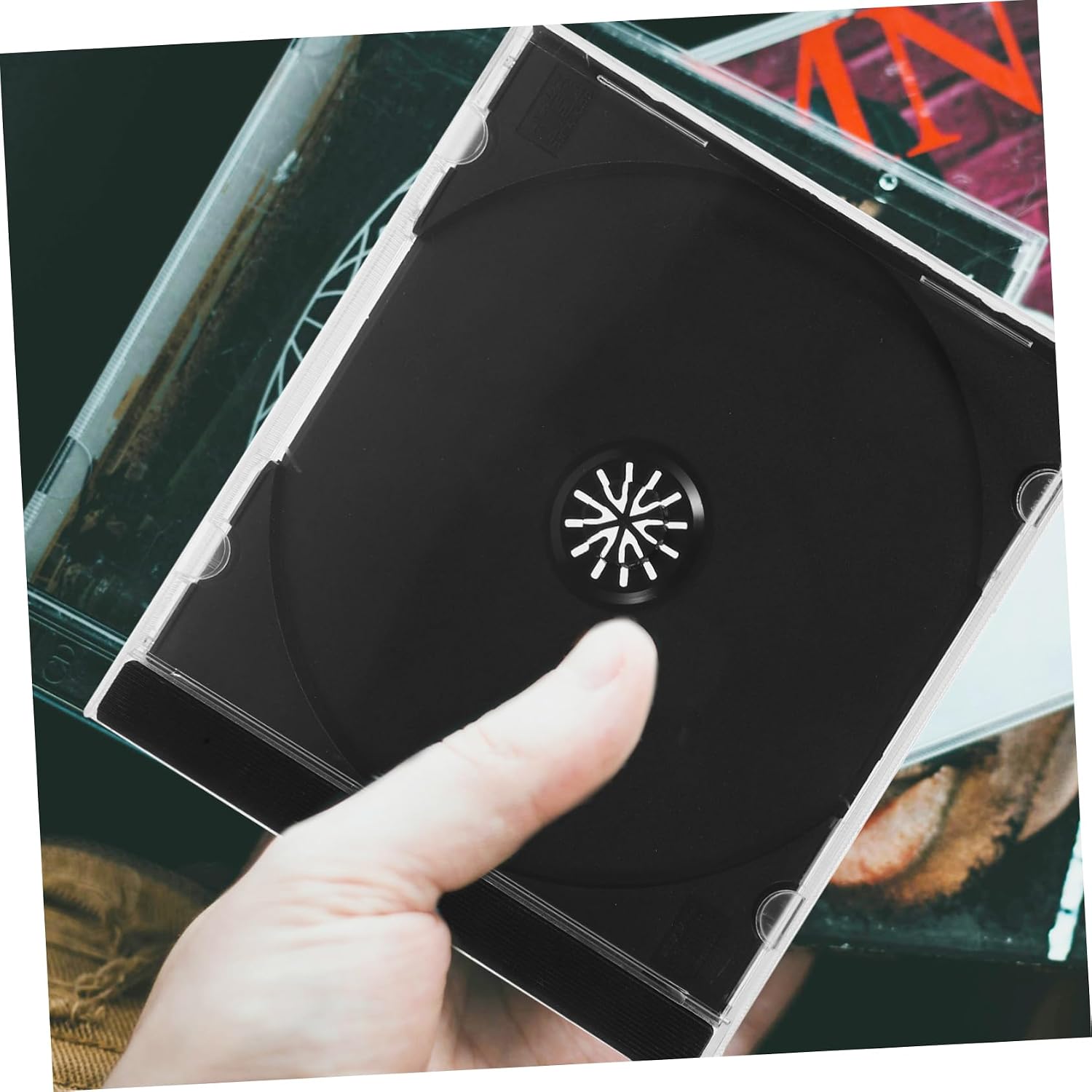
Figure 5.1: A hand holding a SOLUSTRE CD/DVD case, illustrating its compact and portable design for easy handling and storage.

Figure 5.2: An open SOLUSTRE CD/DVD case showing a disc properly inserted into one slot, with another slot available for a second disc or for storing accompanying artwork/booklets.
6. Manutenzjoni
Proper maintenance will extend the life of your CD/DVD cases and protect your discs.
- Tindif: Wipe the cases with a soft, damp drapp. Evita prodotti tat-tindif jew solventi li joborxu li jistgħu jagħmlu ħsara lill-plastik.
- Ħażna: Store cases in a cool, dry place away from direct sunlight and extreme temperatures to prevent warping or degradation of the plastic.
- Immaniġġjar: Handle cases by their edges to avoid fingerprints or smudges on the clear surface.
7 Issolvi l-problemi
| Problema | Kawża Possibbli | Soluzzjoni |
|---|---|---|
| Case does not close securely. | Debris in hinge or latch mechanism; warped plastic. | Check for and remove any obstructions. If plastic is warped, the case may need replacement. |
| Disc is difficult to insert or remove. | Incorrect alignment; hub mechanism is stiff. | Ensure the disc is perfectly aligned with the hub. Apply gentle, even pressure. Do not force the disc. |
| Case appears scratched or cloudy. | Surface abrasion; exposure to harsh chemicals. | Naddaf b'artab, damp cloth. Avoid rough surfaces or chemical cleaners. Minor scratches are cosmetic and do not affect function. |
8. Speċifikazzjonijiet
- Mudell: V33509U145KP
- Materjal: Plastik
- Kulur: Black (inner tray), Clear (outer shell)
- Dimensjonijiet tal-Prodott: 5.51 x 4.92 x 0.39 pulzieri (14.00 x 12.50 x 1.00 ċm)
- Piż tal-oġġett: Approximately 12.2 ounces (for the package of 5 cases)
- Manifattur: SOLUSTRE
- Pajjiż ta' Oriġini: Iċ-Ċina
9. Garanzija u Appoġġ
For information regarding warranty, returns, or customer support, please refer to the retailer's policy where the product was purchased or visit the official SOLUSTRE store page on Amazon:
Visit the SOLUSTRE Store on Amazon
Please have your model number (V33509U145KP) and ASIN (B0F5WJ42FV) ready when contacting support.
Ask a question about this manual
Ask about setup, troubleshooting, compatibility, parts, safety, or missing instructions. Manuals+ will review the question and use this page’s manual context to help answer it.