
1. Introduzzjoni
This manual provides instructions for the KU XIU Magnetic Wireless Charging Panel, designed to securely mount and wirelessly charge your compatible iPad Pro. Please read this manual thoroughly before use to ensure proper installation and operation.
Kompatibilità
- iPad Pro: ONLY compatible with iPad Pro 11-inch M4 (2024) and iPad Pro 11-inch M5 (2025).
- Mount: Designed for use with 17mm ball head stands/mounts.
- Nota Importanti: Not compatible with other iPad models, Android tablets, or other devices. The charging function is not compatible with iPadOS Beta series; please use the official release or upgrade for full functionality.
Konsiderazzjonijiet Importanti
- The package includes only the magnetic panel and accessories. The arm/mount/stand is mhux inklużi u għandhom jinxtraw separatament.
- To prevent sagging, ensure your chosen stand has a load capacity of at least 1.1 kg (2.4 lbs).

The magnetic charging panel requires a separate stand or mount for use.
2. Kontenut tal-Pakkett
Iċċekkja li l-oġġetti kollha elenkati hawn taħt huma inklużi fil-pakkett tiegħek:
- Magnetic Charging Panel ×1
- 2M USB-C Charging Cable ×1
- Manwal għall-Utent ×1
- Cable Clips ×10
- Nano Traceless Double-sided Tape ×10

All components included in the KU XIU Magnetic Wireless Charging Panel package.
3. Istruzzjonijiet ta' Setup
3.1 Attaching to a 17mm Ball Head Mount
- Ensure your existing tablet mount has a 17mm ball head.
- Align the socket on the back of the magnetic charging panel with the 17mm ball head of your mount.
- Secure the panel by tightening the collar around the ball head until it is firmly in place.

Securely attach the magnetic panel to a 17mm ball head mount.
3.2 Konnessjoni tal-Cable USB-C
- Connect one end of the provided 2M USB-C charging cable to the USB-C port on the magnetic charging panel.
- Connect the other end of the USB-C cable to a compatible power adapter (not included). For optimal charging, use an 18W or higher power adapter.
- Use the included cable clips and nano traceless double-sided tape to manage the cable neatly along your mount or desk, if desired.

The panel charges the iPad wirelessly, leaving the iPad's USB-C port available.
4. Istruzzjonijiet Operattivi
4.1 Twaħħil Manjetiku
The panel features 88 high-quality N52 neodymium magnets for a strong and secure hold.
- Align your compatible iPad Pro 11-inch M4/M5 with the magnetic charging panel.
- The iPad will automatically snap into place due to the strong magnetic force.
- Ensure the iPad is centered and fully seated on the panel for optimal connection and charging.

The panel uses strong magnets for secure iPad attachment.
4.2 Iċċarġjar bla fili
Once your iPad is magnetically attached and the panel is connected to power, wireless charging will begin automatically via the iPad's Smart Connector.
- The panel delivers up to 18W of power for fast wireless charging.
- The original Type-C port on your iPad remains open and usable for connecting other devices or accessories while charging wirelessly.
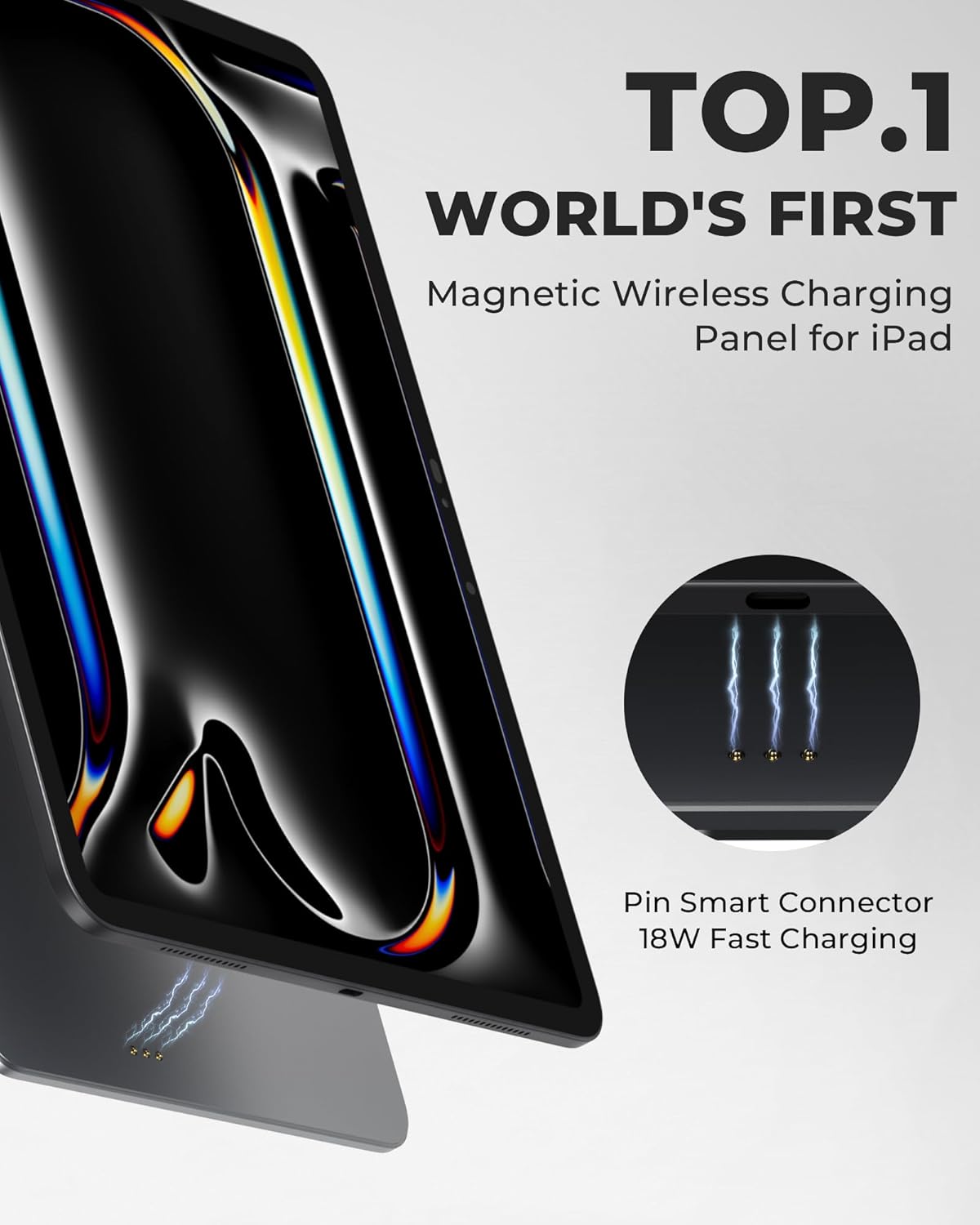
Wireless charging is initiated via the Smart Connector upon magnetic attachment.
4.3 Unobstructed Display
The magnetic design ensures a 100% unobstructed display, unlike traditional clip-on mounts that may block a portion of the screen.

Enjoy a full, unobstructed view of your iPad screen.
5. Manutenzjoni
To ensure the longevity and optimal performance of your KU XIU Magnetic Wireless Charging Panel, follow these maintenance guidelines:
- Tindif: Use a soft, dry, lint-free cloth to wipe the surface of the panel. Avoid using abrasive cleaners, solvents, or aerosol sprays, which can damage the finish.
- Ħażna: When not in use, store the panel in a clean, dry environment away from extreme temperatures and direct sunlight.
- Immaniġġjar: Avoid dropping the panel or subjecting it to strong impacts, as this may affect its structural integrity and magnetic properties.
6 Issolvi l-problemi
If you encounter issues with your magnetic wireless charging panel, refer to the following common solutions:
6.1 iPad Not Charging
- Iċċekkja l-Kompatibbiltà: Ensure your iPad is an iPad Pro 11-inch M4 (2024) or M5 (2025). The panel is not compatible with other iPad models or Android tablets.
- Konnessjoni tal-Enerġija: Verify that the USB-C cable is securely connected to both the charging panel and a working power adapter. Ensure the power adapter is plugged into a live outlet.
- Adapter tal-Enerġija: Use a power adapter that provides sufficient wattage (18W or higher recommended).
- iPad Alignment: Re-attach your iPad to the panel, ensuring it is properly aligned and the magnetic connection is firm.
- iPadOS Version: If using an iPadOS Beta version, the charging function may not work. Update to an official iPadOS release for full functionality.
6.2 On-Screen Keyboard Disappears
- This is a known behavior for some iPad models when connected to certain accessories. If the on-screen keyboard does not appear, consider using an external Bluetooth keyboard for typing.
6.3 Panel Sagging or Instability
- Ensure your mount/stand has a sufficient load capacity of at least 1.1 kg (2.4 lbs) to support the iPad and panel without sagging.
- Verify that the 17mm ball head connection is tightened securely.
7. Speċifikazzjonijiet
| Brand | KU XIU |
| Isem tal-Mudell | X39 ProMax |
| Apparati Kompatibbli | iPad Pro 11-inch M4 (2024), iPad Pro 11-inch M5 (2025) |
| Tip ta 'Immuntar | Compatible with 17mm Ball Head Mounts |
| Ħruġ ta 'Iċċarġjar Bla Fili | Sa 18W |
| Materjal | Aircraft-Grade Aluminum Alloy |
| Weight Capacity (Mount) | Minimum 1.1 kg (2.4 lbs) recommended |
| Kalamiti | 88 N52 Neodymium Magnets |

The panel is constructed from durable aircraft-grade aluminum alloy.
8. Appoġġ & Garanzija
For any questions, concerns, or technical assistance, please contact KU XIU customer support. We are committed to providing excellent service.
- Servizz tal-Klijent: Refer to the contact information provided with your product packaging or visit the official KU XIU store on Amazon: KU XIU Store.
- Garanzija: This product typically comes with a 1-year limited warranty from the date of purchase. Please retain your proof of purchase for warranty claims. For detailed warranty terms and conditions, contact customer support.