
Introduzzjoni
This manual provides detailed instructions for the safe and effective operation of your TrustFire Mini X7 Flat EDC Flashlight. Please read this manual thoroughly before use and retain it for future reference.
Prodott Overview
Karatteristiċi ewlenin:
- 3-in-1 Functionality: White LED (750 Lumens), Red Beam, and Distance Meter.
- Adjustable Brightness: Four white light modes.
- Real-time Distance Measurement: 0.03 to 30 meters with 2mm precision.
- Magnetic Tail: For hands-free operation.
- Durable Construction: Aluminum alloy, IPX6 waterproof, 1-meter impact resistance.
- Rechargeable: USB-C charging.
Kontenut tal-Pakkett:
- TrustFire Mini X7 Flashlight
- Kejbil tal-Iċċarġjar tat-Tip C
- Manwal għall-Utent

Image: The TrustFire Mini X7 flashlight, showcasing id-disinn kompatt u l-wiri integrat tiegħu.

Image: Illustration of the Mini X7's three primary functions: white light, white light with red beam, and distance meter.
Setup
Iċċarġjar tal-Apparat:
- Sib il-port tal-iċċarġjar tal-USB-C fuq l-apparat.
- Connect the provided Type-C cable to the flashlight and a compatible USB power source (e.g., computer, wall adapter).
- Id-dawl indikatur se juri aħmar waqt l-iċċarġjar u jsir aħdar meta jkun iċċarġjat kompletament.

Image: Visual representation of the charging status indicator: red for charging, green for fully charged.
Istruzzjonijiet Operattivi
Għażla tal-Modalità:
The Mini X7 features a side toggle button for mode selection. Move the toggle to switch between modes:
- Pożizzjoni Ewlenija: Switch Mode (Power On/Off)
- Pożizzjoni Nofsani: Lighting Mode (Flashlight functions)
- Pożizzjoni tal-qiegħ: Distance Meter Mode

Image: Diagram illustrating the side toggle button positions for Switch, Lighting, and Distance Meter modes.
Flashlight Operation (Lighting Mode):
When the side toggle is in the middle position (Lighting Mode):
- Power On/Off: Press the round button once to turn the white light on or off.
- Aġġusta l-luminożità: With the light on, short press the round button to cycle through brightness modes: Low (2.5lm), Medium (50lm), High (200lm), Extreme High (750lm).
- Modalità Strobe: Press and hold the round button for 3 seconds to activate strobe mode. (Strobe is only accessible in Lighting Mode).
- Red Beam Activation: Press and hold the round button for 1 second to turn on the red beam.

Image: Visual guide to the round button functions for brightness adjustment, strobe, and red beam activation.

Image: A person using the Mini X7 flashlight with both white light and red beam activated in an outdoor setting.
Distance Meter Operation (Distance Meter Mode):
When the side toggle is in the bottom position (Distance Meter Mode):
- Kejl Uniku: Short press the round button to start a measurement. Press again to stop and display the result.
- Kejl Kontinwu: Press and hold the round button for continuous measurement. Release to stop.
- Changing Measurement Reference: In Measurement Mode, short press the round button to cycle through measurement reference points (Pre Datum Measurement or Post Datum Measurement).
- Unitajiet li jinbidlu: The device supports meters (m), feet (ft), inches (in), and fractional inches (-/in). Refer to the settings mode for unit conversion.

Image: Diagram showing how to change the measurement reference point (Pre Datum vs. Post Datum) on the Mini X7's display.

Image: Illustration of the five measurement units available on the Mini X7: meters, feet, inches, and fractional inches.
Modalità ta' Settings:
To enter Settings Mode (for CRL, Measurement Unit, Backlight On/Off):
- Push the side toggle button to its top position (Switch Mode).
- Press and hold the round button for 5 seconds.
- Release immediately after the screen turns off.
- Immediately after releasing (within 1 second), press and hold the round button again for 5 seconds to enter Settings Mode.
- In Settings Mode: Short press the round button to change settings (cycle through CRL, Measurement Unit, Backlight On/Off). Press and hold for 1 second to confirm the setting and move to the next one.

Image: Step-by-step visual guide on how to access and navigate the settings mode for CRL, measurement units, and backlight control.
Denb Manjetiku:
The integrated magnetic tail allows for hands-free operation by attaching the flashlight to metallic surfaces. This is useful for tasks requiring both hands, such as vehicle maintenance or workshop activities.

Immaġni: Eżamples of using the Mini X7's magnetic base for hands-free lighting during home repair, camping, and workshop tasks.
Manutenzjoni
- Tindif: Imsaħ il-qafas tal-flashlight b'ċarruta ratba u damp drapp. Tużax tindif jew solventi li joborxu.
- Ħażna: Store the device in a cool, dry place away from direct sunlight when not in use for extended periods.
- Kura tal-batterija: Recharge the battery regularly, even if not frequently used, to maintain battery health. Avoid fully discharging the battery for prolonged periods.
- Reżistenza għall-Ilma: The Mini X7 is IPX6 waterproof. While it can withstand heavy rain and splashes, it is not designed for submersion. Ensure the charging port cover is securely closed to maintain water resistance.
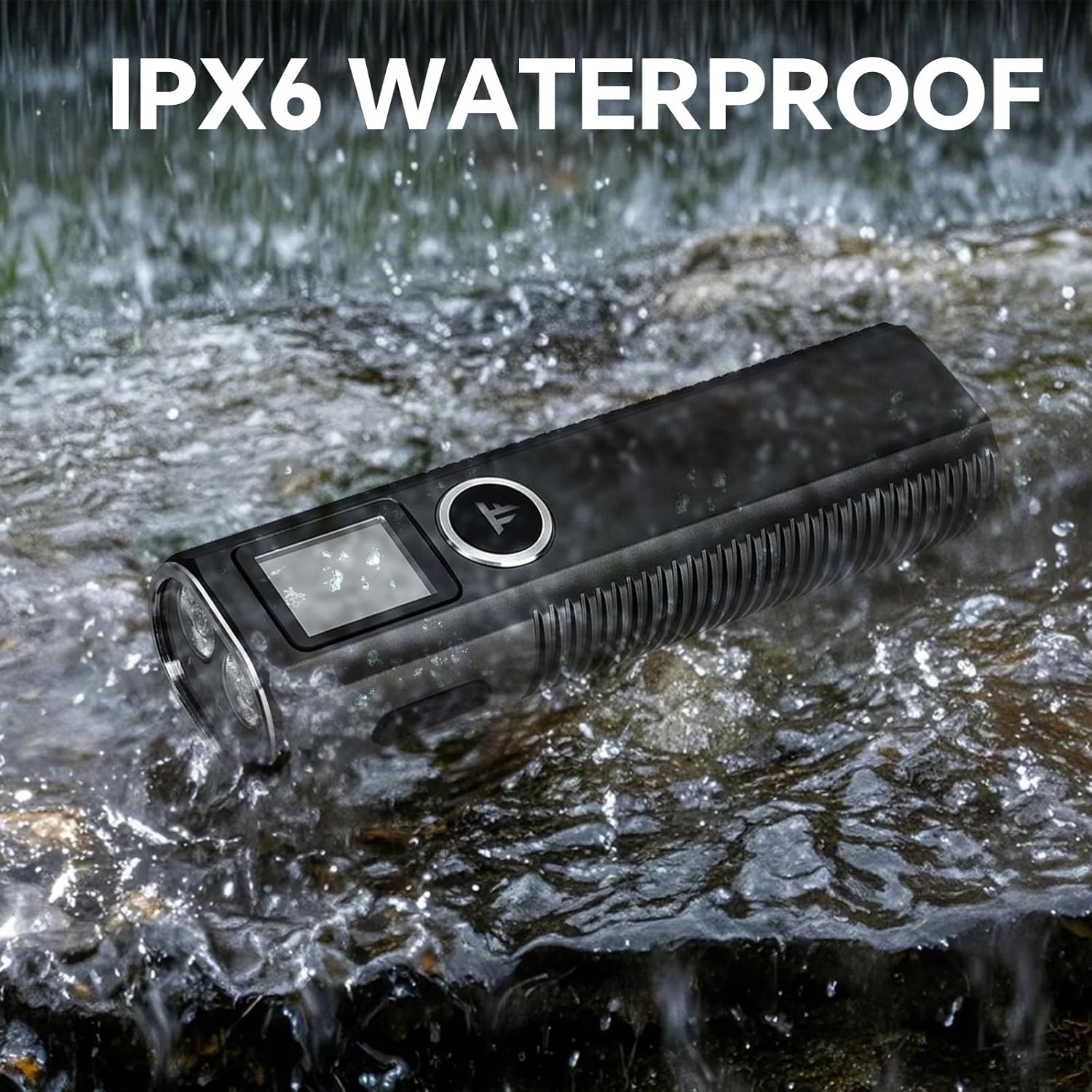
Image: The TrustFire Mini X7 flashlight being exposed to water splashes, demonstrating its IPX6 waterproof rating.
Issolvi l-problemi
| Problema | Kawża Possibbli | Soluzzjoni |
|---|---|---|
| Il-flashlight ma tixgħel. | Low battery; Incorrect mode selection. | Charge the battery; Ensure the side toggle is in the "Lighting Mode" (middle position). |
| Distance meter not working. | Incorrect mode selection; Obstruction to laser. | Ensure the side toggle is in the "Distance Meter Mode" (bottom position); Ensure a clear path for the laser. |
| Qari tad-distanza mhux preċiż. | Unstable surface; Incorrect measurement reference. | Place the device on a stable surface or use the magnetic base; Verify the measurement reference setting (Pre Datum/Post Datum). |
| Apparat mhux jiċċarġja. | Faulty cable or power source; Charging port obstruction. | Try a different USB-C cable and power source; Check charging port for debris. |
Speċifikazzjonijiet
| Karatteristika | Dettall |
|---|---|
| Brand | TrustFire |
| Mudell | MINIX7 |
| Luminożità abjad | 750 Lumens (Mass) |
| Tip ta' Sors tad-Dawl | LED |
| Materjal | Aluminju |
| Sors tal-Enerġija | Li jaħdem bil-batterija (jone tal-litju) |
| Kapaċità tal-batterija | 1 batterija tal-jone tal-litju (inkluża) |
| Distance Measurement Range | 0.03 sa 30 metru |
| Preċiżjoni tal-Kejl | ± 2mm |
| Livell ta 'Reżistenza għall-Ilma | IPX6 |
| Reżistenza għall-Impatt | Sa 1 metru |
| Dimensjonijiet tal-Prodott | 1.18"D x 1.38"W x 4.72"H |
| Piż tal-oġġett | 0.66 Lira (10.56 uqija) |
| Temperatura tal-Kulur | 5700 Kelvin |
Garanzija u Appoġġ
For warranty information and customer support, please refer to the official TrustFire webis-sit jew ikkuntattja lill-bejjiegħ tiegħek. Żomm l-irċevuta tax-xiri tiegħek għal talbiet ta' garanzija.
You can visit the official TrustFire store on Amazon for more information: TrustFire Store