
Introduzzjoni
Thank you for choosing the IRRADIO IR-GT710V Portable Speaker. This manual provides essential information for the safe and efficient operation of your device. Please read it carefully before use and retain it for future reference.
Informazzjoni dwar is-Sigurtà
- Tesponix l-ispiker għal temperaturi estremi, dawl tax-xemx dirett, jew fjammi mikxufa.
- Evita li twaqqa’ jew tissuġġetta lill-kelliem għal impatti qawwija.
- Do not disassemble, repair, or modify the speaker yourself. Contact qualified service personnel for any repairs.
- Żomm l-ispiker 'il bogħod minn apparati mediċi.
- Kun żgur li l-port tal-iċċarġjar ikun niexef qabel ma tqabbad il-ċarġer.
- This speaker has an IPX6 water resistance rating, meaning it is protected against high-pressure water jets from any direction. It is not designed for submersion.
Kontenut tal-Pakkett
- IRRADIO IR-GT710V Portable Speaker
- Ċarġer tal
- Manwal għall-Utent
Prodott Overview
Familiarize yourself with the various parts and controls of your IRRADIO IR-GT710V speaker.

Figura 1: Quddiem view of the IRRADIO IR-GT710V speaker. The speaker features a black mesh grille covering the front, with the IRRADIO logo illuminated by RGB lights on the left side. A sturdy handle is visible on top.

Figura 2: Fuq view of the IRRADIO IR-GT710V speaker. This image highlights the integrated carrying handle and the control panel located on the top surface. The control panel includes buttons for power, Bluetooth pairing, volume control, play/pause, and LED light modes.
Funzjonijiet tal-Panew tal-Kontroll
- Buttuna tal-Qawwa (⏻): Agħfas u żomm biex tixgħel/itfi.
- Bluetooth Pairing Button (🔂): Agħfas biex tidħol fil-mod ta 'tqabbil Bluetooth.
- Volum 'l isfel (−): Naqqas il-volum.
- Volum 'il fuq (+): Żid il-volum.
- Buttuna Play/Pause (▶): Daqq jew waqqaf id-daqq tal-awdjo.
- LED Light Mode Button (✴): Cycle through different RGB LED light modes.
- Buttuna tal-Bass Booster: Attiva jew iddiżattiva l-bass imtejjeb.
Portijiet u Konnessjonijiet
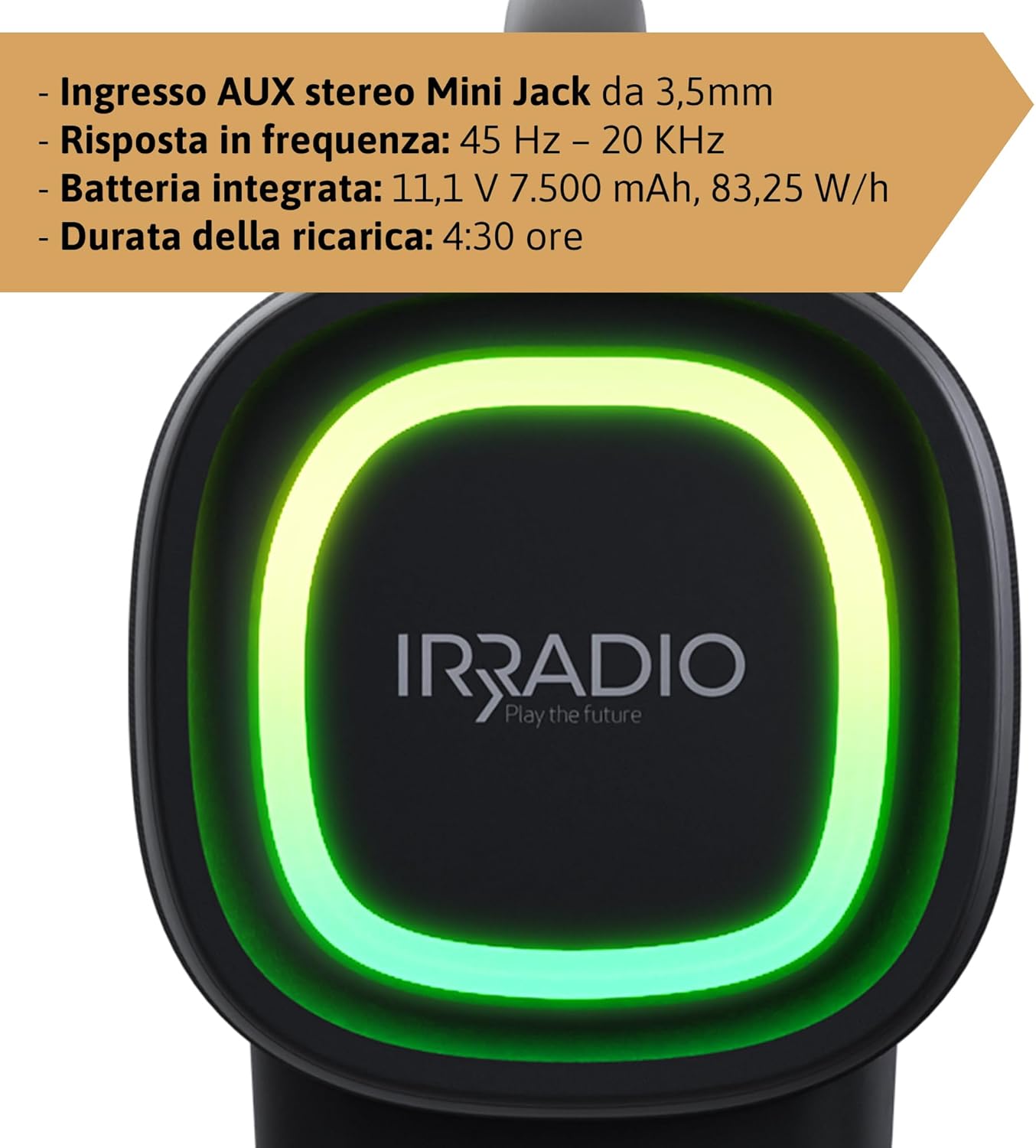
Figura 3: Rear panel of the IRRADIO IR-GT710V speaker. This image shows the various input ports, including a 3.5mm AUX input, a USB port for media playback, and the DC 5V 3A charging port.
- DC 5V 3A Charging Port: For connecting the power adapter to charge the speaker.
- Port USB: Għad-daqq tal-awdjo files direttament minn USB drive.
- Input AUX 3.5mm: Għall-konnessjoni ta' apparati awdjo esterni permezz ta' kejbil awdjo ta' 3.5mm.
Setup
Iċċarġjar lill-Ispeaker
- Connect the provided charger to the DC 5V 3A charging port on the speaker.
- Ipplaggja l-ċarġer fi żbokk tad-dawl.
- Id-dawl indikatur tal-iċċarġjar se jixgħel.
- Ċarġ sħiħ jieħu madwar 4.5 sigħat. Id-dawl indikatur jinbidel jew jintefa ladarba l-iċċarġjar ikun komplut.
The integrated 7500 mAh battery provides up to 12 hours of continuous playback at 50% volume.
Qawwa mixgħul/mitfi
- Biex tixgħel, agħfas u żomm il-buttuna tal-Enerġija (⏻) għal ftit sekondi sakemm tisma' sinjal li jinstema' jew tara d-dwal indikatur jattivaw.
- Biex titfi, agħfas u żomm il-buttuna tal-Enerġija (⏻) għal darb'oħra għal ftit sekondi sakemm l-ispiker jintefa.
Istruzzjonijiet Operattivi
Tqabbil tal-Bluetooth
- Ensure the speaker is powered on and within 10 meters of your Bluetooth device.
- The speaker will automatically enter Bluetooth pairing mode, indicated by a flashing Bluetooth indicator light. If not, press the Bluetooth Pairing button (🔂).
- Ippermetti l-Bluetooth fuq l-apparat tiegħek (smartphone, tablet, eċċ.) u fittex apparati disponibbli.
- Select "IRRADIO IR-GT710V" from the list of devices.
- Once paired, the Bluetooth indicator light will stop flashing and remain solid, and you will hear a confirmation sound.
Tqabbil ta 'Stereo Bla Twila Veru (TWS)
The TWS function allows you to connect two IRRADIO IR-GT710V speakers for a more immersive stereo sound experience.
- Ensure both IR-GT710V speakers are powered on and not connected to any Bluetooth device.
- On one of the speakers (this will be the primary speaker), press and hold the Bluetooth Pairing button (🔂) for a few seconds until you hear a TWS pairing prompt.
- Il-kelliem primarju se jfittex awtomatikament il-kelliem sekondarju.
- Once successfully paired, you will hear a confirmation sound, and the Bluetooth indicator lights on both speakers will synchronize.
- Now, connect your Bluetooth device to the primary speaker as described in the "Bluetooth Pairing" section. Both speakers will play audio in stereo.
Audio Playback (USB & AUX)
Daqq USB
- Daħħal flash drive USB li fih awdjo MP3 jew WAV files fil-port USB.
- The speaker will automatically detect the USB drive and begin playing audio.
- Use the Play/Pause and Volume buttons on the speaker to control playback.
Daqq AUX
- Connect one end of a 3.5mm audio cable to the AUX input port on the speaker.
- Qabbad it-tarf l-ieħor tal-kejbil mal-jack tal-output tal-awdjo tat-tagħmir estern tiegħek (eż., MP3 player, kompjuter).
- L-ispiker jaqleb awtomatikament għall-modalità AUX.
- Control playback and volume primarily from your external device.
Modi tad-Dawl LED
The IR-GT710V features dynamic RGB LED lighting. Press the LED Light Mode button (✴) to cycle through various lighting effects. The lights can synchronize with the music or display ambient patterns.

Figura 4: The IRRADIO IR-GT710V speaker shown outdoors, emphasizing its key features. These include True Wireless Stereo functionality, IPX6 water resistance, vibrant RGB LED lighting, and a powerful 100W audio output.
Bass Booster Function
Press the Bass Booster button to enhance the bass output for a deeper, more impactful sound. Press it again to deactivate the function.
Manutenzjoni
- Naddaf l-ispiker b'ċarruta ratba u niexfa. Tużax prodotti tat-tindif jew solventi li joborxu.
- If the speaker gets wet, wipe it dry thoroughly before charging or using it again.
- Aħżen l-ispiker f'post frisk u niexef meta ma jkunx qed jintuża għal perjodi twal.
- Charge the battery at least once every three months to maintain its lifespan.
Issolvi l-problemi
| Problema | Kawża Possibbli | Soluzzjoni |
|---|---|---|
| L-ispiker ma jixgħelx. | Il-batterija hija eżawrita. | Iċċarġja l-ispiker għal mill-inqas 30 minuta. |
| Ma tistax tqabbad permezz tal-Bluetooth. | L-ispiker mhux fil-modalità ta' tqabbil jew diġà konness ma' apparat ieħor. | Ensure the speaker is in pairing mode (flashing indicator). Disconnect from other devices. Restart both speaker and Bluetooth device. |
| L-ebda ħoss waqt id-daqq. | Volume is too low or muted. Incorrect input source. | Increase volume on both the speaker and the connected device. Ensure the correct input mode (Bluetooth, USB, AUX) is selected. |
| It-tqabbil tat-TWS ifalli. | Speakers are too far apart or already paired. | Ensure both speakers are close to each other and not connected to any other Bluetooth device. Try resetting both speakers. |
| Il-plejbek tal-USB mhux qed jaħdem. | Mhux appoġġjat file format or corrupted USB drive. | Tiżgura files are MP3 or WAV format. Try a different USB drive or reformat the current one. |
Speċifikazzjonijiet
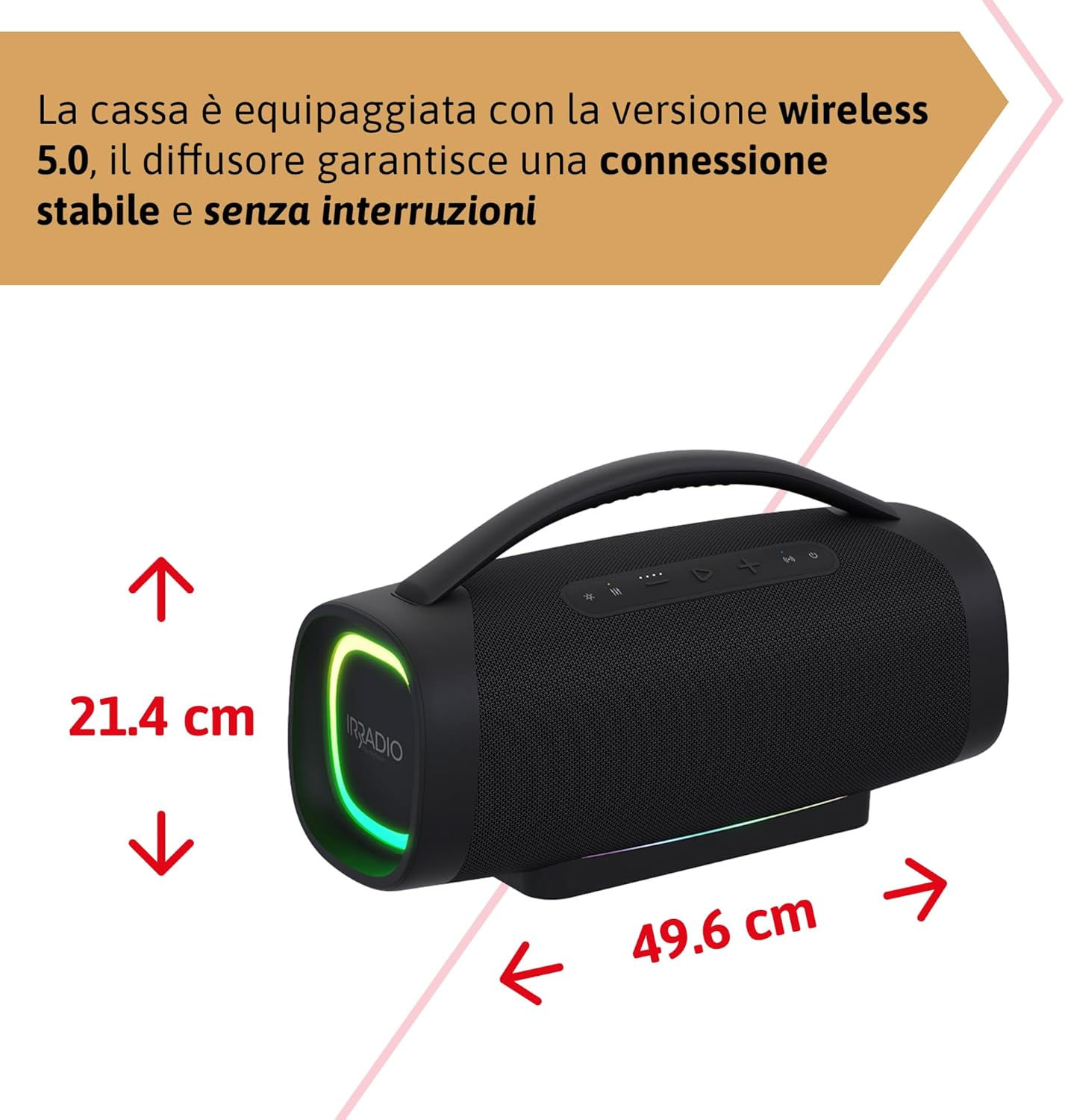
Figura 5: Dimensions of the IRRADIO IR-GT710V speaker. The speaker measures 49.6 cm in width and 21.4 cm in height.
| Karatteristika | Speċifikazzjoni |
|---|---|
| Brand | IRRADJU |
| Mudell | IR-GT710V |
| Tip ta' Kelliem | Boombox |
| Output ta 'Qawwa | 100W RMS |
| Konnettività | Bluetooth 5.0, USB, AUX 3.5mm |
| Medda Bluetooth | Sa 10 metri (33 pied) |
| Reżistenza għall-Ilma | IPX6 |
| Kapaċità tal-batterija | 11.1V 7500 mAh (83.25 Wh) |
| Ħin tal-daqq | Sa 12 sigħat (b'50% volum) |
| Ħin tal-Iċċarġjar | Madwar sagħtejn |
| Rispons ta' Frekwenza | 45 Hz - 20 KHz |
| Formati Awdjo Appoġġjati | MP3, WAV |
| Dimensjonijiet tal-Prodott (L x W x H) | 49.6 x 21.4 x 21.4 ċm (19.5 x 8.4 x 8.4 pulzieri) |
| Piż Nett | 6.22 kg (13.7 lbs) |
| Komponenti Inklużi | Ċarġer tal |
| Tip ta 'Plug tal-Enerġija | Type D – 3-pin (India) |
Garanzija u Appoġġ
IRRADIO products are designed and manufactured to the highest quality standards. For warranty information, technical support, or service inquiries, please refer to the warranty card included with your product or visit the official IRRADIO websit. Jekk jogħġbok żomm il-prova tax-xiri tiegħek għal talbiet ta' garanzija.