
Introduzzjoni
The IRRADIO IR-M9 Charge Classic is a versatile device combining a high-quality wireless speaker with a convenient wireless charger for smartphones, tablets, and smartwatches. Designed for both indoor and outdoor use, it delivers powerful audio and features IPX7 water resistance. This manual provides essential information for the safe and effective operation of your IR-M9 device.
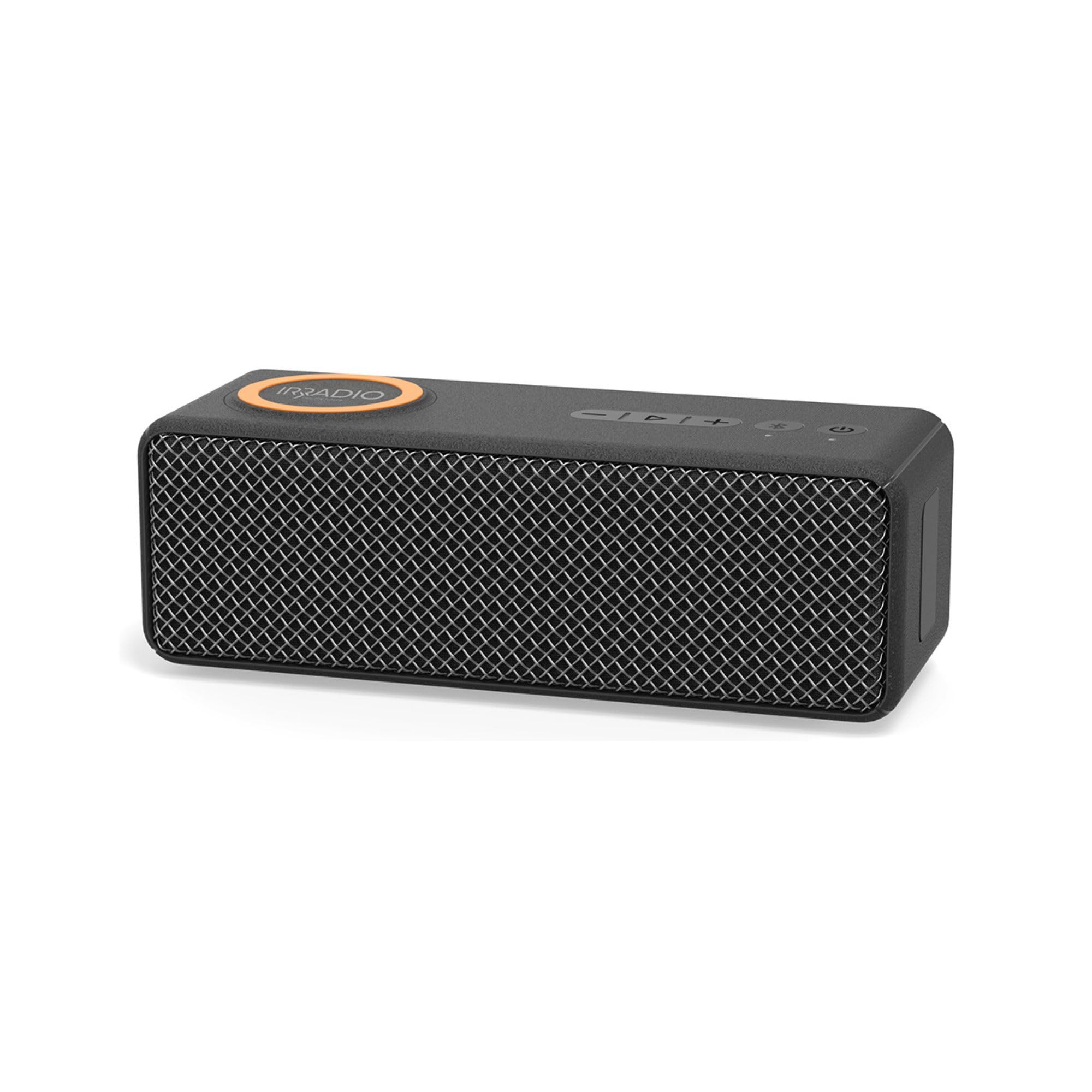
Image: The IRRADIO IR-M9 speaker, showcasing its dual functionality as a wireless speaker and charger.
Informazzjoni Importanti dwar is-Sigurtà
- Reżistenza għall-Ilma (IPX7): The device is protected against immersion in water up to 1 meter for up to 30 minutes. Ensure all port covers are securely closed before exposure to water. Do not submerge in saltwater or other liquids.
- Sors tal-Enerġija: Use only the provided charging cable with a certified DC 5V 2A power adapter. Incorrect voltage jista 'jagħmel ħsara lill-apparat u jħassar il-garanzija.
- Kura tal-batterija: Do not expose the battery to excessive heat, direct sunlight, or fire. Do not disassemble, puncture, or short-circuit the battery. Dispose of batteries according to local regulations.
- Ambjent Operattiv: Operate the device within the specified temperature range of 0°C to 40°C and relative humidity of 0% to 75%.
- Tindif: Disconnect the device from power before cleaning. Use a soft, dry cloth. Do not use abrasive cleaners or solvents.
- Tfal: Żomm l-apparat u l-aċċessorji tiegħu fejn ma jintlaħaqx mit-tfal.
Kontenut tal-Pakkett
Jekk jogħġbok iċċekkja l-pakkett għall-oġġetti li ġejjin:
- IRRADIO IR-M9 Wireless Speaker and Charger
- Charging Cable (USB-C to USB-A, typically)
- Manwal għall-Utent (dan id-dokument)
Note: A power adapter (DC 5V 2A) is required for charging the speaker and for the wireless charging function to operate.
Prodott Overview
Familiarize yourself with the buttons and ports on your IRRADIO IR-M9 speaker.

Image: Top panel of the IRRADIO IR-M9 speaker, showing the power button, volume controls, play/pause, Bluetooth, and TWS buttons.
Kontrolli u Indikaturi:
- Buttuna tal-Qawwa (⏻): Agħfas u żomm biex tixgħel/itfi.
- Buttuna Play/Pause (▶︎/⏸︎): Agħfas biex tilgħab jew twaqqaf il-mużika.
- Volum 'l isfel / Trakka Preċedenti (-): Agħfas biex tnaqqas il-volum. Żomm biex tmur għat-trakka ta' qabel.
- Volum 'il fuq / Trakka li jmiss (+): Agħfas biex iżżid il-volum. Żomm biex tmur għat-trakka li jmiss.
- Buttuna Bluetooth (Ⓑ): Agħfas biex tidħol fil-mod ta 'tqabbil Bluetooth.
- True Wireless Stereo (TWS) Button (Ⓣ): Press to initiate TWS pairing with another IR-M9 speaker.
- Indikaturi LED: Indicate power status, charging status, and Bluetooth connection.
Portijiet:
- Port tal-Iċċarġjar USB-C: Għall-iċċarġjar tal-batterija interna tal-ispiker.
- Slott tal-Karta MicroSD: Għad-daqq tal-mużika direttament minn memory card.
Setup
1. Iċċarġjar Inizjali
- Connect the provided charging cable to the USB-C port on the speaker.
- Connect the other end of the cable to a DC 5V 2A power adapter (not included) or a compatible USB power source.
- L-indikatur LED se juri l-istatus tal-iċċarġjar. Iċċarġjar sħiħ jieħu madwar 3.5 sigħat.
- Disconnect the speaker once fully charged.
2. Tixgħil / Mitfi
- Biex Tixgħel: Agħfas u żomm il-buttuna Power (⏻) for a few seconds until the indicator light illuminates and you hear an audible prompt.
- Biex Tifi: Agħfas u żomm il-buttuna Power (⏻) for a few seconds until the indicator light turns off and you hear an audible prompt.
3. Tqabbil tal-Bluetooth
- Ensure the speaker is powered on and within 10 meters of your Bluetooth device.
- The speaker will automatically enter Bluetooth pairing mode, indicated by a flashing LED. If not, press the Bluetooth button (Ⓑ).
- Fuq it-tagħmir tiegħek (smartphone, tablet), attiva l-Bluetooth u fittex tagħmir disponibbli.
- Select "IRRADIO IR-M9" from the list.
- Ladarba jkun imqabbad, l-indikatur LED isir solidu, u tisma' ħoss ta' konferma.
4. Tqabbil ta' Stereo Wireless Veru (TWS) (Mhux obbligatorju)
To achieve a more immersive stereo sound, you can pair two IRRADIO IR-M9 speakers together.
- Ensure both IR-M9 speakers are powered on and not connected to any other Bluetooth device.
- Fuq kelliem wieħed (dan se jkun il-kelliem primarju), agħfas il-buttuna TWS (Ⓣ). Se jidħol fil-modalità ta' tqabbil tat-TWS.
- The primary speaker will automatically search for and connect to the second IR-M9 speaker.
- Once successfully paired, both speakers will emit a confirmation sound, and their LED indicators will synchronize.
- Now, connect your Bluetooth device to the primary IR-M9 speaker as described in "3. Bluetooth Pairing". Audio will play in stereo through both speakers.
Istruzzjonijiet Operattivi
Daqq tal-Mużika
- Play/Pawsa: Agħfas il-buttuna Play / Pause (▶︎/⏸︎).
- Aġġustament tal-Volum: Press the Volume Up (+) jew Volume Down (-) buttuni.
- Track li jmiss: Hold the Volume Up (+) buttuna.
- Track preċedenti: Hold the Volume Down (-) buttuna.
Bl-użu ta 'MicroSD Card
The IR-M9 supports playing MP3 and WAV audio filedirettament minn kard MicroSD.

Image: The IRRADIO IR-M9 speaker highlighting its compatibility with external memory cards for music playback.
- Insert a MicroSD card with MP3 or WAV files fis-slott tal-kard MicroSD.
- The speaker will automatically switch to MicroSD card mode and begin playing music.
- Use the Play/Pause and Volume/Track buttons to control playback.
Funzjoni tal-Iċċarġjar mingħajr Fili
The IR-M9 features an inductive wireless charger for compatible smartphones, tablets, and smartwatches.
- Importanti: The wireless charging function operates only when the IR-M9 speaker is connected to a power source (DC 5V 2A adapter). The internal battery is solely for audio playback.
- Place your Qi-compatible device on the designated wireless charging area on top of the speaker.
- Ensure the device is centered on the charging area for optimal charging.
- The device's screen or indicator will show that it is charging. The IR-M9 provides up to 9V 1.2A wireless charging output.
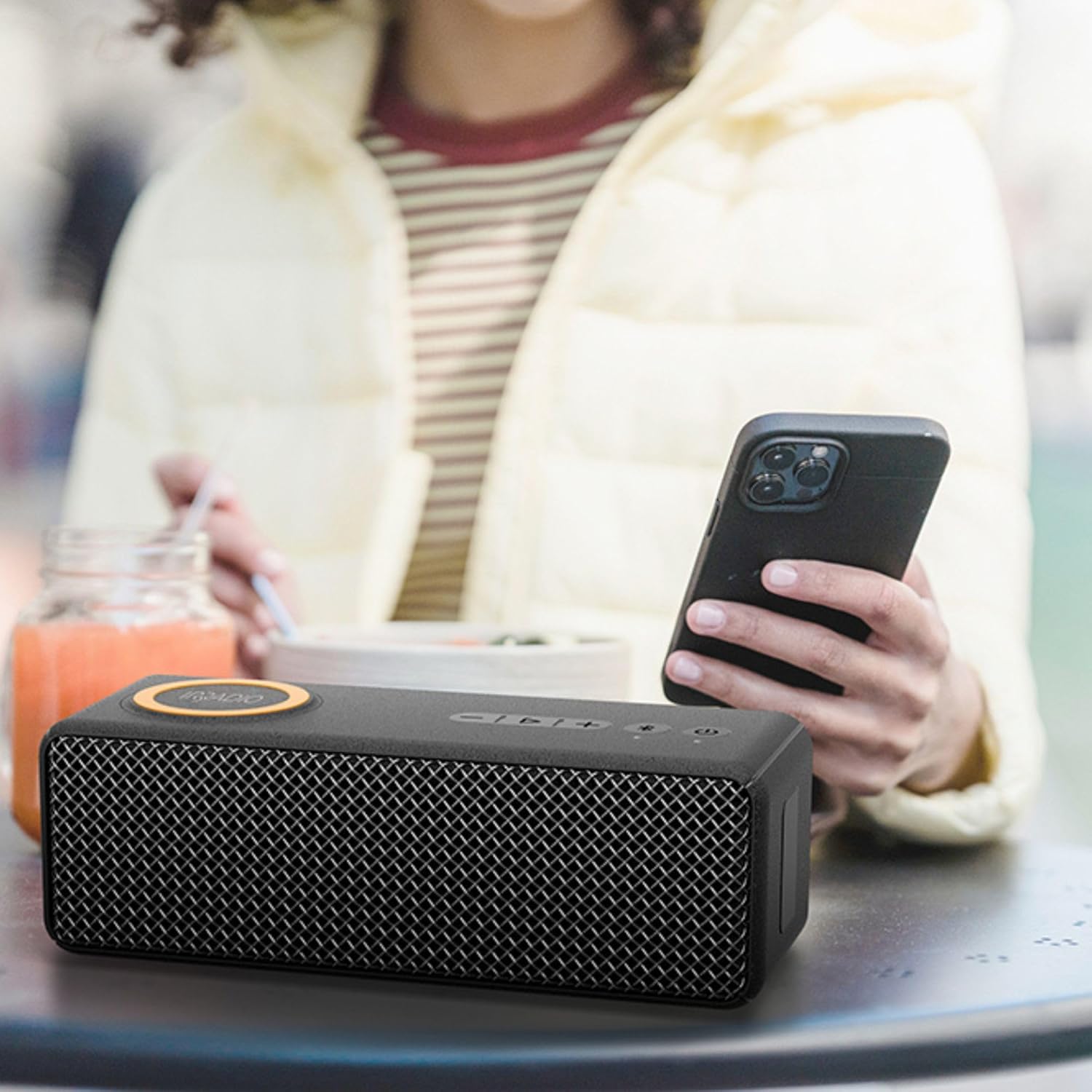
Image: The IRRADIO IR-M9 speaker in use, wirelessly charging a smartphone placed on its top surface.
Manutenzjoni
- Tindif: Uża artab, ftit damp cloth to clean the exterior of the speaker. Do not use harsh chemicals, cleaning solvents, or strong detergents. Ensure all port covers are closed during cleaning.
- Ħażna: Meta ma tkunx qed tużah għal perjodi twal, aħżen l-ispiker f'post frisk u niexef 'il bogħod mix-xemx diretta u minn temperaturi estremi.
- Lonġevità tal-batterija: Biex ittawwal il-ħajja tal-batterija, iċċarġja l-ispiker kompletament qabel ma taħżnu għal perjodi twal u erġa' ...ċċarġjah kull 3-6 xhur.
- Espożizzjoni għall-Ilma: After exposure to water, ensure the speaker is completely dry before charging or opening any port covers.
Issolvi l-problemi
| Problema | Kawża Possibbli | Soluzzjoni |
|---|---|---|
| L-ispiker ma jixgħelx. | Batterija baxxa. | Iċċarġja l-ispiker għal mill-inqas 30 minuta. |
| L-ebda ħoss mill-ispiker. | Volume too low; device not paired; incorrect source. | Increase volume on speaker and connected device. Re-pair Bluetooth. Ensure correct input (Bluetooth/MicroSD). |
| Tqabbil Bluetooth ifalli. | L-ispiker mhux fil-modalità ta' tqabbil; l-apparat wisq 'il bogħod; interferenza. | Ensure speaker is in pairing mode (flashing LED). Move device closer. Turn off other Bluetooth devices. |
| L-iċċarġjar mingħajr fili mhux qed jaħdem. | Speaker not connected to power; device not Qi-compatible; device not centered. | Connect speaker to a DC 5V 2A power adapter. Verify device compatibility. Reposition device on charging area. |
| It-tqabbil tat-TWS ifalli. | Speakers already paired to other devices; too far apart. | Disconnect both speakers from any Bluetooth devices. Ensure they are close to each other. Try pairing again. |
Speċifikazzjonijiet

Image: Dimensions of the IRRADIO IR-M9 speaker: 22.2 cm length, 7.5 cm height, 8.5 cm width.

Image: Key specifications of the IRRADIO IR-M9, including battery, speaker, wireless charging, and playback duration.
| Isem tal-Mudell: | IR-M9 Charge |
| Qawwa tal-Ħruġ: | 20W (up to 30W music playback) |
| Sewwieq: | 52 x 91 mm full-range driver with passive subwoofer |
| Rispons tal-Frekwenza: | 60 Hz - 20 kHz |
| Verżjoni Bluetooth: | 5.0 + EDR |
| Medda Bluetooth: | Sa 10 metri |
| Reżistenza għall-Ilma: | IPX7 |
| Batterija: | 7.4V 2000 mAh (14.8 Wh) |
| Ħin tad-daqq tal-mużika: | Sa 11 sigħat (b'50% volum) |
| Ħin tal-Iċċarġjar: | Madwar sagħtejn |
| Output tal-Iċċarġjar mingħajr Fili: | 9V sa 1.2A |
| Input ta' Enerġija: | DC 5V 2A |
| Dimensjonijiet (L x W x H): | 22.2 x 8.5 x 7.5 ċm |
| Piż Nett: | 856 g |
| Temperatura operattiva: | 0°C sa 40°C |
| Umdità Relattiva: | 0% sa 75% |
| Supported Audio Formats (MicroSD): | MP3, WAV |
Garanzija u Appoġġ
For warranty information and customer support, please refer to the documentation provided at the time of purchase or contact your retailer. You may also visit the official IRRADIO websit għal aktar għajnuna.
Jekk jogħġbok żomm il-prova tax-xiri tiegħek għal kwalunkwe talba ta' garanzija.