1. Introduzzjoni
Grazzi tax-xiriasing the Generic 1080p Digital Camera. This manual provides essential information for setting up, operating, and maintaining your camera. Please read this manual thoroughly before using the product to ensure proper operation and to prevent damage.
Prekawzjonijiet tas-Sigurtà:
- Do not expose the camera to water or excessive moisture.
- Evita li twaqqa’ l-kamera jew li tissottomettiha għal impatti qawwija.
- Żomm fejn ma jintlaħaqx mit-tfal.
- Uża biss kejbils u adapters tal-iċċarġjar approvati.
2. Prodott Aktarview
The Generic 1080p Digital Camera is a compact and portable device designed for capturing photos and videos. It features a 2.4-inch flip screen, 8X optical zoom, and various functions including filters and games.
2.1. Komponenti tal-Kamera

Deskrizzjoni tal-Immaġni: This diagram illustrates the camera's physical dimensions (117mm length, 64mm height, 29mm width) and labels key components. These include the Power button, T (Magnify) and W (Shrink down) buttons for zoom, an OK button, and directional buttons for navigation (upturning, right, on the left, flip down verify). The flip screen is shown in an open position.
- Buttuna tal-Qawwa: Jixgħel/jitfi l-kamera.
- T/W Buttons: Control optical zoom (T for Magnify, W for Shrink down).
- Buttuna OK: Confirms selections or takes a picture/starts recording.
- Buttuni Direzzjonali: Innaviga l-menus u s-settings.
- Flip Screen: 2.4-inch high-definition display that can be flipped for various shooting angles, including self-portraits.
- Lenti: Periscope lens with 8X optical zoom.
- Flash Fill: Provides additional light in low-light conditions.
2.2. Karatteristiċi ewlenin
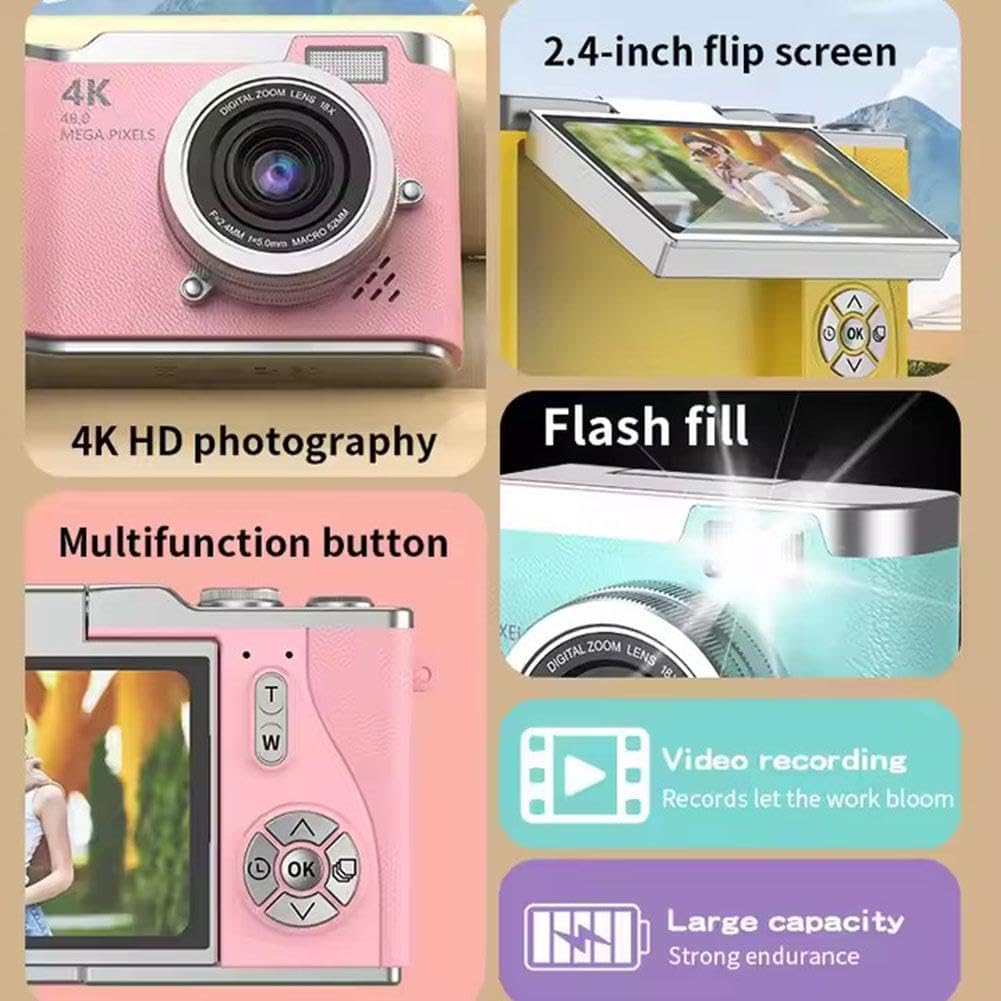
Deskrizzjoni tal-Immaġni: A collage highlighting several camera features. It shows the 2.4-inch flip screen in action, mentions "4K HD photography" (note: actual video resolution is 1080p, effective still resolution is 0.31MP), indicates a flash fill, points to a multifunction button, and highlights video recording capabilities and a large capacity battery.
- Wiri: 2.4-inch high-definition flip screen.
- Riżoluzzjoni tal-vidjo: Jappoġġja r-reġistrazzjoni tal-vidjow 1080p.
- Zoom ottiku: 8X optical zoom for capturing distant subjects.
- Funzjonijiet ewlenin: Photo, video, filter effects, games, and MP3 playback.
- Batterija: 800mAh capacity Lithium Ion battery.
- Materjal: Durable ABS plastic and hardware construction.
3. Setup
3.1. Iċċarġjar tal-batterija
- Connect the provided charging cable to the camera's charging port.
- Connect the other end of the cable to the adapter, then plug the adapter into a power outlet.
- The charging indicator light will illuminate. Charging typically takes 1.5-2 hours.
- Once fully charged, the indicator light may change or turn off. Disconnect the camera from the charger.
Nota: The camera's average battery life is approximately 3-4 hours for photos and 2 hours for recording.
3.2. Daħħal Kard tal-Memorja
This camera requires a memory card for storing photos and videos. A memory card is mhux inklużi with the product and must be purchased separately.
- Sib l-islott tal-karta tal-memorja fuq il-kamera.
- Insert a compatible memory card (e.g., microSD) into the slot until it clicks into place. Ensure the card is inserted in the correct orientation.
- To remove the card, gently push it in until it clicks, then release, and it will eject.
3.3. L-Ewwel Tixgħil
- Agħfas u żomm il-buttuna tal-Qawwa sakemm l-iskrin jixgħel.
- The camera will boot up and display the main interface.
- If prompted, set the date and time using the directional buttons and the OK button.
4. Istruzzjonijiet Operattivi
4.1. Teħid tar-Ritratti
- Ixgħel il-kamera.
- Frame your shot using the 2.4-inch flip screen. You can flip the screen to face forward for self-portraits.
- Press the OK button to take a picture.
4.2. Reġistrar Vidjows
- Ixgħel il-kamera.
- Navigate to video mode using the menu or a dedicated button (refer to on-screen icons).
- Press the OK button to start recording. Press it again to stop recording.
4.3. Using Zoom
Use the 'T' button to zoom in (magnify) and the 'W' button to zoom out (shrink down). The camera features 8X optical zoom.
4.4. Autofocus and Anti-Shake
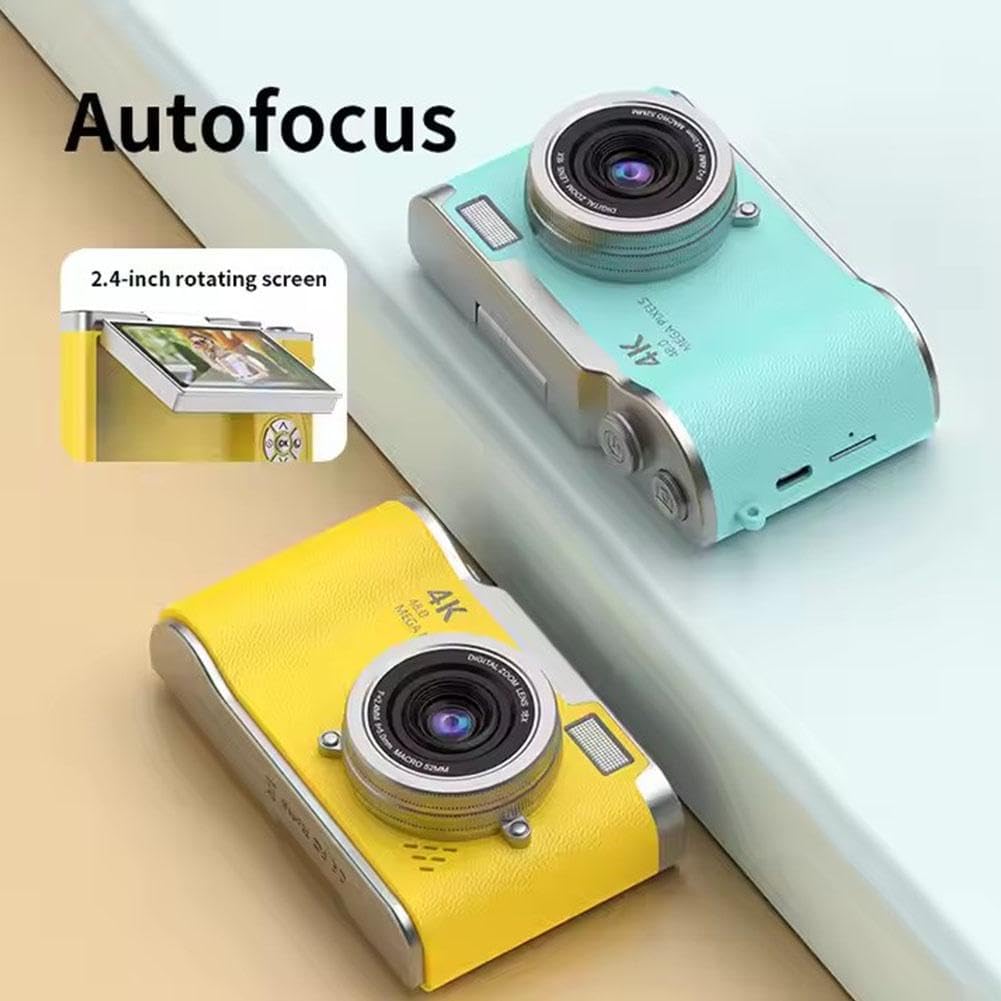
Deskrizzjoni tal-Immaġni: This image highlights the camera's autofocus capability and its 2.4-inch rotating (flip) screen. The camera is shown in yellow and blue variants.

Deskrizzjoni tal-Immaġni: This image demonstrates the camera's electronic anti-shake feature, indicating that it helps prevent blur and 'flutter' in photos and videos, even during dynamic movements.
The camera is equipped with autofocus technology to help achieve clear images. It also features electronic anti-shake to reduce blur caused by camera movement, particularly useful for active shots.
4.5. Riviewritratti u Vidjows
- Enter playback mode (usually via a dedicated button or menu option).
- Use the directional buttons to scroll through your captured media.
- Agħfas il-buttuna OK biex view ritratt jew idoqq vidjo.
4.6. It-trasferiment Files
The included multi-card reader allows for quick and easy transfer of files from your memory card to a computer, laptop, or other compatible devices.
- Remove the memory card from the camera.
- Daħħal il-karta tal-memorja fil-card reader.
- Connect the card reader to your computer's USB port.
- Aċċess għall- files on the memory card through your computer's file esploratur.
5. Manutenzjoni
5.1. Tindif tal-Kamera
- Uża drapp artab u niexef biex tnaddaf il-korp tal-kamera.
- For the lens and screen, use a specialized lens cleaning cloth and solution to avoid scratches.
- Tużax kimiċi ħarxa jew materjali li joborxu.
5.2. Ħażna
- Aħżen il-kamera f'post frisk u niexef 'il bogħod mix-xemx diretta u minn temperaturi estremi.
- If storing for an extended period, ensure the battery is partially charged (around 50%) and remove it if possible to prolong battery life.
6 Issolvi l-problemi
| Problema | Kawża Possibbli | Soluzzjoni |
|---|---|---|
| Il-kamera ma tixgħelx. | Il-batterija hija eżawrita jew mhux imdaħħla sew. | Charge the battery fully. Ensure the battery is correctly inserted. |
| Ma nistax nieħu ritratti/vidjows. | L-ebda kard tal-memorja mdaħħla jew il-kard hija mimlija/korrotta. | Insert a memory card. Delete unnecessary files or replace the card. Format the card if corrupted (this will erase all data). |
| L-immaġini huma mċajpra. | Camera shake, dirty lens, or out of focus. | Hold the camera steady. Clean the lens. Ensure autofocus is engaged. |
| L-iskrin huwa vojt jew iffriżat. | Żball fis-softwer. | Turn off the camera and restart it. If unresponsive, remove and reinsert the battery. |
7. Speċifikazzjonijiet
| Karatteristika | Speċifikazzjoni |
|---|---|
| Isem tal-Mudell | B0F488P9MD |
| Wiri | 2.4-inch high-definition flip screen |
| Riżoluzzjoni tal-vidjo | 1080p (format AVI) |
| Riżoluzzjoni Għadha Effettiva | 0.31 MP (Advertised as 4K HD photography and 48.0 Mega Pixels in some marketing materials) |
| Teknoloġija tas-Sensor tar-Ritratti | CMOS |
| Zoom ottiku | 8X |
| Tip ta 'batterija | Jonju tal-litju |
| Kapaċità tal-batterija | 800mAh |
| Ħajja tal-Batterija (Medja) | 3-4 hours (photo), 2 hours (recording) |
| Ħin tal-Iċċarġjar | 1.5-2 sigħat |
| Espansjoni tal-Memorja | Kard tal-memorja mhux inkluża |
| Dimensjonijiet tal-Prodott | 117mm x 64mm x 29mm |
| Piż tal-Prodott | 140g |
| Materjal | ABS Plastic and Metal |
| Karatteristiċi Speċjali | Flip Screen, Periscope Lens, Electronic Anti-shake, Autofocus |
8. Garanzija u Appoġġ
Għal informazzjoni dwar il-garanzija u appoġġ għall-klijenti, jekk jogħġbok irreferi għad-dokumentazzjoni pprovduta fil-ħin tax-xiri jew ikkuntattja lill-bejjiegħ tiegħek. Żomm l-irċevuta tax-xiri tiegħek bħala prova tax-xiri.