
1. Introduzzjoni
This manual provides essential information for the safe and efficient operation, maintenance, and troubleshooting of your BWT EV03CBX Rechargeable Pool Vacuum Kit. Please read this manual thoroughly before using the product and retain it for future reference.
The BWT EV03CBX is a cordless, portable cleaning device designed for maintaining spas and small pools. It features a rechargeable lithium battery for convenient operation and a filter system to capture fine debris.
2. Informazzjoni dwar is-Sigurtà
TWISSIJA: Jekk ma ssegwix dawn l-istruzzjonijiet, dan jista' jirriżulta f'xokk elettriku, nar, u/jew korriment serju.
- Aqra l-istruzzjonijiet kollha qabel tuża dan l-apparat.
- Do not operate the vacuum when people are in the pool.
- Keep the charging port dry. Do not charge the vacuum near water or with wet hands.
- Uża biss iċ-ċarġer fornut mill-manifattur.
- Do not attempt to disassemble or repair the battery or motor unit. Contact qualified service personnel.
- Store the vacuum in a cool, dry place away from direct sunlight when not in use.
- Dan l-apparat mhuwiex maħsub għall-użu minn persuni (inklużi tfal) b’kapaċitajiet fiżiċi, sensorji jew mentali mnaqqsa, jew nuqqas ta’ esperjenza u għarfien, sakemm ma jkunux ingħataw superviżjoni jew istruzzjoni dwar l-użu tal-apparat minn persuna responsabbli għas-sigurtà tagħhom.
3. Kontenut tal-Pakkett
Verify that all items listed below are present in your package. If any parts are missing or damaged, contact customer support.
- BWT EV03CBX Pool Vacuum Unit
- Filter Bag (0.3-liter capacity)
- Kejbil tal-Iċċarġjar (USB)
- Pole Sections (2 sections, total 36.6 inches)
- Vacuum Head with Wheels
- Mehmuż tal-Pinzell
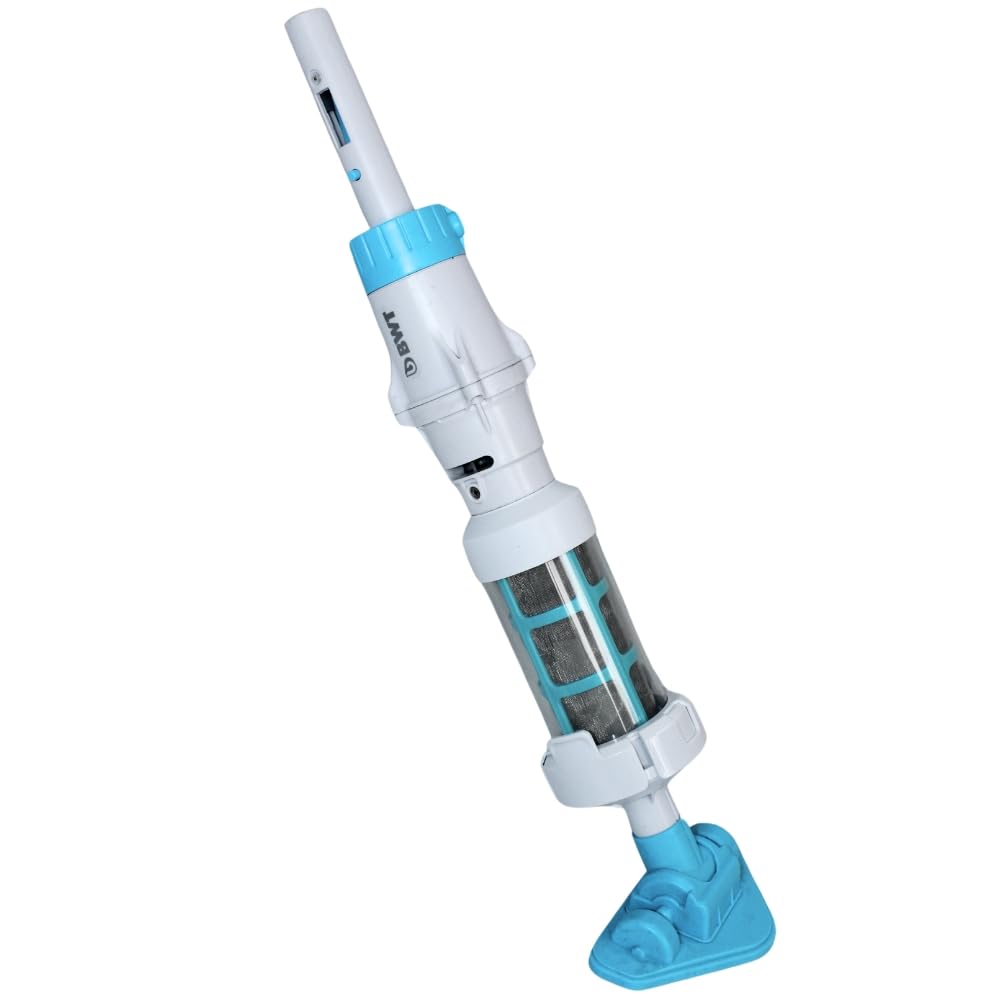
Image 1: Fully assembled BWT EV03CBX Rechargeable Pool Vacuum Kit.
4. Setup u Assemblea
4.1 Iċċarġjar tal-batterija
- Ensure the vacuum unit is dry before charging.
- Locate the charging port on the vacuum unit.
- Connect the provided USB charging cable to the vacuum unit and to a suitable USB power adapter (not included).
- Allow the vacuum to charge fully before first use. The charging indicator light will change color or turn off when charging is complete.

Image 2: USB charging cable.
4.2 Assembling the Pole
- Take the two pole sections.
- Connect the two sections by aligning the holes and pressing the spring clips. Ensure they lock securely.
- Attach the assembled pole to the vacuum unit. The pole is compatible with standard 1-1/4 inch attachments.

Image 3: Two pole sections for assembly.
4.3 Attaching the Vacuum Head or Brush
- Select either the vacuum head with wheels or the brush attachment based on your cleaning needs.
- Align the chosen attachment with the bottom of the vacuum unit and push firmly until it clicks into place.
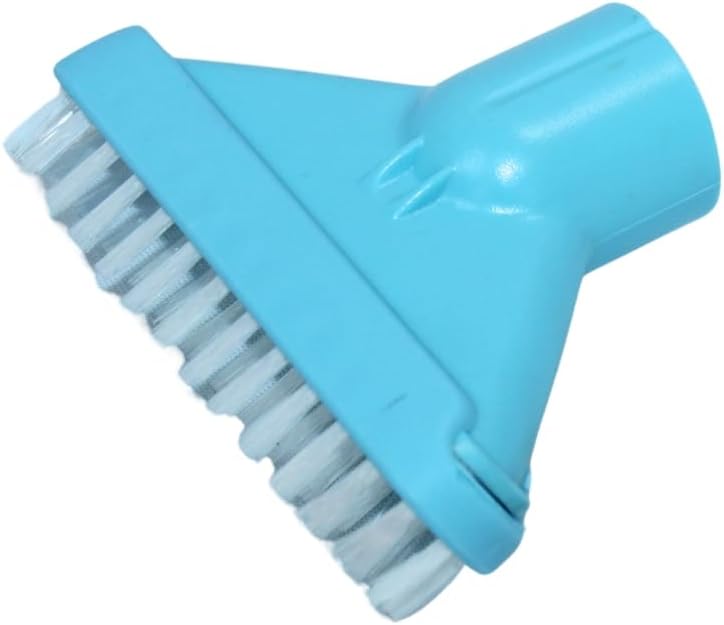
Image 4: Brush attachment.
5. Istruzzjonijiet Operattivi
5.1 Starting the Vacuum
- Kun żgur li l-vakwu huwa kompletament iċċarġjat.
- Submerge the vacuum unit completely in water. The non-return valve prevents water from flowing back out.
- Locate the power switch on the vacuum unit. Turn it ON. The motor will start, and the vacuum will begin to draw water and debris.
5.2 Cleaning the Pool/Spa
- Gently guide the vacuum head along the bottom and sides of your pool or spa.
- Move the vacuum slowly to allow sufficient time for debris to be collected.
- The vacuum is designed to operate effectively in water depths up to 2 meters.
- The lithium battery provides up to 30 minutes of continuous operation on a full charge.
5.3 Stopping the Vacuum
- Itfi l-iswiċċ tad-dawl.
- Carefully remove the vacuum from the water.
6. Manutenzjoni
6.1 Tindif tal-Borża tal-Filtru
It is recommended to clean the filter bag after each use or when suction power decreases.
- Ensure the vacuum is turned OFF and removed from water.
- Locate the click-lock opening system on the vacuum unit. Open it to access the filter compartment.
- Neħħi l-borża tal-filtru.
- Vojta kwalunkwe debris miġbur mill-borża tal-filtru.
- Rinse the filter bag thoroughly with clean water until all debris is removed.
- Reinsert the clean filter bag into the vacuum unit and securely close the click-lock system.

Image 5: Vacuum body with visible filter compartment.
6.2 Ħażna
- After cleaning, ensure the vacuum unit and filter bag are completely dry before storage.
- Store the vacuum in a cool, dry place, away from direct sunlight and extreme temperatures.
- For long-term storage, it is recommended to charge the battery periodically to maintain its health.
7 Issolvi l-problemi
| Problema | Kawża Possibbli | Soluzzjoni |
|---|---|---|
| Il-vacuum cleaner ma jixgħelx. | Il-batterija mhix iċċarġjata. | Iċċarġja l-batterija kompletament. |
| Qawwa baxxa ta 'ġbid. | Il-borża tal-filtru hija mimlija jew imblukkata. | Naddaf il-borża tal-filtru. |
| Qawwa baxxa ta 'ġbid. | Debris is blocking the intake. | Inspect and clear any blockages from the vacuum head or intake port. |
| Il-vakwu jieqaf ħesrem. | Il-batterija hija eżawrita. | Iċċarġja mill-ġdid il-batterija. |
8. Speċifikazzjonijiet
- Mudell: EV03CBX
- Sors tal-Enerġija: Batterija tal-litju rikarikabbli
- Ħin tat-Tħaddim: Sa 30 minuta (iċċarġjat kompletament)
- Kapaċità tal-Filtru: 0.3 Litri
- Maximum Operating Depth: 2 metru (6.5 pied)
- Tul tal-Arblu: 36.6 inches (two sections)
- Kompatibilità tal-Poli: Standard 1-1/4 inch attachments
- Dimensjonijiet tal-Prodott: 6"L x 2"W x 10"H (vacuum unit only)
9. Garanzija u Appoġġ
For warranty information or technical support, please refer to the warranty card included with your product or visit the official BWT websit. Żomm il-prova tax-xiri tiegħek għal talbiet ta' garanzija.
Appoġġ għall-Klijent: For assistance, please contact BWT customer service through their official channels.