
1. Introduzzjoni
This manual provides essential information for setting up, operating, and maintaining your TCL 98Q7K 98-inch QLED 4K Google TV. This television features a stunning QLED 4K display with a 144 Hz panel for smooth motion, integrated Google TV for smart functionality, and advanced audio with Dolby Atmos. It also includes Google Assistant and Alexa compatibility for hands-free voice control, VisionHDR10+, and AiPQ™ processing for optimized picture quality.

2. Setup
2.1 Tneħħija tal-kaxxa u Spezzjoni Inizjali
Carefully remove the television from its packaging. Inspect the TV and all included accessories for any signs of damage. Keep the packaging materials for future transport or service needs.
2.2 Installazzjoni ta' Stand
If you plan to use the TV with its included stand, follow these steps:
- Poġġi l-iskrin tat-TV 'l isfel fuq wiċċ artab u ċatt biex tevita l-grif.
- Allinja l-komponenti tal-istand mas-slots magħżula fil-qiegħ tat-TV.
- Secure the stand using the screws provided in the accessory kit. Ensure all screws are tightened firmly.

2.3 Immuntar mal-Ħajt (Mhux obbligatorju)
For wall mounting, a compatible VESA wall mount (not included) is required. Due to the size and weight of the 98-inch television, professional installation is highly recommended to ensure safety and proper mounting. Refer to the wall mount manufacturer's instructions for specific installation details.
2.4 Konnessjoni tal-Periferali
Connect your external devices such as Blu-ray players, gaming consoles, sound systems, and cable/satellite boxes to the appropriate ports on the TV. The TCL 98Q7K features 4 HDMI ports and 2 USB ports for versatile connectivity.
3. Istruzzjonijiet Operattivi
3.1 Power On/Off
Connect the power cord to the TV and a power outlet. Press the power button on the remote control or on the TV itself to turn the television on or off.
3.2 Initial Setup with Google TV
Upon first power-on, the TV will guide you through the initial setup process for Google TV. This includes selecting your language, connecting to a Wi-Fi network, signing in with your Google account, and configuring basic settings. Follow the on-screen prompts.

3.3 Funzjonijiet ta' Kontroll mill-bogħod
The included remote control allows you to navigate the TV's interface, adjust volume, change channels, and access smart features. It supports voice control via Google Assistant and Alexa. Insert the provided batteries into the remote control before use.
3.4 Karatteristiċi Intelliġenti u Kontroll tal-Vuċi
- Google TV: Access a wide range of streaming apps, movies, and shows.
- Google Assistant & Alexa: Use voice commands for hands-free control of your TV, search for content, get information, and control smart home devices.
- Chromecast inkorporat: Itfa' kontenut mill-apparati mobbli kompatibbli tiegħek direttament għat-TV.
3.5 Karatteristiċi tal-Logħob
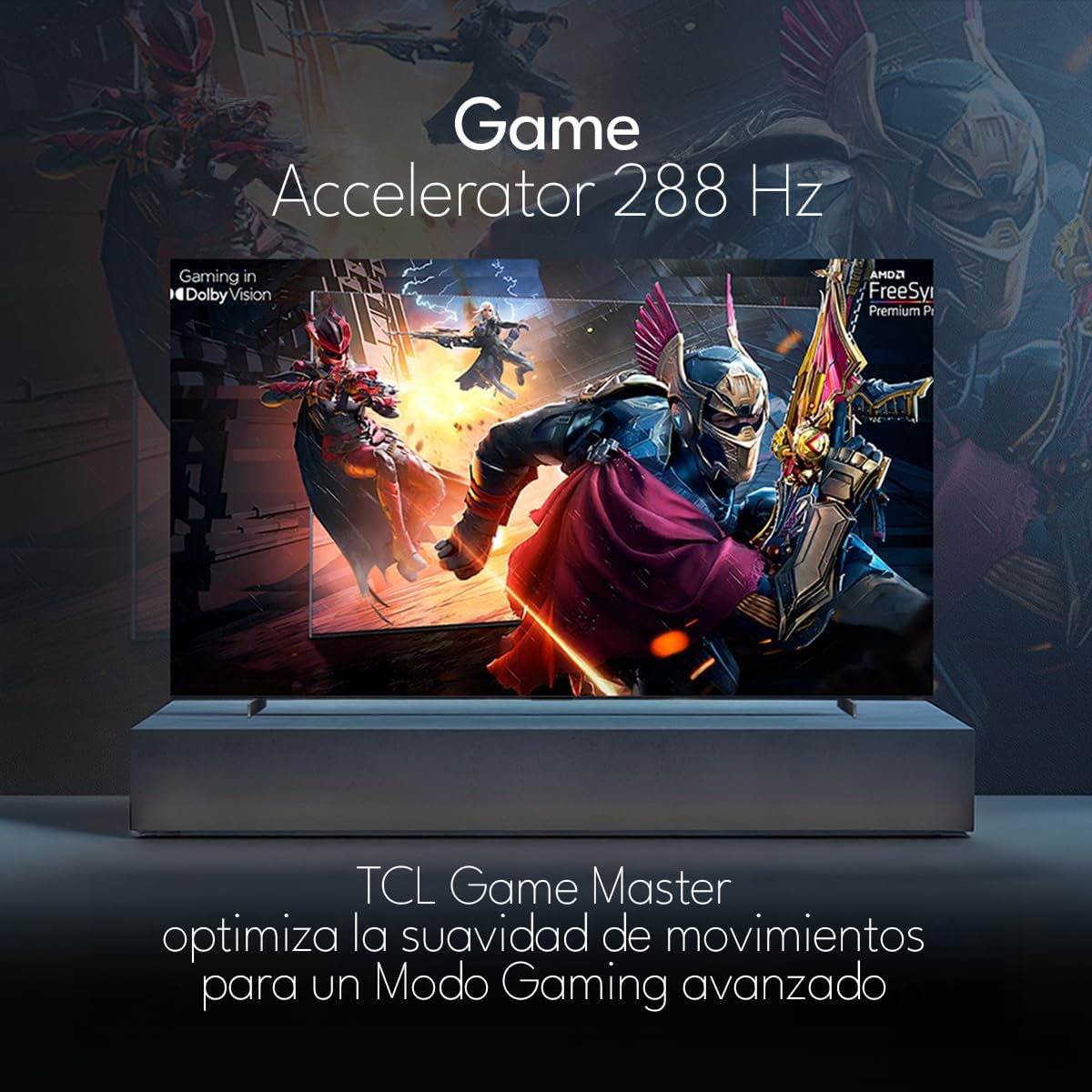
The TCL 98Q7K features a 144 Hz panel and Game Accelerator technology for an enhanced gaming experience with reduced latency and smoother motion.

3.6 Karatteristiċi tal-awdjo
Experience immersive sound with Dolby Atmos and the integrated ONKYO Hi-Fi System 2.1 Channels, providing clear vocals and deep bass.

3.7 Prodott Fuqview Video
4. Manutenzjoni
4.1 Tindif tal-Iskrin
Biex tnaddaf l-iskrin, imsaħ bil-mod b'ċarruta ratba u mingħajr suf. Għal marki persistenti, imsaħ bil-modampLaħlaħ id-drapp bl-ilma jew b'prodott speċjalizzat għat-tindif tal-iskrin. Evita li tuża kimiċi ħarxa, materjali li joborxu, jew li tisprejja likwidi direttament fuq l-iskrin.
4.2 Tindif tal-Korp tat-TV
Wipe the TV body with a soft, dry cloth. Do not use liquid cleaners directly on the TV body.
4.3 Aġġornamenti tas-Software
Your TCL Google TV may receive automatic software updates. To manually check for updates, navigate to the settings menu, then select System > About > System update. Ensure your TV is connected to the internet for updates.
5 Issolvi l-problemi
Jekk tiltaqa' ma' problemi bit-TV tiegħek, irreferi għas-soluzzjonijiet komuni li ġejjin:
- Ebda Qawwa:
Ensure the power cord is securely plugged into both the TV and a working electrical outlet. Try plugging another device into the same outlet to confirm it has power. - L-ebda Stampa jew Ħoss:
Verify that the correct input source is selected (e.g., HDMI 1, AV). Check all cable connections between the TV and external devices. Ensure the volume is not muted or set to minimum. - Il-Kontroll mill-bogħod Mhux Jaħdem:
Ibdel il-batteriji fir-remote control. Kun żgur li m'hemm l-ebda ostaklu bejn ir-remote u s-sensor IR tat-TV. - Kwistjonijiet ta' Konnessjoni man-Netwerk:
Check your Wi-Fi router and ensure it is powered on and functioning correctly. Restart the TV and your router. In the TV settings, verify the Wi-Fi connection status. - Picture Quality Issues (e.g., blurry, distorted):
Check the resolution settings of your input source. Ensure the cables are not damaged. Adjust picture settings (brightness, contrast, sharpness) in the TV menu.
For persistent issues, consult the full electronic manual available through the TV's help menu or contact TCL customer support.
6. Speċifikazzjonijiet
| Karatteristika | Speċifikazzjoni |
|---|---|
| Daqs tal-Iskrin | 98 Pulzier |
| Teknoloġija tal-Wiri | QLED |
| Riżoluzzjoni | 4K (3840 x 2160) |
| Riffriskar Rata | 144 Hz |
| Appoġġ għall-Format HDR | Dolby Vision, HDR10, HDR10+, HLG |
| L-ogħla luminożità | 450 NITS |
| Sistema tal-Ħoss | Dolby Atmos, Dolby Digital, ONKYO Hi-Fi System 2.1 Channels |
| Sistema Operattiva | Google TV |
| Kontroll tal-Vuċi | Google Assistent, Alexa |
| Konnettività | Wi-Fi, Ethernet, 4x HDMI, 2x USB |
| Dimensjonijiet (bl-istand) | 217.8 x 128.5 x 42 ċm |
| Dimensjonijiet (mingħajr stand) | 0.06prof. x 2.18an. x 1.25alt. Meters (approx. 6 cm depth) |
| Sena Mudell | 2025 |
| Komponenti Inklużi | Manual, Remote Control, Batteries |
7. Garanzija u Appoġġ
7.1 Garanzija tal-Prodott
The TCL 98Q7K television comes with a Garanzija limitata ta 'sena mid-data tax-xiri. Din il-garanzija tkopri difetti fil-manifattura u malfunzjonamenti taħt użu normali. Jekk jogħġbok żomm il-prova tax-xiri tiegħek għal talbiet ta' garanzija.
7.2 Appoġġ għall-Klijent
For technical assistance, troubleshooting beyond this manual, or warranty inquiries, please contact TCL customer support. Refer to the contact information provided in the separate warranty card or visit the official TCL websit għar-reġjun tiegħek.