
1. Introduzzjoni
This manual provides detailed instructions for the setup, operation, and maintenance of your ARZOPA D10 Gold 10.1" Digital Picture Frame. Please read this manual thoroughly before using the device to ensure proper functionality and to maximize your user experience.
The ARZOPA D10 Gold Digital Picture Frame features a 10.1-inch HD IPS touchscreen, Wi-Fi connectivity, and a durable metal frame. It allows for easy sharing of photos and videos with family and friends through the dedicated ARZOPA app, offering unlimited cloud storage and additional 32GB built-in storage.
2. Kontenut tal-Pakkett
Jekk jogħġbok ivverifika li l-oġġetti kollha huma preżenti fil-pakkett tiegħek:
- ARZOPA D10 Gold 10.1" Digital Picture Frame
- Adapter tal-Enerġija
- Manwal għall-Utent
- Stand Bracket
3. Prodott Aktarview
Familiarize yourself with the components of your digital picture frame.

Figura 3.1: Quddiem view of the ARZOPA D10 Gold Digital Picture Frame, showcasing its 10.1-inch display and a smartphone displaying the ARZOPA app interface.

Figura 3.2: Wara view of the ARZOPA D10 Gold Digital Picture Frame, highlighting the built-in speakers, wall mounting holes, stand hole, power button, USB port, Micro SD card slot, and DC power input.
Komponenti tal-Qafas:
- 10.1" IPS Touch Screen: High-definition display for vibrant photo and video playback.
- Qafas tal-metall: Durabbli u estetikament pjaċevoliasing gold-colored metal casing.
- Kelliema Mibnija: For audio playback with videos.
- Buttuna tal-Qawwa: To turn the frame on/off or activate sleep mode.
- Port USB: For connecting USB drives for media transfer.
- Slott tal-Karta Mikro SD: For expanding storage up to 128GB (SD card not included).
- Input ta' Enerġija DC: Għall-konnessjoni tal-adapter tal-enerġija.
- Stand Bracket: For tabletop display.
- Toqob tal-ħajt: For mounting the frame on a wall.
4. Setup
4.1 Setup Inizjali
- Qabbad l-Enerġija: Plug the power adapter into the DC power input on the back of the frame, then plug the adapter into a wall outlet. The frame will automatically power on.
- Għażla tal-Lingwa: Segwi l-istruzzjonijiet fuq l-iskrin biex tagħżel il-lingwa preferuta tiegħek.
- Konnessjoni Wi-Fi: Select your Wi-Fi network from the list and enter the password. Ensure a stable internet connection for optimal performance.
- Download ARZOPA App: Download the free ARZOPA app from the App Store (iOS) or Google Play Store (Android) on your smartphone.
- Irreġistra Kont: Open the ARZOPA app and register a new account or log in if you already have one.
- Pair Frame: In the app, follow the instructions to add a new device. You will typically scan a QR code displayed on your digital frame to pair it with your app account.

Figura 4.1: Visual guide for connecting the ARZOPA app to the digital picture frame, showing steps from opening the app to uploading photos.
4.2 Għażliet ta 'Immuntar
- Wirja fuq il-mejda: Attach the included stand bracket to the designated hole on the back of the frame for stable placement on any flat surface.
- Immuntar tal-ħajt: Use the wall holes on the back of the frame to mount it securely on a wall. Ensure appropriate wall anchors and screws are used (not included) for safe installation.
5. Istruzzjonijiet Operattivi
5.1 Operazzjoni Bażika
- Navigazzjoni bil-touchscreen: The frame features a responsive touchscreen. Swipe left/right to navigate through photos, tap to access menus, and pinch to zoom (if supported by software).
- Power On/Off: Press and hold the power button for a few seconds to turn the frame on or off. A short press will activate/deactivate sleep mode.
- Modalità Sleep: Configure smart sleep mode settings in the frame's settings menu to automatically turn the screen off during specific hours (e.g., overnight) to save energy.
- Aġġustament tal-luminożità: Adjust screen brightness via the settings menu or quick access controls (if available) for optimal viewf’kundizzjonijiet ta ’dawl differenti.
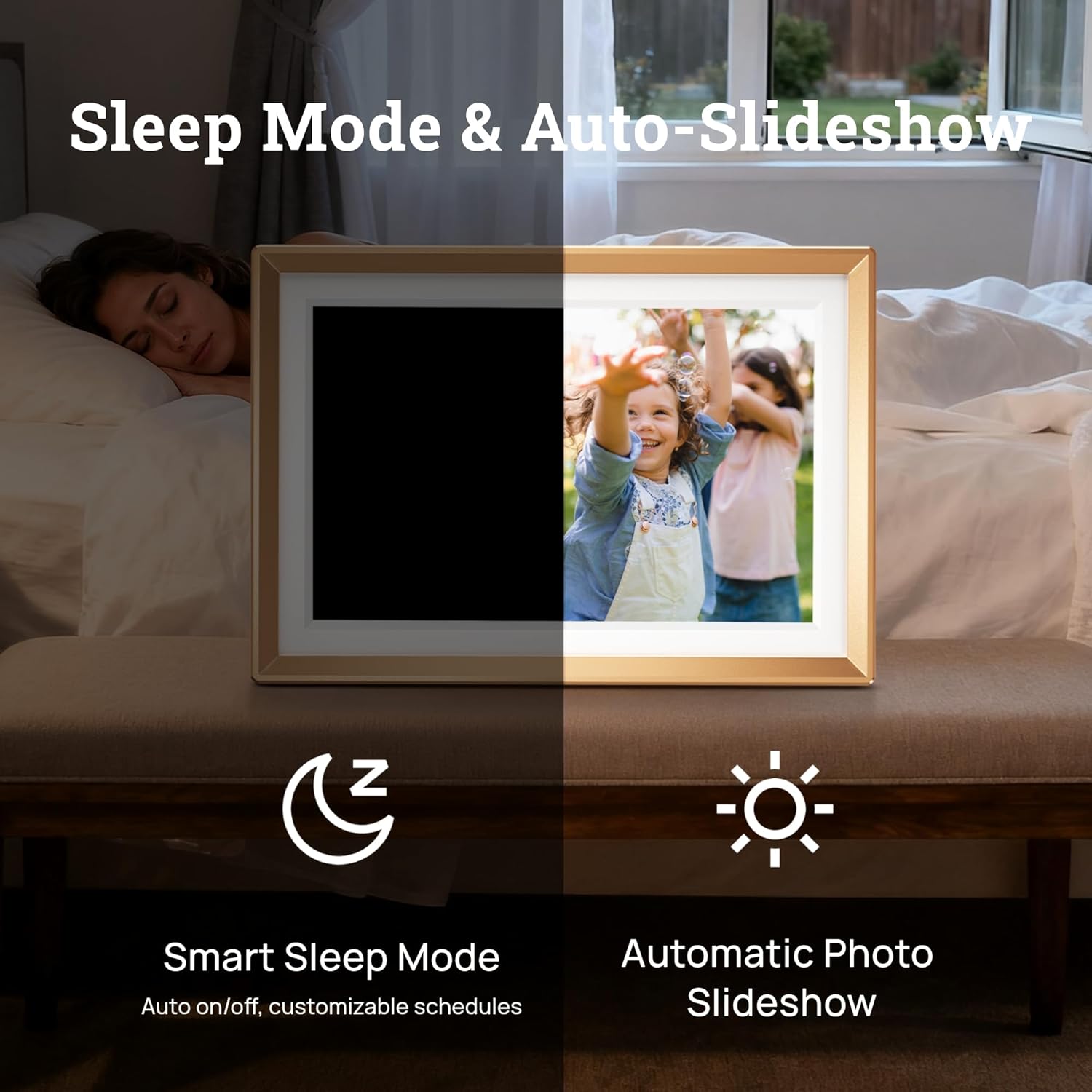
Figura 5.1: Illustration of the Smart Sleep Mode, where the frame automatically turns off, and the Automatic Photo Slideshow feature.
5.2 Ġestjoni tar-Ritratti u l-Vidjows
- Uploading via ARZOPA App: Open the ARZOPA app, select the frame, and choose photos or videos from your device to upload. The app supports unlimited uploads to cloud storage.
- Uploading via SD Card/USB: Insert a Micro SD card (up to 128GB) or a USB drive into the respective port. The frame will detect the storage, allowing you to import media to the internal 32GB storage.
- Immaniġġjar tal-Kontenut: Access the gallery or file management section on the frame's touchscreen to view, delete, or organize your uploaded photos and videos.
- Issettjar tal-Wirja tal-Islajds: Customize slideshow intervals, transition effects, and playback order in the frame's settings.

Figura 5.2: Fuqview of various methods to upload photos and videos to the ARZOPA frame: via the ARZOPA app, external storage (SD card/USB), PC connection, and free cloud storage.
5.3 Sharing Features
- Invite Others to Share: Through the ARZOPA app, you can invite family and friends to share photos and videos directly to your frame. They will need to download the app and create an account.
- Karatteristiċi Interattivi: The app may include features like 'like' and 'comment' to create a shared, interactive space for memories.
5.4 Karatteristiċi Avvanzati
- Weather and Calendar: The frame can display real-time weather information and a calendar. These features can be enabled and configured in the settings.
- Awto-Rotazzjoni: The built-in gravity sensor automatically adjusts the display orientation (landscape or portrait) based on how the frame is positioned.

Figura 5.3: The digital picture frame displaying a photo along with real-time weather and calendar information.
6. Manutenzjoni
- Tindif tal-Iskrin: Uża drapp artab u mingħajr suf biex timsaħ l-iskrin bil-mod. Għal tbajja' persistenti, nixxef ftit.ampLaħlaħ id-drapp bl-ilma jew b'soluzzjoni għat-tindif tal-iskrin. Evita kimiċi ħarxa.
- Aġġornamenti tas-Software: Periodically check for software updates in the frame's settings menu to ensure you have the latest features and performance improvements.
- Ġestjoni tal-Ħażna: Regolarment mill-ġdidview your stored photos and videos. Delete unnecessary files to free up internal storage, especially if you are not using cloud storage exclusively.
7 Issolvi l-problemi
If you encounter issues with your ARZOPA Digital Picture Frame, refer to the following common problems and solutions:
| Problema | Soluzzjoni Possibbli |
|---|---|
| Il-qafas ma jixgħelx. | Kun żgur li l-adapter tal-enerġija huwa konness sew kemm mal-qafas kif ukoll ma' sokit tal-enerġija li jaħdem. Ipprova sokit differenti. |
| Ma tistax tikkonnettja mal-Wi-Fi. | Check if your Wi-Fi router is working. Re-enter the Wi-Fi password carefully. Ensure the frame is within range of your Wi-Fi signal. Restart the frame and your router. |
| Ritratti/vidjows mhux qed jidhru. | Verify that media has been successfully uploaded via the ARZOPA app or transferred from an SD card/USB. Check the frame's internal storage. Ensure file formati huma appoġġjati. |
| ARZOPA app not pairing with frame. | Ensure both the frame and your smartphone are connected to the internet. Re-scan the QR code on the frame. Restart both the app and the frame. |
| L-iskrin ma jirrispondix. | Restart the frame by holding down the power button. If the issue persists, perform a factory reset (refer to settings menu, note this will erase all data). |
8. Speċifikazzjonijiet
| Karatteristika | Dettall |
|---|---|
| Dimensjonijiet tal-Prodott | 10.35 x 7.15 x 0.99 pulzieri |
| Piż tal-oġġett | 2.97 liri |
| Daqs tal-Iskrin | 10.1 Pulzier |
| Riżoluzzjoni | 1280x800 |
| Kulur | D10-Gold |
| Ħażna Interna | 32GB |
| Ħażna espansibbli | Up to 128GB (Micro SD card, not included) |
| Konnettività | WiFi |
| Apparati Kompatibbli | Android, iOS, Personal Computer, Smartphone |
| Manifattur | ARZOPA |
9. Informazzjoni dwar Garanzija
ARZOPA products are covered by a manufacturer's warranty. For specific details regarding your product's warranty period and terms, please refer to the warranty card included in your package or visit the official ARZOPA websit. Żomm l-irċevuta tax-xiri tiegħek bħala prova tax-xiri għal talbiet ta' garanzija.
10. Appoġġ
For technical assistance, product inquiries, or warranty support, please contact ARZOPA customer service. Our dedicated support team aims to respond within 48 hours to provide personalized technical assistance.
- Appoġġ onlajn: Visit the official ARZOPA websit għal FAQs, riżorsi ta' appoġġ, u formoli ta' kuntatt.
- Appoġġ bl-Email: Refer to your product packaging or the ARZOPA websit għall-indirizz elettroniku tas-servizz tal-konsumatur.